Documentation Index
Fetch the complete documentation index at: https://docs.heymilo.ai/llms.txt
Use this file to discover all available pages before exploring further.
Scorecards & Analysis
HeyMilo’s intelligent scorecards provide structured, objective, and consistent evaluations of every candidate, making it easy to compare qualifications and make fair, confident, and data-driven hiring decisions.
What is a Scorecard?
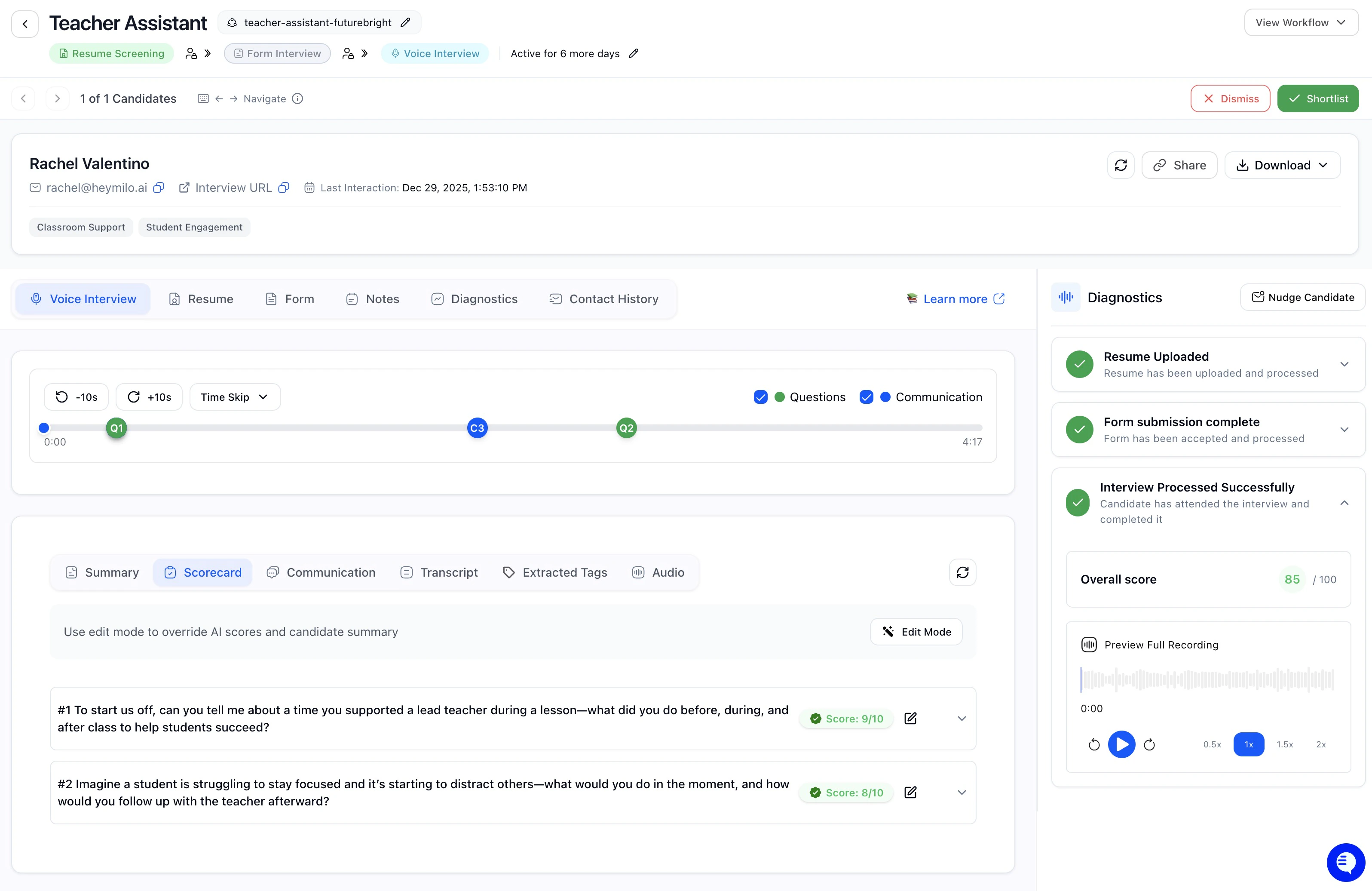
- Objective Evaluation: Consistent criteria applied to all candidates
- Detailed Breakdown: Performance by competency area
- Comparative Analysis: Easy comparison between candidates
- Decision Support: Clear data to guide hiring choices
Candidate Profile Actions
When you open a candidate profile, the header gives you quick access to navigation and key actions. Candidate Navigation: Use the left/right arrows to move between candidates without going back to the list. The counter shows where you are (e.g., “1 of 12 Candidates”). View Workflow: See where this candidate is in the interview pipeline. Actions Menu is a Dropdown with:- Shortlist: Mark this candidate for further consideration
- Dismiss: Remove from your active pipeline
Where Scorecards Appear

- Resume Screening
- Form Screening
- Voice Interview
- SMS Screening (if enabled)
How Question-Level Scoring Works
HeyMilo scores each candidate answer based on the criteria you set. For every interview question, your team defines what a great answer (score of 5) and a weak answer (score of 1) looks like, written in plain English. Our model uses those definitions, and the full transcript of the candidate’s response to assign a score from 1 to 5. Here’s what to know:- you define what a 5 or 10 (strong) answer looks like
- Our model figures out what a 2, 3, or 4 would be based on that range.
- The model doesn’t learn from past responses. It only uses the rubric you give it.
- You can keep your criteria broad and flexible to avoid being too strict or narrow.
- Your team can update the rubric anytime.
- You can always review and change any score manually.
Resume Screening Scorecards
Purpose: Evaluate whether a candidate’s resume meets role requirements before interviews.Tabs You’ll See
Form Screening Scorecards
Purpose: Validate required information and enforce eligibility using structured form responses.Tab You’ll See
SMS Screening Scorecards
Purpose: Quickly confirm must-have criteria in high-volume workflows.Tabs You’ll See
Voice Interview Scorecards
Purpose: Evaluate how candidates explain, reason, and communicate using their own words.Tabs You’ll See
Questions
Each interview question with:- candidate response
- score
- written explanation tied to the rubric
Diagnostics & Integrity (Optional)
Purpose: Provide technical and process-level context about how an interview was completed, not what the candidate said. Diagnostics are informational only. They do not automatically pass, fail, or score candidates.Notes Tab (All Agents)
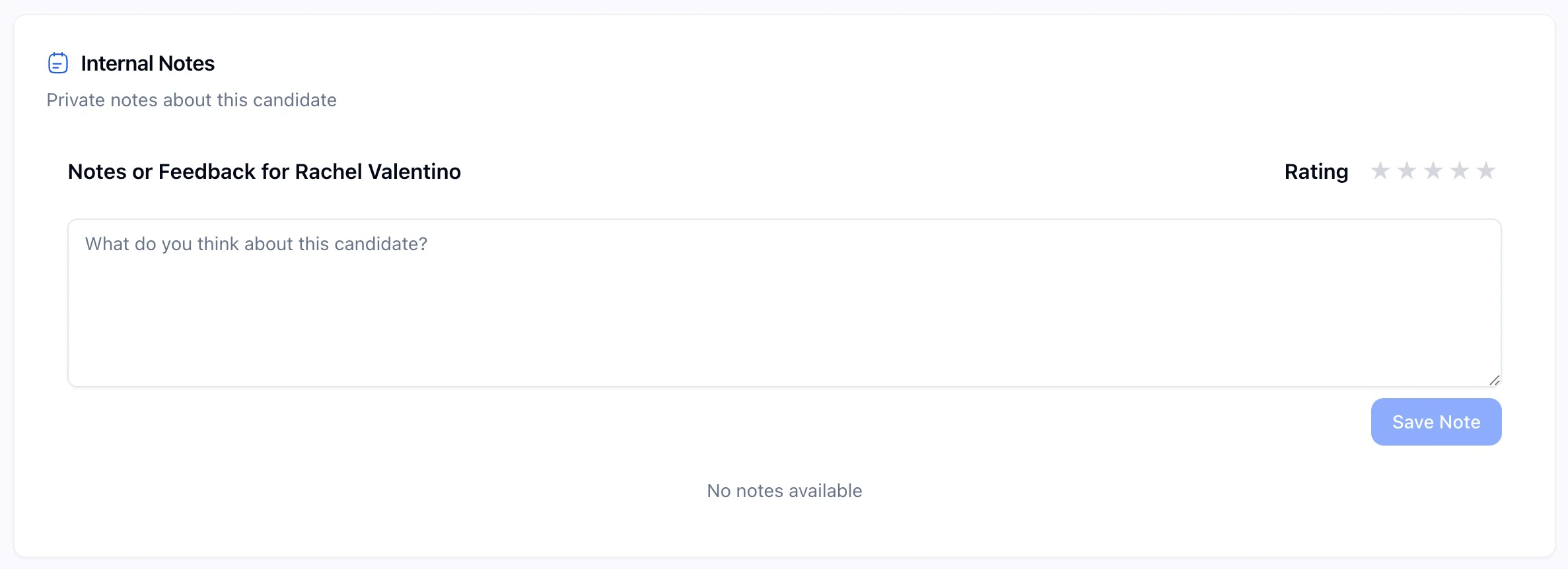
- Internal notes
- Star ratings or thumbs up/down
- Not visible to candidates
- Not used in scoring
Contact History Tab
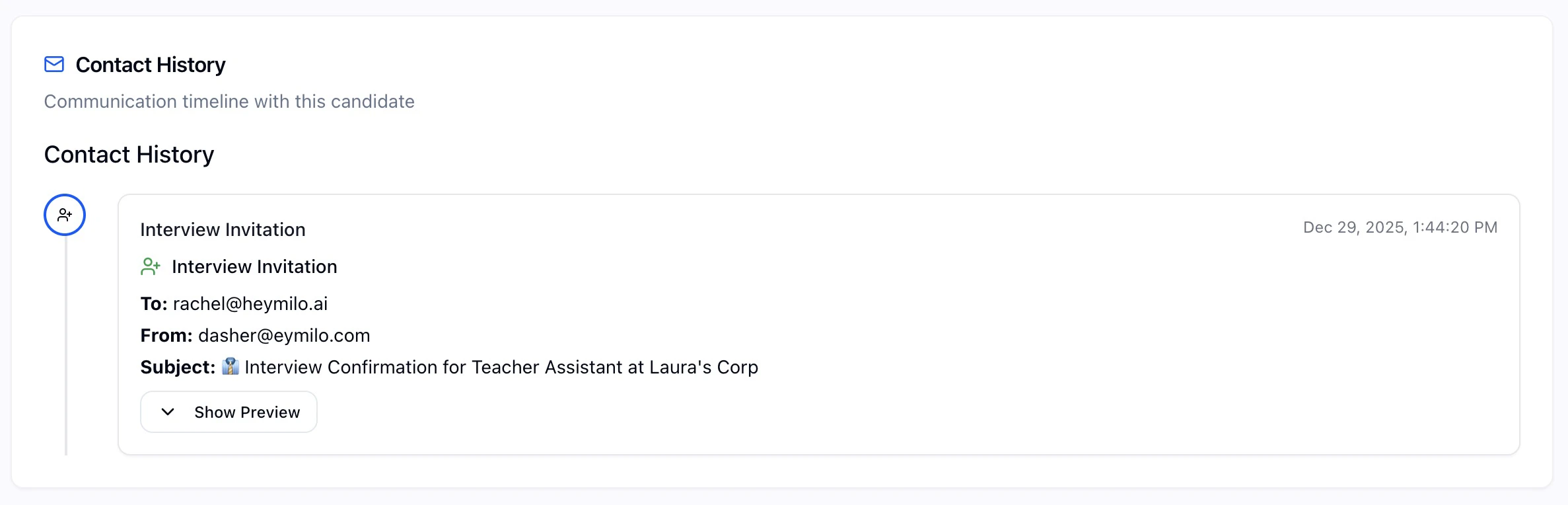
- emails
- SMS
- interview invitations
- timestamps
Analytics: Seeing the Bigger Picture
The Analytics section gives you a broader view of candidate performance across roles and time periods. It’s designed to help you spot trends, benchmark success rates, and optimise your interview process.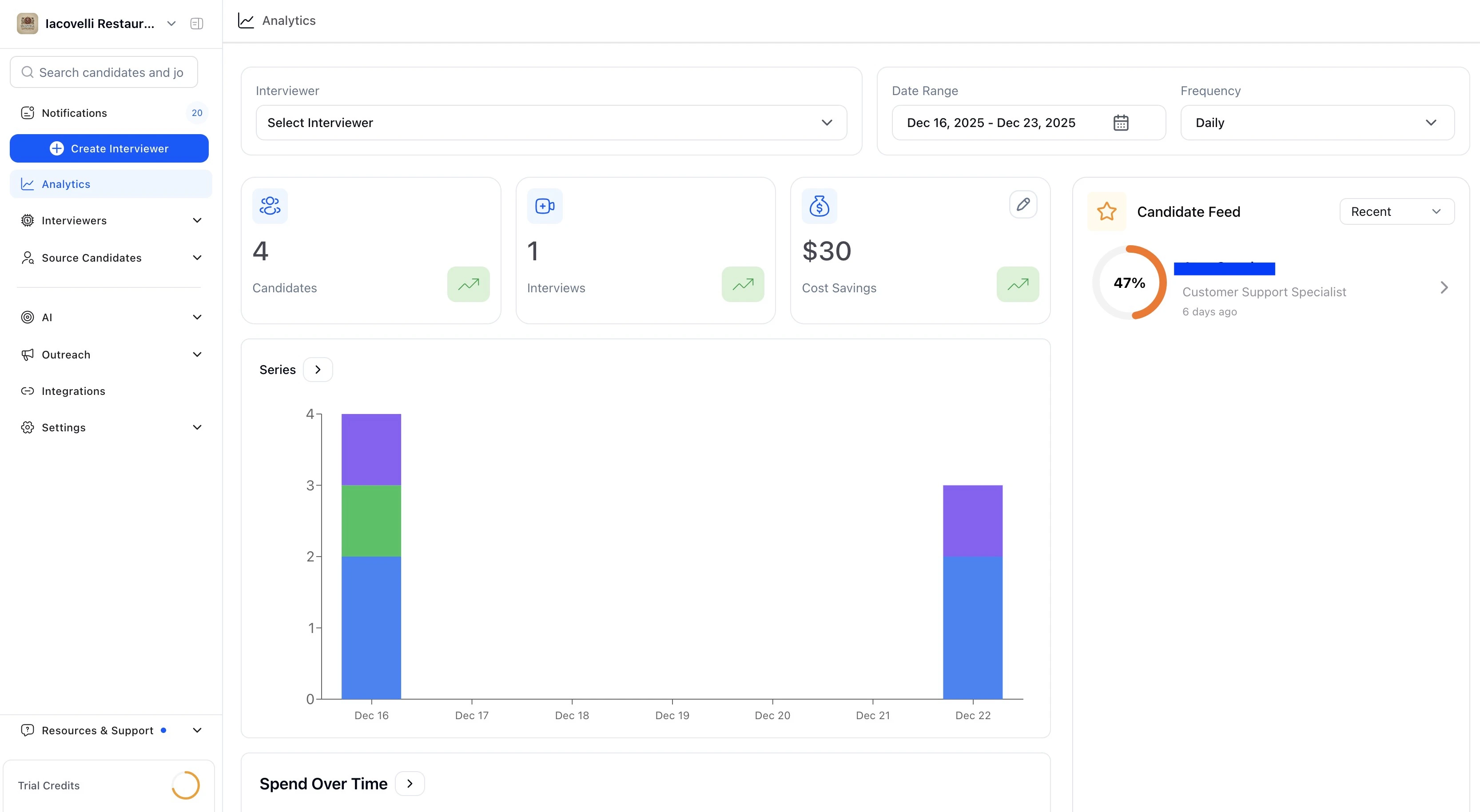
- candidate volume by stage
- completion rates
- performance trends
- per-question patterns
- spend and estimated savings
🧠 Common Use Cases
| Task | Action |
|---|---|
| Review a candidate’s performance in detail | Open their Scorecard link. |
| Compare average candidate scores for a job | View Candidates |
| Identify which interview questions work best | Review “Scorecard” in Analysis. |
| Export a list of shortlisted candidates | Use filters + Export in either Scorecard or Dashboard. |
Interpreting Scorecard Results
Comparative Analysis
Using Scorecards for Decision Making
Common Scorecard Mistakes
Advanced Scorecard Features
Pro Tip: The best scorecards combine objective data with human insight. Use scores as a starting point, but always consider the complete candidate picture.
Downloading & Translating Reports
HeyMilo supports generating candidate reports in multiple languages. Whether you’re sharing results with international clients or working with multilingual hiring teams, you can download reports in the language that works best.
Report Styles
| Style | What it supports |
|---|---|
| Modern (default) | Multilingual: supports 16+ languages. New layout with candidate journey, highlights, lowlights, and structured sections per workflow step |
| Classic | English only. Legacy report layout |
Multilingual translation is only available with the Modern report style. If you select Classic, the report will generate in English regardless of language selection.
How to Download a Report
From any candidate profile, click Download and choose:Bulk Downloads
From the candidate list, select multiple candidates and use the Download bulk action to generate reports for all of them at once. Bulk downloads are sent to your email as a ZIP file. The same report style, language, and content options apply to bulk downloads.What Gets Translated
Tip: If a client or hiring manager needs a report in a language not listed in the dropdown, reach out to support — the backend supports additional languages beyond what’s shown in the UI.
Sharing Reports with Candidates
If you’d like to give candidates visibility into their results, you can easily share their interview reports with them: