
Documentation Index
Fetch the complete documentation index at: https://docs.heymilo.ai/llms.txt
Use this file to discover all available pages before exploring further.
Email Event Tracking
See the delivery status of every email sent to candidates, and always know if your message landed.
Overview
Email Event Tracking shows a status badge for every email sent through HeyMilo, including:- Interview invitations
- Email blasts
- Reminders and nudges
- Resume upload requests
%20(1).png?fit=max&auto=format&n=EGn2J1_1jAyygLfi&q=85&s=9904d16ff9861acbb2e597205650a9cb)
Where to Find It
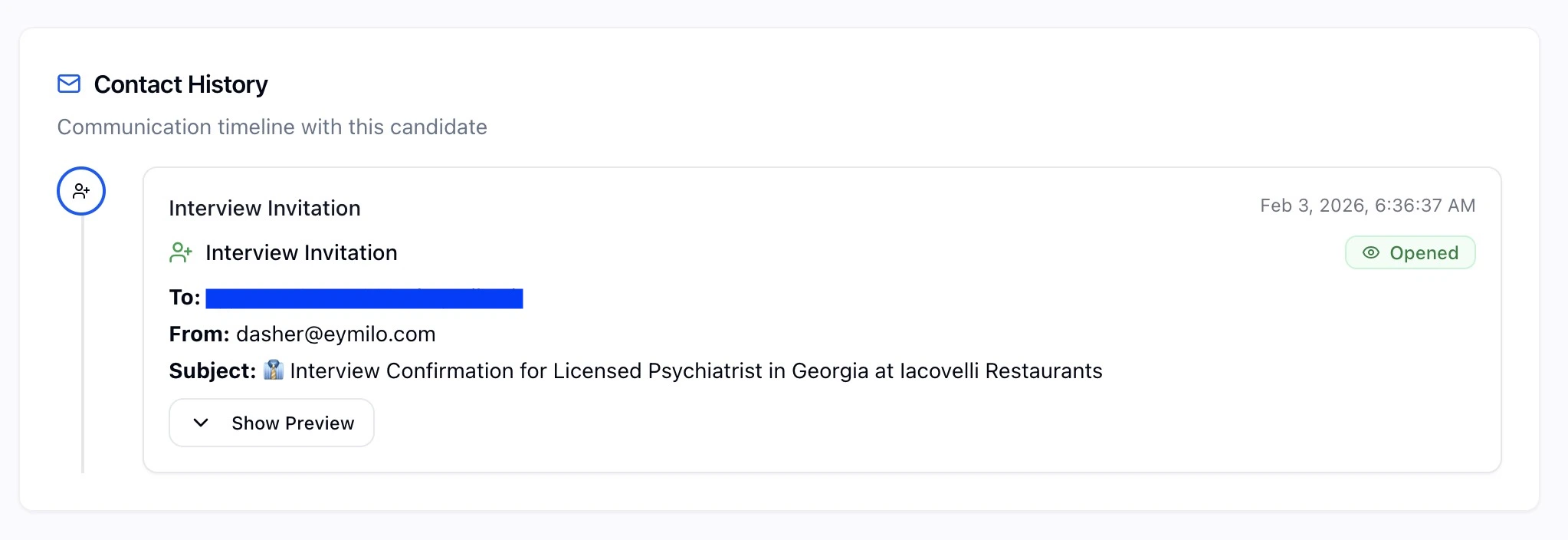
Email Statuses
| Status | Icon | What It Means |
|---|---|---|
| Delivered | ✓ | Email successfully reached the candidate’s inbox |
| Opened | 👁 | Candidate opened and viewed the email |
| Bounced | ✕ | Email could not be delivered (invalid address, full inbox, etc.) |
| Dropped | ⚠ | Email was not sent (suppressed, invalid, or blocked) |
Contact History Timeline
The Contact History tab shows all communications with a candidate in chronological order (newest first), including:- Interview Invitations: Initial invite to complete an interview
- Email Blasts: Bulk outreach emails
- Interview Reminders: Nudges to complete pending interviews
- Resume Reminders: Prompts to upload a resume
- Deadline Reminders: Notifications about upcoming deadlines
- Type of email
- Delivery status badge
- Recipient and subject line
- Date and time sent
Tips for Better Delivery
Reduce bounces:- Verify email addresses during candidate intake
- Use double opt-in when collecting emails
- Clean up old or inactive candidate records
- Write clear, compelling subject lines
- Send at optimal times (mid-morning tends to work well)
- Keep your sender reputation healthy by avoiding spam triggers