
Documentation Index
Fetch the complete documentation index at: https://docs.heymilo.ai/llms.txt
Use this file to discover all available pages before exploring further.
Default Agent Templates
Default agent templates are pre-configured interview workflows that automatically apply when you create a new interviewer in your workspace. This feature helps you maintain consistency and speeds up the agent creation process.
How Auto-Apply Works
When you create a new interviewer, the system automatically checks if your workspace has a default template configured. If found, it creates the new agent using that template’s settings, including:- Interview stages (form, resume, SMS, voice)
- Question configurations
- Evaluation criteria
- Workflow settings
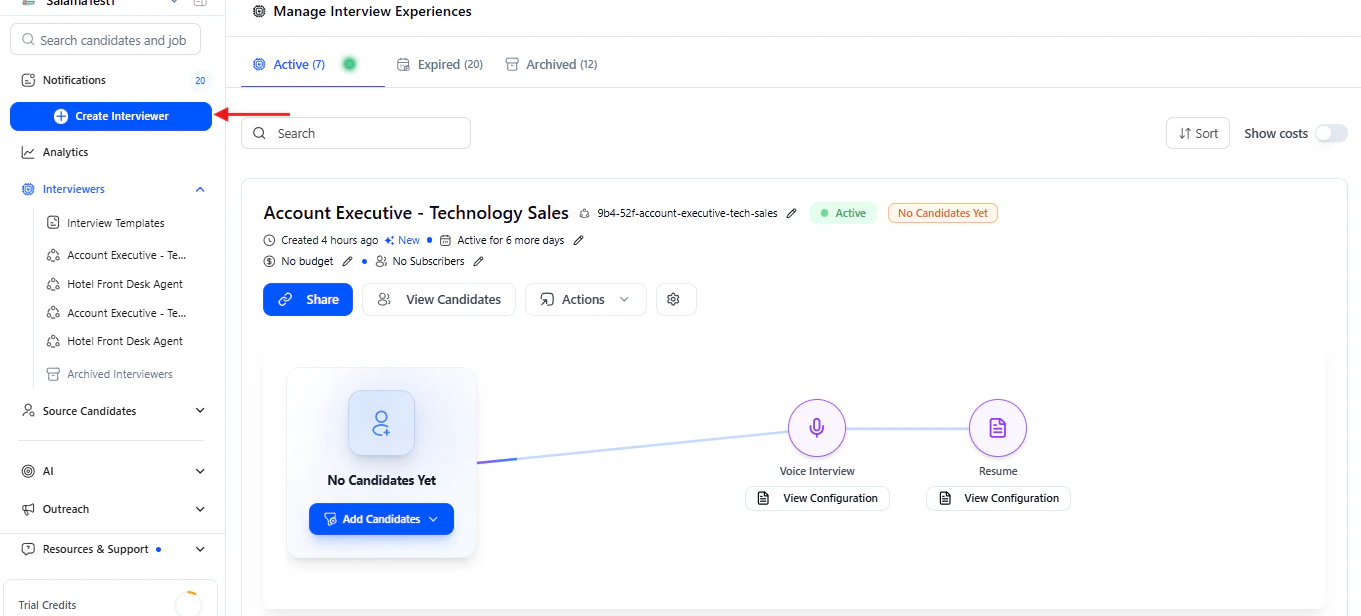
Setting Up a Default Template
Step 1 — Create or Choose a Template
First, you need to have an interview template created. You can: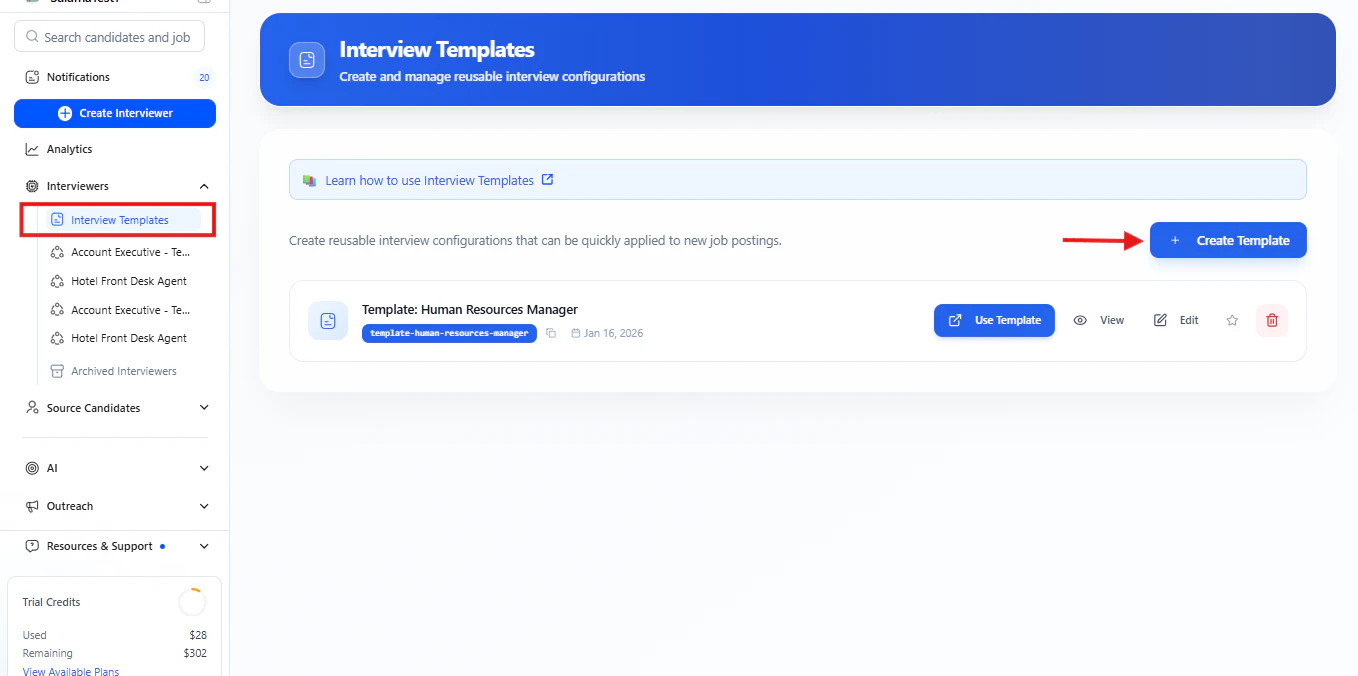
- Create a new template from scratch
- Use an existing template from your workspace
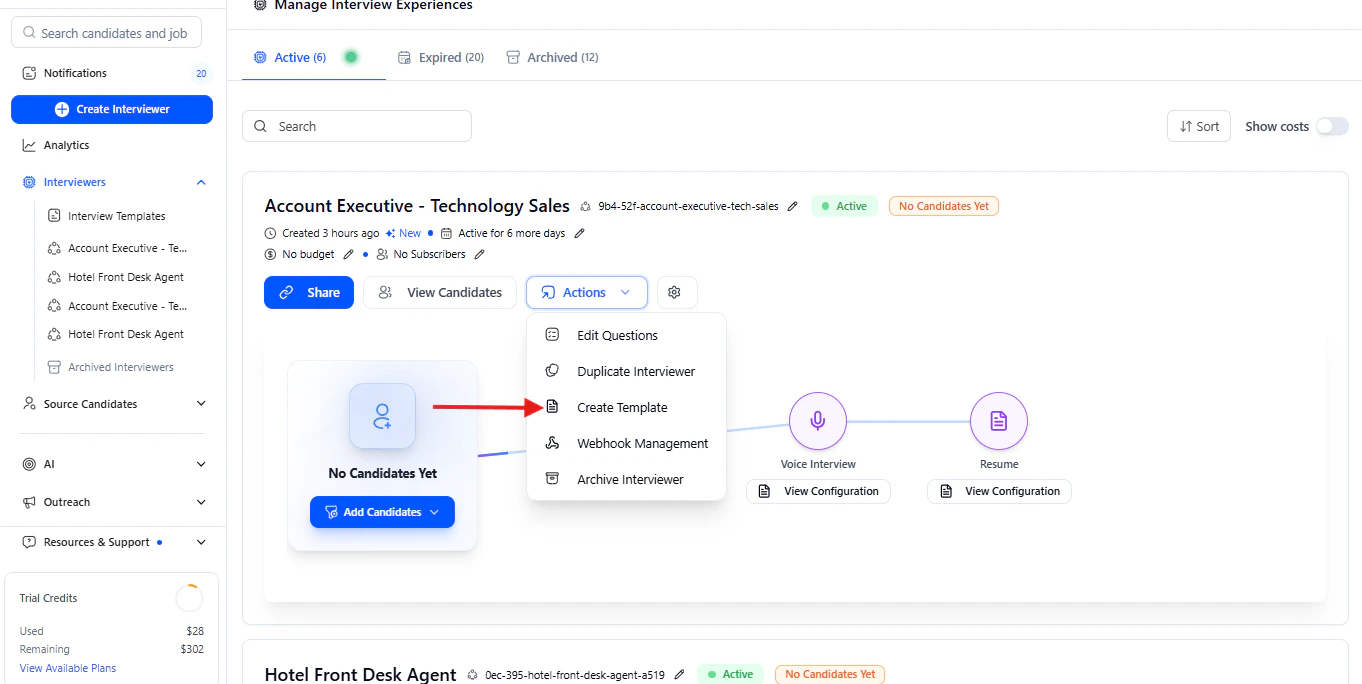
- Create a template from an existing agent
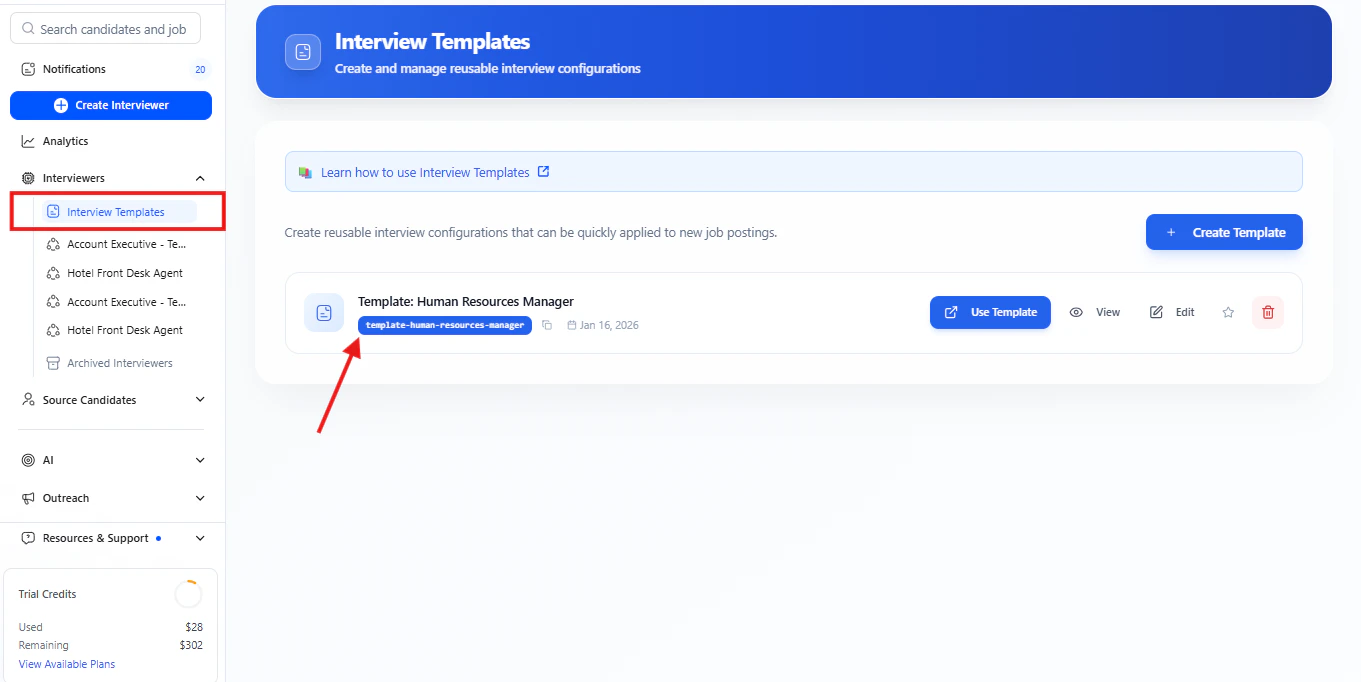
Step 2 — Set as Default
- Navigate to your workspace’s Interview Templates page
- Find the template you want to set as default
- Click the Star icon next to the template
- Confirm your choice
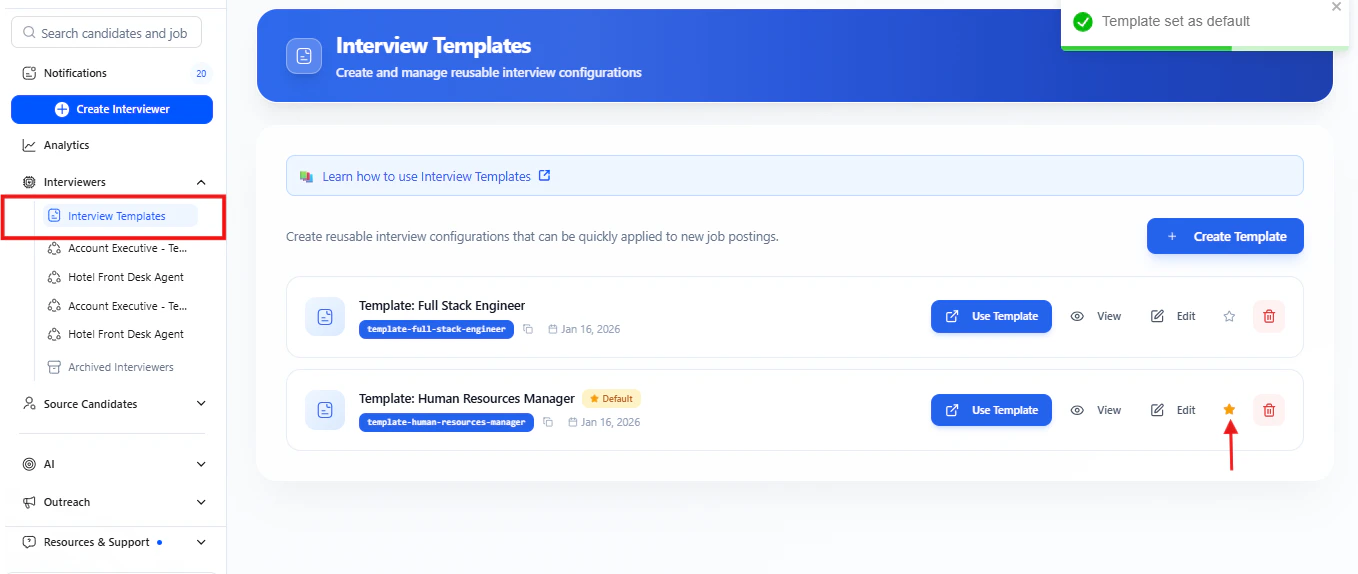
Only one template can be default at a time. When you set a new default, any existing default is automatically unset.

Managing Default Templates
Template Management Interface
The Interview Templates page provides these actions for each template:- Use Template - Creates a new agent from this template
- View - Preview the template configuration
- Edit - Modify the template settings
- Star icon - Set or unset as default template
- Delete - Remove the template permanently