
Documentation Index
Fetch the complete documentation index at: https://docs.heymilo.ai/llms.txt
Use this file to discover all available pages before exploring further.
Cloning, Editing & Archiving
Clone = copy an interviewer for a similar role. Edit = change a live interviewer (questions, settings). Archive = close it out and keep it in Archived. All three: open Interviewers → pick the row or open it → Actions (⋯).Clone an interviewer
When: Same role elsewhere, similar role with tweaks, or you want a template. You get a full copy; change the title and anything else, then share the new link. How: Interviewers → find the one → ⋯ (or open it → Actions) → Clone / Duplicate → name it and adjust → share when ready.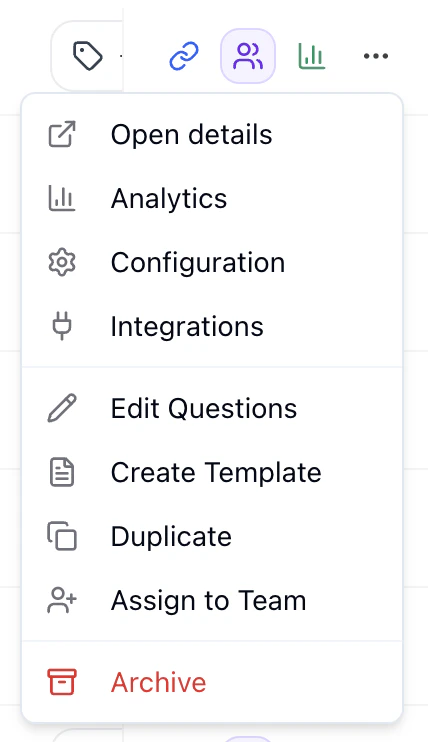
Tip: Keep one “template” per common role and clone from it each time.
Edit a live interviewer
You can edit questions and settings on a live interviewer. Changes apply to new candidates only; past candidates keep their original experience and scores. Where: Open the interviewer → Settings tab. Use the left panel (Agent Overview, Root Level Configuration, Workflow Steps, etc.) or open a stage to edit its questions and config.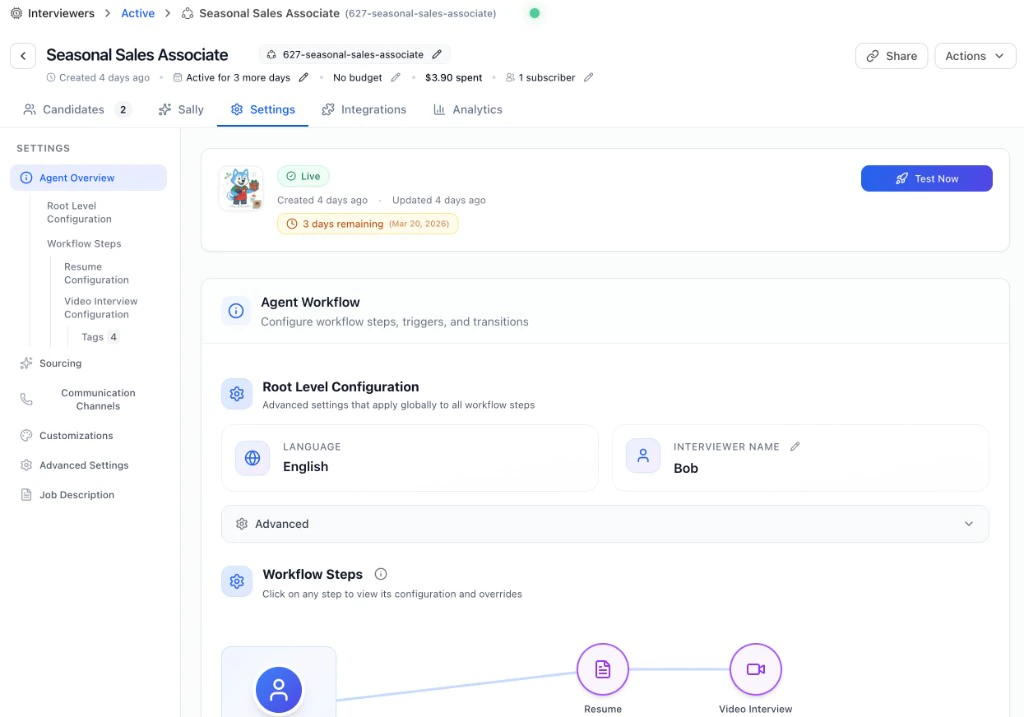
| If you want… | Do this |
|---|---|
| Consistent scoring — every candidate evaluated the same way, easy to compare | Clone. Use the new interviewer going forward. Past candidates stay on the original; new ones get the new version. |
| Change questions or scoring on the fly — okay if some candidates had different questions | Edit live. Change in Settings; only future candidates see the updates. |
Archive an interviewer
When: Role is filled or you don’t need it anymore. What happens: It moves to the Archived tab, the link stops working for new candidates, and all data (scores, transcripts, candidates) stays so you can open it from Archived anytime. How: Interviewers → ⋯ (or open → Actions) → Archive → confirm. Unarchive: Archived tab → find it → ⋯ → Unarchive. Link works again; it’s back under Active.Quick tips
- Name clearly — e.g. role + location + date so you can find it in the table.
- Reconnect ATS after cloning — If the old interviewer was linked to your ATS, link the new one and unlink the old so new candidates go to the right place.
- Your Dashboard — See all interviewers and analytics.