
Documentation Index
Fetch the complete documentation index at: https://docs.heymilo.ai/llms.txt
Use this file to discover all available pages before exploring further.
Candidate Ingestion
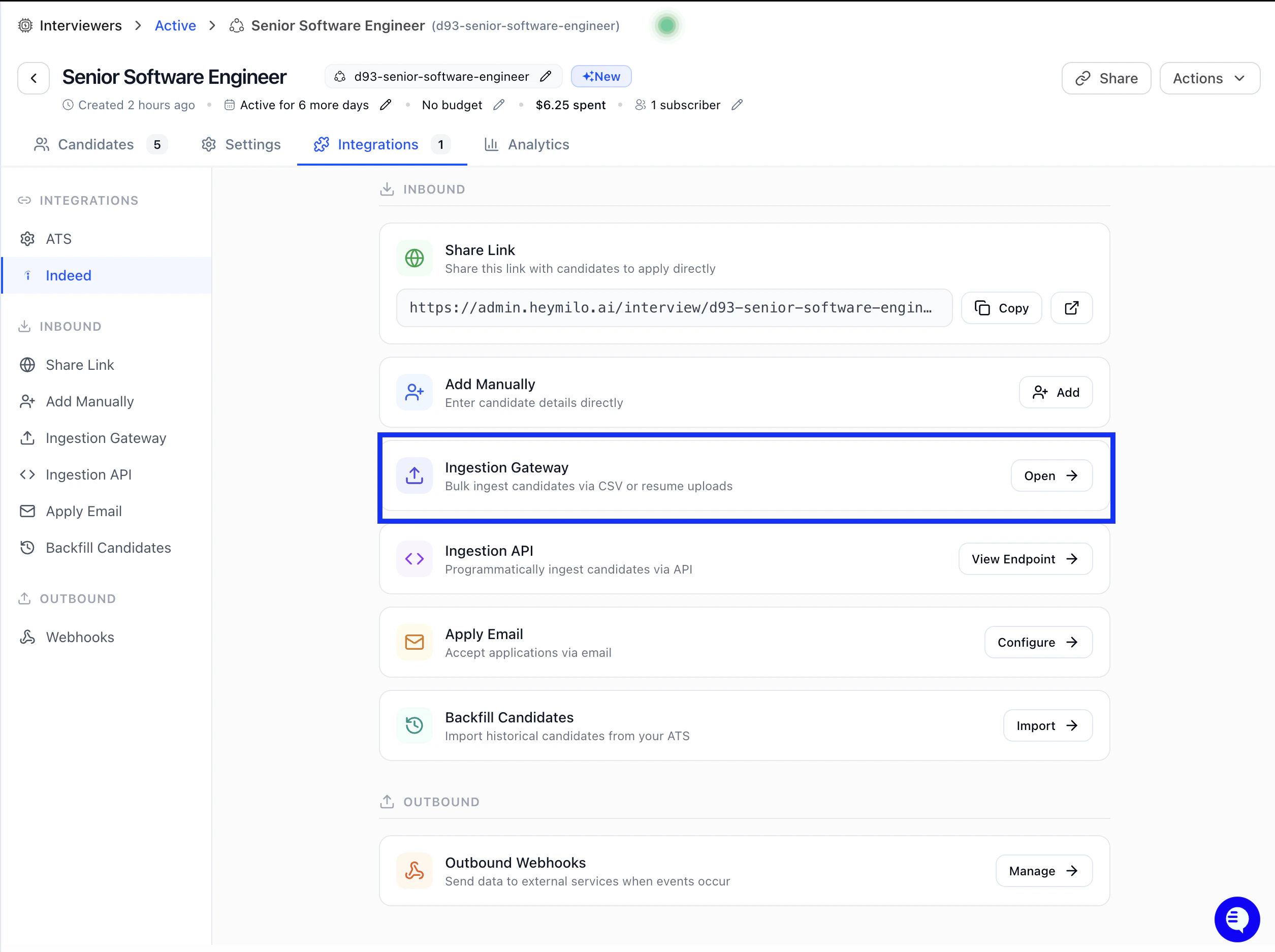
Streamline your hiring process by bulk uploading candidate resumes and data!The candidate ingestion feature allows you to efficiently upload multiple candidate resumes (PDF) and candidate data (CSV) files directly into your interview agents. This allows you to quickly populate your candidate pipeline and trigger automated screening processes.
Accessing the Ingestion Page
To access the candidate ingestion feature for any interview agent: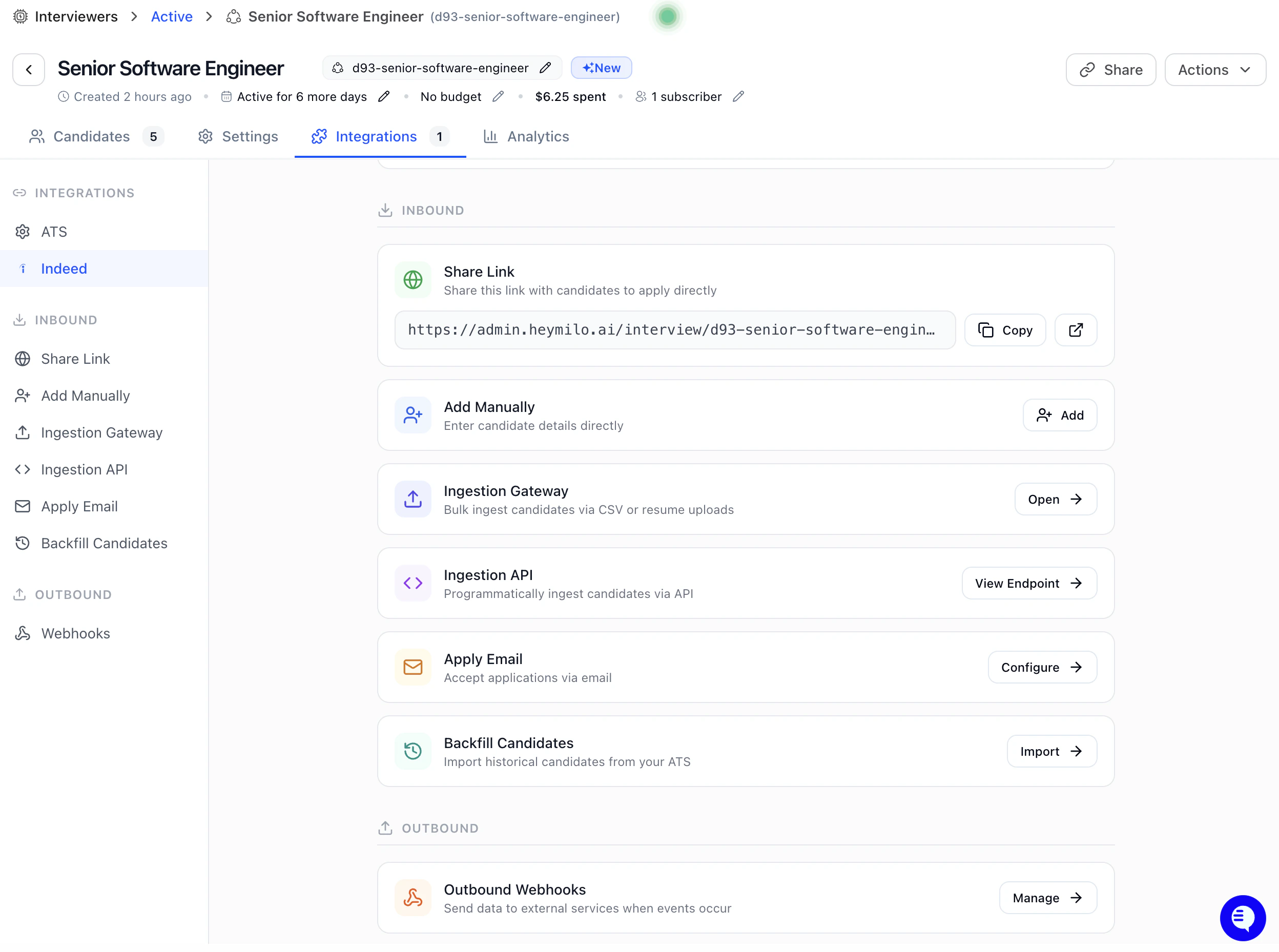
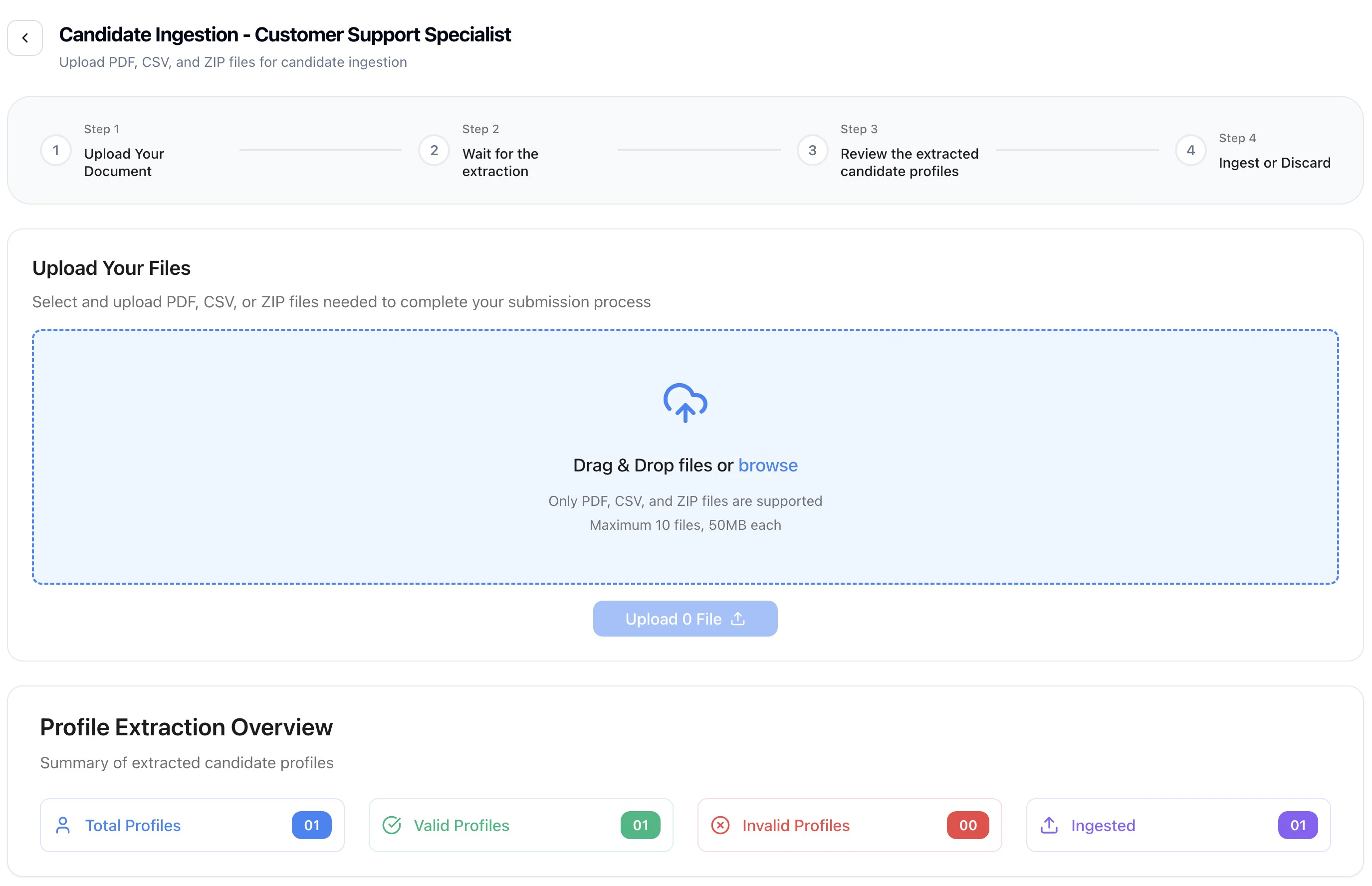
Understanding the Ingestion Interface
The ingestion page consists of two main sections:- Upload Section
- Extraction Results Section
The upload area where you can drag and drop or select files for processing.
Bulk Upload Process
Step-by-Step Upload Process
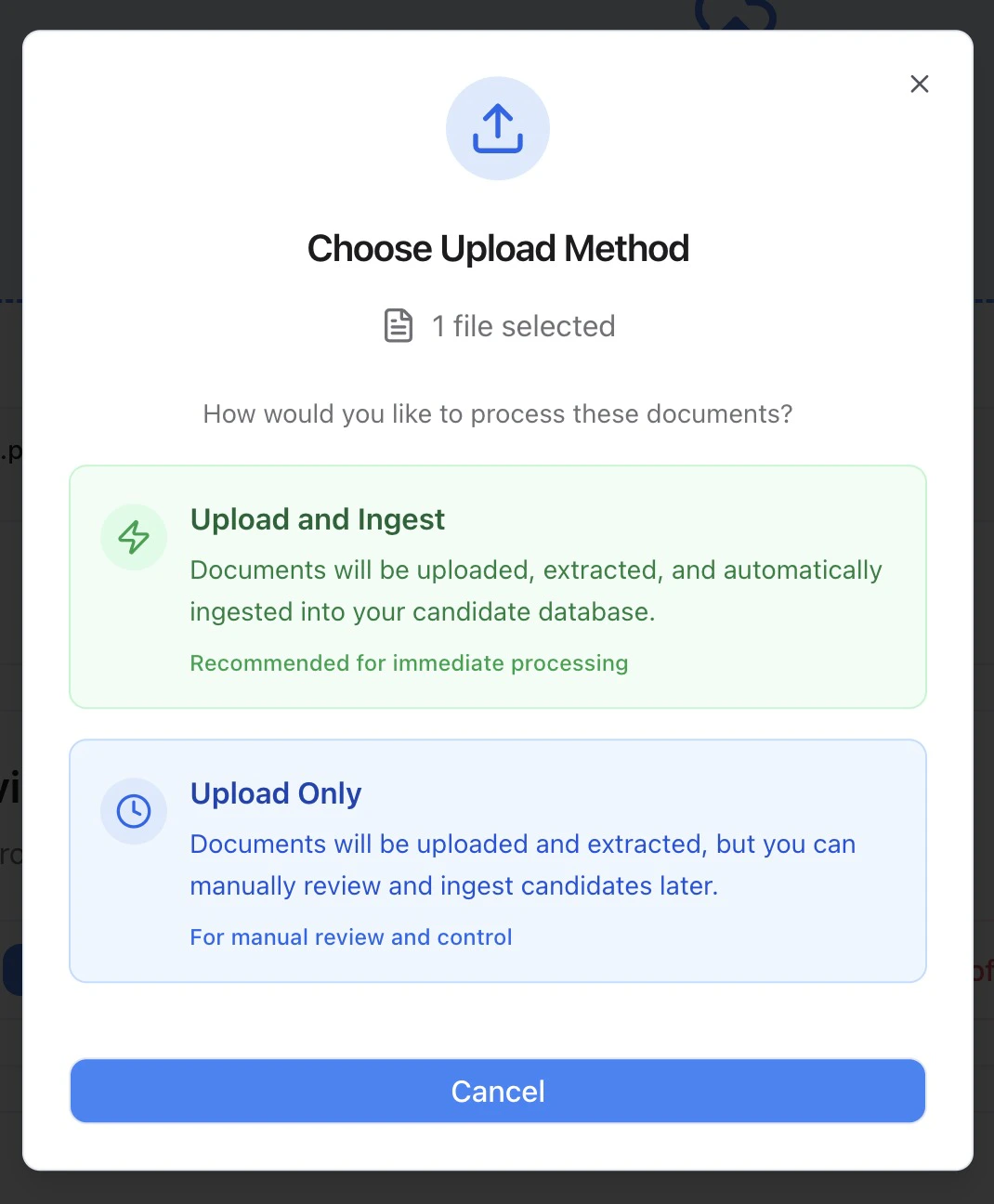
Step 5 — Choose how you want to process the files:
- Upload and Ingest (automatic ingestion)
- Upload Only (manual review before ingestion)
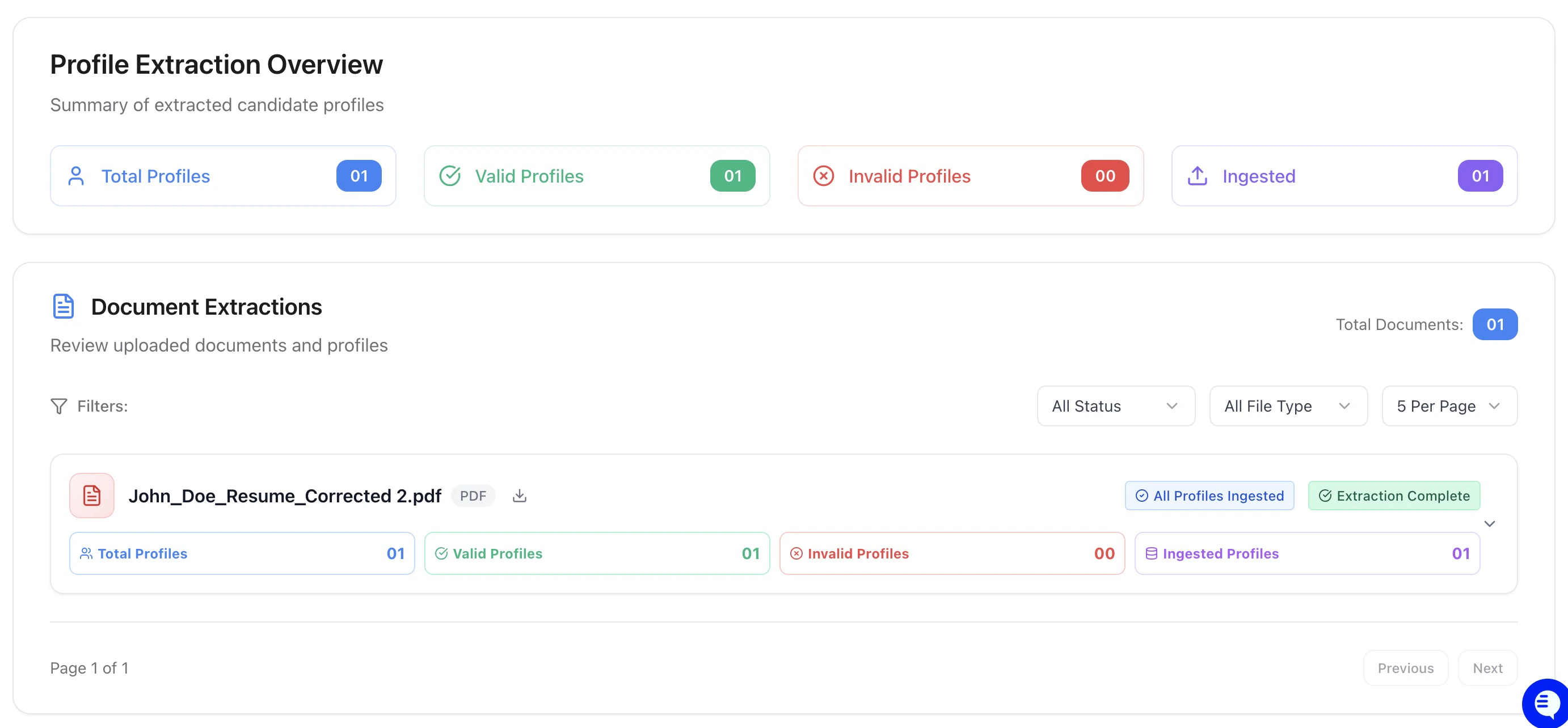
Extraction Results Management
Understanding Extraction Status
Each uploaded document shows one of several status indicators:- Processing: File is being analyzed and parsed
- Success: Extraction completed successfully
- Failed: Extraction encountered errors
Viewing Candidate Profiles
For each successfully processed document, you can:- Expand document details to see individual candidate profiles
- Review extracted information including name, and contact details
- Check extraction quality and completeness
- Monitor ingestion status for each profile
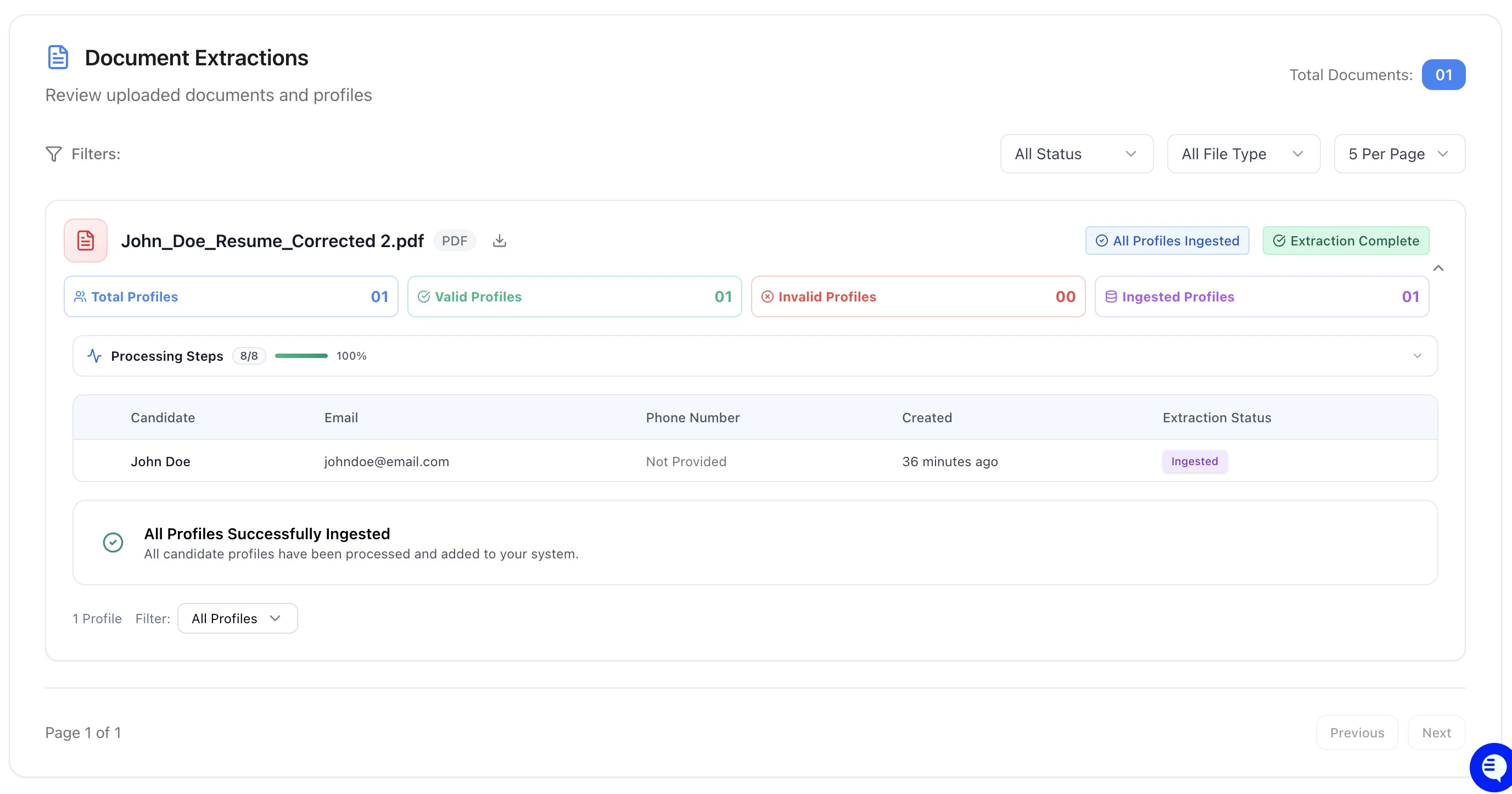
Managing Extracted Profiles
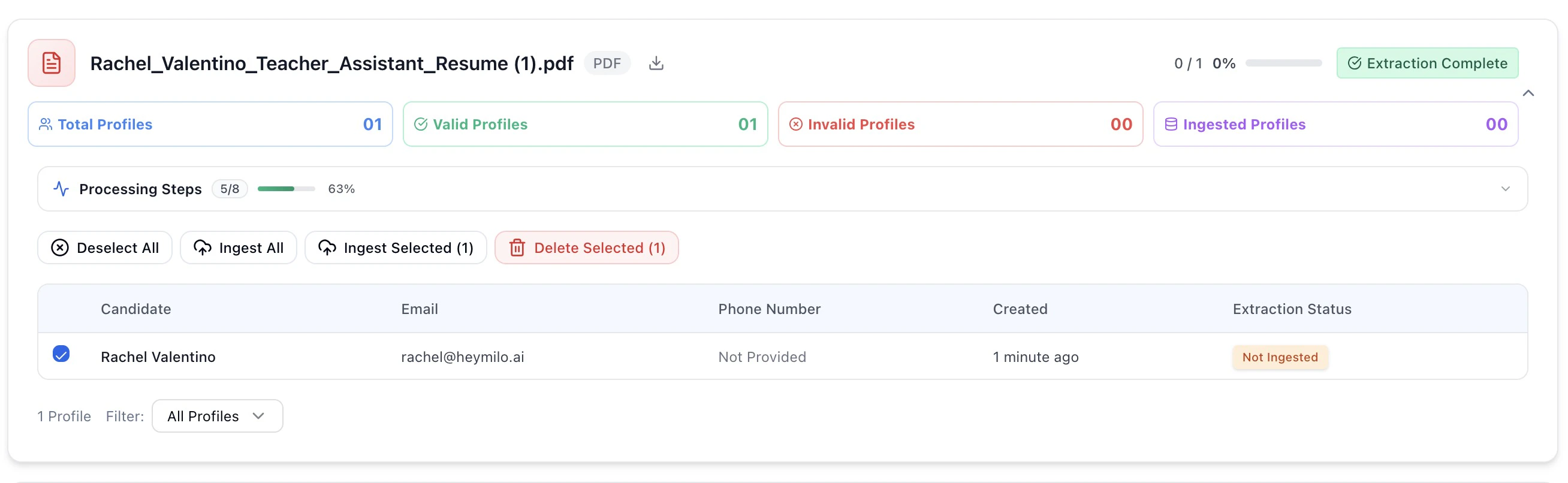
Webhook Integration and Ingestion
API Key Management
Most users never need to manage API keys manually, this is handled automatically by HeyMilo.Best Practices for Successful Ingestion
Monitoring and Analytics
Troubleshooting Common Issues
Pro Tip: Start with a small batch of high-quality files to test your ingestion workflow before processing large volumes of candidates.
Integration with Your Hiring Workflow
Pre-Ingestion Setup
Before using candidate ingestion:- Configure your interview agent with appropriate questions and scoring
- Set up email templates for candidate outreach
- Prepare your candidate review process for the influx of new profiles
- Test the workflow with a small sample of candidates
Post-Ingestion Activities
After successful ingestion:- Review candidate profiles in your main dashboard
- Trigger interview invitations for qualified candidates
- Monitor completion rates and candidate engagement
- Analyze results to refine your ingestion criteria
Workflow Automation
Consider automating parts of your ingestion process:- Scheduled uploads for regular candidate batches
- Automatic ingestion for high-quality extractions
- Email triggers for newly ingested candidates
- Status notifications for completed processing
Advanced Features
Success Tip: The most effective ingestion workflows combine automated processing with selective human review to ensure quality while maintaining efficiency.