
Documentation Index
Fetch the complete documentation index at: https://docs.heymilo.ai/llms.txt
Use this file to discover all available pages before exploring further.
Interview Retake
HeyMilo allows you to offer interview retakes when it makes sense. This helps reduce false negatives, improves candidate experience, and gives you cleaner signal without reopening the entire workflow.
What Interview Retakes Do
When enabled, candidates who don’t pass an interview stage can be given one or more retry attempts.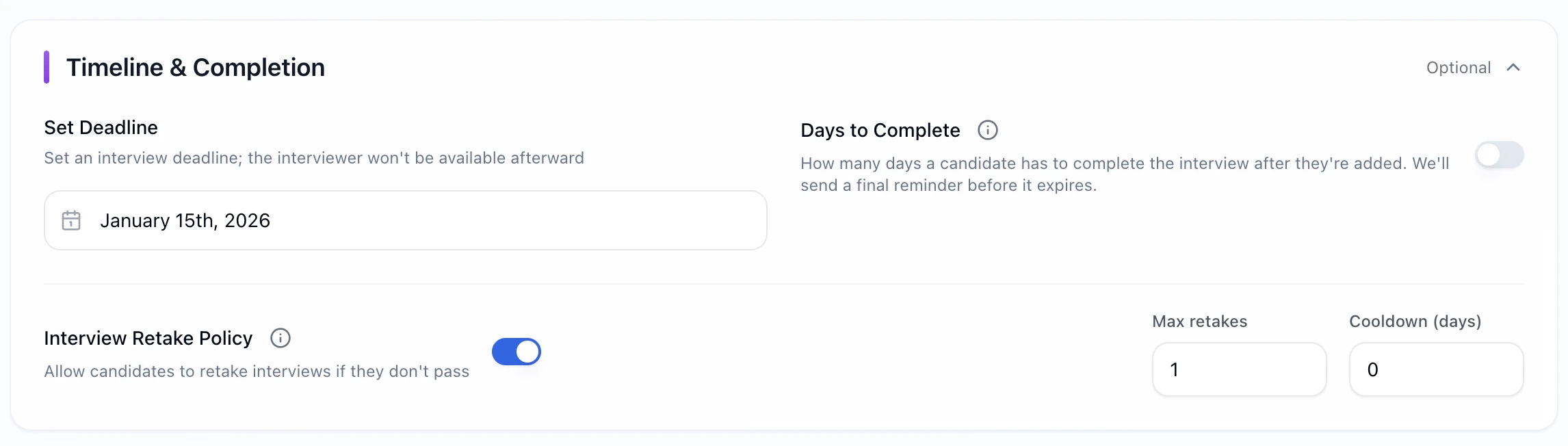
- a candidate had a technical issue
- nerves affected performance
- the role is high-volume and you want to avoid premature drop-off
- you want to confirm signal before disqualifying someone
Important: Interview retakes must be configured when the interview experience is created. They can’t be added or changed after an agent is created.
What You Can Configure
You control two things:- Max Retakes
- Cooldown Period (Days)
Set how many additional attempts a candidate is allowed.
- Example:
1= one retry after the initial attempt - Set to
0to disable retakes entirely
- Max retakes: 0–10
Where to Find This Setting
When creating or editing an interview experience:
This applies per interview experience.

Allowing a Retake For an Individual Candidate
Retake policy is set per interview experience when you create or edit the agent. You can also grant or adjust retakes per candidate from the dashboard.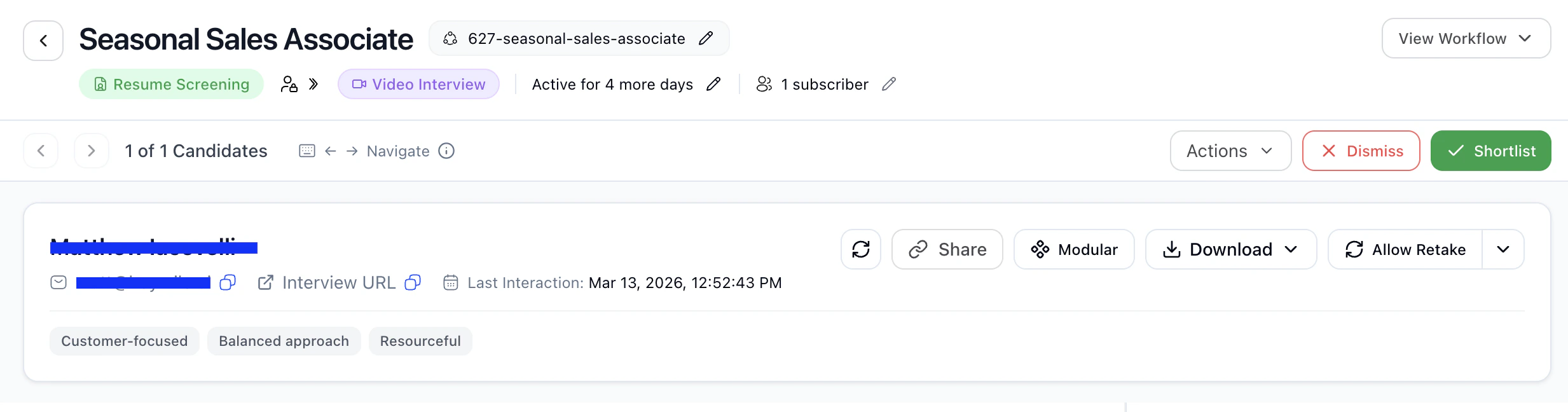
How Recruiters Use Retakes Effectively
What Candidates Experience
- Candidates clearly see when a retake is available
- They cannot exceed the limit you set
- Retakes follow the same scoring and evaluation rules
- Previous attempts remain visible to reviewers
Key Takeaway
Interview retakes help you:- reduce false rejections
- improve candidate trust
- get clearer signal before making decisions