
Documentation Index
Fetch the complete documentation index at: https://docs.heymilo.ai/llms.txt
Use this file to discover all available pages before exploring further.
Set & Manage Agent Email Subscribers
Agent notifications keep your team informed when candidates complete interviews. You can choose who gets notified and how, so the right people stay in the loop without constantly checking the dashboard.
What Email Subscription Does
When notifications are configured for an agent:- selected recipients are notified when a candidate completes an interview
- notifications are sent automatically
- you can notify teams via Email, Slack, or Microsoft Teams
- multiple channels can be used at the same time
Notification Channels Supported
HeyMilo supports the following notification channels: You can mix and match channels for each agent based on how your team works.Where Notifications Are Configured
Notifications can be setduring agent creation or after an agent is live.
Option 1: Configure Notifications During Agent Creation
Path: Create Interview Agent → Budget & Notifications → Email Configuration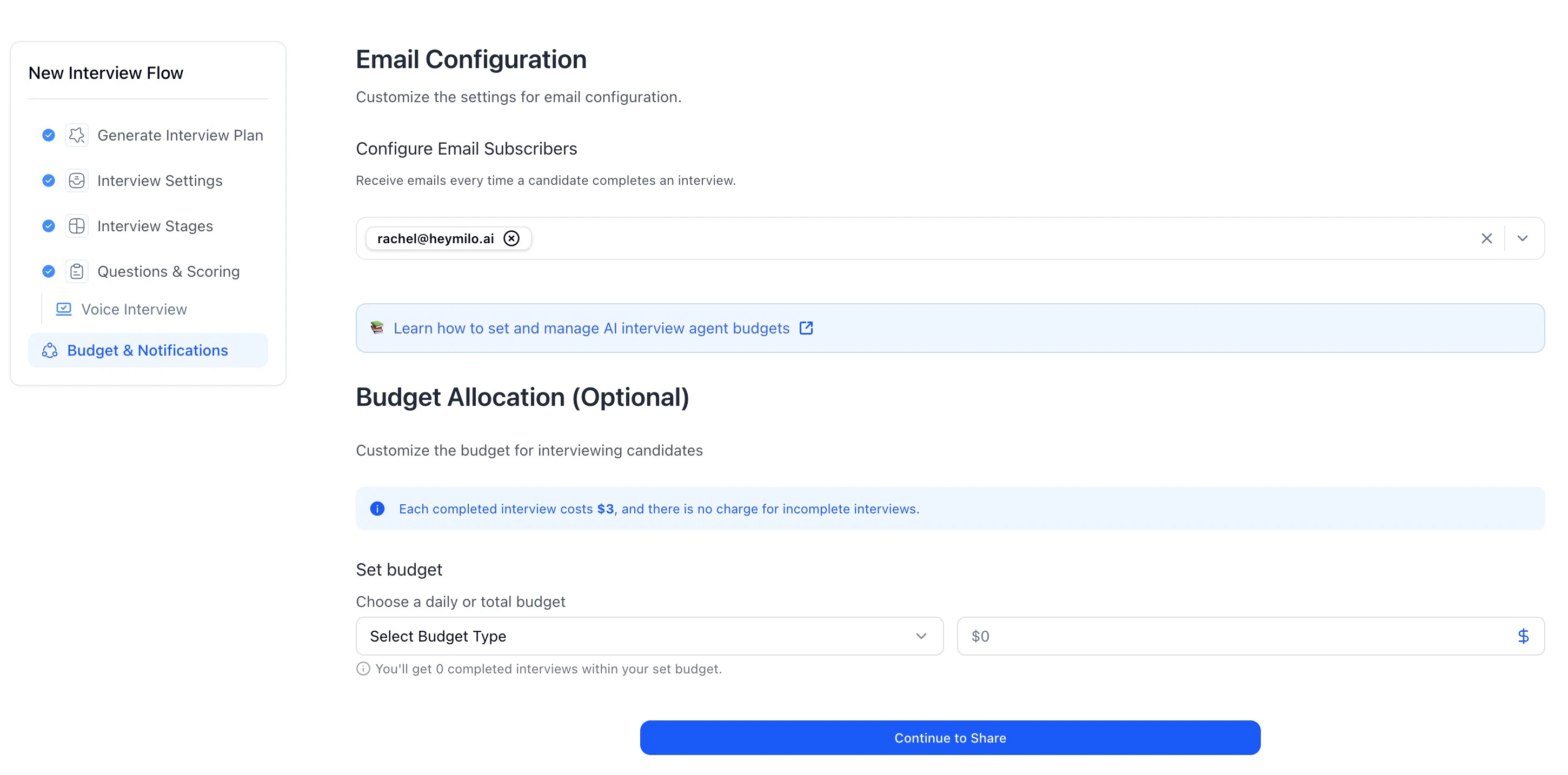
Steps
Once the agent is live, selected recipients will be notified when interviews are completed.
Option 2: Manage Notifications After Agent Creation
Path: Dashboard → Interviewers → Agent → Subscriber Count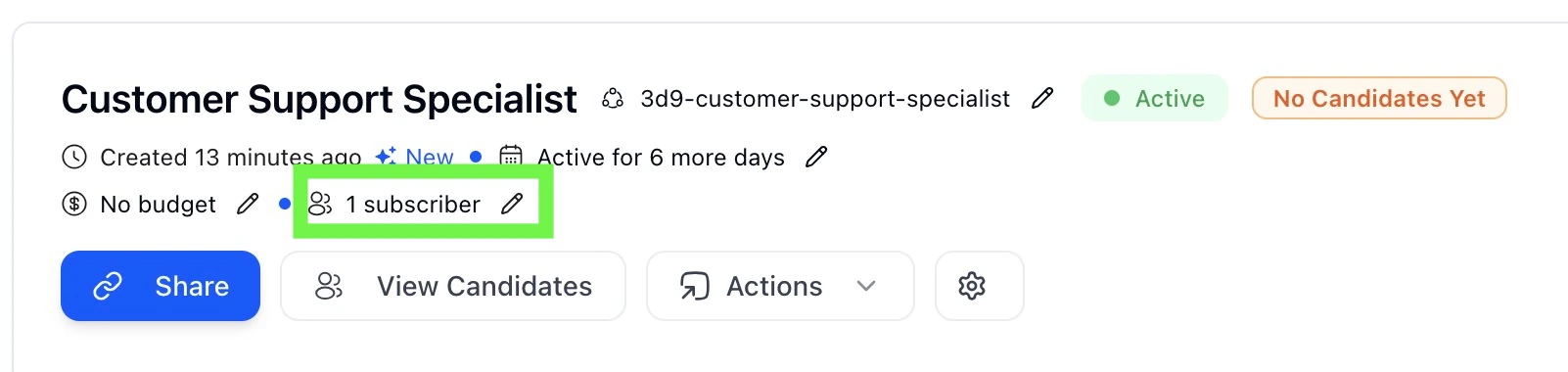
Steps
Changes take effect immediately.
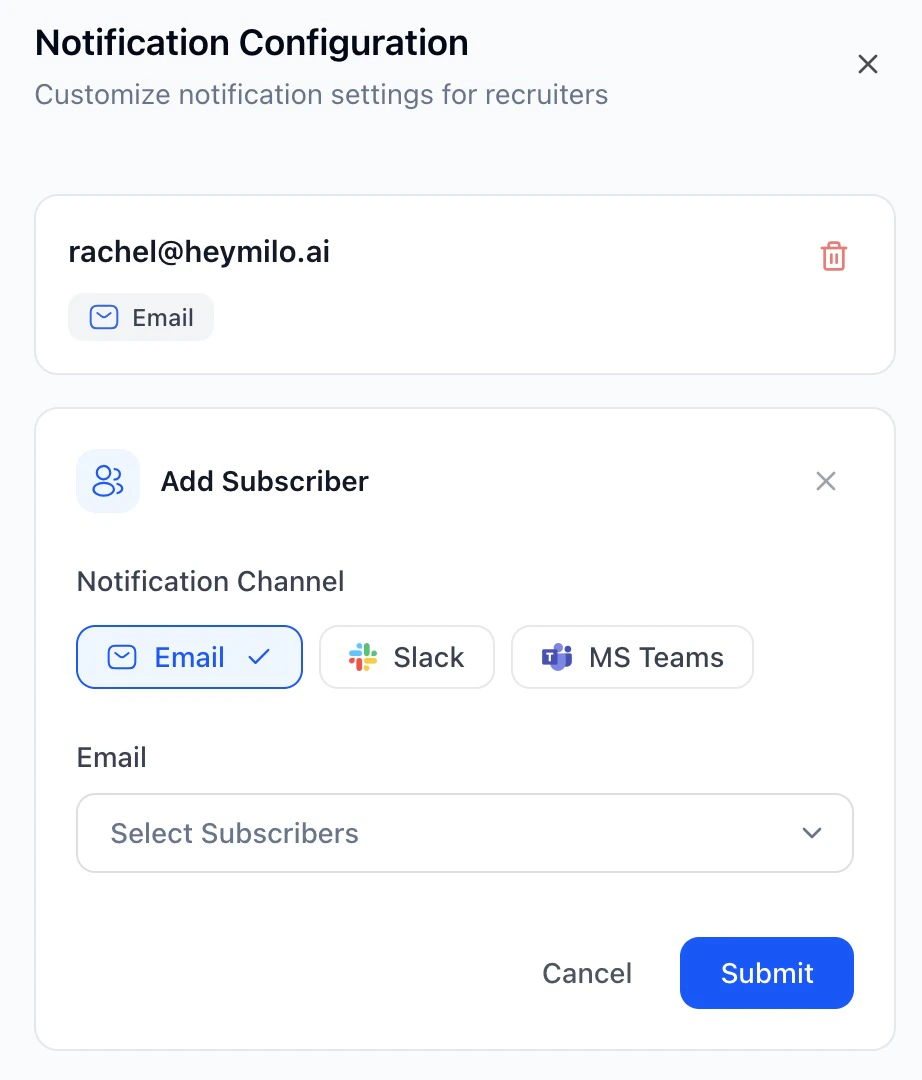
How Notifications Work
- Notifications are sent only when a candidate completes an interview
- Incomplete or abandoned interviews do not trigger notifications
- Only active workspace members can be selected for email notifications
- Existing subscribers are shown and can be removed at any time
- Multiple notification channels can be configured per agent
Managing Team Members
Notification recipients come from your workspace members. Path: Settings → Team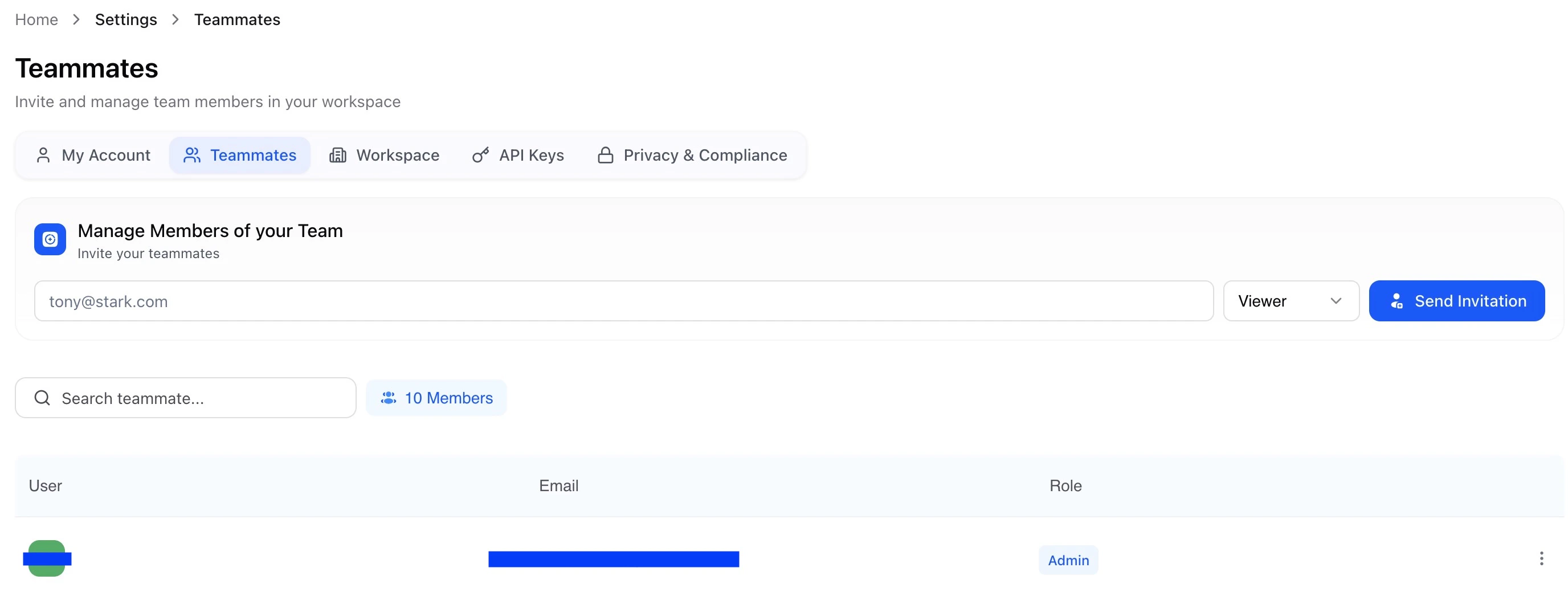
- invite new teammates
- promote or demote roles
- remove teammates from the workspace