
Documentation Index
Fetch the complete documentation index at: https://docs.heymilo.ai/llms.txt
Use this file to discover all available pages before exploring further.
Sourcing
Under Source Candidates in the sidebar you’ll see three ways to work: Interviewed Candidates (people already in your workspace), Inbound via Phone (AI Receptionist: inbound calls and screening), and Sourcing Engine (ATS) (Sally: autonomous sourcing configs for your agents). You can also let candidates apply by email using a per-agent address under Integrations.Which should I use?
| I want to… | Use this |
|---|---|
| Re-engage or invite people already in HeyMilo | Interviewed Candidates |
| Capture and qualify inbound interest (calls, connected channels) | Inbound via Phone |
| Run Sally sourcing with quotas, tiers, and rules | Sourcing Engine (ATS) |
| Let candidates email an address to enter the pipeline | Apply via Email (on each agent) |
Interviewed Candidates
Why it matters: Everyone in this directory is already in your HeyMilo workspace — past applicants, sourced profiles, or anyone who entered through another flow. You’re not starting cold; you’re searching, filtering, enriching, importing, and inviting people you already have a record for.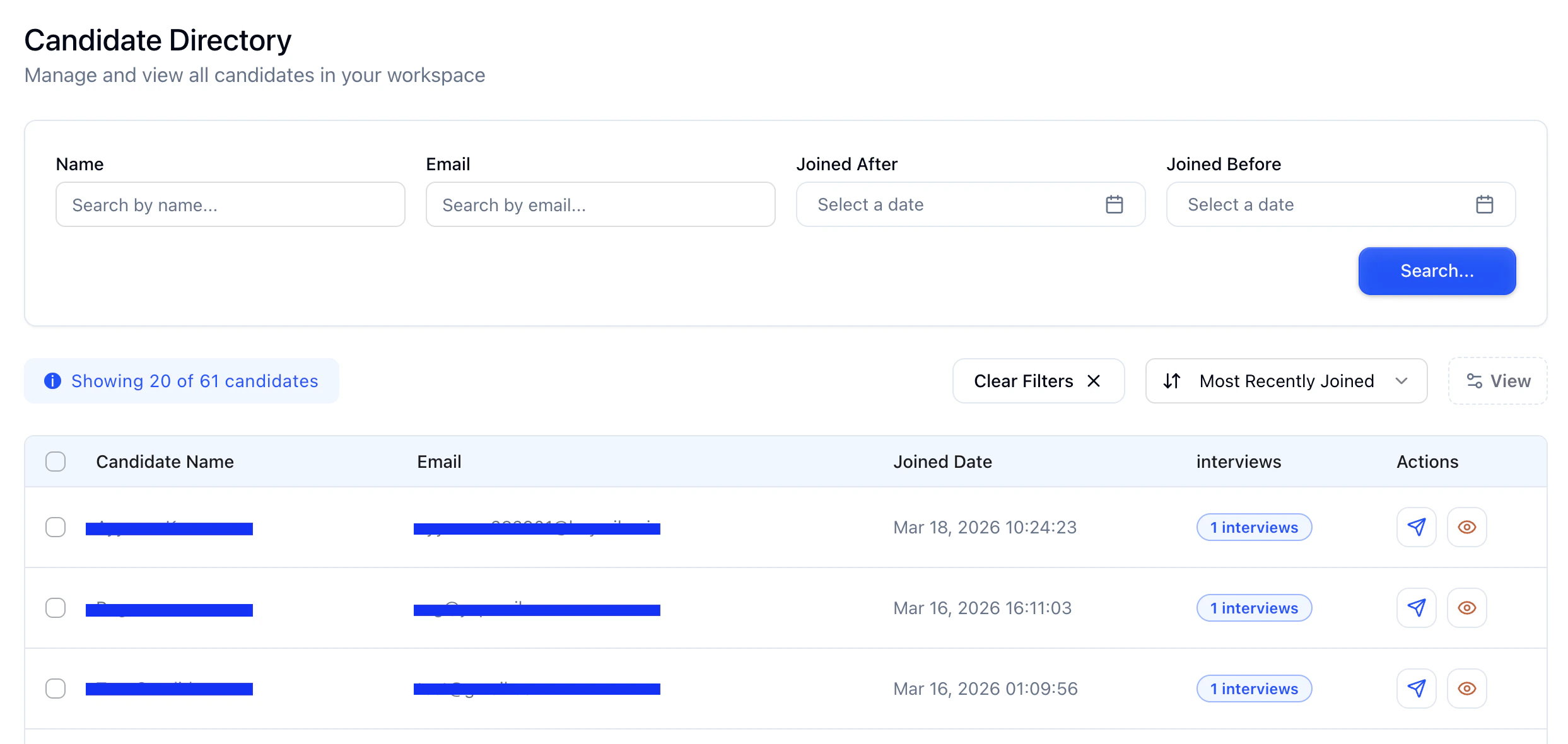
- Open Source Candidates → Interviewed Candidates.
- Search and filter (e.g. name, email, dates — whatever your workspace exposes).
- Sort and customize columns if the product offers it.
- Open a profile, then use Actions to invite to an agent, move to pipeline, or continue in your usual workflow.
Inbound via Phone
The AI Receptionist is an inbound phone experience for candidates who call your number first. It is configurable: you can use it for simple information and routing, structured screening, or a full qualify → match → next step flow when your workspace is connected to your ATS. The same building blocks support different staffing and hiring workflows—not a single fixed script.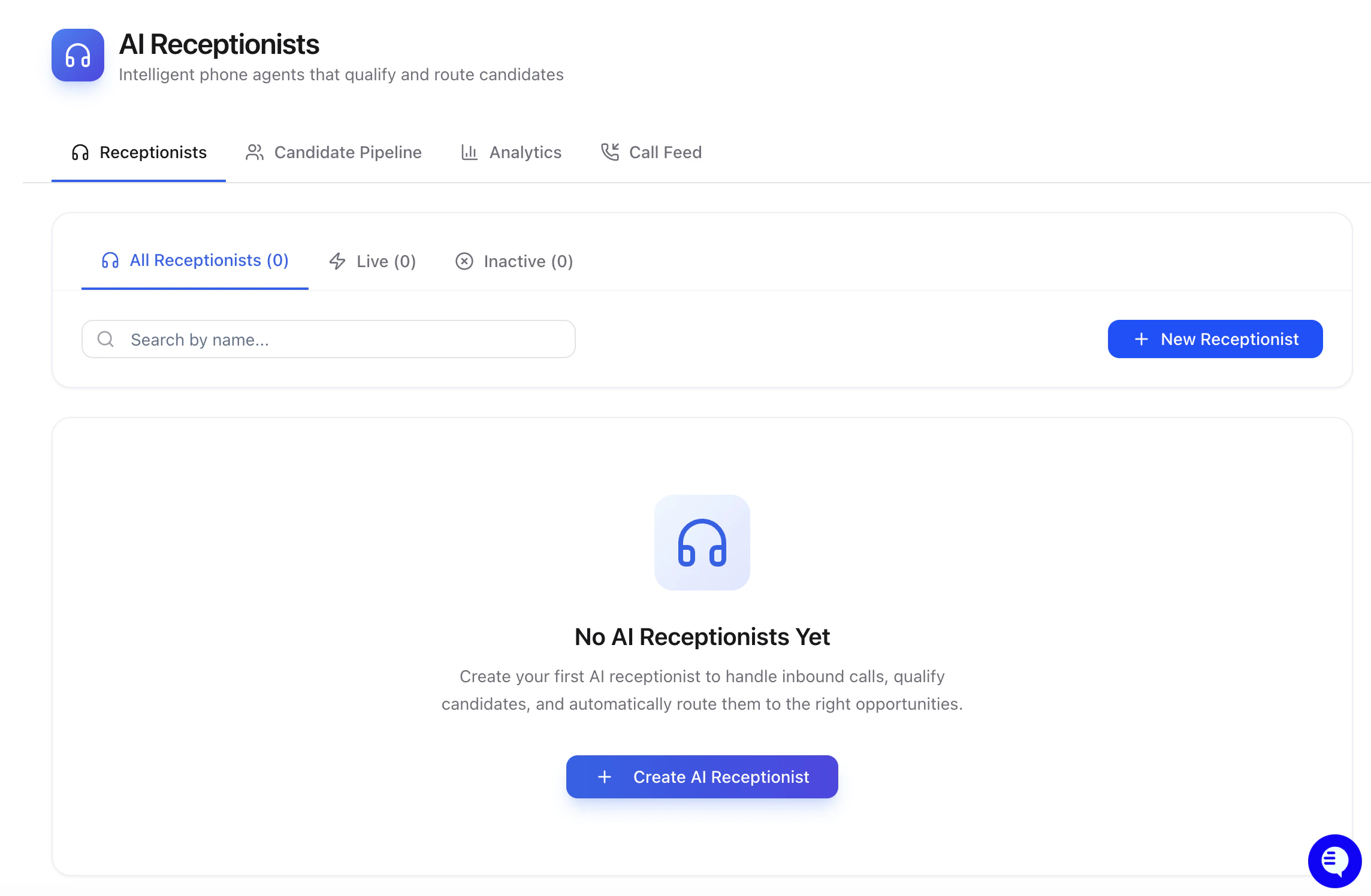
Common use cases
Use this checklist to show flexibility (pick what applies per customer):- After-hours and overflow — Answer calls when the team is away; capture intent and basic details instead of losing the lead.
- IVR or main-line handoff — Your telephony (e.g. “press 1 for jobs”) forwards to the HeyMilo receptionist number you provision; callers only reach the AI on that path.
- FAQ / directions — Point people to where to apply, what to expect, or next steps with company policies and edge cases spelled out in context (e.g. wrong job family, already applied).
- Qualify before human time — Yes/no or dealbreaker questions (authorization to work, lift requirements, start date, etc.) with optional manual review before anyone is routed forward.
- Match and progress — When ATS integration is in place, the flow can look up the candidate, surface open roles, and invite them to the right interview agent; behavior is driven by your settings and instructions—not one-size-fits-all.
Phone number (important)
The receptionist uses a dedicated inbound number. Do not reuse that number for an SMS screening agent—keeping lines separate avoids mixed threads and confusing context for automation.Setup at a glance
- Create a receptionist in the product (Inbound via Phone / Source Candidates).
- Choose voice, language (e.g. English-only or bilingual where supported), and disclosures your team requires (AI nature, recording, eligibility checks as applicable).
- Add company policies, general instructions (tone and rules), and optional screening questions (recommended for qualify-and-route flows; optional for lightweight FAQ-style flows).
- Configure routing: e.g. automatic when the caller meets a score threshold, or manual approval so your team reviews before the next step.
- Give the customer the HeyMilo receptionist number to forward or dial from their IVR—they wire their telephony; you provide the destination number.
After the call
Recorded calls and evaluations appear in the candidate pipeline for that receptionist. Depending on configuration, callers may receive SMS to confirm captured details before a record is finalized—reducing typos and duplicate data entry.If someone already exists in the ATS, the system can avoid duplicate outreach; use instructions / edge-case context to tell the agent what to say (e.g. “already applied—expect a reply in X days”).
Integrations
Deeper automation (job lookup, invite to agents, duplicate detection) depends on ATS connection and workspace settings.Sourcing Engine (ATS)
Why it matters: Sally runs autonomous sourcing for your agents — you define configs with quota, tiers (e.g. which sources apply: external pools, HeyMilo, ATS, etc.), mode (such as threshold vs manual), match threshold, and time limits, so sourcing isn’t only one-off manual searches.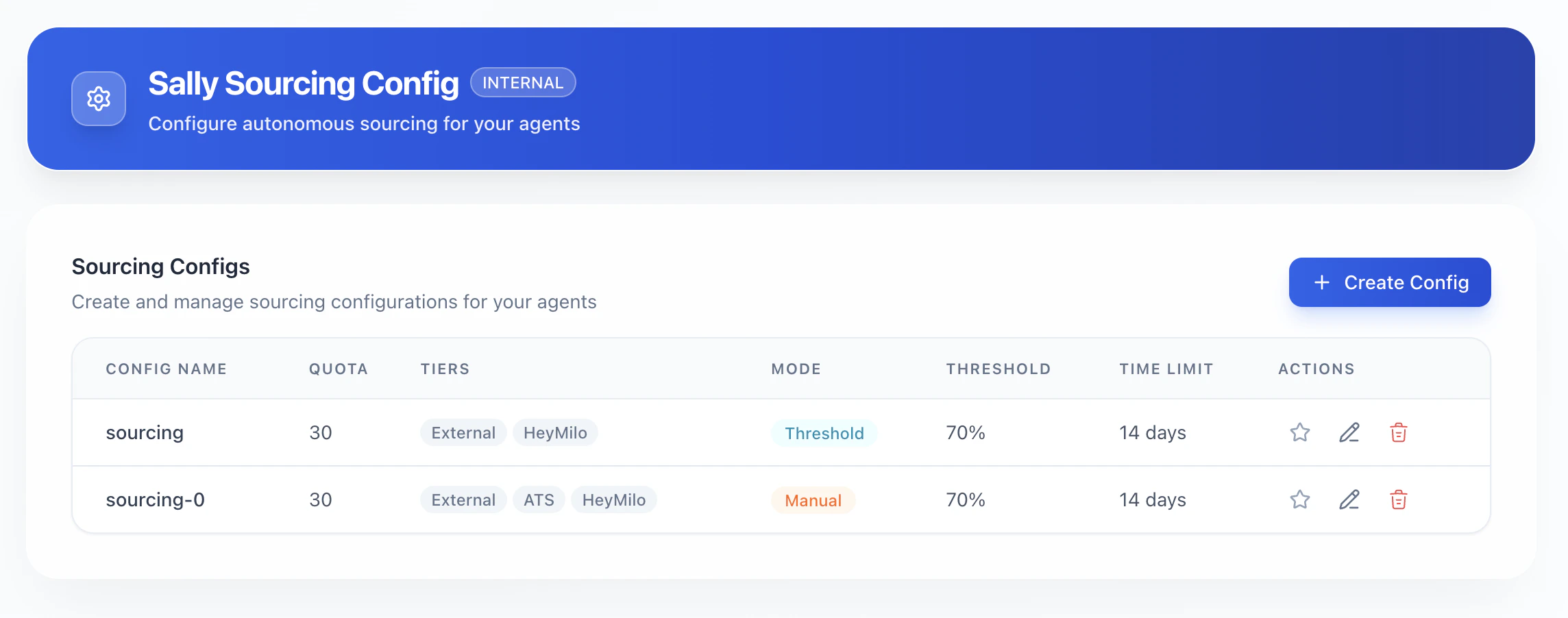
- Open Source Candidates → Sourcing Engine (ATS).
- Use + Create Config (or equivalent) to add or edit a Sourcing Engine (ATS) configuration (Sally).
- Tune quota, tiers, mode, and limits to match how aggressively you want to source and spend.
Apply via Email
Why it matters: Candidates can apply without a form by sending mail to a unique address you publish on postings, flyers, or campaigns — low friction on mobile and easy to drop into job board copy.
- Open the agent (interviewer) → Integrations → Apply Email → Configure.
- Copy the generated email for that agent and share it where you recruit.
Next steps
- Creating an Interviewer — Point sourced people into a screening flow
- Outreach — Email and SMS at scale
- Integrations — ATS, API keys, and more