
Documentation Index
Fetch the complete documentation index at: https://docs.heymilo.ai/llms.txt
Use this file to discover all available pages before exploring further.
Email Templates
Email templates let you control how candidates hear from you, from the first interview invitation to reminders and resume requests. Writing in your own tone and sending from your company domain helps keep every message consistent, professional, and on-brand.
Prerequisites
Make sure you have:- 📨 A verified sender email set up in HeyMilo (e.g.,
recruiting@yourcompany.com) - Sender emails are managed under Email Templates → Sender Domains.

Create and Manage Email Templates
Step 1 — Go to **Email Templates**
From your HeyMilo dashboard, navigate to: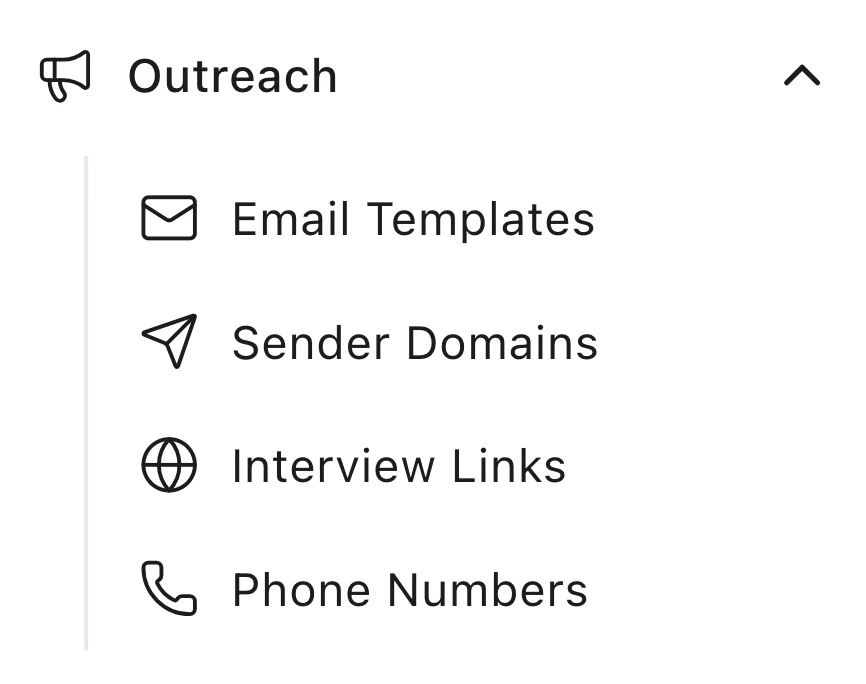
- Outreach → Email Templates
Step 2 — Create a New Template
Click Create Template, then: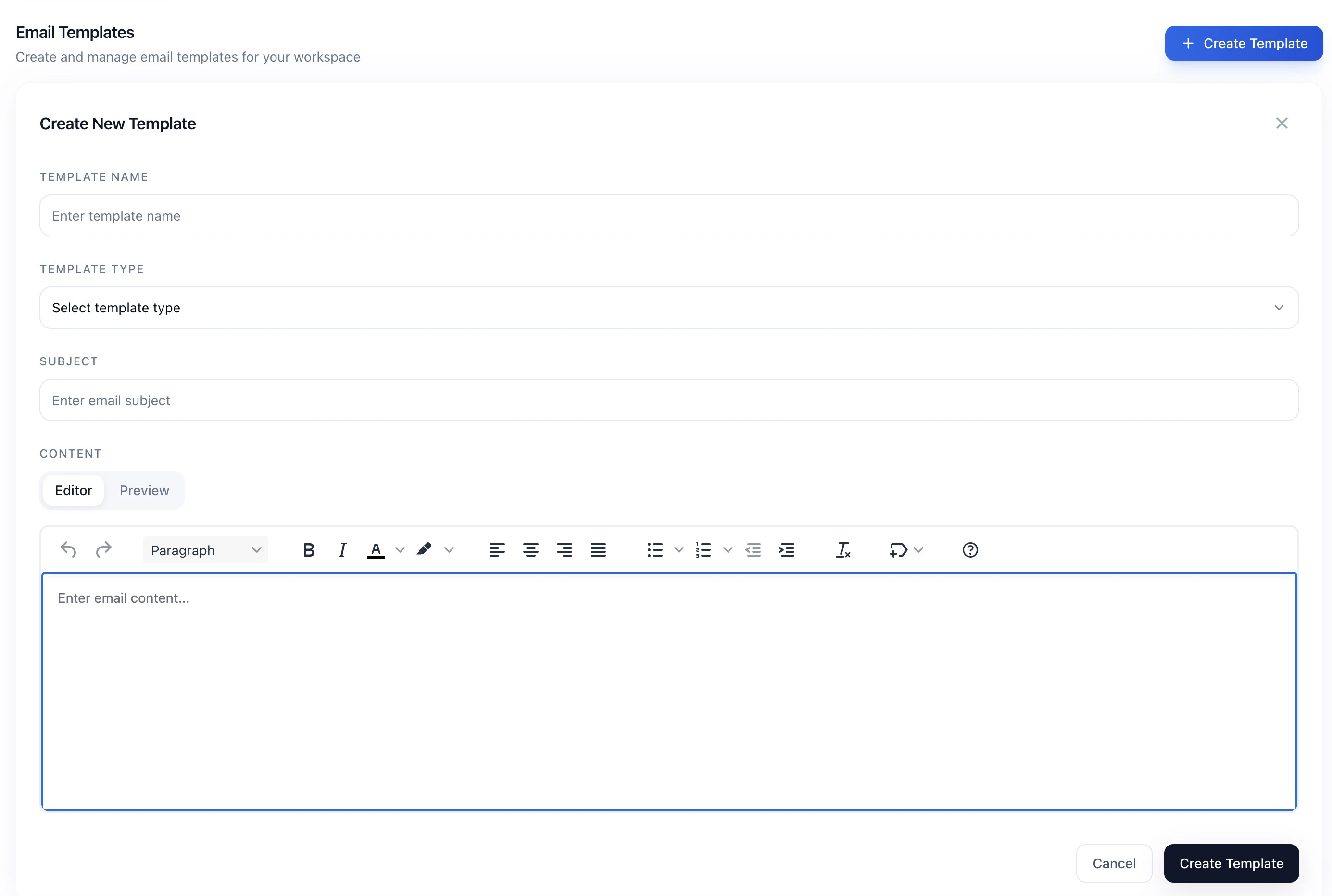
- Enter a Template Name (for example, “Customer Support – Interview Invite”)
- Select a Template Type:
- Web Interview Invitation: sent when a candidate is invited
- Web Interview Nudge: reminder for incomplete interviews
- Web Interview Final Nudge: final reminder before the interview window closes
- Resume Upload Invitation: request for a resume
- Resume Upload Reminder: reminder to upload a resume
- Add a Subject line
- Write your email content using the editor
- Use Preview to check formatting
- Click Create Template to save
Step 3 — Create a Template Group
Template groups bundle multiple templates together so they can be reused across roles or clients.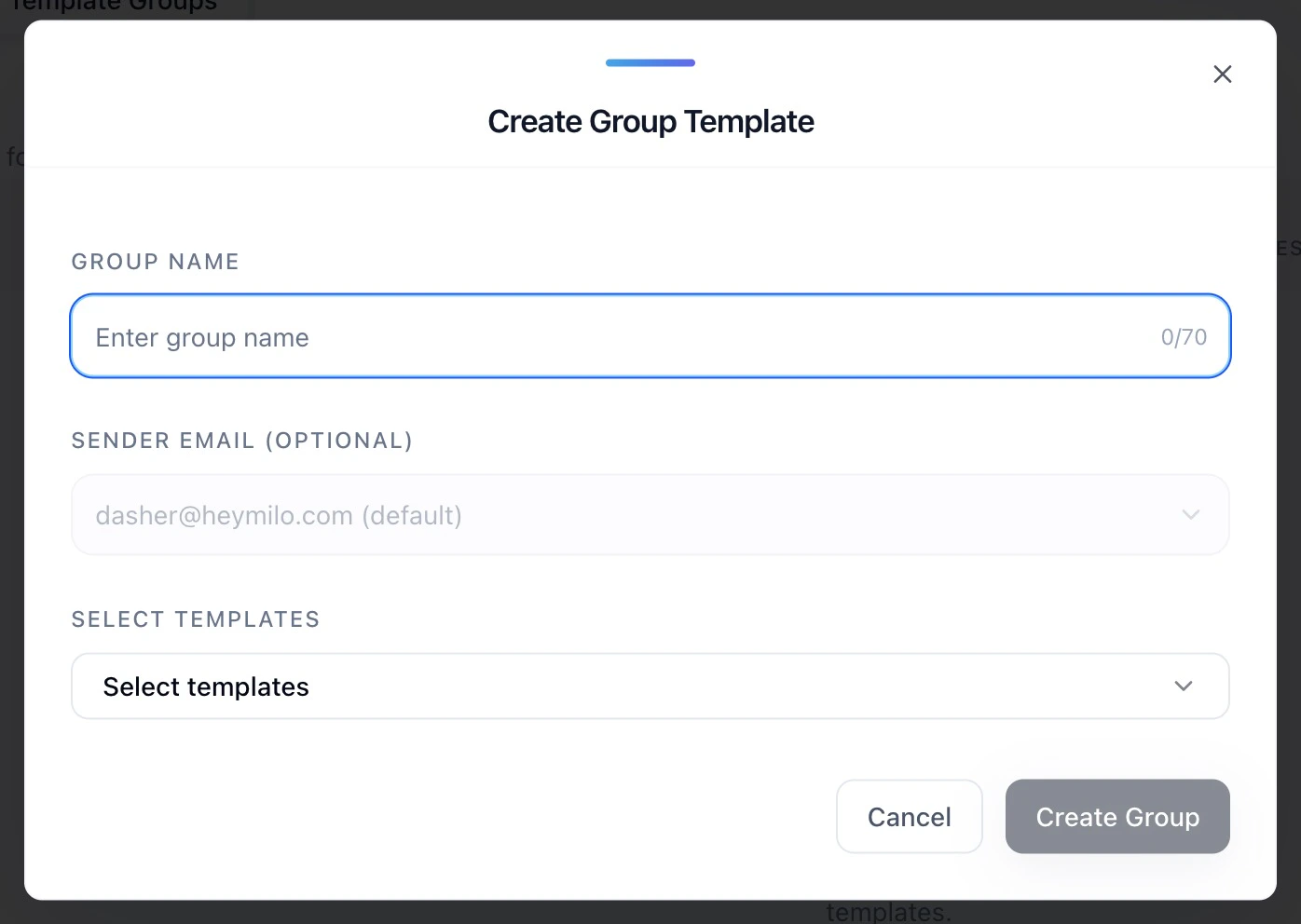
- Click Create Group
- Enter a Group Name (for example, “High-Volume Staffing Roles”)
- (Optional) Select a Sender Email
- Select one or more templates to include
- Click Create Group
Step 4 — Apply a Template Group to an Interview Experience
When creating or editing an interview experience: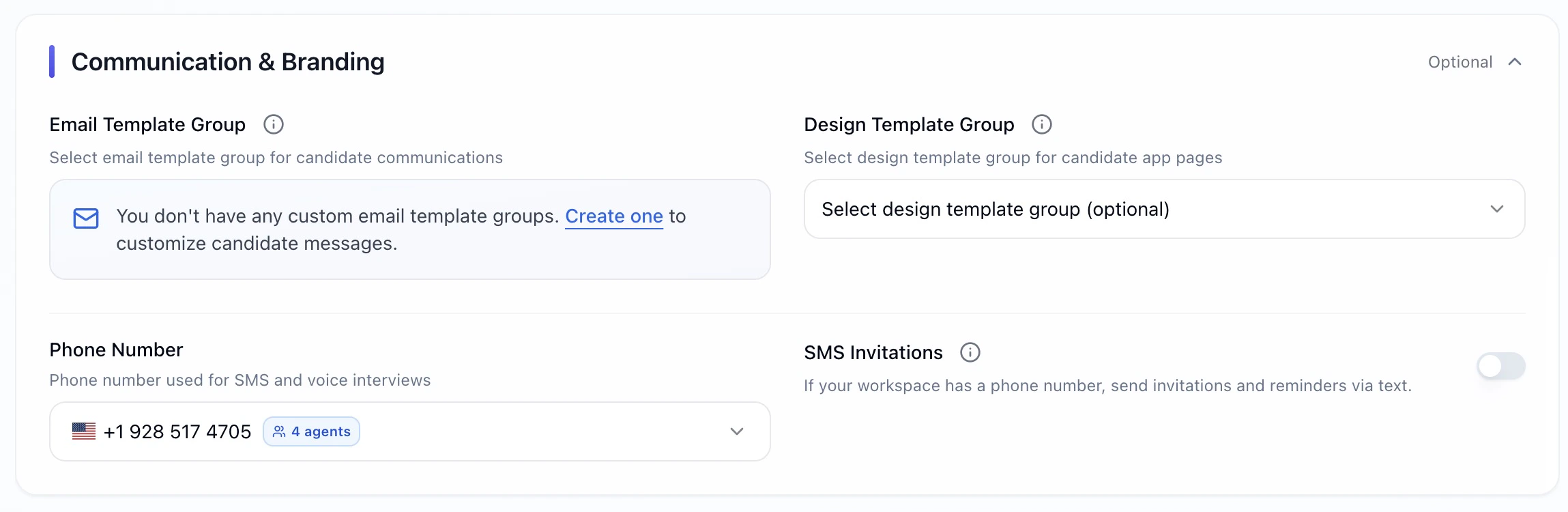
- You can include template groups during Interview Setup
- Open Communication & Branding
- Select your Email Template Group
- Save your changes
Example Email Templates
Below are sample templates you can adapt based on your hiring needs.Web Interview Invitation 1
Web Interview Invitation 2
Web Interview Nudge
Web Interview Final Nudge
Resume Upload Invitation
Best Practices for Email Templates
- ✅ Keep subject lines short and clear so they display well on mobile
- ✅ Use variables to personalize messages and set expectations
- ✅ Include a clear deadline using
{{days_to_complete}} - ✅ Match your tone to the role (formal for corporate, concise for staffing)
- ✅ Test templates before applying them to live interview experiences
- ✅ Group templates by role, client, or program to stay organized