
Documentation Index
Fetch the complete documentation index at: https://docs.heymilo.ai/llms.txt
Use this file to discover all available pages before exploring further.
Resume Screening
Say goodbye to basic keyword filters: Resume screening in HeyMilo contextually evaluates resumes against your chosen requirements, scoring and ranks candidates so you can focus on the best fits first.Meet Roscoe the Resume Screener 🐾 your AI-powered teammate for reviewing resumes. Roscoe checks each application for must-have qualifications, scores candidates using your custom rules, and organizes results so top talent rises to the top!
.png?fit=max&auto=format&n=EGn2J1_1jAyygLfi&q=85&s=dee7e0735f2186abee73757b77a96b33)
💡 Pro Tip: Place resume screening at the start of your hiring flow so Roscoe can filter and rank applicants before more time-intensive steps like AI interviews.
When Resume Screening Works Best
Use Resume Screening when you want to:- Filter large applicant pools early
- Enforce must-have experience or credentials
- Rank candidates before interviews
- Reduce time spent reviewing unqualified resumes
- Keep evaluations consistent and unbiased
- Reduce resources spent interviewing unqualified candidates
Add Resume Screening to Your Interview Flow
Step 1 — Create Interviewer
- In Interview Stages, add Resume Screening
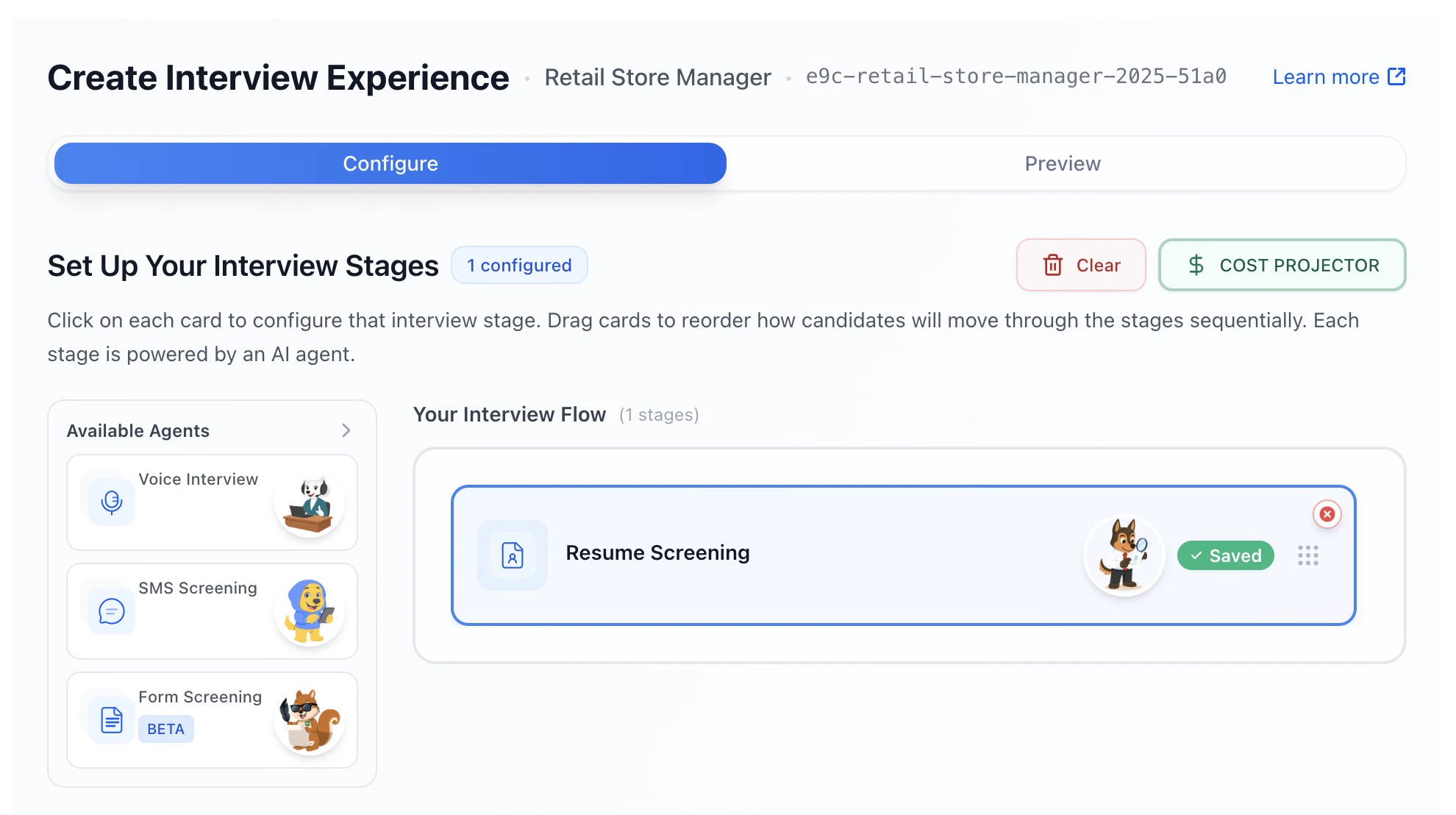
- Click the Resume Screening card to configure it
Step 2 — Configure Resume Screening Settings
This is the high-level control panel for how resume screening behaves.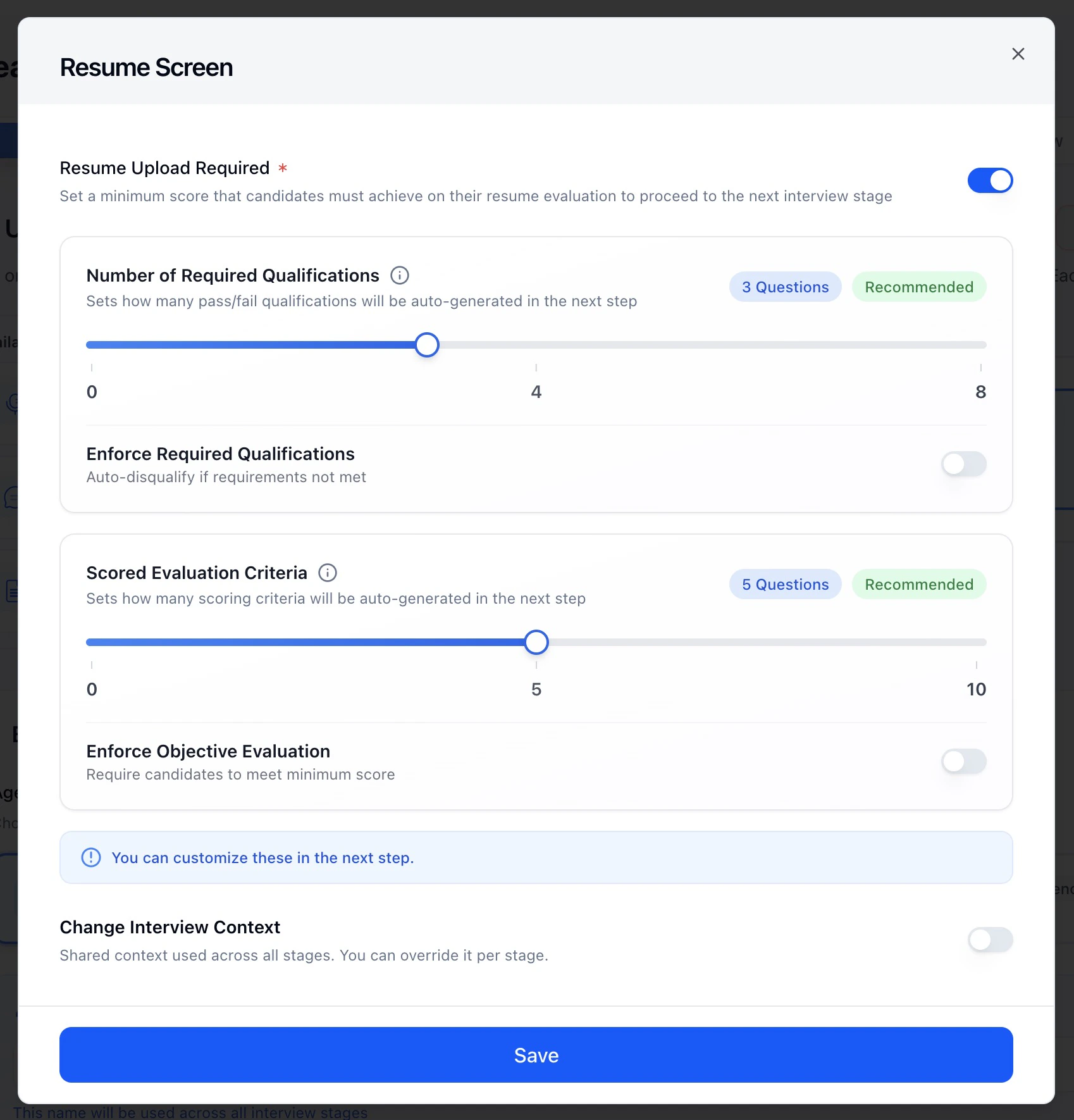
Step 3 — Define Required Qualifications (Dealbreakers)
In Questions & Scoring → Required Qualifications, you define what candidates must have.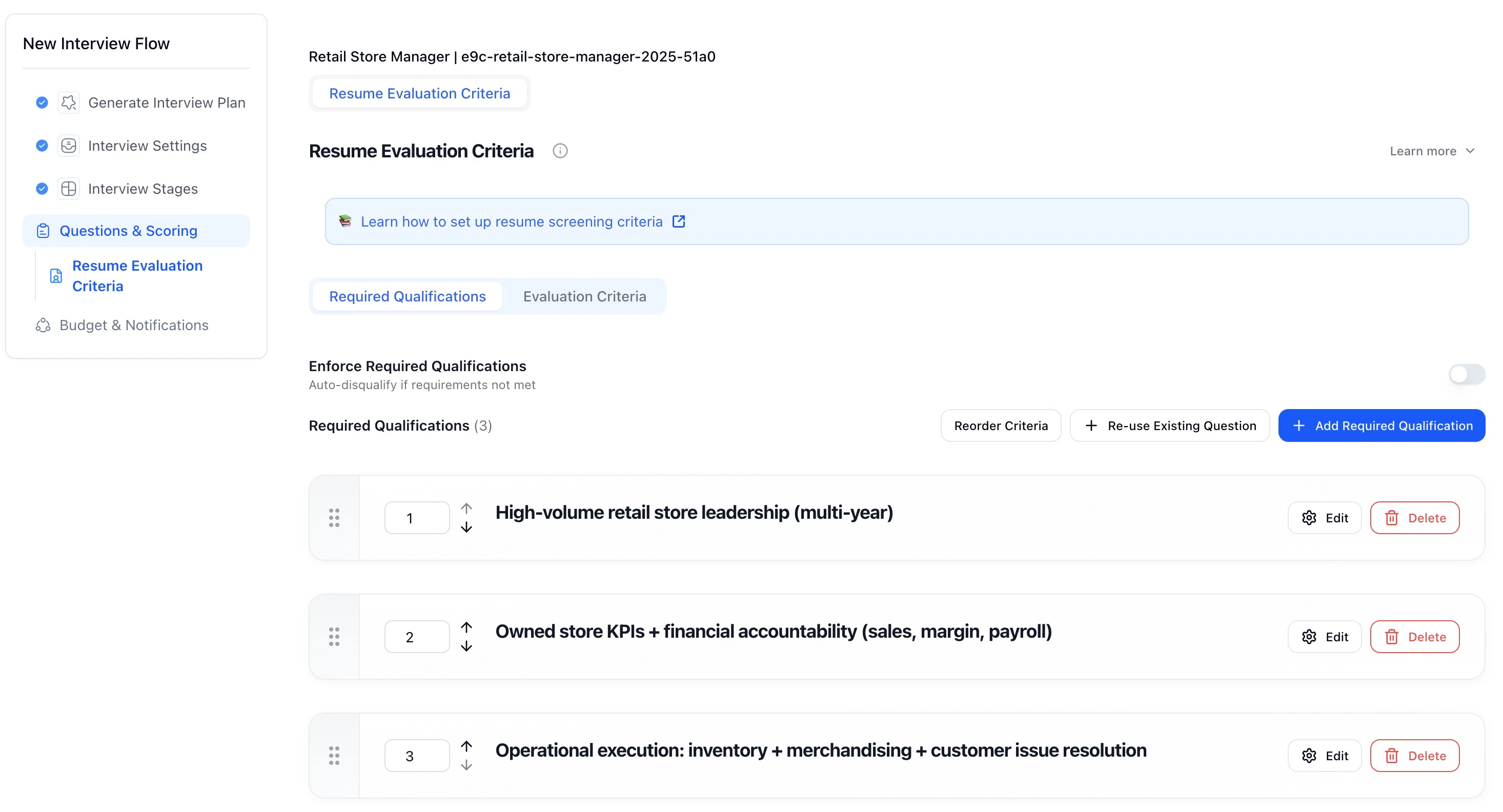
- Edit the wording
- Mark it as pass/fail
- Reorder qualifications
- Reuse criteria from other roles
Step 4 — Define Scored Evaluation Criteria
In Evaluation Criteria, you define how resumes are scored and ranked.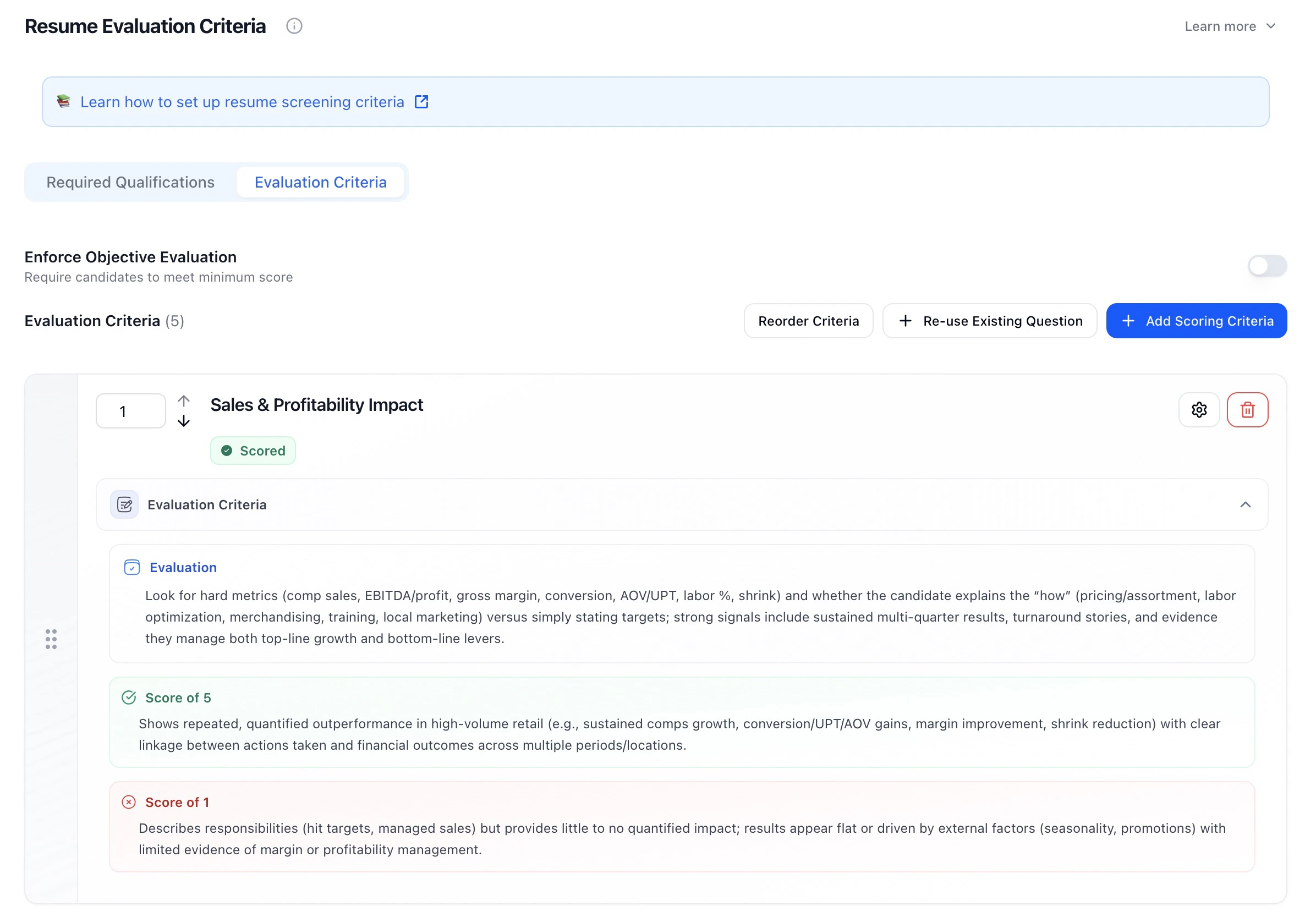
- What to look for
- What a strong resume looks like (Score of 5)
- What a weak resume looks like (Score of 1)
💡 Turning on Enforce Criteria helps prevent unqualified candidates from moving into more costly screenings like AI interviews.
Step 5 — Reorder Criteria
You can drag and drop to reorder: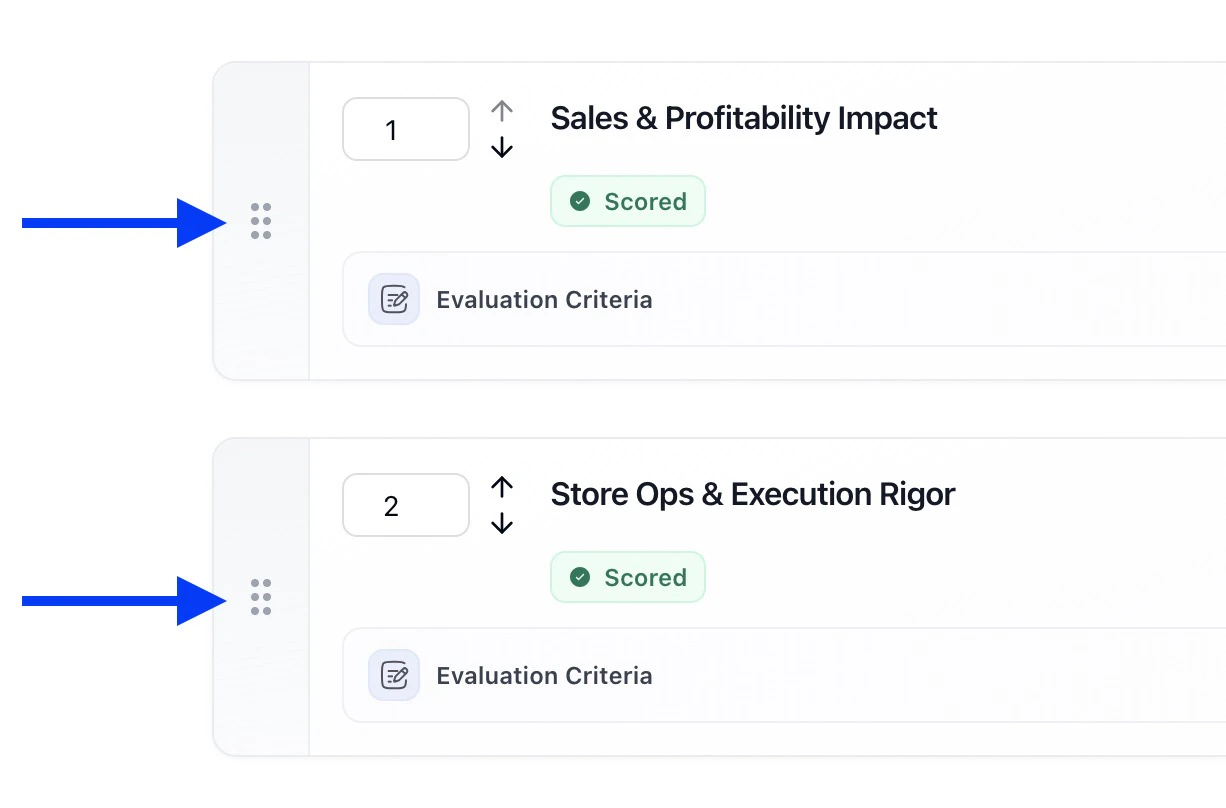
- Required Qualifications
- Scored Evaluation Criteria
Step 6 — Test Before Activating
Click Test Now to preview how resumes are evaluated.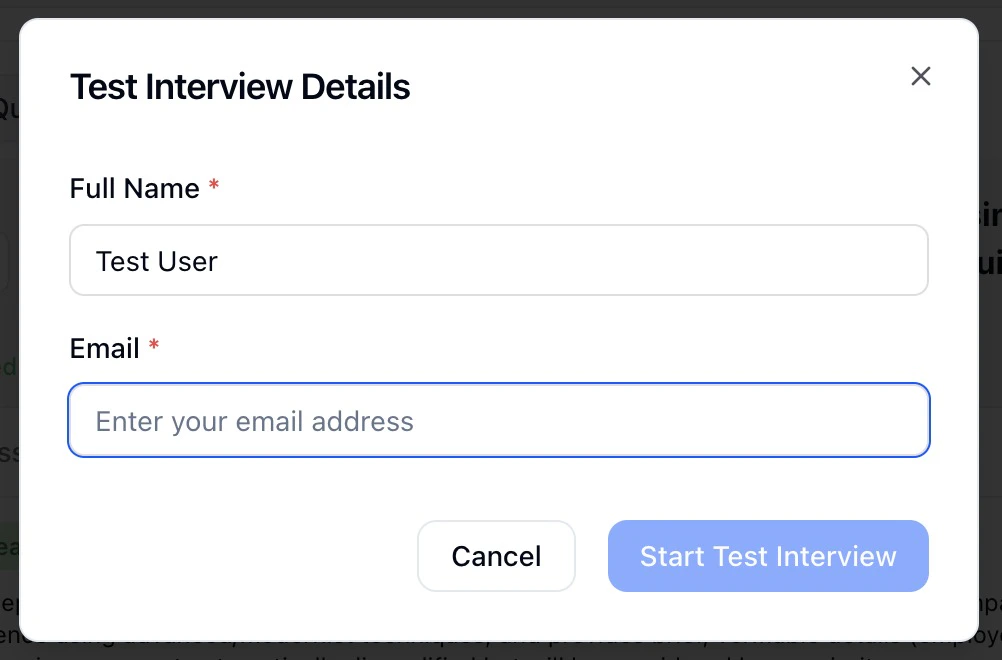
- Validate dealbreakers
- Review scoring behavior
- Catch overly strict rules
- Adjust criteria before real candidates enter
Step 7 — Activate Resume Screening
Once activated:
- Resumes are evaluated automatically
- Candidates are ranked by score
- Unqualified candidates are filtered early
- Results sync with the rest of your workflow
Step 8 — Review Resume Screening Results
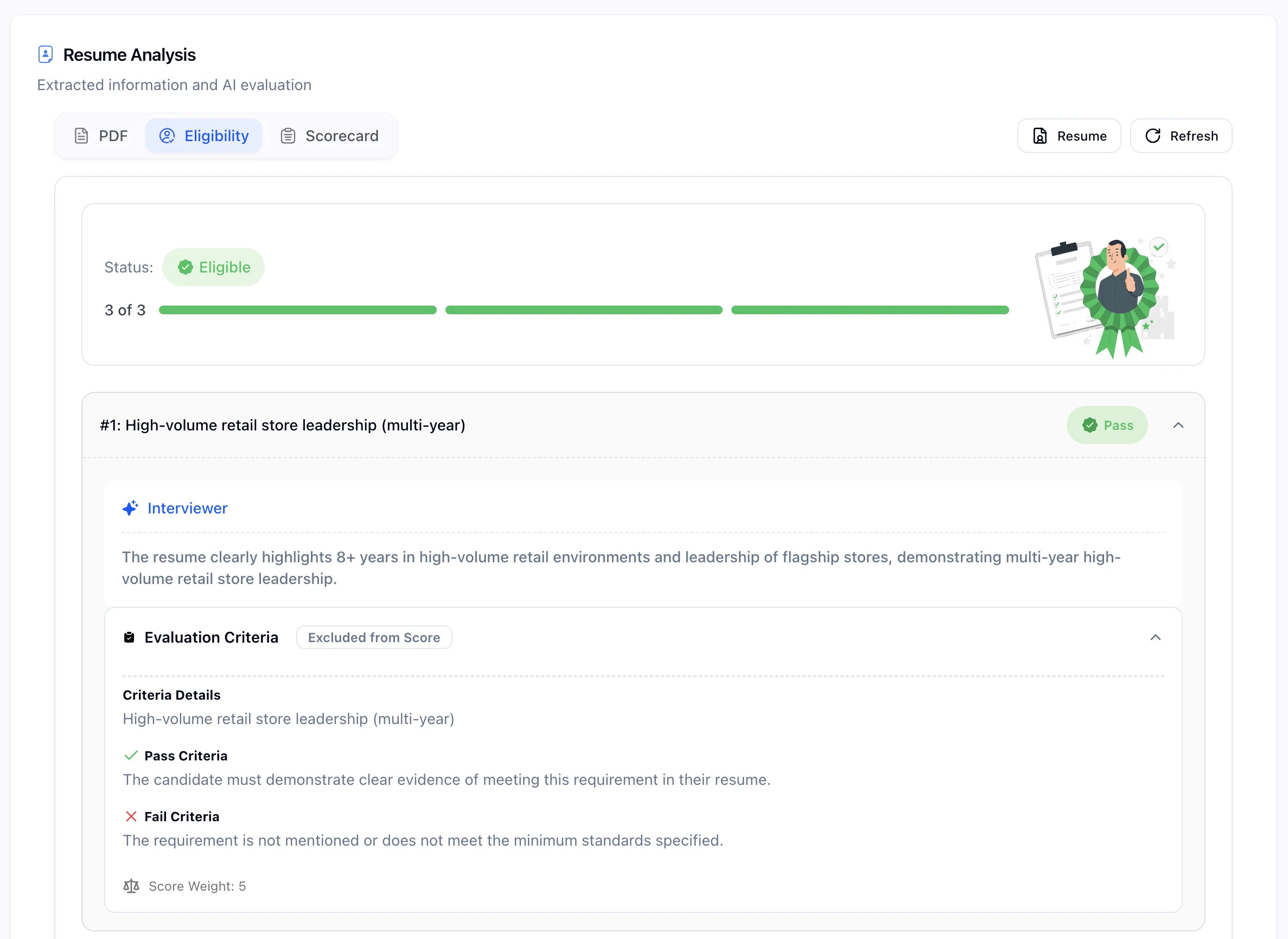
Resume results appear directly in the candidate profile under the Resume tab (along with other agents layered in).You’ll see three tabs: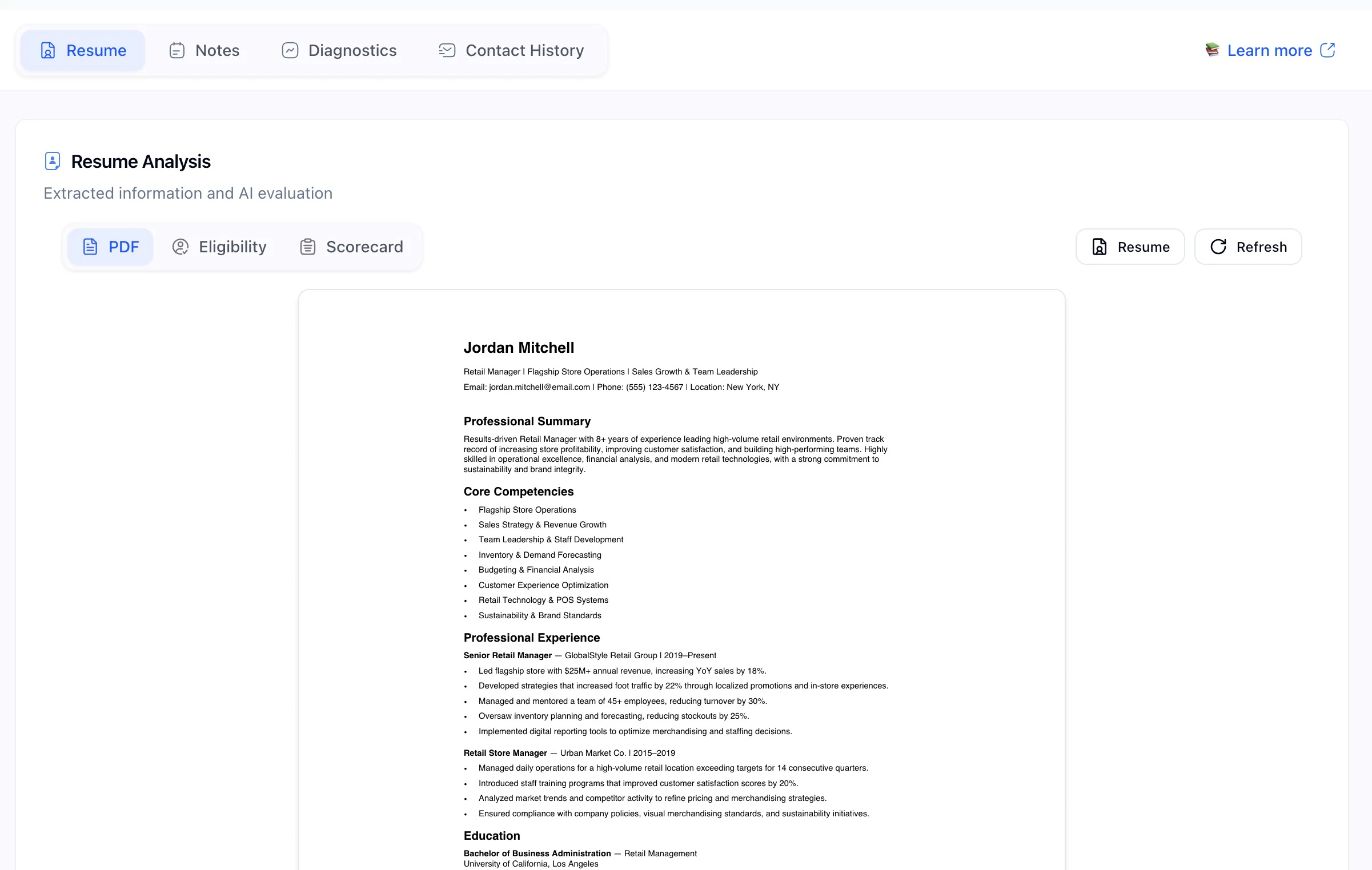
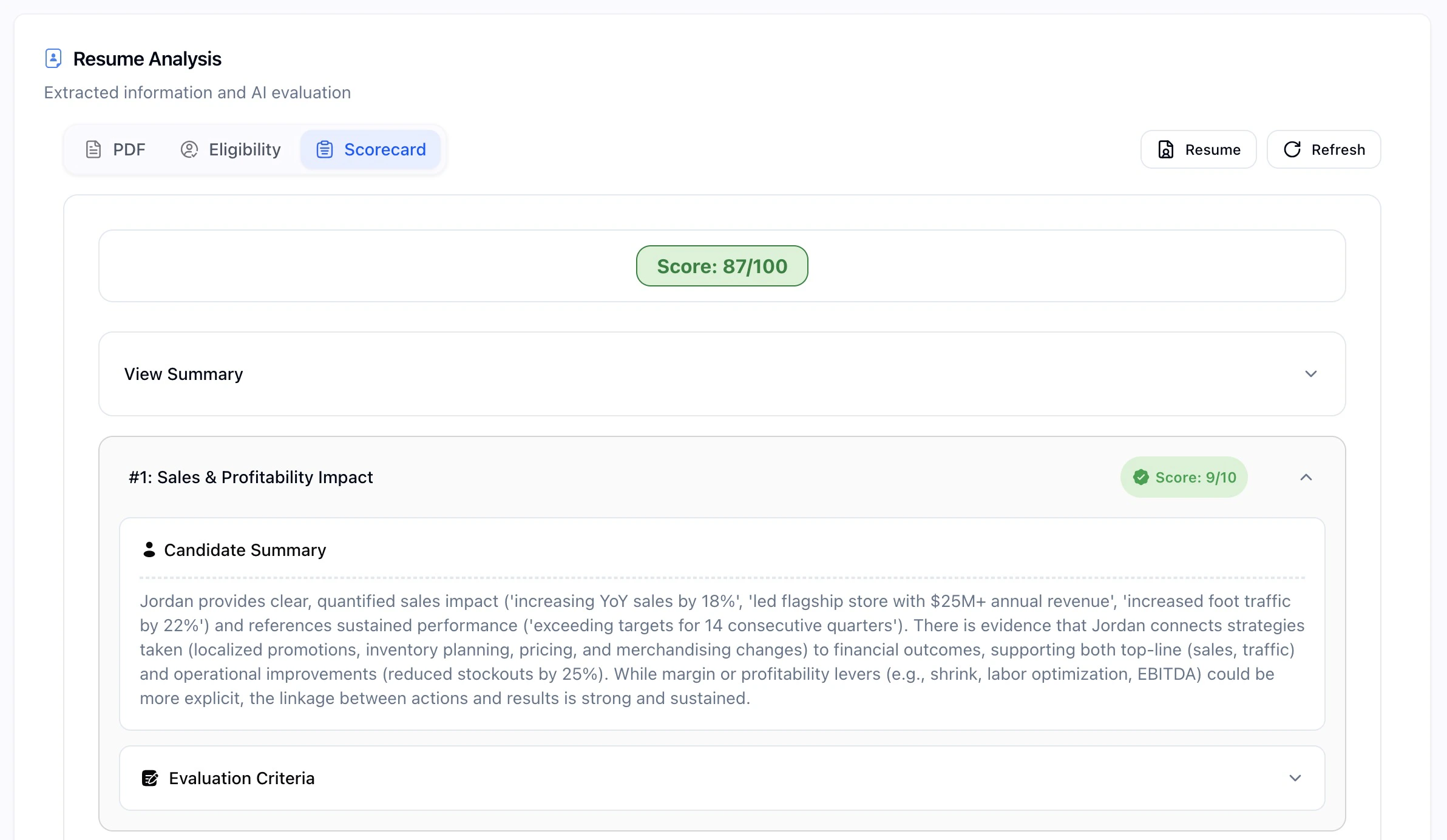
- PDF: the candidate’s original resume
- Eligibility: required qualifications, pass/fail results, and explanations
- Scorecard: score summary, detailed evaluation, and reasoning for each criterion