Agents Supported in Zoho
💡HeyMilo supports SMS screening across all ATS platforms—as long as a valid phone number (with country code) is provided. Since most ATSs don’t collect phone numbers by default, be sure to make the mobile number a required field in your job post.Alternatively, you can enable both resume and SMS screening on your HeyMilo job, ensuring candidates are screened even if their phone number or resume isn’t accessible via your ATS.
Why Use HeyMilo + Zoho Recruit?
Setting Up the Integration
🛠 What You’ll Need to Get Started
Before connecting Zoho Recruit with HeyMilo, you’ll need:- ✅ Admin access to your HeyMilo workspace
- ✅ Administrator access to your Zoho Recruit account
Connect HeyMilo to Zoho Recruit
Watch this video, click through the interactive demo, and follow the steps below to learn how to connect HeyMilo in Zoho:1
Log in to HeyMilo Admin (https://admin.heymilo.ai)
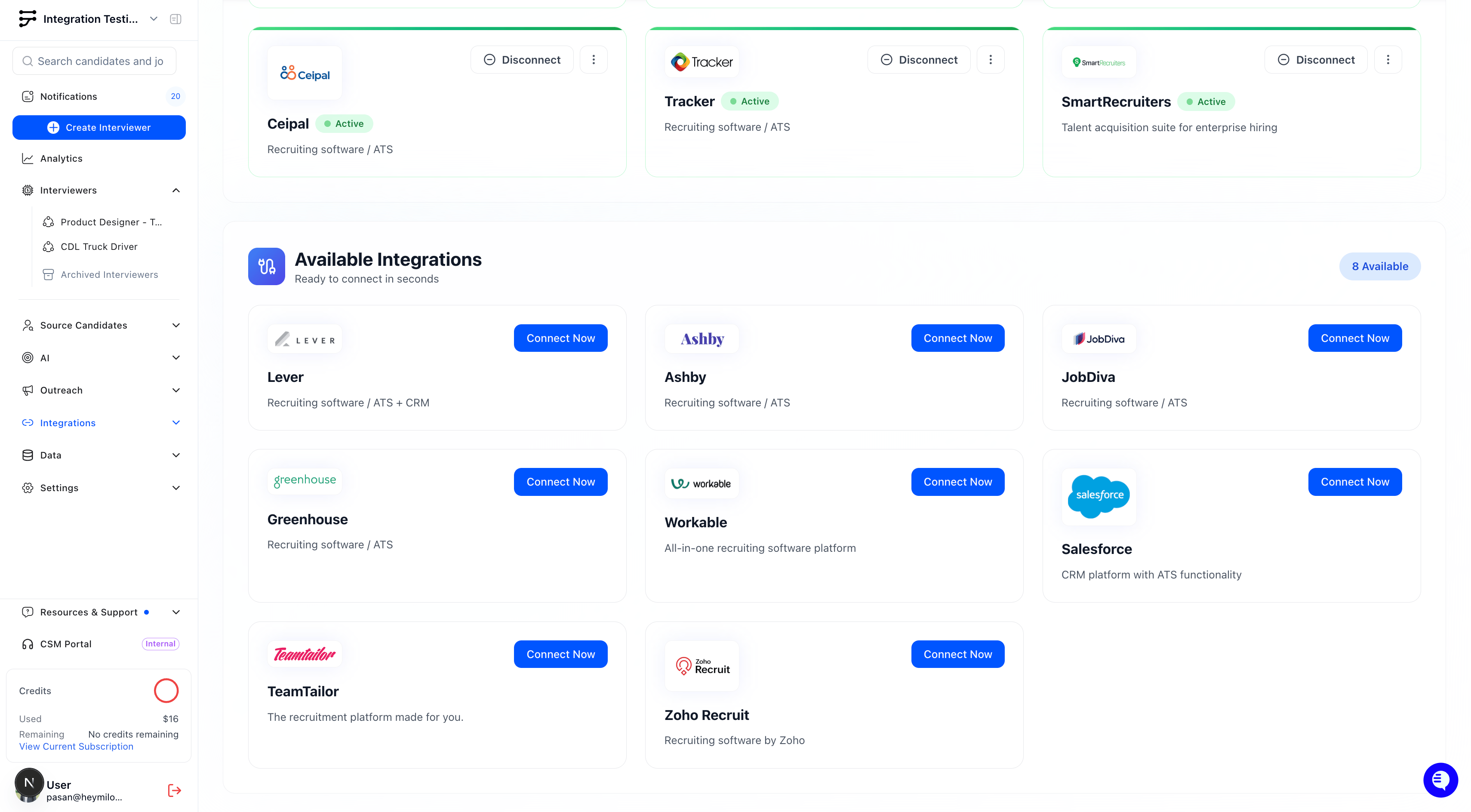
- Navigate to Integrations from the side panel
2
Find Zoho Recruit under Available Integrations
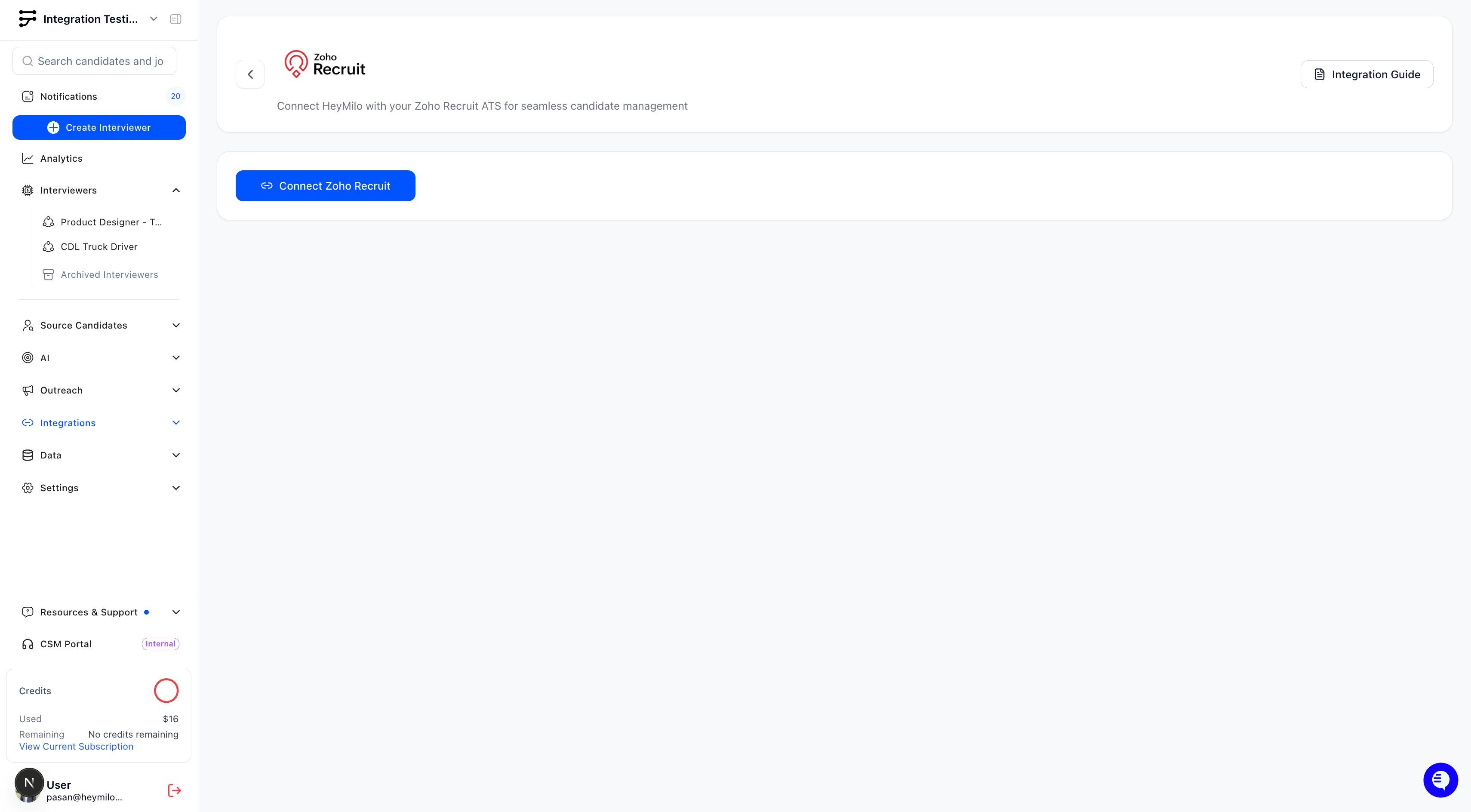
- Click Connect Zoho Recruit
3
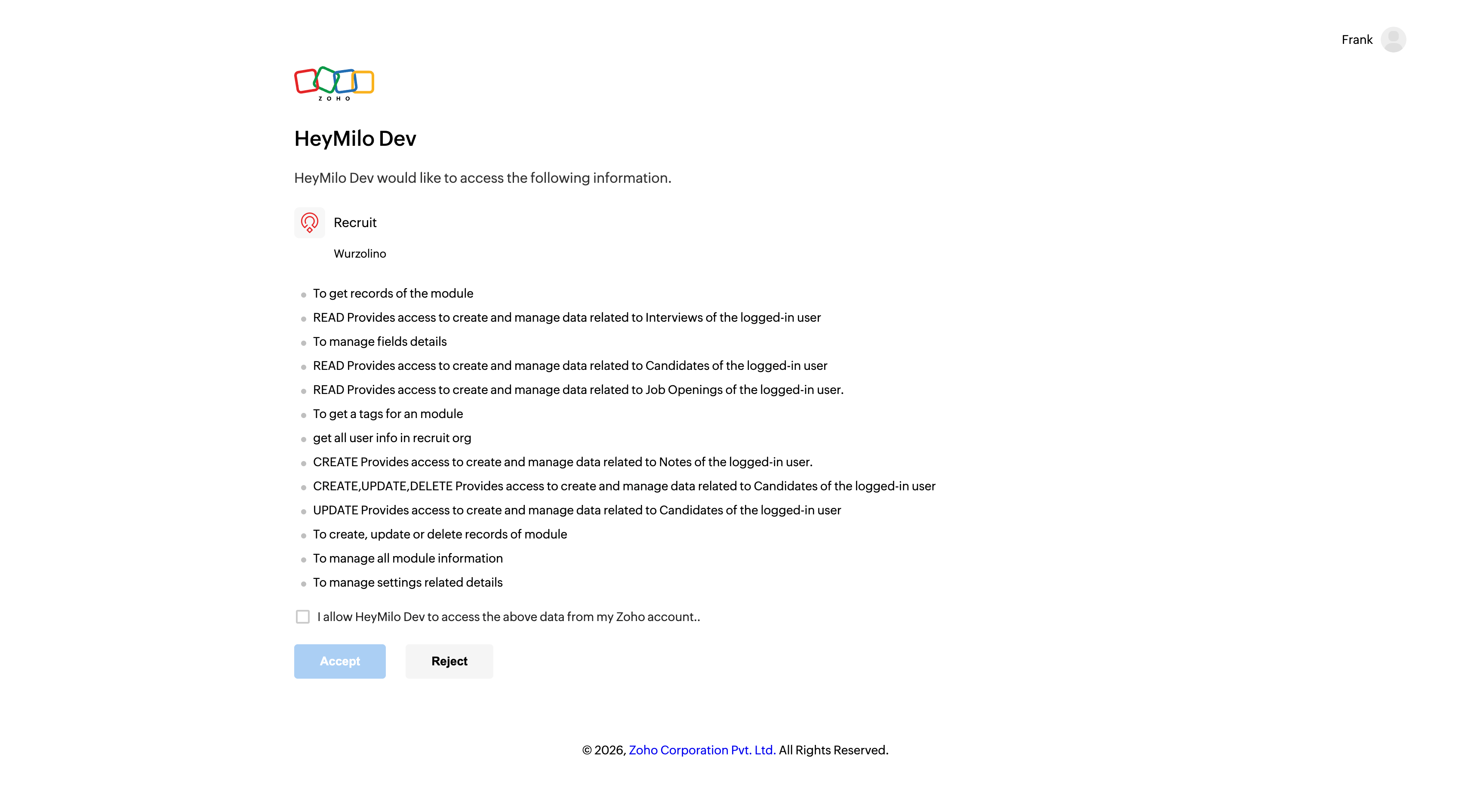
Authenticate with Zoho
- You will be redirected to Zoho to authorize the connection
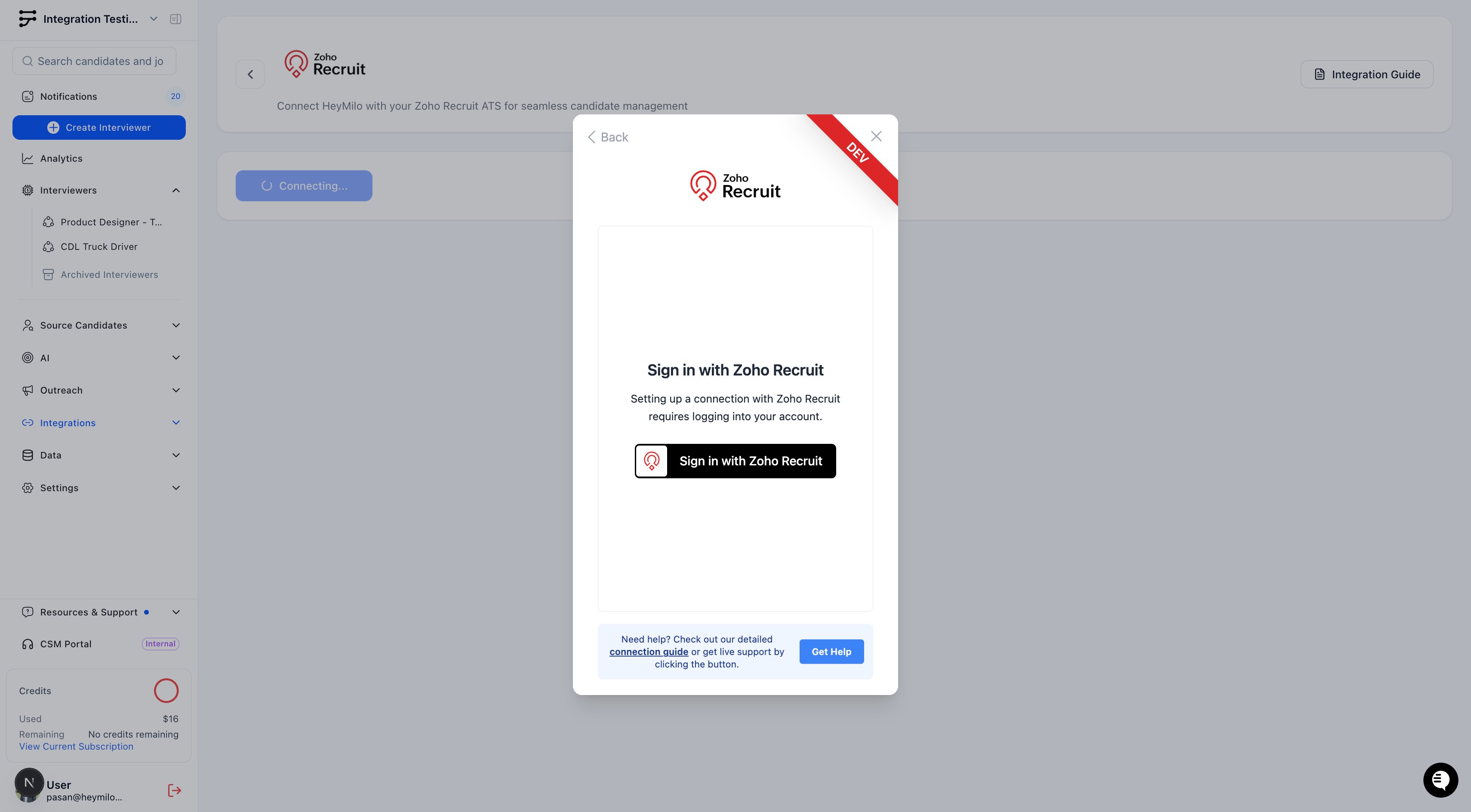
- Grant the necessary permissions to allow HeyMilo to access your Zoho Recruit data
4
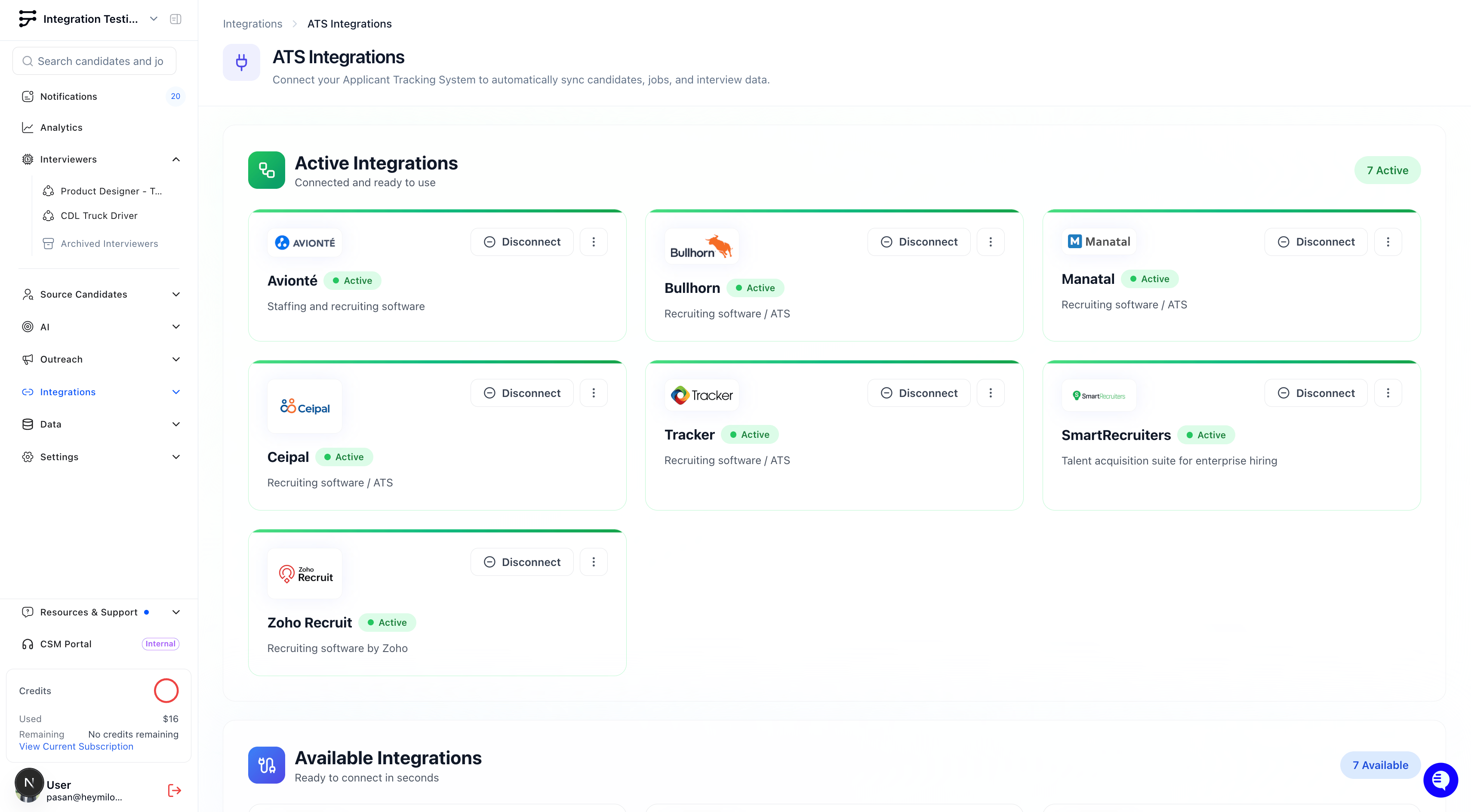
Upon successful connection, you'll see a confirmation message and Zoho Recruit will appear under Active Integrations
Mapping HeyMilo Agents to Zoho Recruit Jobs
Once the integration is live, you can connect a HeyMilo agent to your open roles in Zoho Recruit.1
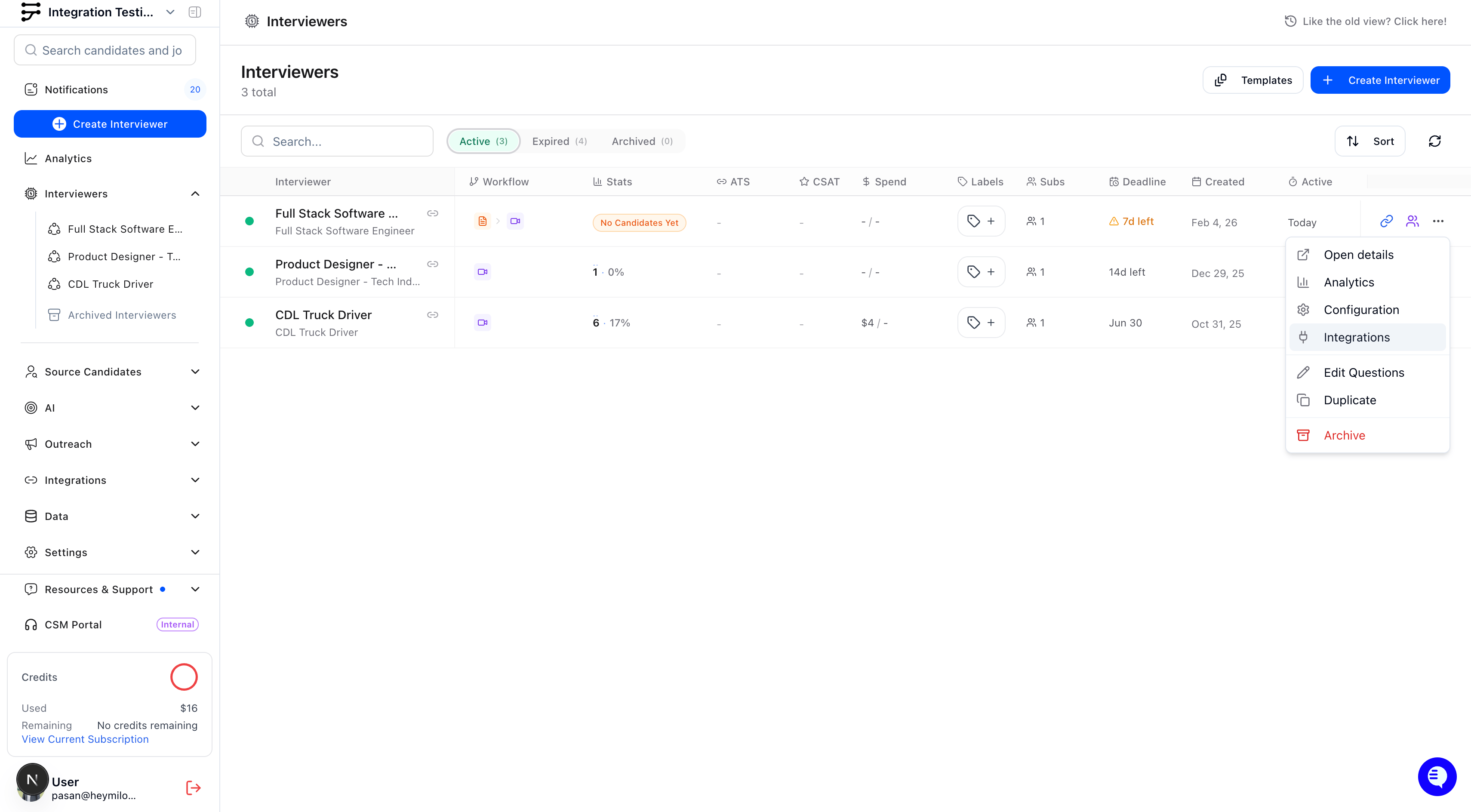
From your active agent in HeyMilo, select View Configuration
2
Click into the ATS Integration tab
3
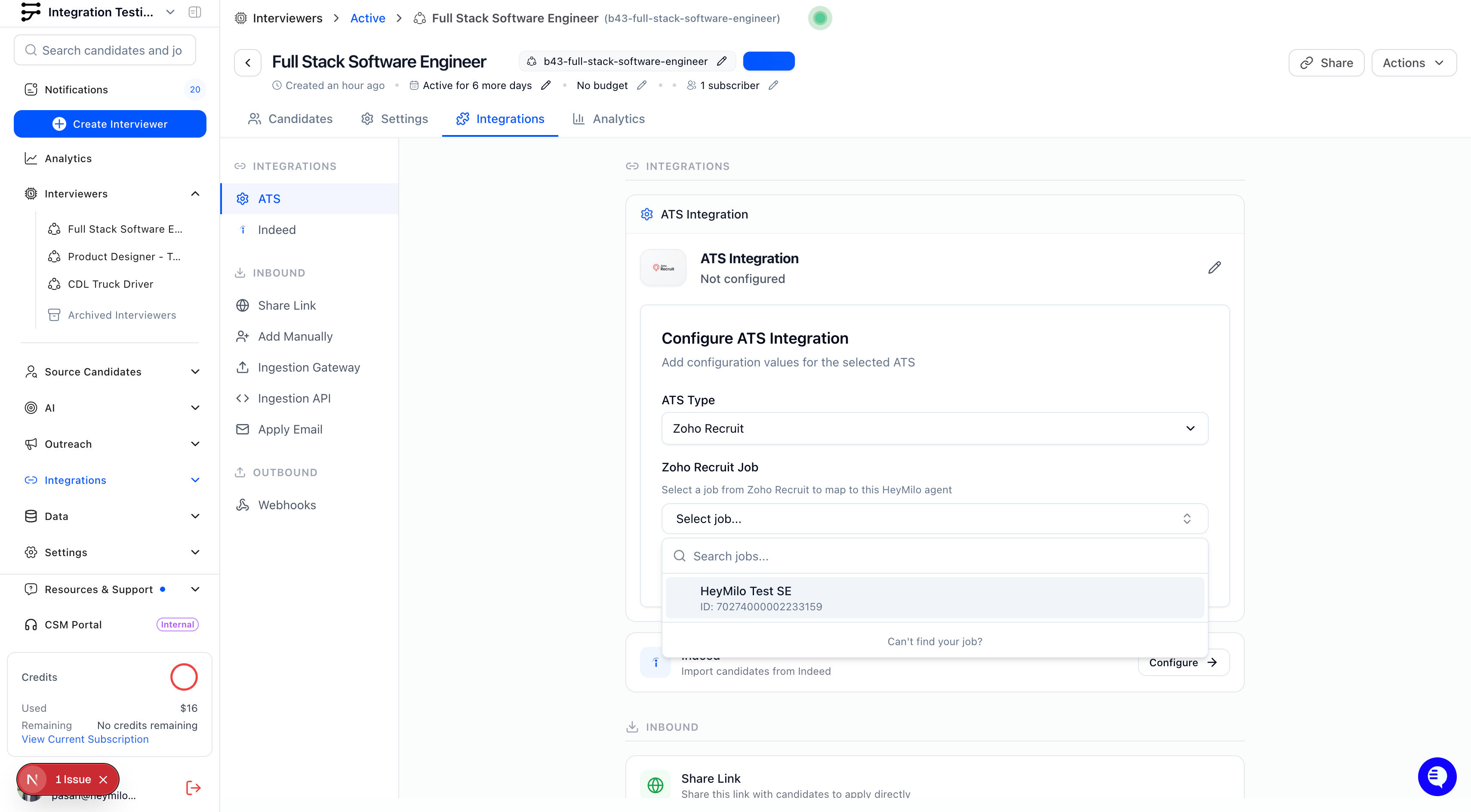
Select Zoho Recruit as your ATS Type
- Select the desired Zoho Recruit Job you want connected
4
Click Add and Save the configuration
- Once mapping is added, you will see a success confirmation
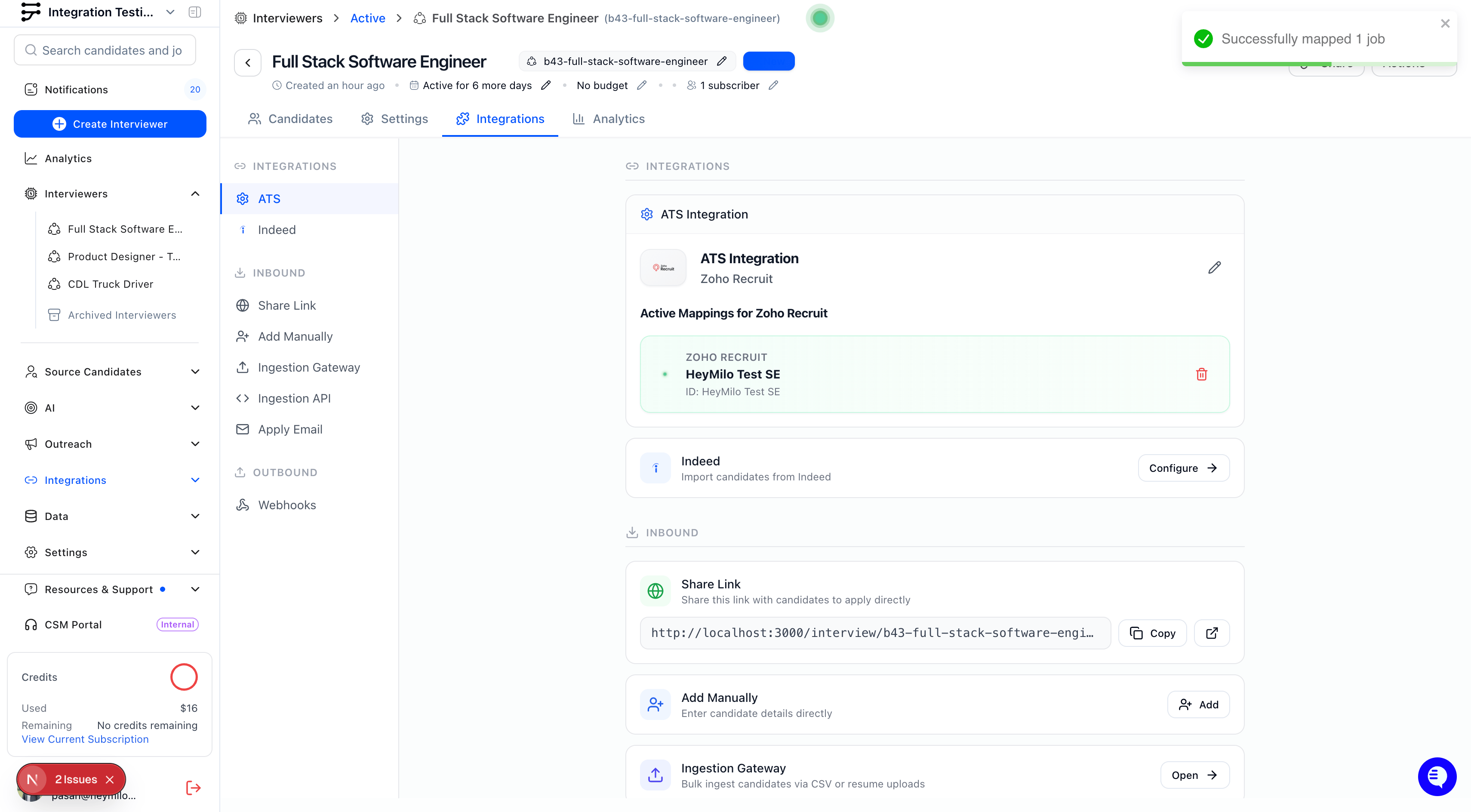
🔁 Note: A single HeyMilo agent can be mapped to multiple Zoho Recruit jobs, but each job can only be linked to one agent.
How the Integration Works
Automatic Candidate Sync
Candidates who apply to your mapped Zoho Recruit jobs will be automatically ingested into HeyMilo. Each candidate will receive an interview invitation email automatically.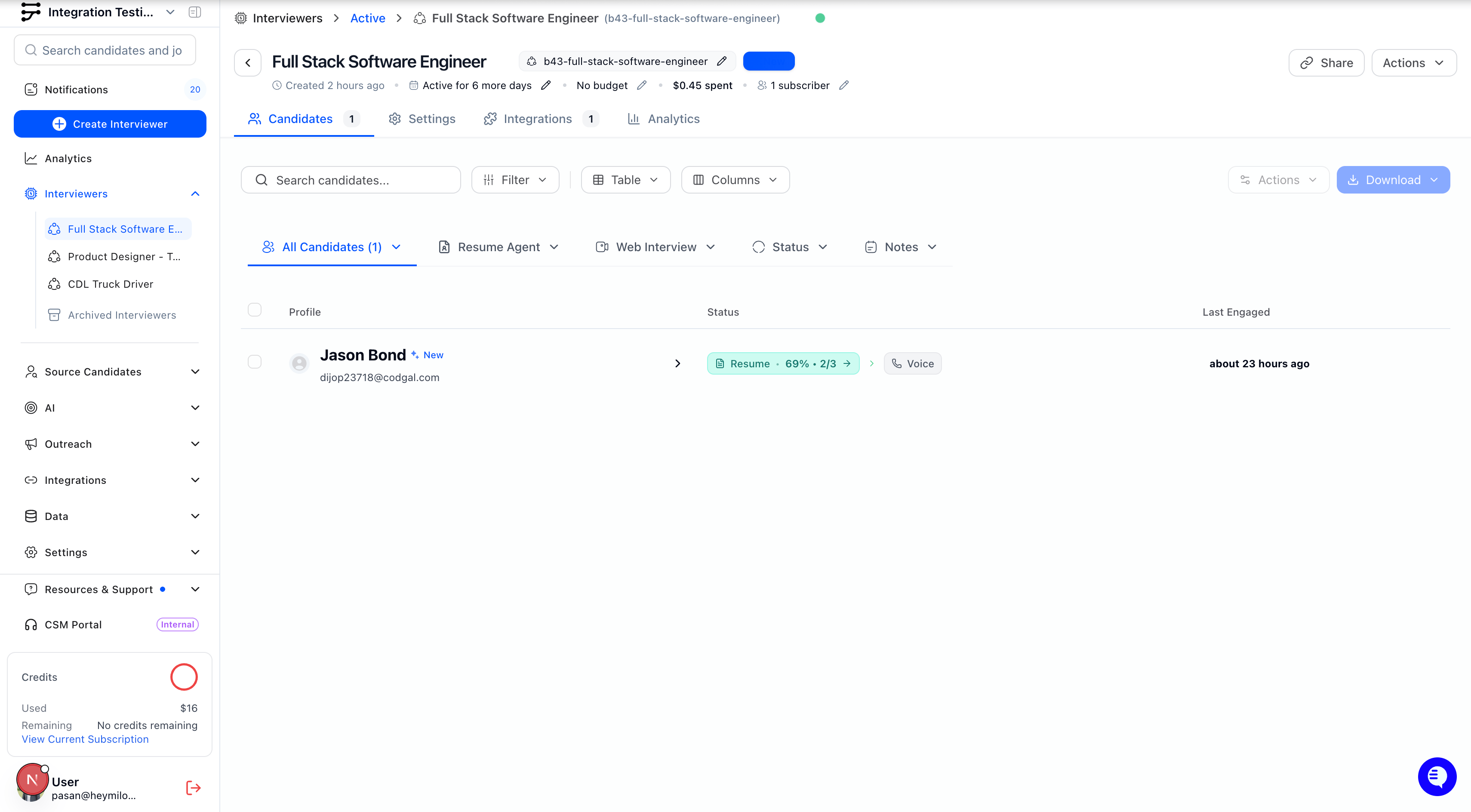
Instant Candidate Engagement
Once a candidate applies:- Application received in Zoho Recruit
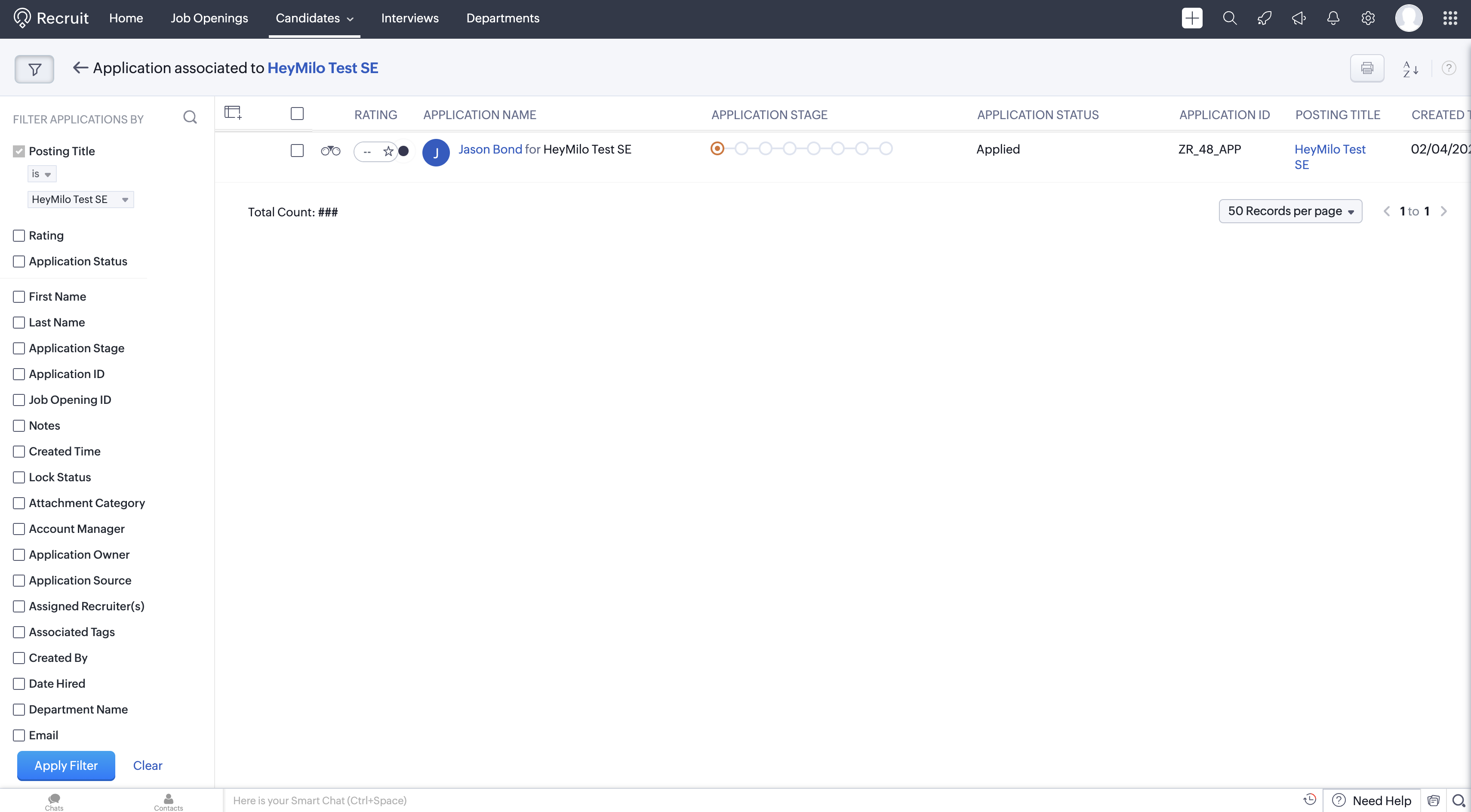
- HeyMilo automatically notified of the new candidate
- Interview invitation sent via email (or SMS if configured)
- Candidate completes the AI-powered interview
After Interview Completion
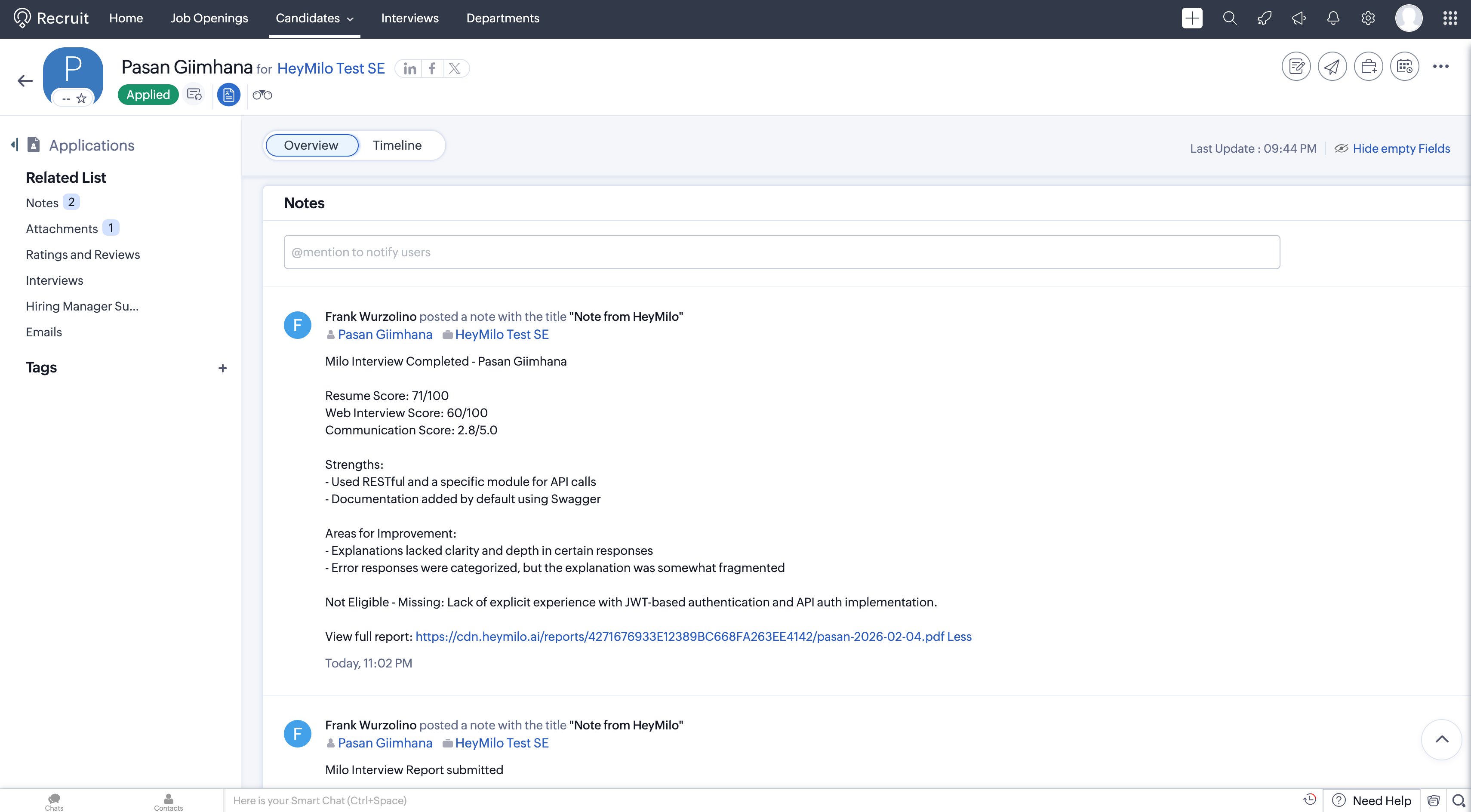
When the interview is finished, HeyMilo generates a structured report that is complete with transcripts, AI summaries, and scores. You can review results in the candidate’s profile in Zoho Recruit.