

Agents Supported in Manatal
💡HeyMilo supports SMS screening across all ATS platforms—as long as a valid phone number (with country code) is provided. Since most ATSs don’t collect phone numbers by default, be sure to make the mobile number a required field in your job post.Alternatively, you can enable both resume and SMS screening on your HeyMilo job, ensuring candidates are screened even if their phone number or resume isn’t accessible via your ATS.
Follow These Easy Steps to Set Up the HeyMilo Integration With Manatal
Watch the video, click through the interactive demo below, and follow the steps below to learn how to connect HeyMilo in Manatal:1
Generate Your Manatal API Key
- Log in to your Manatal account.
- Go to Administration → Features → Open API.
- Click Generate new token.
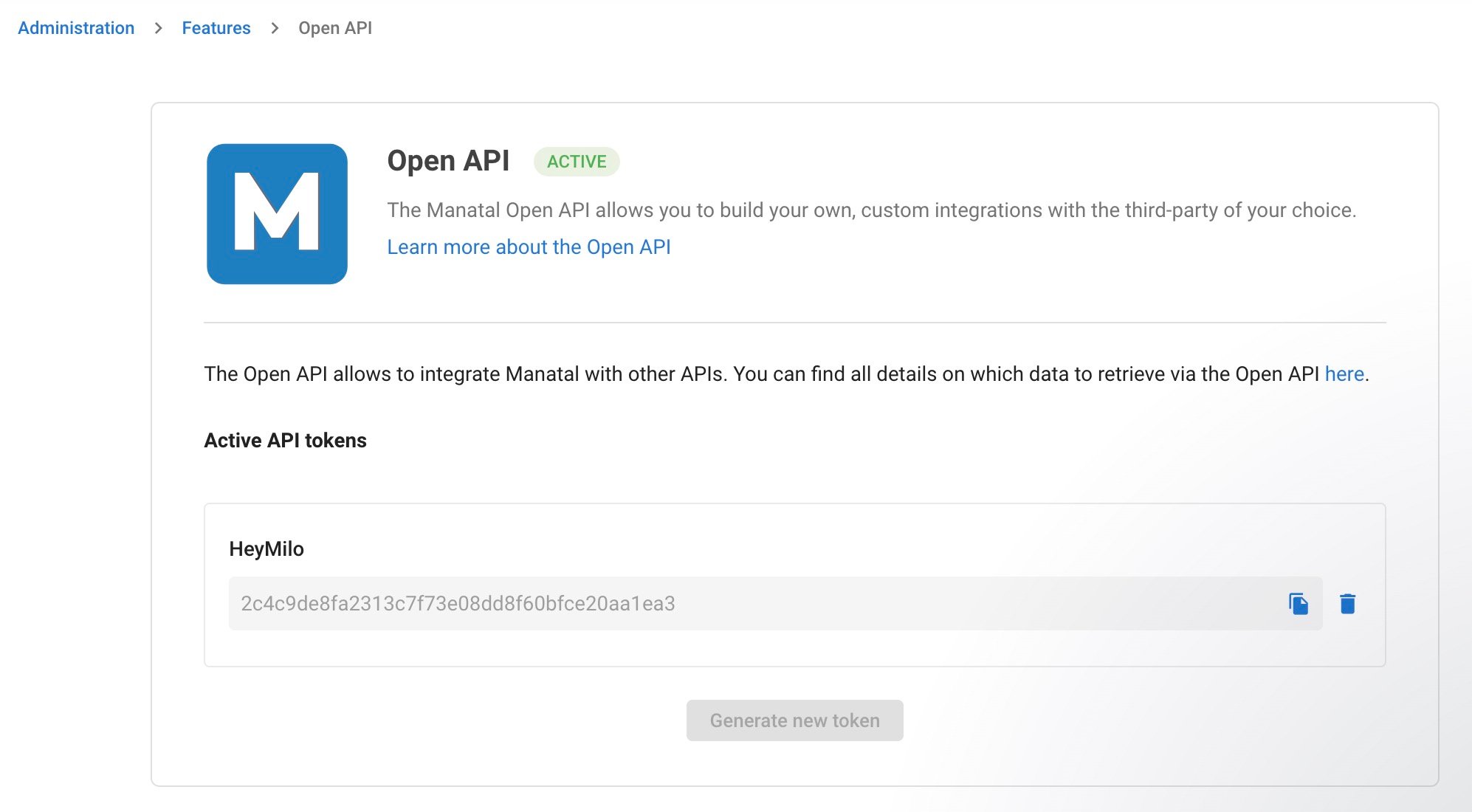
- Name the token (e.g., HeyMilo Integration).
- Copy the generated token.
2
Add Custom Pipeline Stages in Manatal
As an Admin in Manatal, go to:Administration → Customization → Jobs → Customize PipelinesAdd the following two new stages to the pipeline for every job HeyMilo will screen: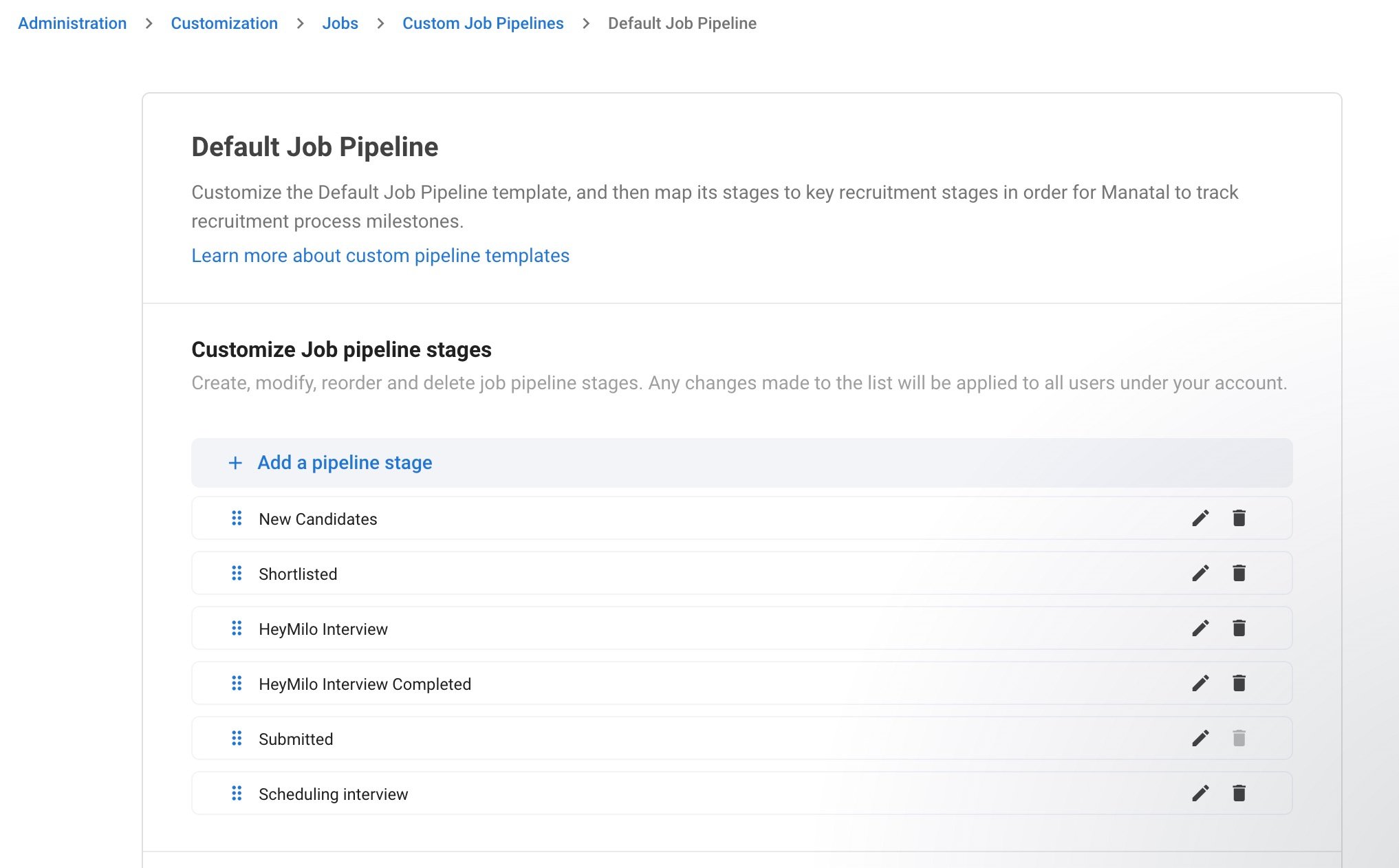
HeyMilo InterviewHeyMilo Interview Completed
Important: These stage names must match exactly for the integration to work.
3
Connect HeyMilo Using Your Manatal API Key
In the HeyMilo Portal → Go to Integrations → Manatal.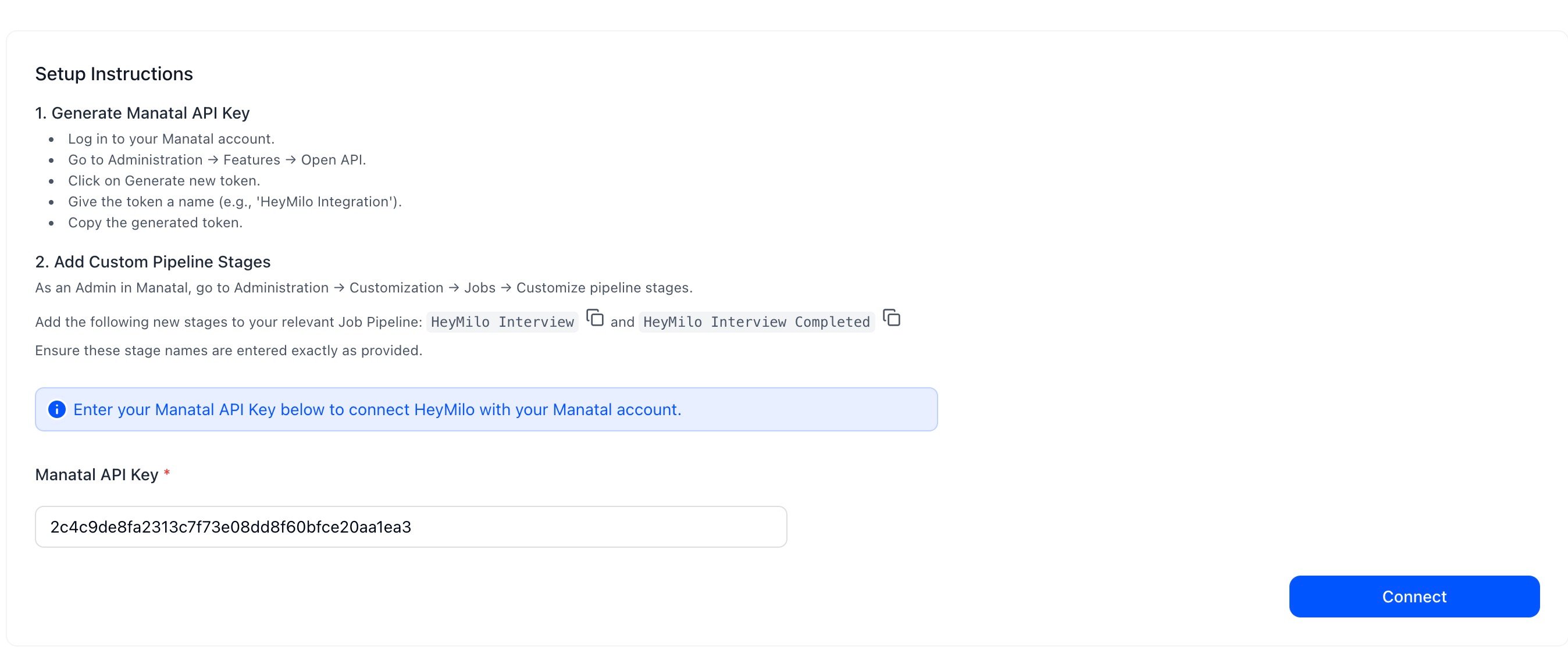
- Paste your Manatal API Key into the Manatal API Key field
- Click Connect.
4
Map a HeyMilo Agent to a Manatal Job
Now that the connection is active, you can link your agents to specific jobs.In HeyMilo: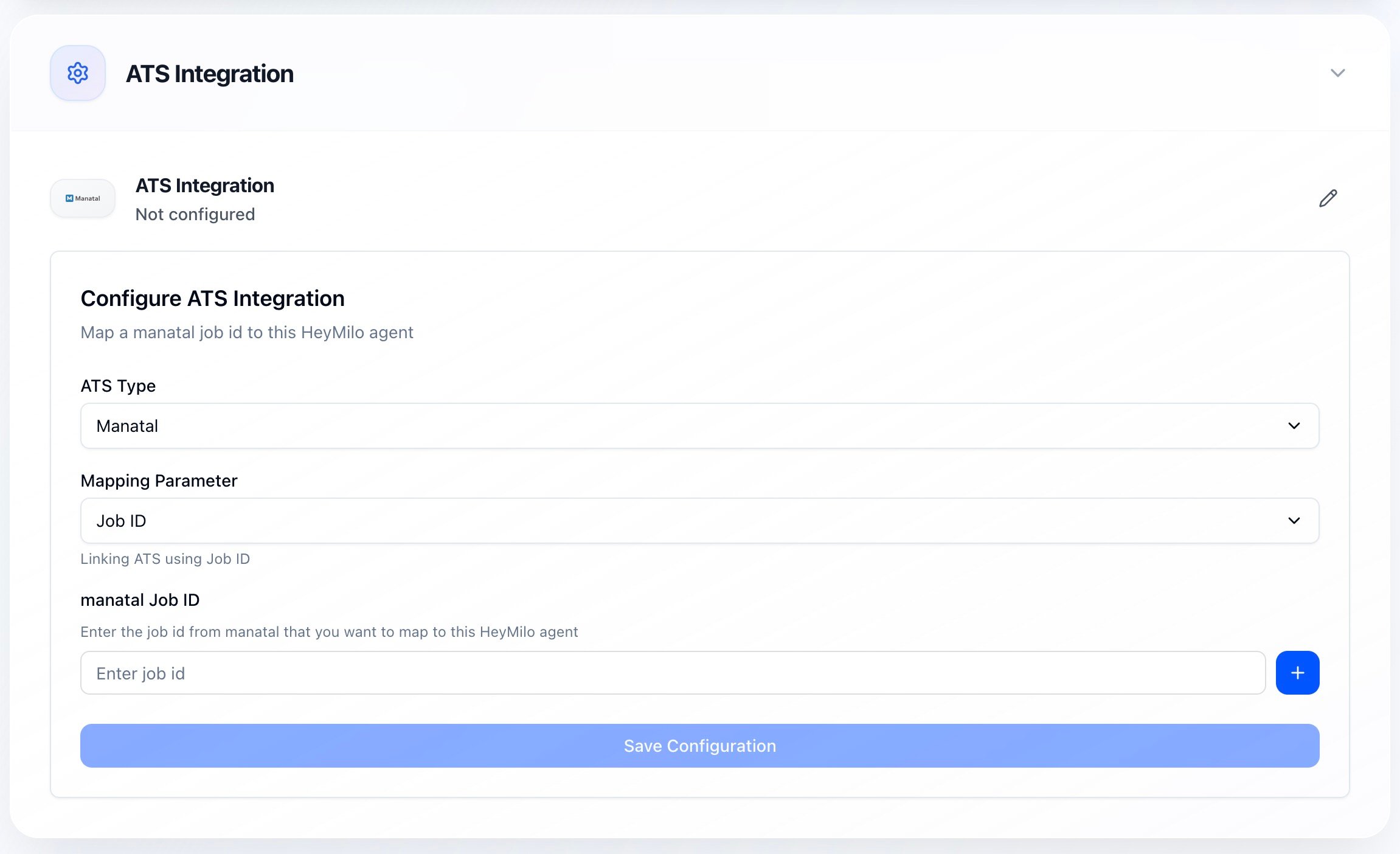
- Go to your agent → click View Configuration.
- Navigate to ATS Integration.
- Select Manatal as the ATS type.
- Enter the Manatal Job ID for the job you want to screen.
5
Click Get, then Save Configuration.
Your agent is now mapped to the job.
- When a candidate enters the HeyMilo Interview stage, HeyMilo automatically begins screening.
How to Trigger HeyMilo Screening in Manatal
You can trigger HeyMilo screening in two ways: 1. Automatically Move a candidate into the pipeline stage:How to Review Screening Results in Manatal
Once the candidate completes the workflow: 1. The candidate moves to:- Candidate Profile → Notes
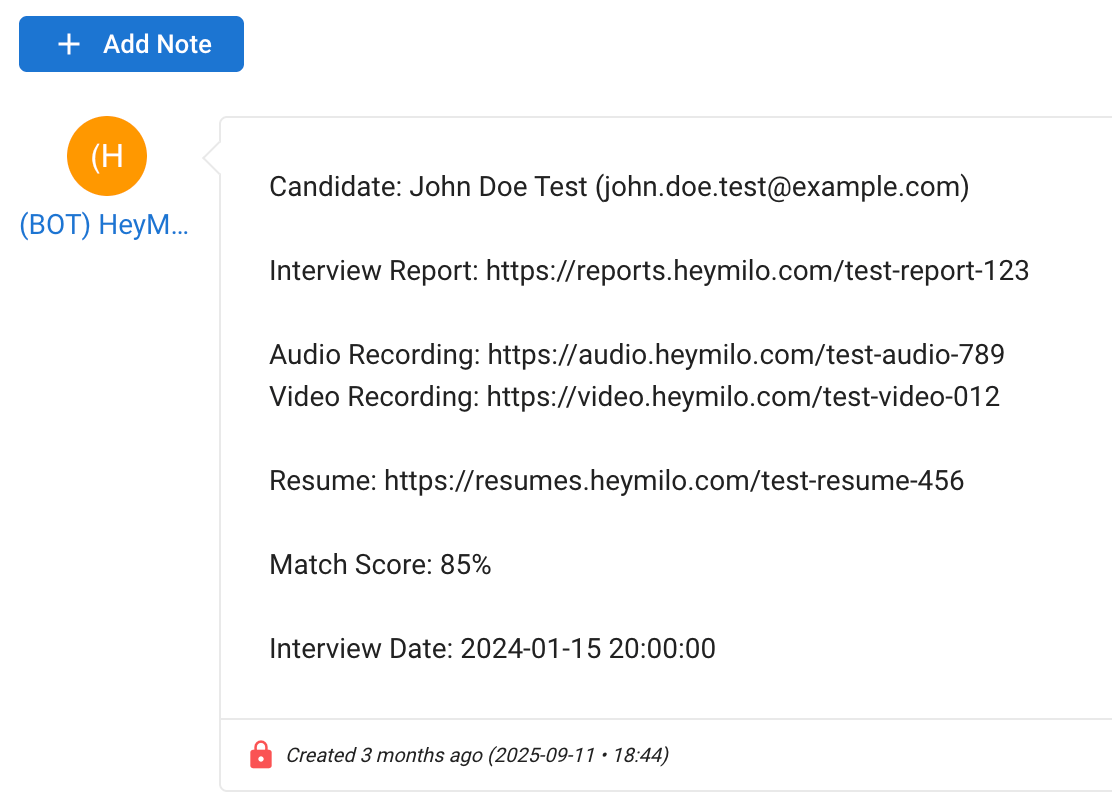
- Included details:
- Final evaluation score
- Full summary in pdf report with structured question-by-question breakdown
- Voice/video interview recording links
- Resume uploads and evaluation
- Interview date