

Agents Supported in Workable
💡HeyMilo supports SMS screening across all ATS platforms—as long as a valid phone number (with country code) is provided. Since most ATSs don’t collect phone numbers by default, be sure to make the mobile number a required field in your job post.Alternatively, you can enable both resume and SMS screening on your HeyMilo job, ensuring candidates are screened even if their phone number or resume isn’t accessible via your ATS.
Follow These Easy Steps to Set Up the HeyMilo Integration with Workable
Connect HeyMilo to Workable
You’ll need two things from your Workable account: your API Token and your Subdomain:1
Get your Workable API Token
- Log into your Workable account
- Click your profile icon at the top right → select Integrations
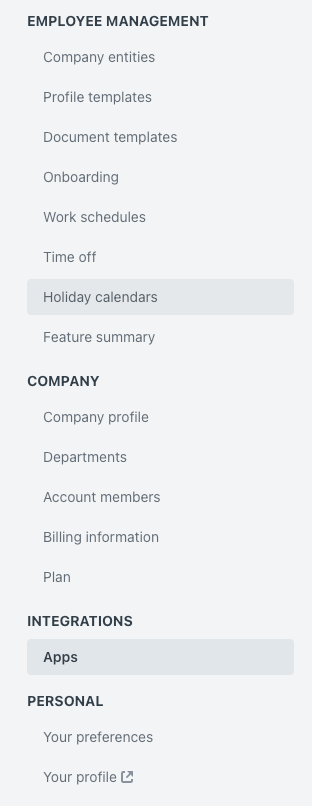
Integrations
- Click the → Generate new token button
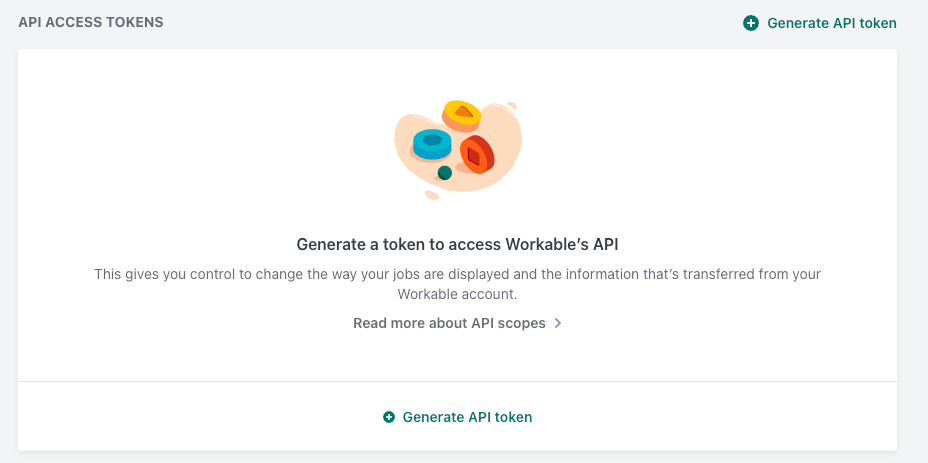
Generate API token
- When prompted, → select the following scopes:
r:jobsandr:candidates
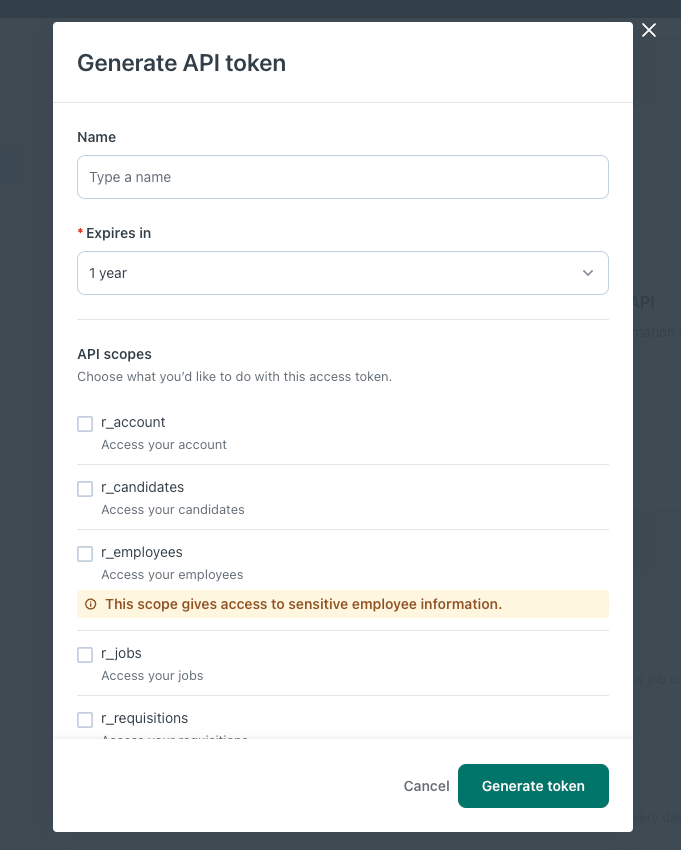
Generate token
- Click → Generate and copy the token right away (This token is only shown once—store it securely.)
2
Find Your Workable Subdomain
- Go to Company Profile in your Workable settings
- Your subdomain is the part before
.workable.comin your account URL (e.g.yourcompany.workable.com→yourcompany).
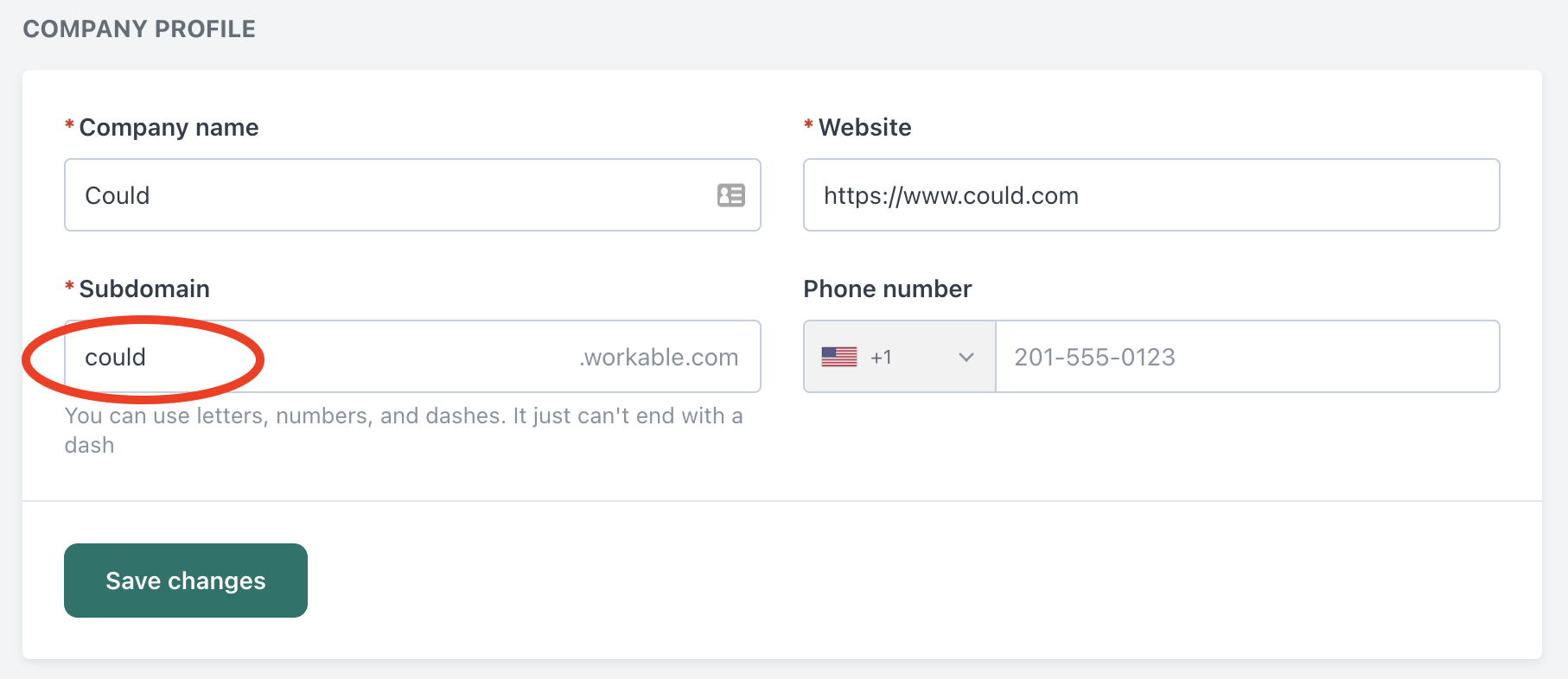
Subdomain
3
Connect Workable to HeyMilo
- Now, → log into your HeyMilo portal
- Navigate to Integrations and select Workable
- → Paste in your Workable API token and Subdomain
- Click → Connect. Once connected, Workable will show up under Active Integrations
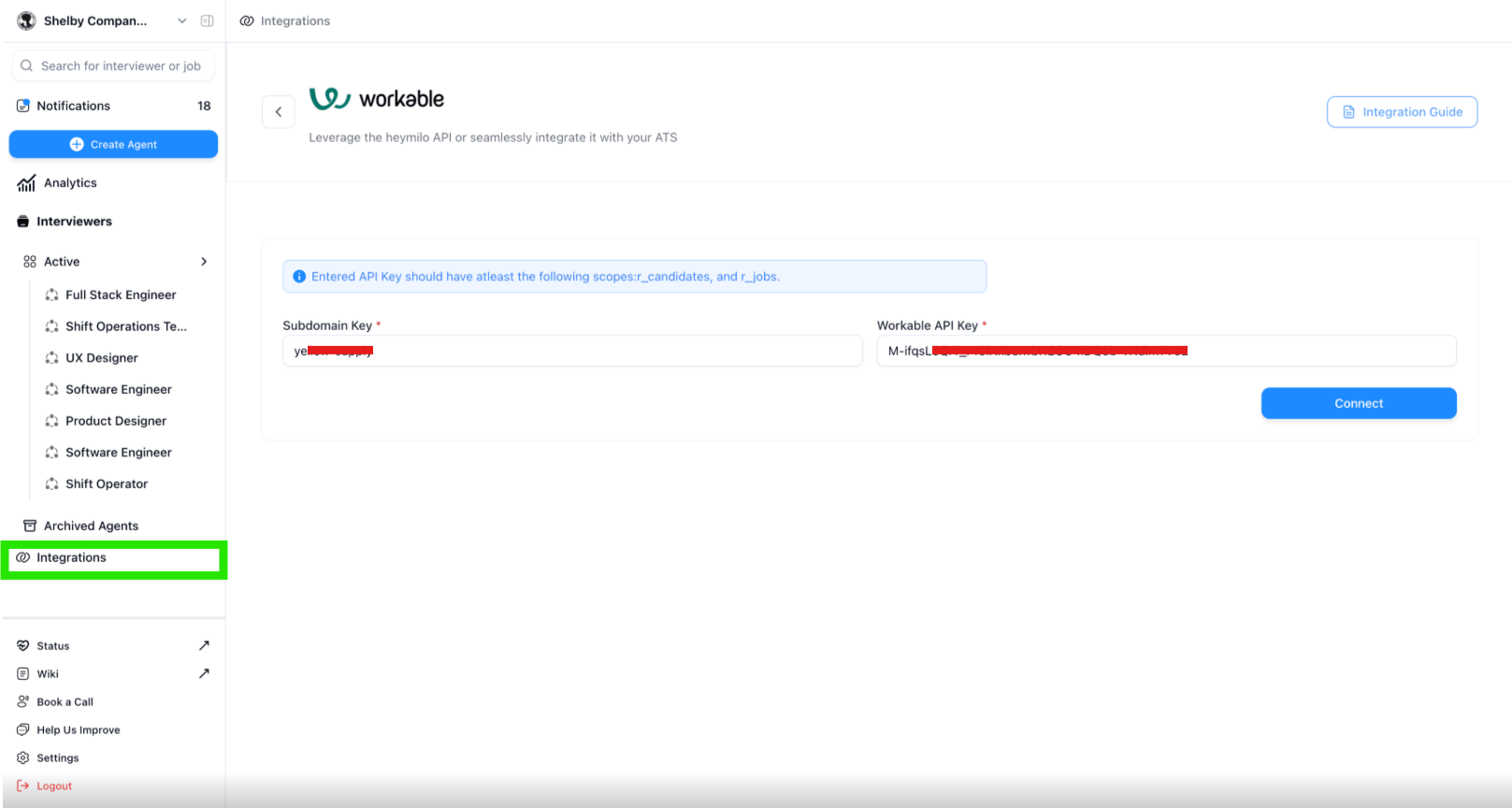
Connect HeyMilo to Workable
Link a HeyMilo Agent to a Workable Job
Now that the integration is live, you can connect a HeyMilo agent to any open role(s) in Workable using the job’s short code.1
In your Workable dashboard, → open the job you want to link
- The short code appears → in the job URL (e.g. https://workable.com/j/shortcode) or under job details.
2
→ Copy the short code for the job
3
Log into the HeyMilo portal, go to your list of agents, and → select the one you'd like to assign
4
→ Paste the Workable job short code into the ATS Integration tab
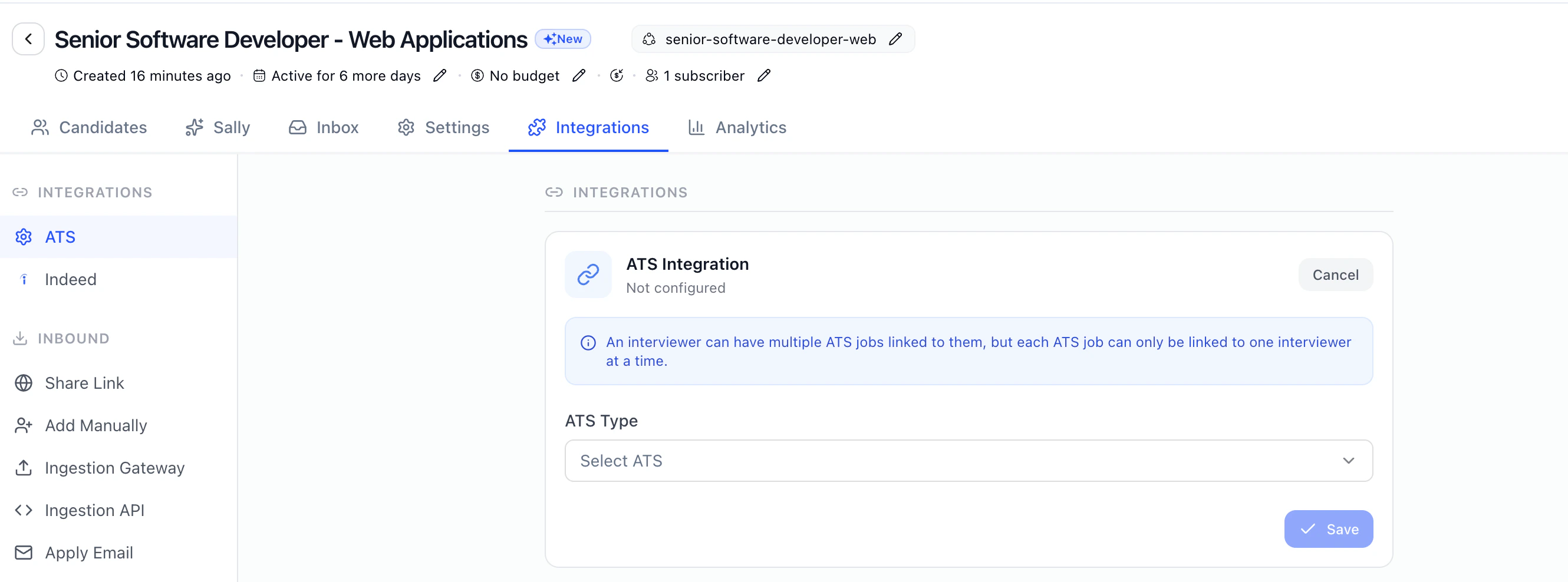
5
→ Click Save Configuration to complete the setup
🔁 Note: A single HeyMilo agent can be mapped to multiple Workable jobs, but each job can only be linked to one agent.
Start Engaging & Screening Candidates Automatically
Once your job is linked, candidates who apply in Workable will be → automatically engaged and screened through the assigned HeyMilo AI recruiting workflow. Depending on how your agent is set up, applicants may:- Receive personalized outreach via SMS, WhatsApp, or Email
- Be screened through AI-powered resume review
- Be invited to complete a voice or video-based AI interview on mobile or browser
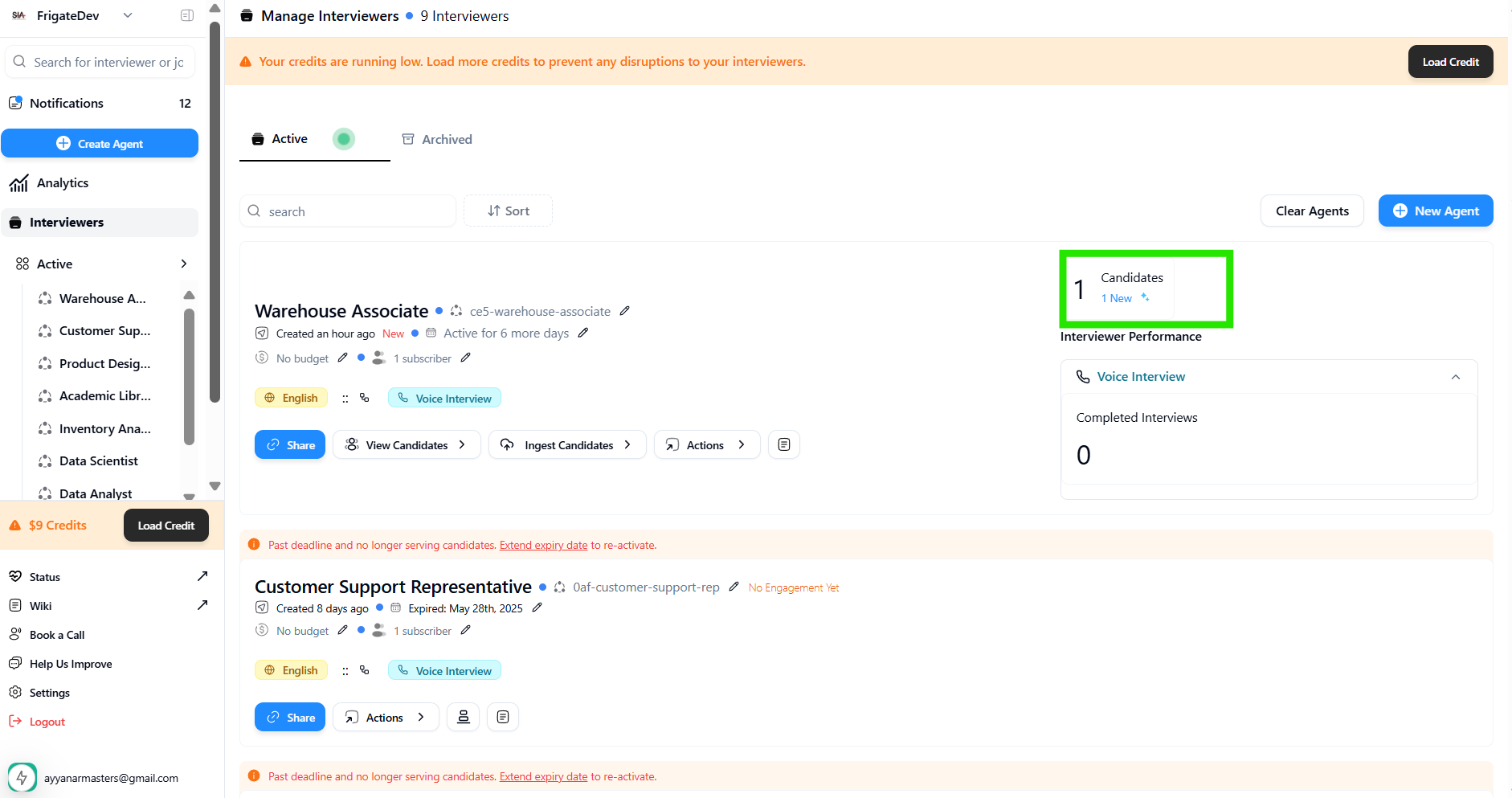
New candidates