

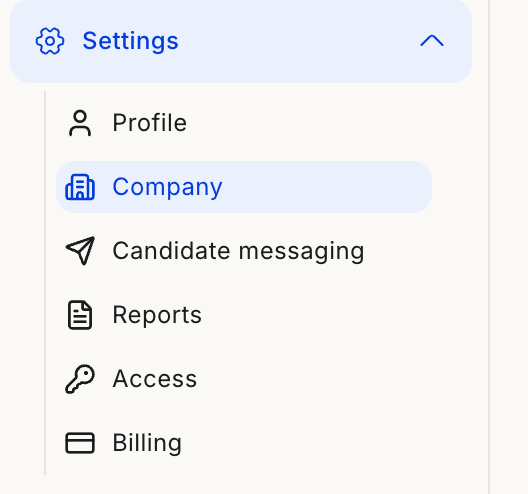
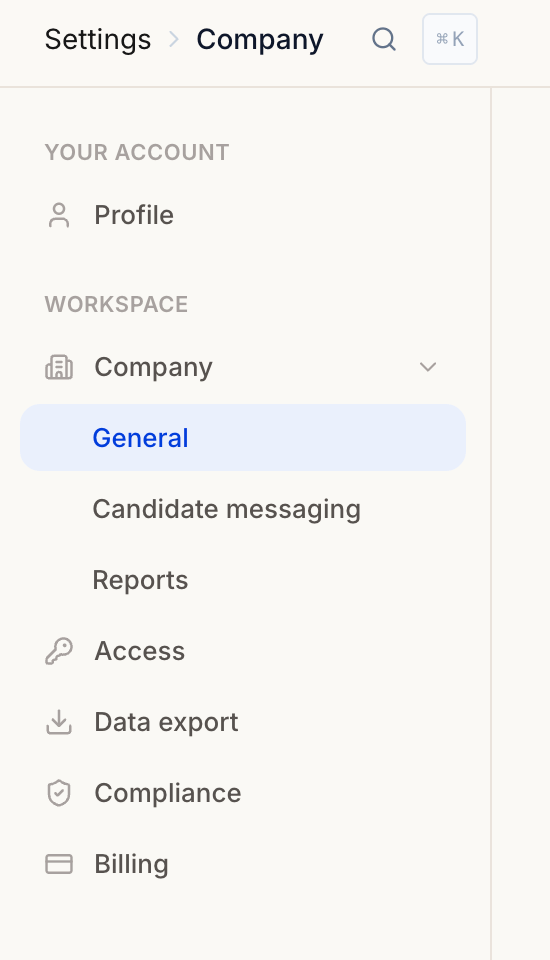
Settings expanded in the main sidebar (left), and the full settings nav once you're inside (right).
Your account
- Profile — Your name, language, and sign-in methods
Workspace
- Company → General — Company name, logo, brand color, location, and interview backdrops
- Company → Candidate messaging — Interview invite link, sender email, and outreach toggle
- Company → Reports — Defaults for candidate report PDFs
- Access — Invite people, set roles (what they can do), and teams (which postings they see)
- Data export — Workspace-wide exports and export history
- Compliance — Data privacy, retention, and deletion requests (also in the main sidebar)
- Offboarding, Exports & Data Retention — What to expect if you cancel or don’t renew
- Billing — Plan, credits, and usage
Elsewhere
- Notifications — In-app inbox and notification preferences (bell icon in the top bar, not under Settings)