Compliance lives in two places:
  • Sidebar → Compliance is the hub: the dashboard, deletion requests, the audit log, and the export audit. Covered in the first half of this page.
  • Settings → Compliance is where you set the rules: retention windows, location policy, and who gets notified. Covered under Settings → Compliance below.

Dashboard
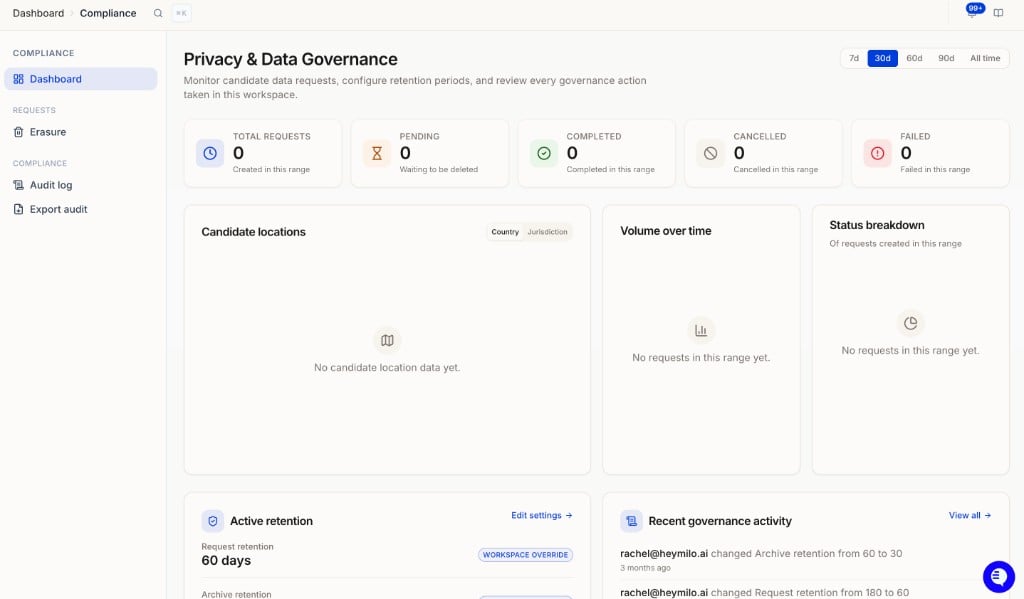
Privacy & Data Governance dashboard with request stats, candidate locations map, volume over time, status breakdown, active retention, and recent governance activity
The Privacy & Data Governance dashboard is your overview of deletion activity. Pick a range at the top right (7d, 30d, 60d, 90d, or All time). It shows:
  • Total requests, Pending, Completed, Cancelled, and Failed counts for that range
  • Candidate locations: a map of where interviewed candidates are, by country or jurisdiction. Only populates if Resolve candidate locations is on (see Location policy).
  • Volume over time and Status breakdown charts
  • Active retention: your current request and archive retention windows, with an Edit settings link to Settings → Compliance
  • Recent governance activity: the latest entries from the audit log

Requests → Erasure
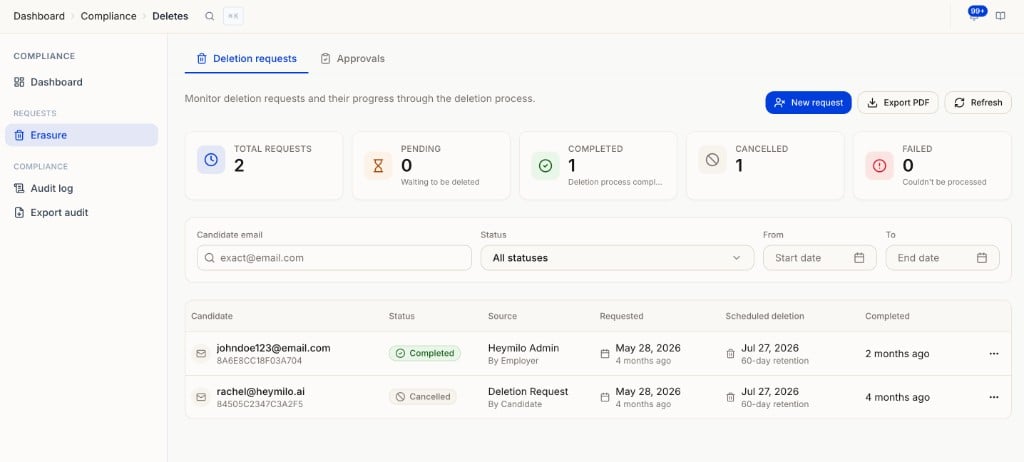
Erasure page with Deletion requests and Approvals tabs, stat cards, filters, and a table of requests
Two tabs:
  • Deletion requests: every deletion request with status, source (candidate or admin), requested date, scheduled deletion, and completion. Filter by exact email, status, or date range. New request starts an admin deletion, Export PDF downloads the log for audit.
  • Approvals: candidates flagged by the Delete inactive candidates policy, waiting for your review before deletion is scheduled.
For the full flow, including what candidates see, read Deleting Candidate Data in Compliance Hub.

Audit log

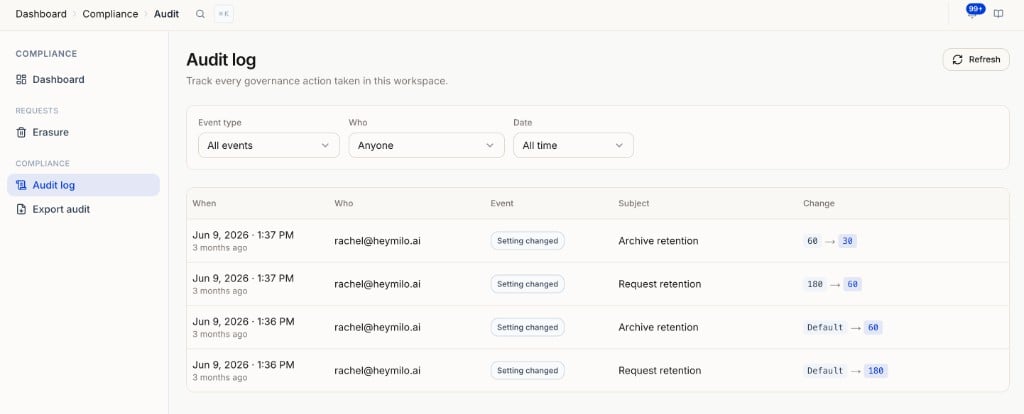
Audit log with Event type, Who, and Date filters and a table of governance actions
Tracks every governance action taken in the workspace, like a retention setting going from 180 to 60 days. Each row shows when, who, the event, the subject, and the change. Filter by event type, person, or date.

Export audit

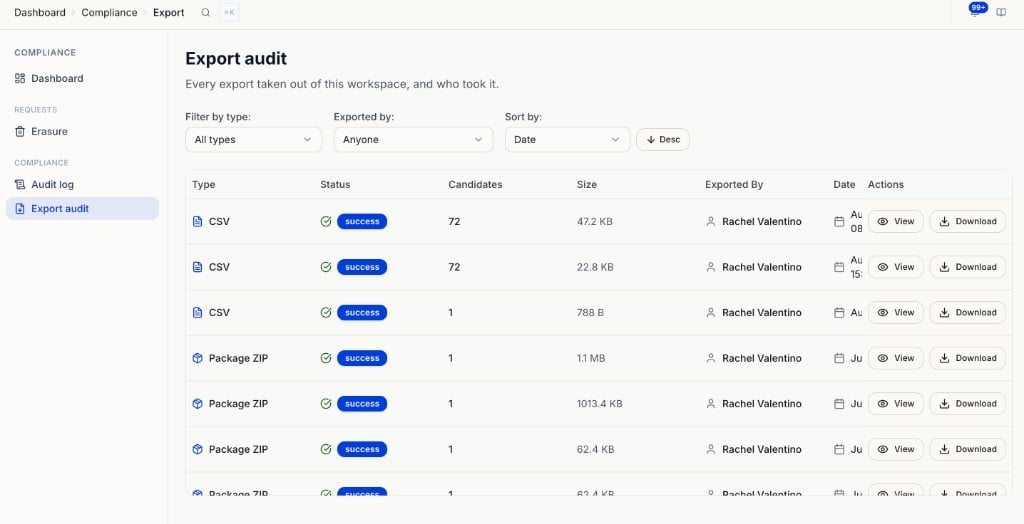
Export audit listing every export with type, status, candidates, size, who exported it, date, and View or Download
Every export taken out of this workspace, and who took it. Filter by type or by person, and sort by date. View shows the export’s scope and sections; Download gets the file again. This is a record, not where you start exports. To run one, go to Settings → Data export. See Data export.

Settings → Compliance

Open Settings → Compliance under Workspace. This is how long candidate data is kept, and who reviews its removal. It has three tabs.

Retention

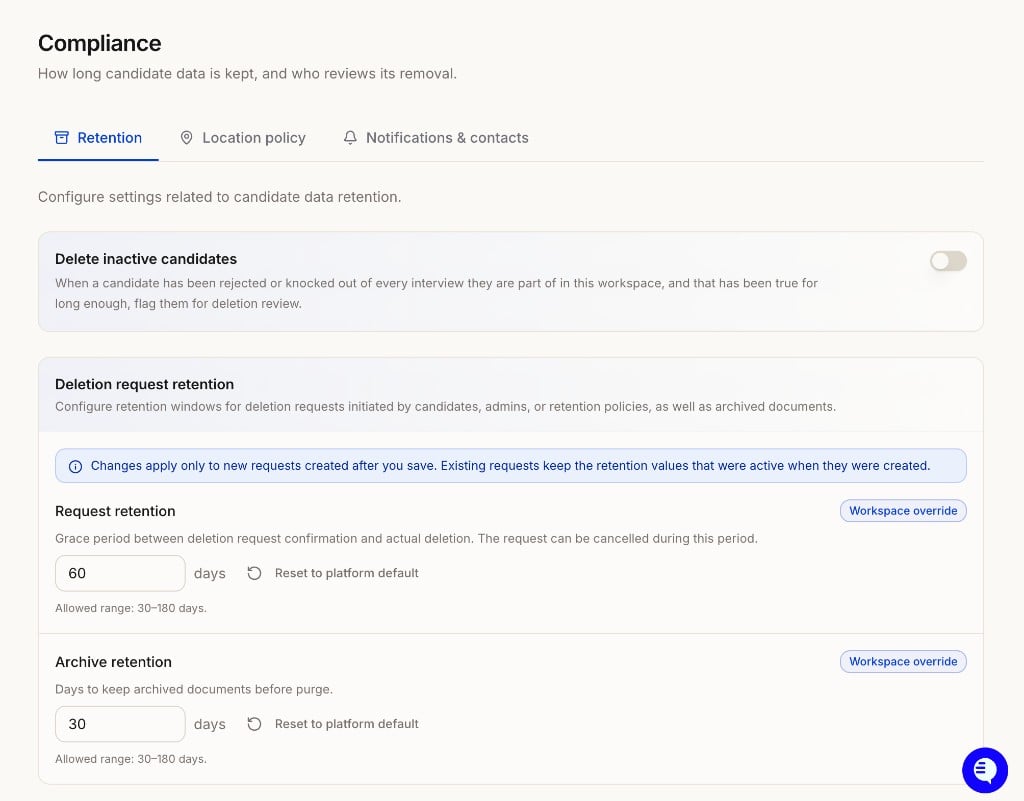
Compliance Retention tab showing Delete inactive candidates toggle, Request retention, and Archive retention
Values you change show a Workspace override badge. Reset to platform default puts them back. Changes apply to new requests only; existing requests keep the values that were active when they were created.

Location policy
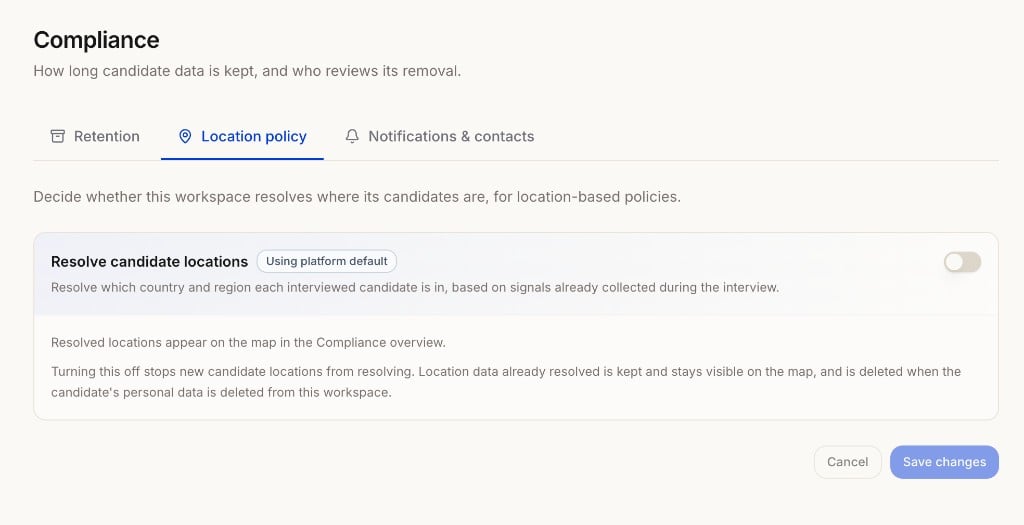
Compliance Location policy tab with the Resolve candidate locations toggle
Resolve candidate locations decides whether HeyMilo works out which country and region each interviewed candidate is in, using signals already collected during the interview. Resolved locations appear on the map in the Compliance overview. Turning it off stops new locations from resolving. Locations already resolved stay on the map until the candidate’s personal data is deleted from the workspace. Until you change it, the toggle follows the platform default.

Notifications & contacts

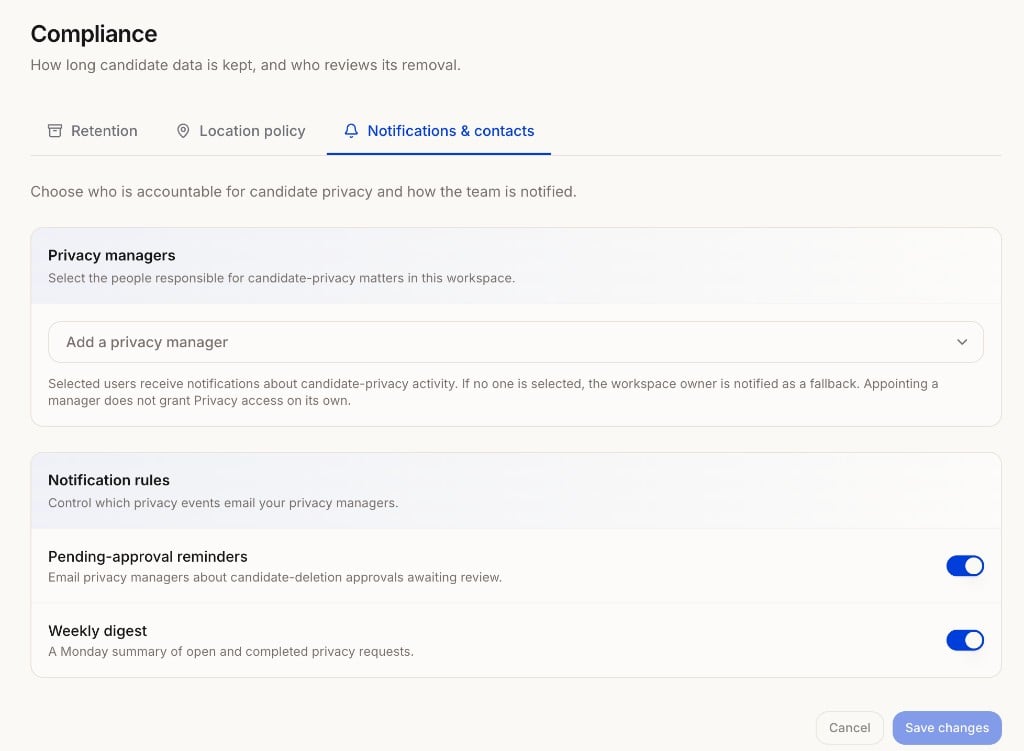
Compliance Notifications and contacts tab showing Privacy managers and Notification rules
  • Privacy managers: the people responsible for candidate-privacy matters in this workspace. They get notified about privacy activity. If no one is selected, the workspace owner is notified instead. Being a privacy manager doesn’t grant Privacy access on its own; set that with a role under Access.
  • Pending-approval reminders: email privacy managers about candidate-deletion approvals waiting for review.
  • Weekly digest: a Monday summary of open and completed privacy requests.
Click Save changes after editing the Location policy or Notifications tabs.

Compliance certifications

HeyMilo holds SOC 2 Type I and SOC 2 Type II certifications. GDPR and HIPAA modes are available depending on your contract and legal requirements. For access to our Trust Dashboard, SOC 2 reports, security questionnaires, or vendor due diligence, contact your CSM or support@heymilo.ai.

Leaving HeyMilo

Cancelling or not renewing? See Offboarding, Exports & Data Retention for what stops, what to export before your last day, and how long data is kept after termination.