

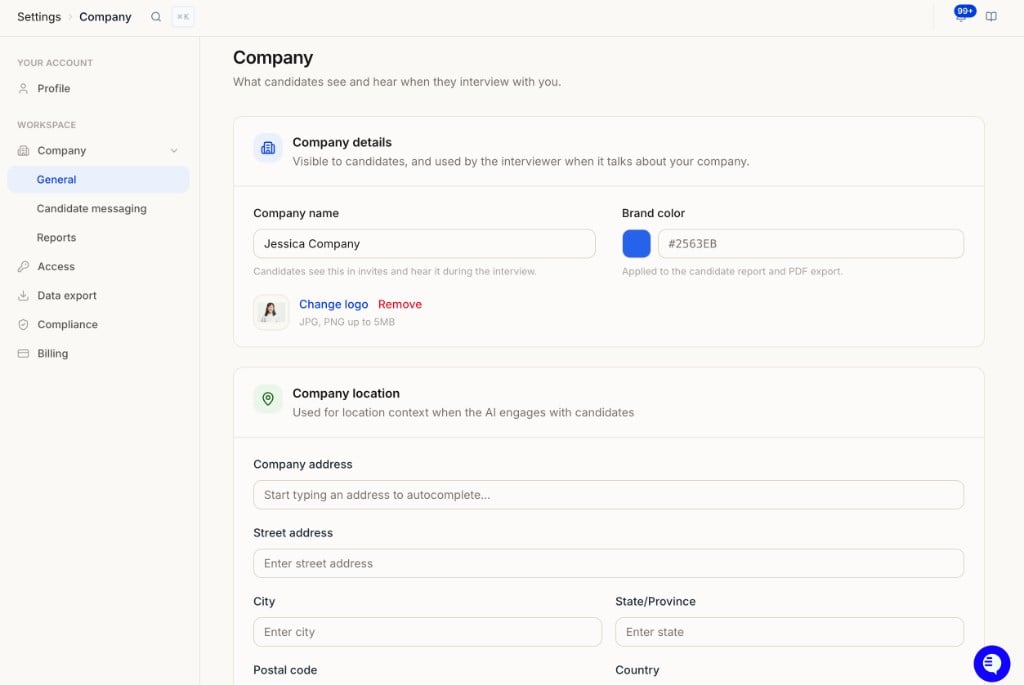
Company details
Visible to candidates, and used by the interviewer when it talks about your company.Pro tip: Think of Company settings as your AI recruiter’s onboarding packet. The more you tell it about your company, the better it represents you to candidates.
Company location
Used for location context when the AI engages with candidates.Interview backdrops
What candidates see behind the interviewer during a web interview.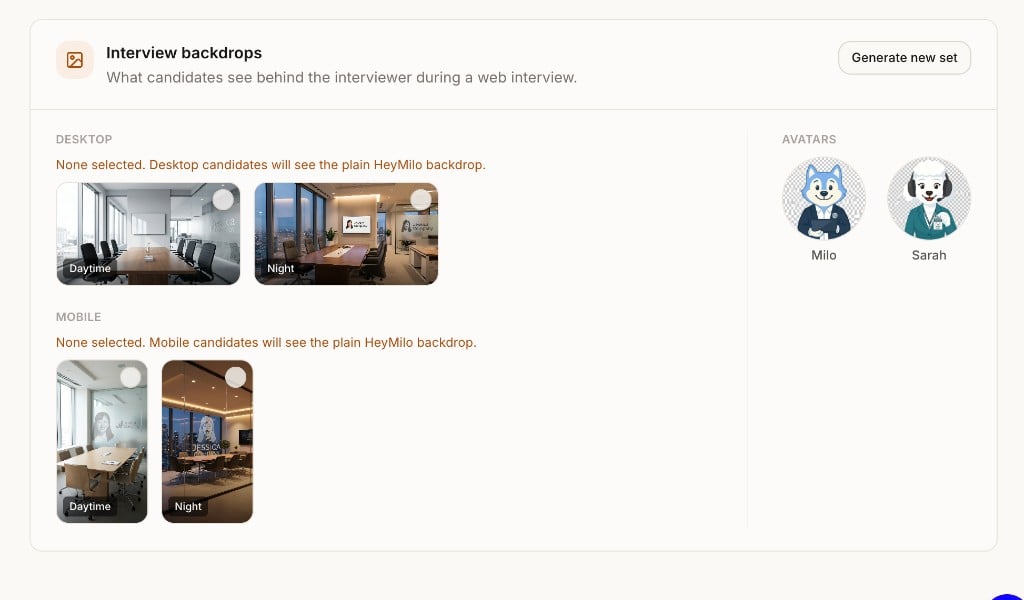
- Click Generate new set to create AI-generated backdrop images.
- Select a Daytime or Night background for Desktop and Mobile separately. If you don’t pick one, candidates see the plain HeyMilo backdrop (the page tells you when nothing is selected).
- Avatars shows the interviewer characters available for your interviews (for example, Milo and Sarah).
Related settings
- Candidate messaging — Default interview URL and sender email
- Reports — Defaults for candidate report PDFs
- Knowledge Base — Detailed company info the AI references during interviews