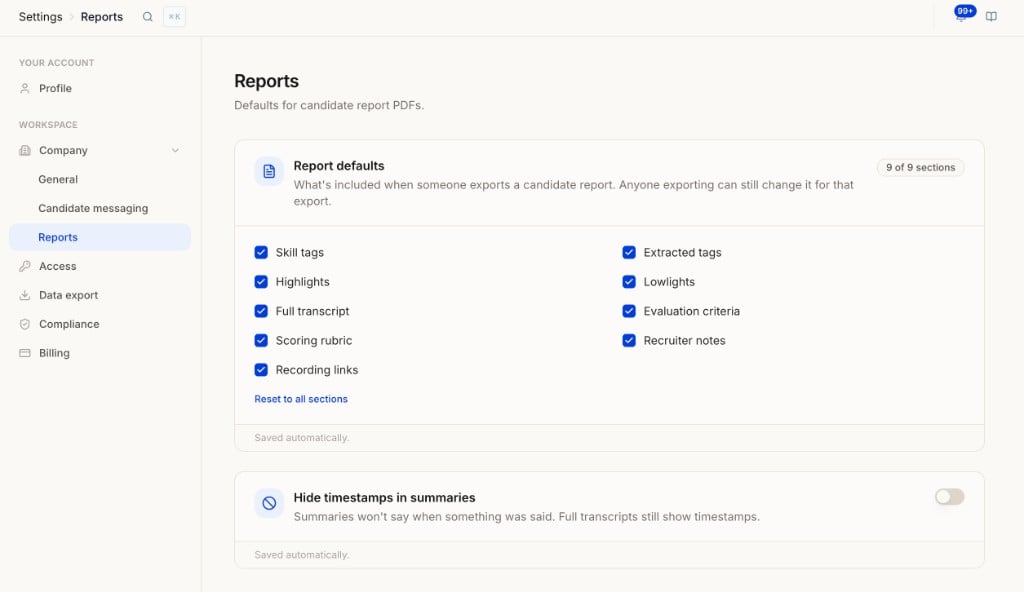
Open Settings → Company → Reports under Workspace.
Reports settings showing PDF section defaults and timestamp toggle
Defaults for candidate report PDFs.

Report defaults

What’s included when someone exports a candidate report. Anyone exporting can still change it for that export. Select which sections to include by default:
  • Skill tags
  • Extracted tags
  • Highlights
  • Lowlights
  • Full transcript
  • Evaluation criteria
  • Scoring rubric
  • Recruiter notes
  • Recording links
The header shows how many sections are selected (for example, 9 of 9 sections). Use Reset to all sections to re-enable everything. Changes are saved automatically.

Hide timestamps in summaries

Summaries won’t say when something was said. Full transcripts still show timestamps. Toggle on to remove time markers from report summaries. Toggle off (default) to keep them. Changes are saved automatically.