
How deletion requests work
There are two ways a deletion request can be created.Candidate-initiated
Candidates can request deletion of their own data directly from their interview experience page. Here is what they go through:- At the bottom of their interview page, the candidate clicks My Data. This opens the Privacy and communications page, where they can also manage reminder email preferences.
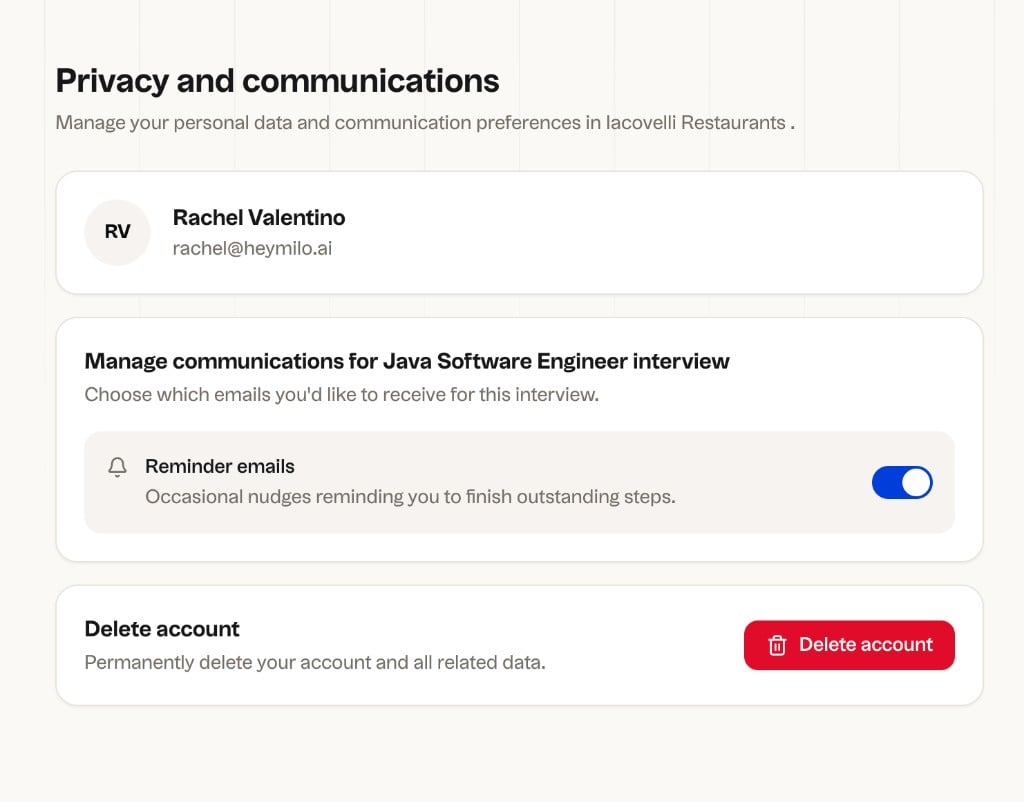
Privacy and communications: the candidate sees their profile, communication preferences, and the Delete account option.
- They click Delete account. A confirmation dialog appears explaining that a verification link will be sent to their email address. They click Continue.
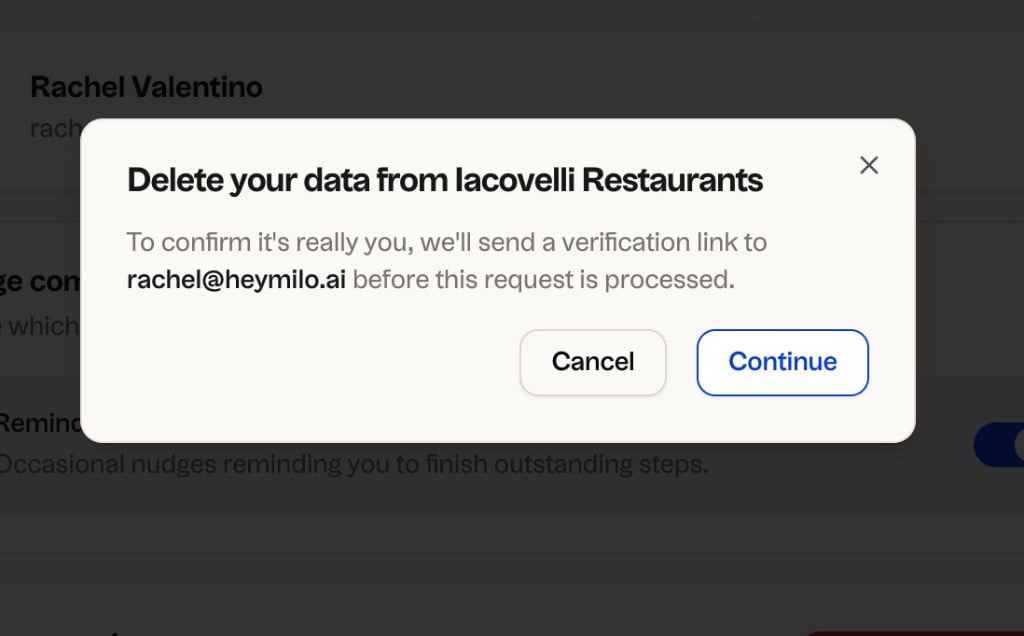
Delete your data confirmation: clicking Continue sends a verification email.
- A Check your email screen appears. The verification link expires in 1 hour. If it doesn’t arrive, check spam.
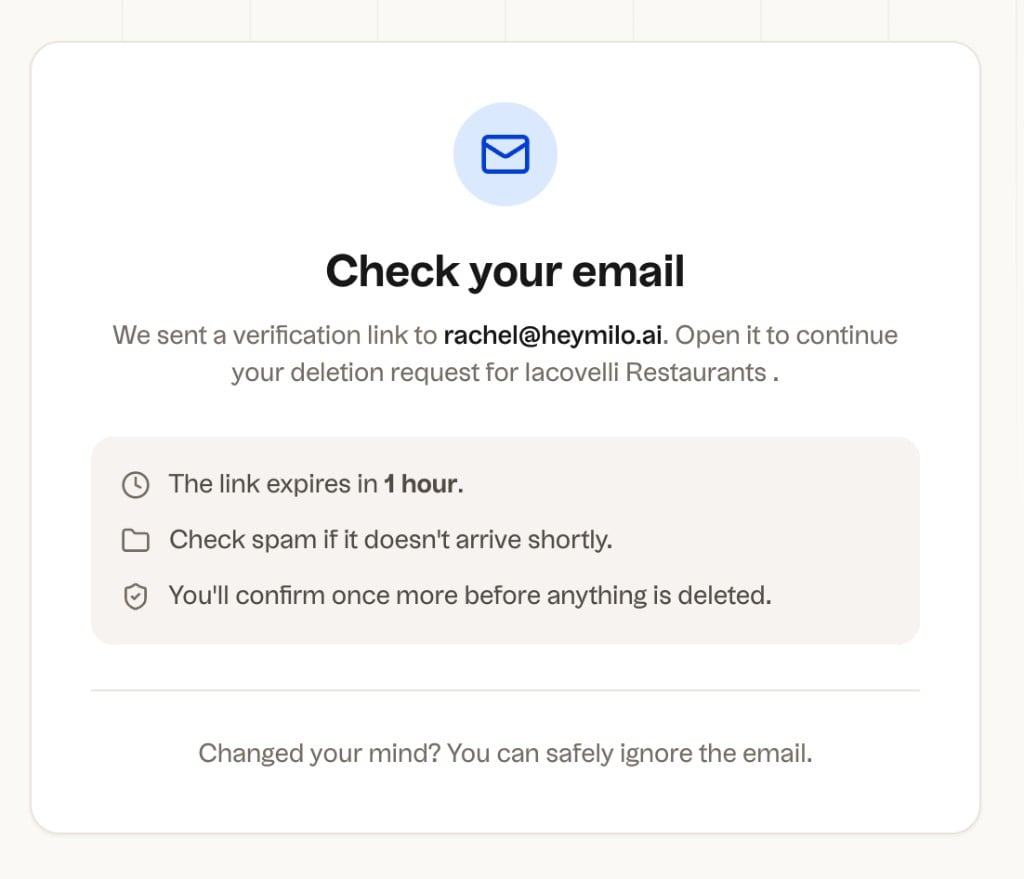
Check your email: the link expires in 1 hour and one more confirmation is required before anything is deleted.
- The candidate clicks Verify deletion request in the email. A final Confirm data deletion page shows exactly what will be deleted. They check the acknowledgment box and click Confirm deletion.
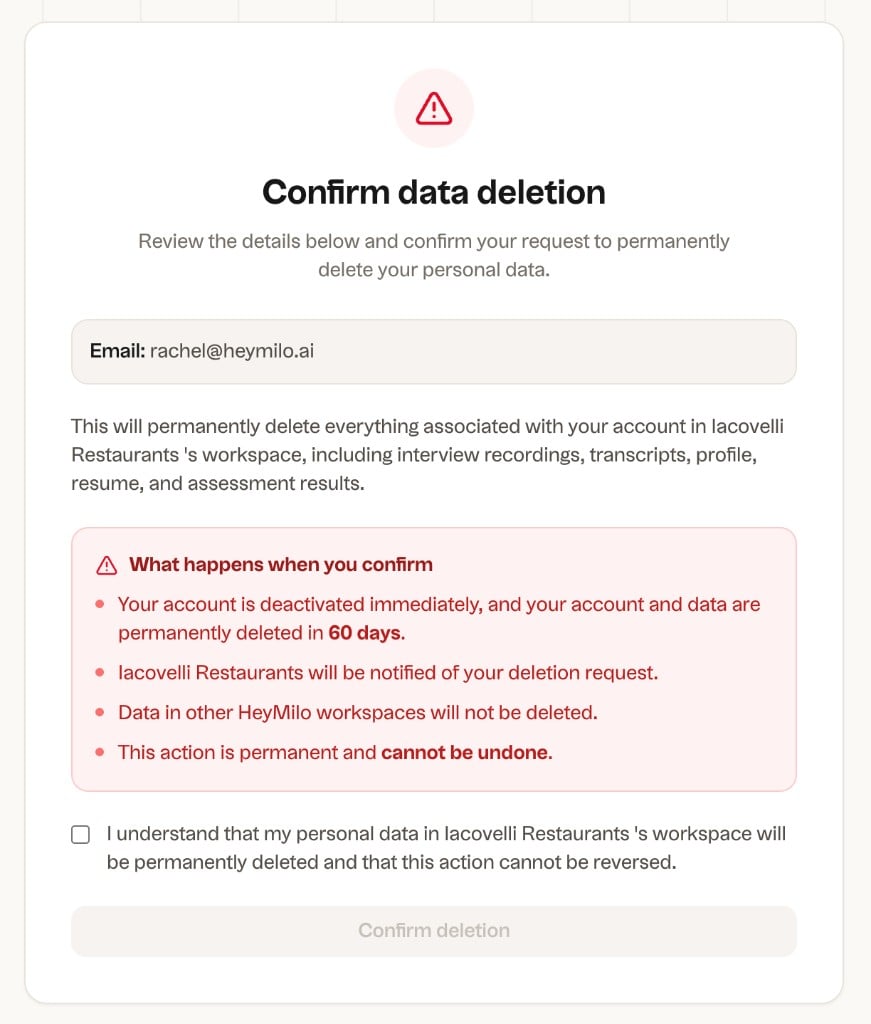
Confirm data deletion: the candidate reviews what will be deleted, checks the acknowledgment, and confirms.
- A confirmation screen appears with their Request ID and Scheduled deletion date. The candidate’s account is deactivated immediately. Their data is permanently deleted by the scheduled date.
Admin-initiated
Admins can trigger a deletion directly from a candidate’s profile. An optional audit note or reason can be added for record-keeping. Path: Sidebar → Source Candidates → Interviewed Candidates → open a candidate profile.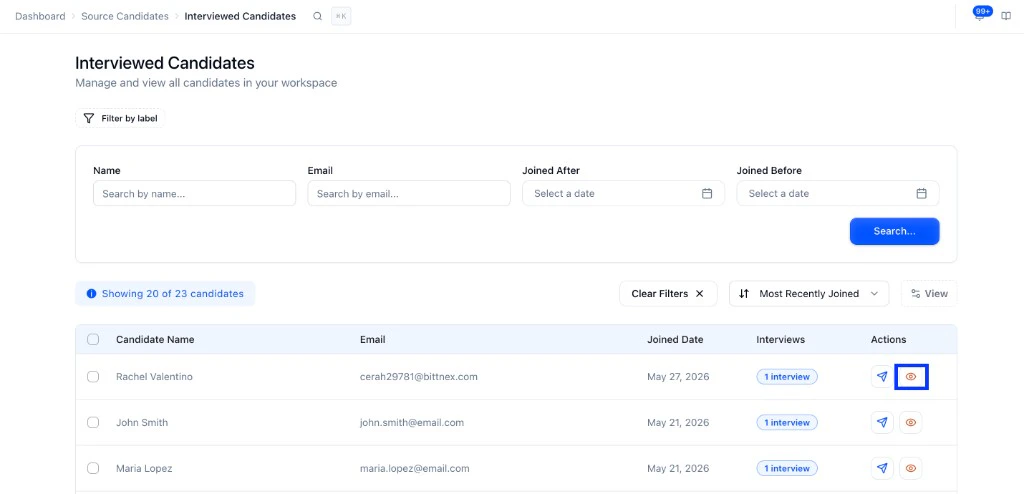
What gets deleted
Once confirmed and processed, everything associated with the candidate is removed from the workspace:- Interview recordings and transcripts
- Profile information and resume
- Assessment scores
What you see on the recruiter side
Once a deletion request is confirmed, the candidate is marked Deactivated in your candidate list. They stay visible with that tag until the deletion is fully processed, then they are removed entirely. The candidate can no longer access their interview pages or application link once deactivated.
Compliance dashboard
The Compliance section gives you a full picture of all deletion activity in your workspace. Find it in the sidebar under Compliance.Dashboard
The dashboard is your overview of all privacy and data governance activity.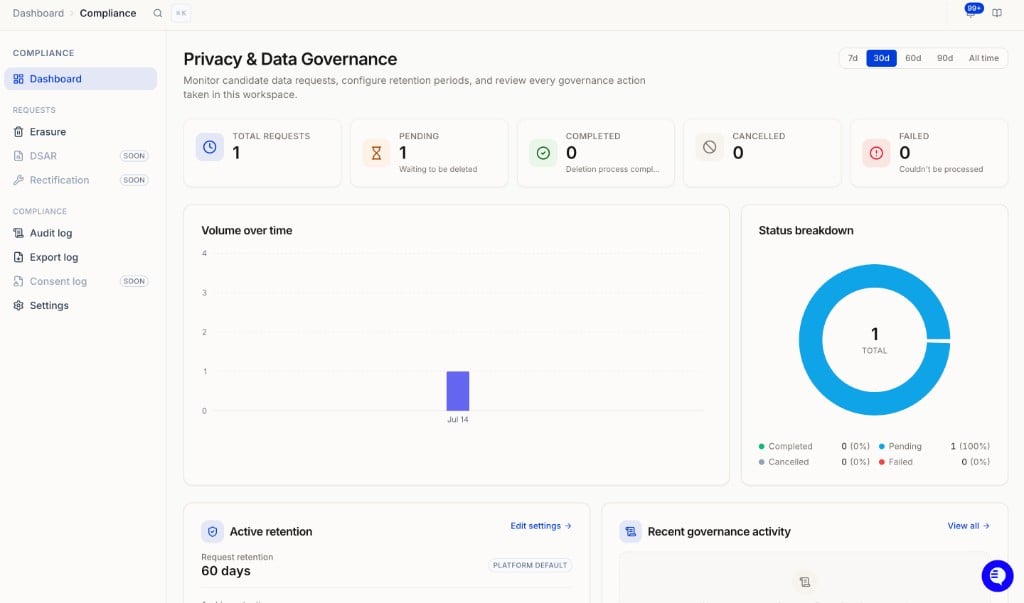
Privacy and Data Governance dashboard showing request stats, volume chart, status breakdown, active retention, and recent activity.
- Total requests with a breakdown by status: Pending, Completed, Cancelled, Failed
- Volume over time chart filterable by 7d, 30d, 60d, 90d, or all time
- Status breakdown donut chart
- Active retention widget showing your current request and archive retention windows with a shortcut to edit settings
- Recent governance activity log
- Recent erasure requests with quick access to details
Erasure requests
Under Compliance → Requests → Erasure you can see every deletion request.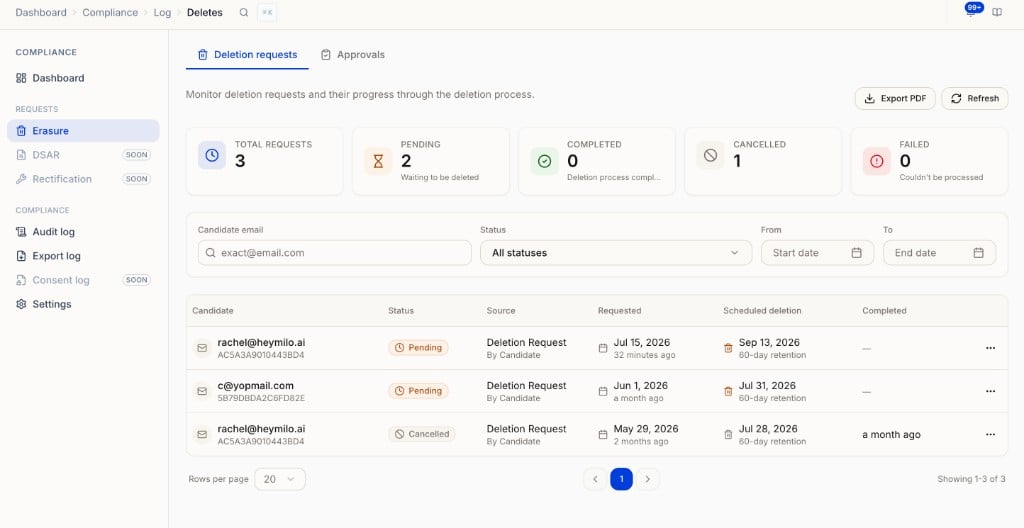
Erasure requests table showing Deletion requests and Approvals tabs, stat cards, filters, and the full request list.
- Candidate email and ID
- Status (Pending, Completed, Cancelled, Failed)
- Source (candidate-initiated or admin-initiated)
- Requested date and scheduled deletion date
- Completed date
Approvals
The Approvals tab is for reviewing candidates flagged by your retention policy before their deletion is scheduled.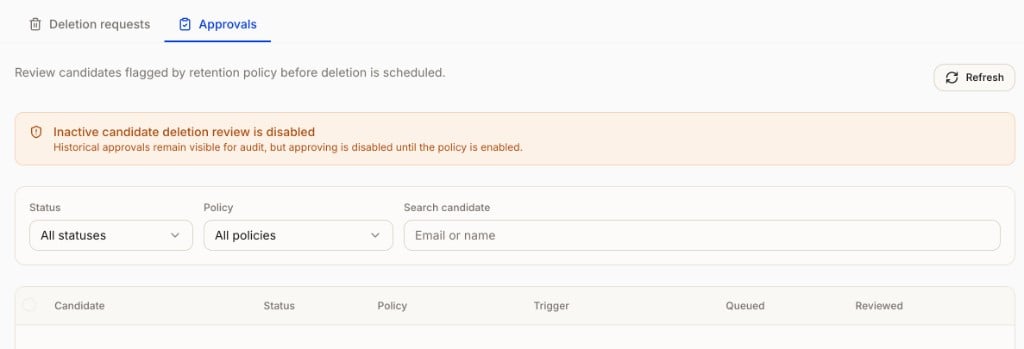
Approvals tab: inactive candidate deletion review is disabled until the policy is enabled in Settings.
Audit log
Tracks every governance action taken in the workspace, such as retention setting changes. Useful for compliance reviews and audits.Export log
Shows a full history of all data exports from your workspace, and is where you kick off a new workspace-wide export.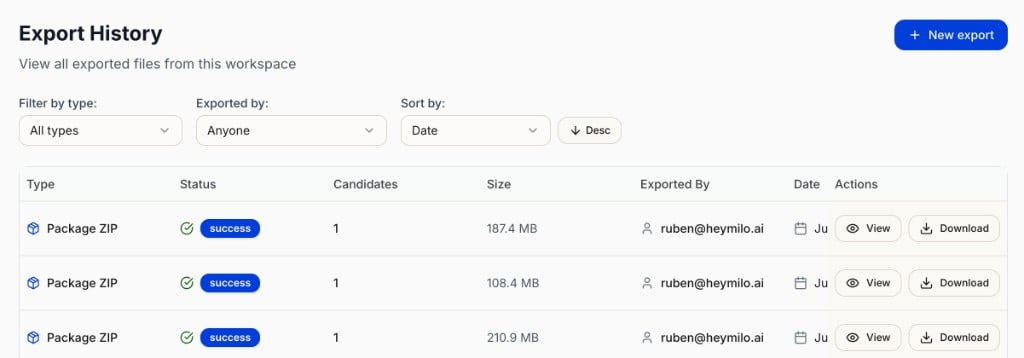
Export History showing all exports with type, status, candidate count, size, who exported, and View or Download options.
Running a workspace-wide export
This is the fastest way to pull data across all candidates and all postings at once, a common request for reporting or audits. Click New export to open the export builder.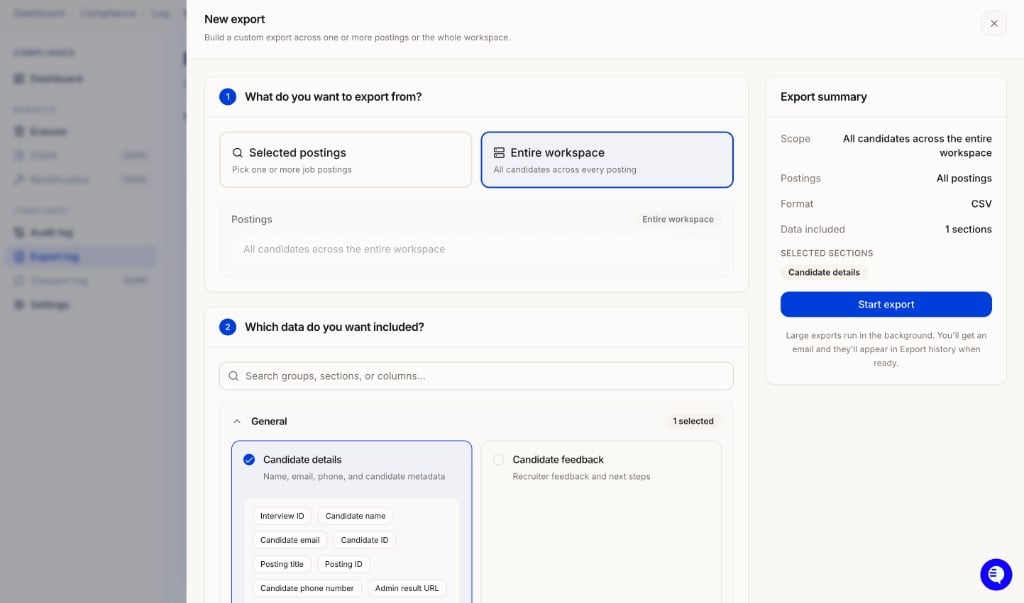
New export modal: choose Selected postings or Entire workspace, pick your data sections, and start the export.
- General: Candidate details (name, email, phone, candidate metadata, posting title, IP address, location), Candidate feedback
- Voice Agent: Scorecard summary, Communication score, Voice transcript, Interview questions
- Resume Agent: Resume screening results
- SMS Agent: SMS screening results
- Diagnostics & Integrity: Cheat detection, verification, and device metadata
Retention settings
Under Compliance → Settings → Retention, configure how long HeyMilo holds data before deletion is processed.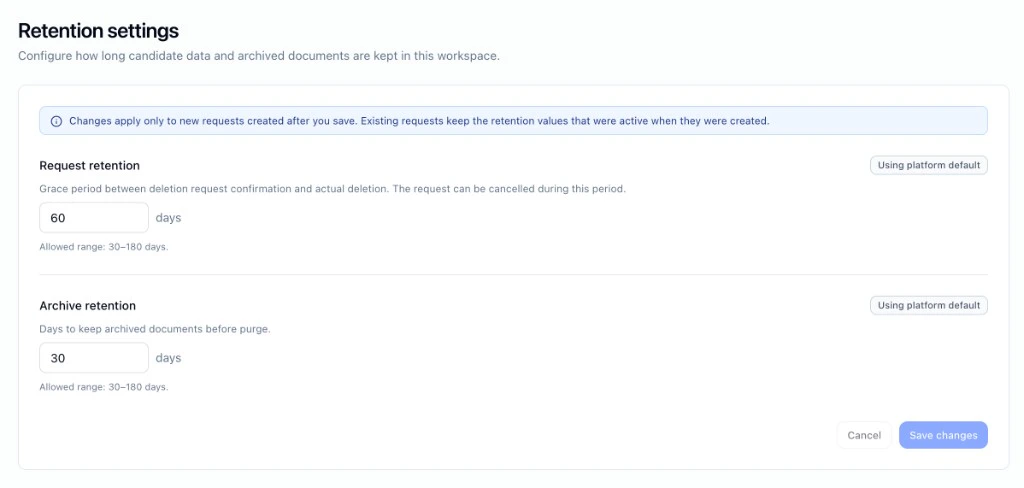
Notifications and contacts
Under Compliance → Settings → Notifications and contacts, configure who is responsible for candidate privacy and how they are notified.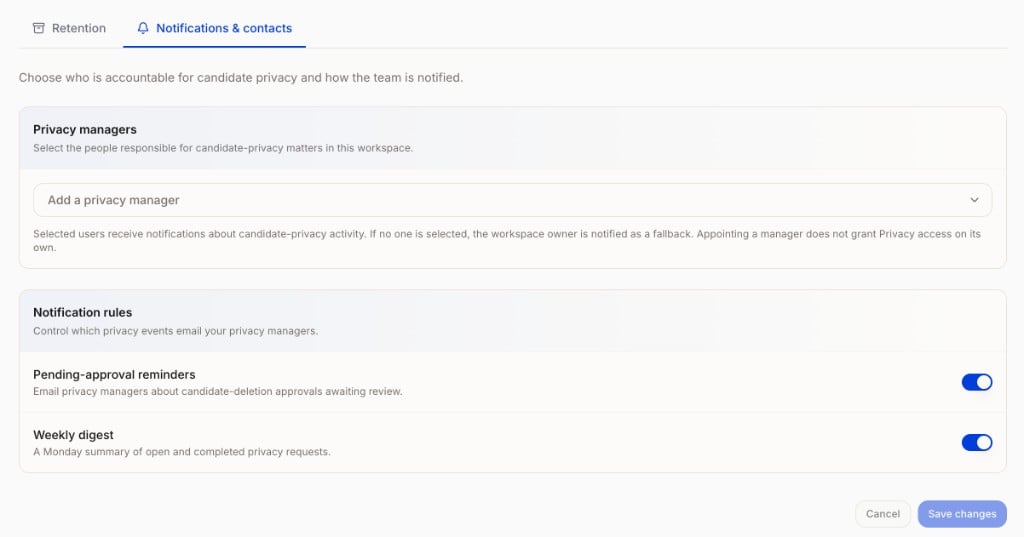
Notifications and contacts showing Privacy managers and Notification rules.
- Privacy managers: Select the people responsible for privacy matters in your workspace. Selected users receive notifications about privacy activity. If no one is selected, the workspace owner is notified as a fallback. Appointing a manager does not grant Privacy access on its own.
- Pending-approval reminders: Email privacy managers about deletion approvals awaiting review.
- Weekly digest: A Monday summary of open and completed privacy requests.
A few things to note
- Deletion cannot be reversed once processing begins.
- If a deletion request already exists for a candidate’s email, the system surfaces the existing request instead of creating a duplicate.
- Data in other HeyMilo workspaces is not affected by a deletion request made in one workspace.