
Documentation Index
Fetch the complete documentation index at: https://docs.heymilo.ai/llms.txt
Use this file to discover all available pages before exploring further.
Tracker
Automate candidate engagement, conversational screening, and evaluation directly from Tracker! HeyMilo pulls candidates from the job stages you select, runs your configured AI workflow (SMS, resume, form or voice interview), and writes the completed results back into Tracker.
Setting Up the Integration
Follow the steps below to connect HeyMilo with Tracker:🛠 What You’ll Need
Before you begin, make sure you have:- Tracker access token (bearer token)
- Your Tracker region: US, CA, or Other
- Admin access to your HeyMilo workspace
Connect HeyMilo to Tracker
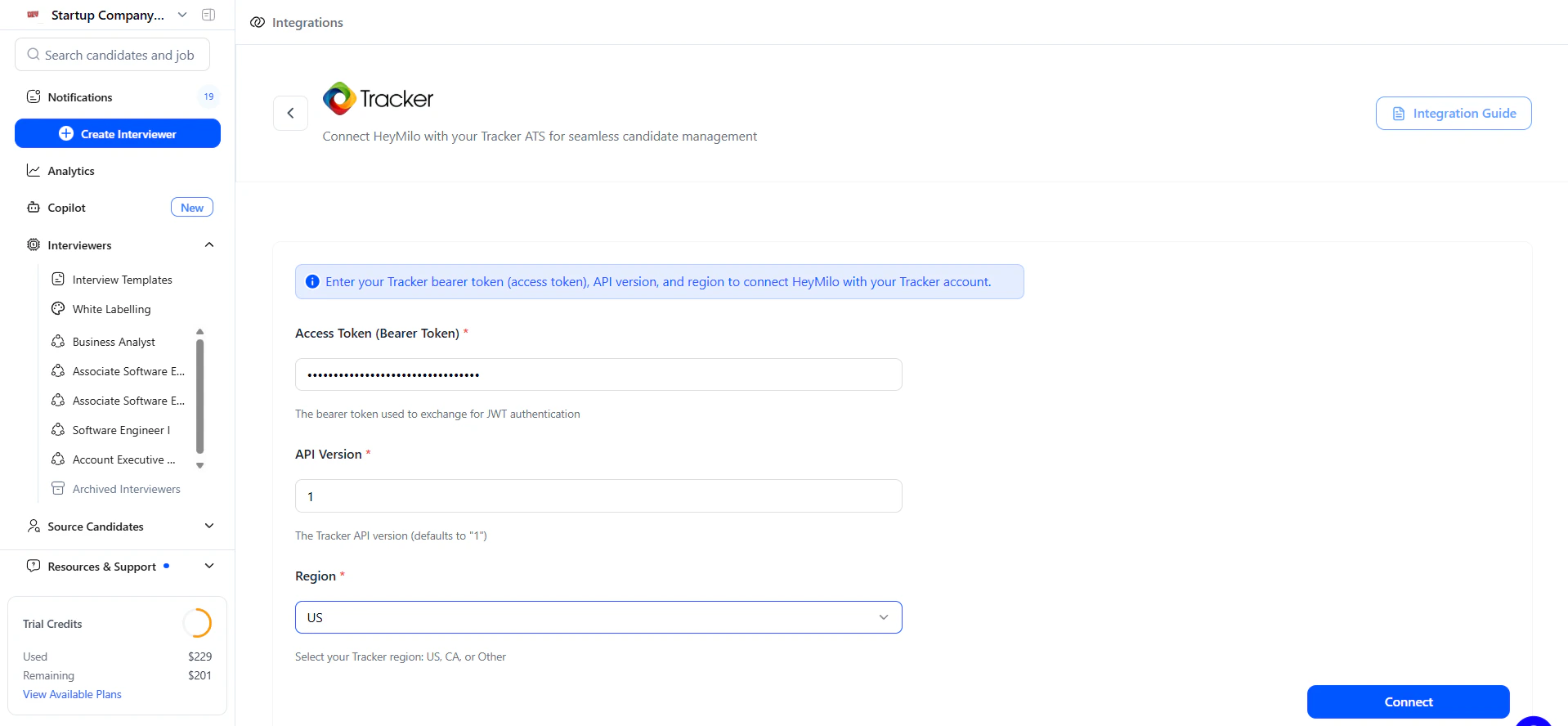
Step 2 — Enter your Tracker credentials
You will be asked for:
- Access Token (Bearer Token)
- API Version (defaults to 1)
- Region (US, CA, or Other)
Create or Select a Job in Tracker
Create a Tracker job or open an existing one.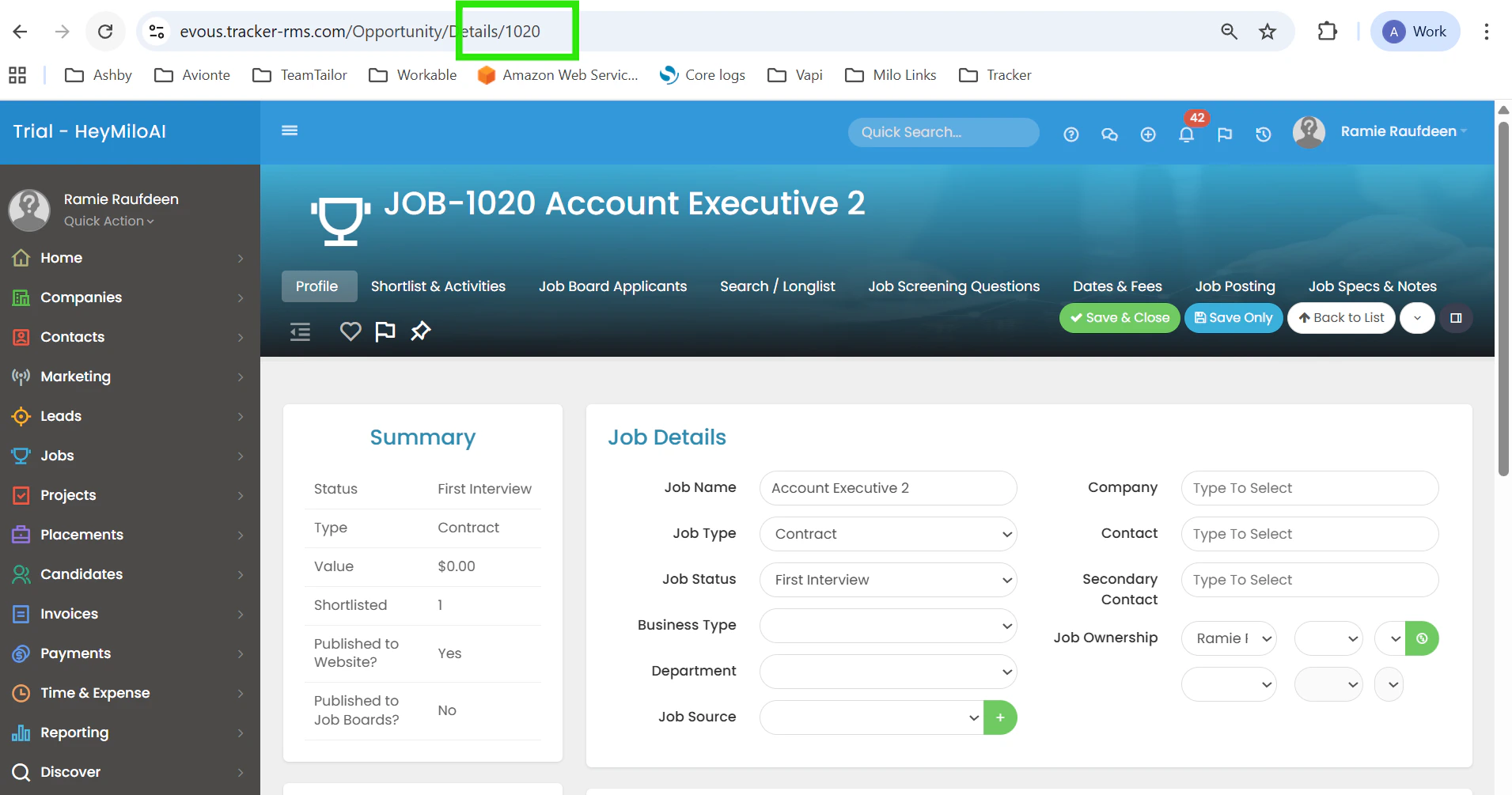
Map Your Jobs to a HeyMilo Agent
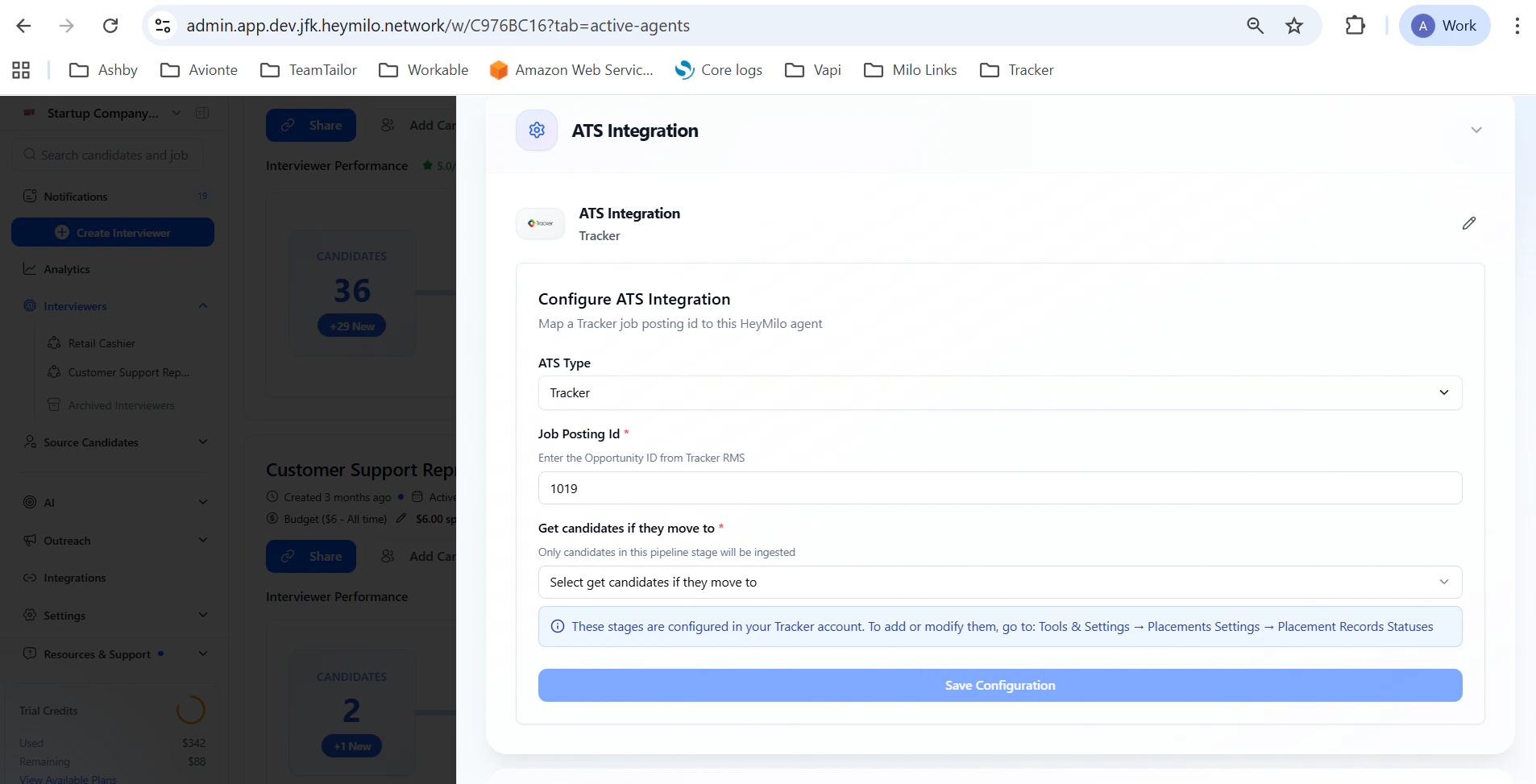
Step 2 — Open the ATS Integration panel
Select:
- ATS Type: Tracker
- Mapping Parameter: Job Posting ID
- Paste your Tracker Job ID
Step 3 — Select “Get candidates if they move to”
This dropdown controls which Tracker stage triggers HeyMilo screening.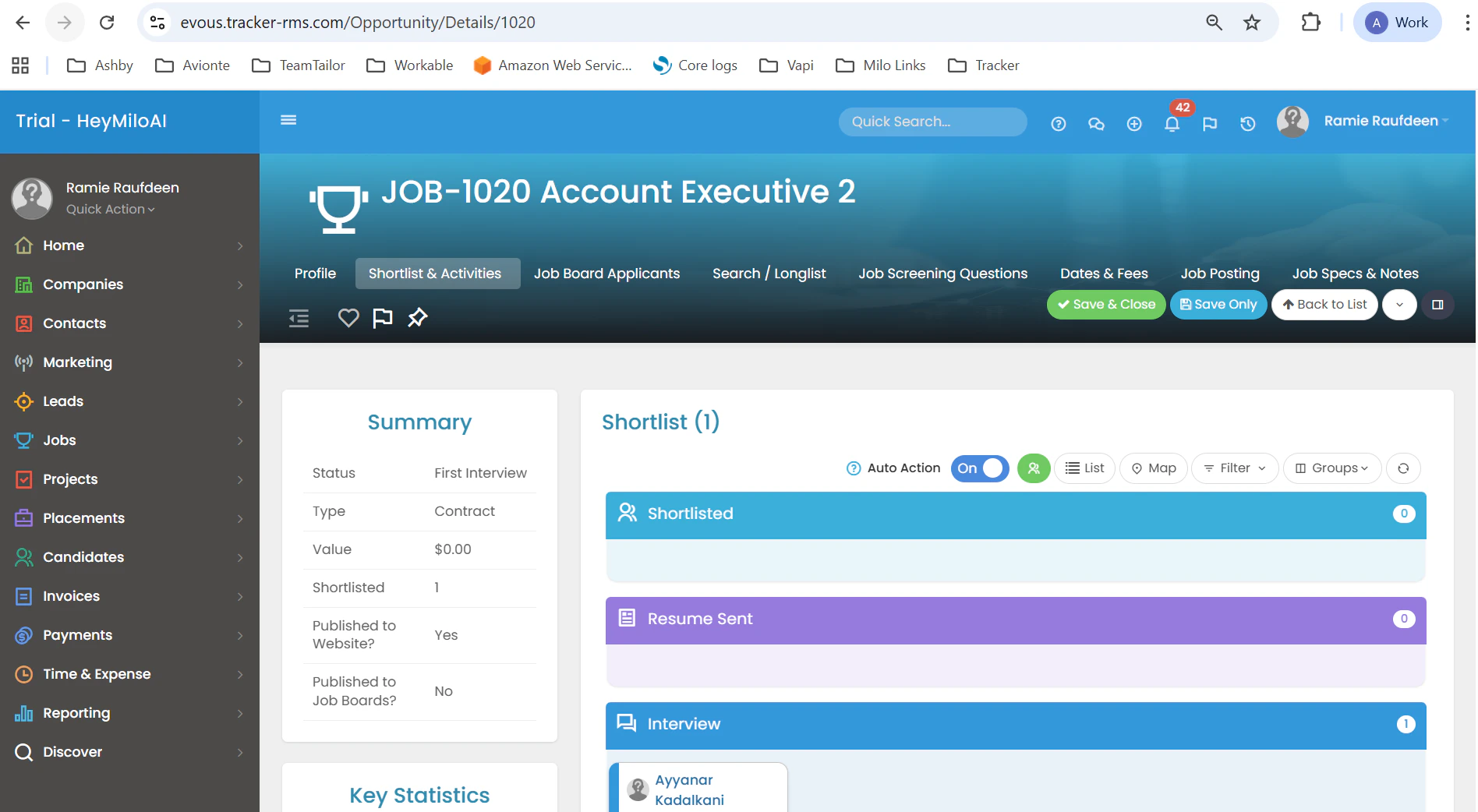
Important clarification: Tracker groups its internal stages under broad categories. HeyMilo shows a detailed dropdown representing those categories. If you see options in HeyMilo that don’t exactly match Tracker labels, it’s because they are sub-stages mapped to Tracker’s main stage categories.
Bring In Candidates Who Applied Before You Connected the Job
You linked your Tracker job to HeyMilo—but what about everyone who already applied before that? You don’t have to leave them behind. Where to find it: Open your agent → Integrations → under INBOUND, click Backfill Candidates.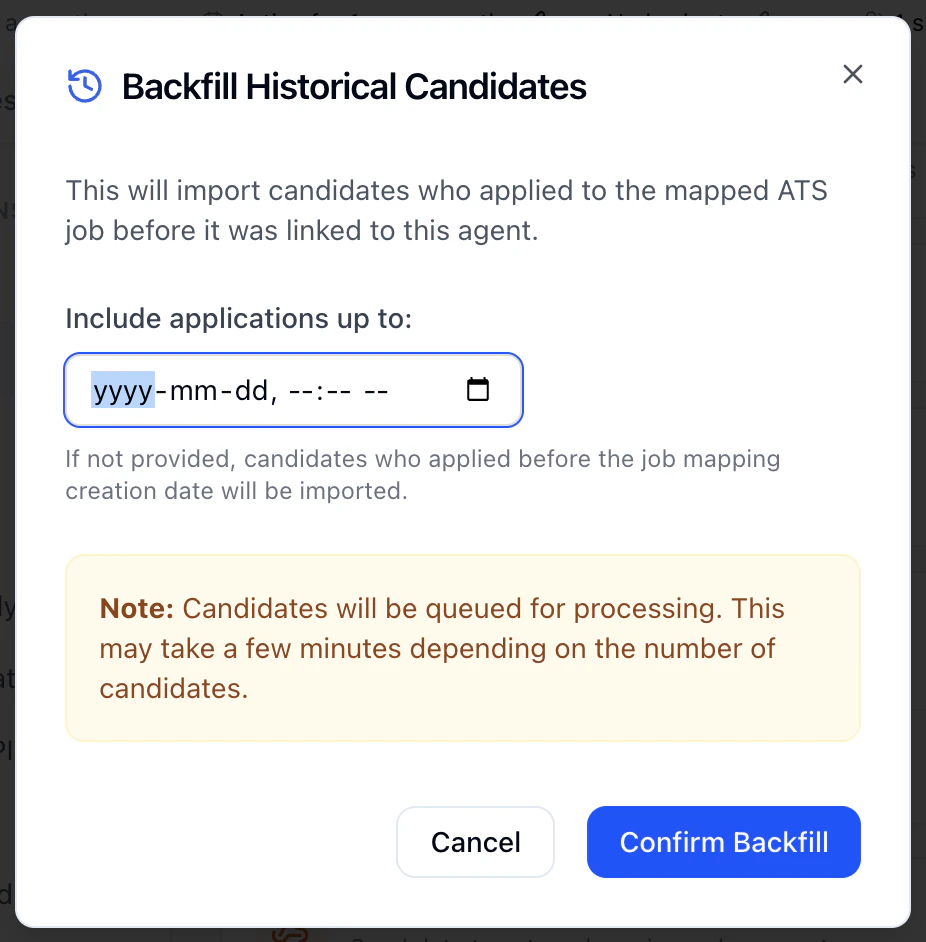
Step 2 — In the **Backfill Historical Candidates** window, you can choose **Include applications up to** and pick a date if you only want people who applied by a certain time.
- Leave it blank to bring in everyone who applied before you connected the job.
How Candidates Sync Into HeyMilo
Review HeyMilo Results in Tracker
After the candidate completes their assessment, HeyMilo writes the data back into the candidate’s profile under Activity: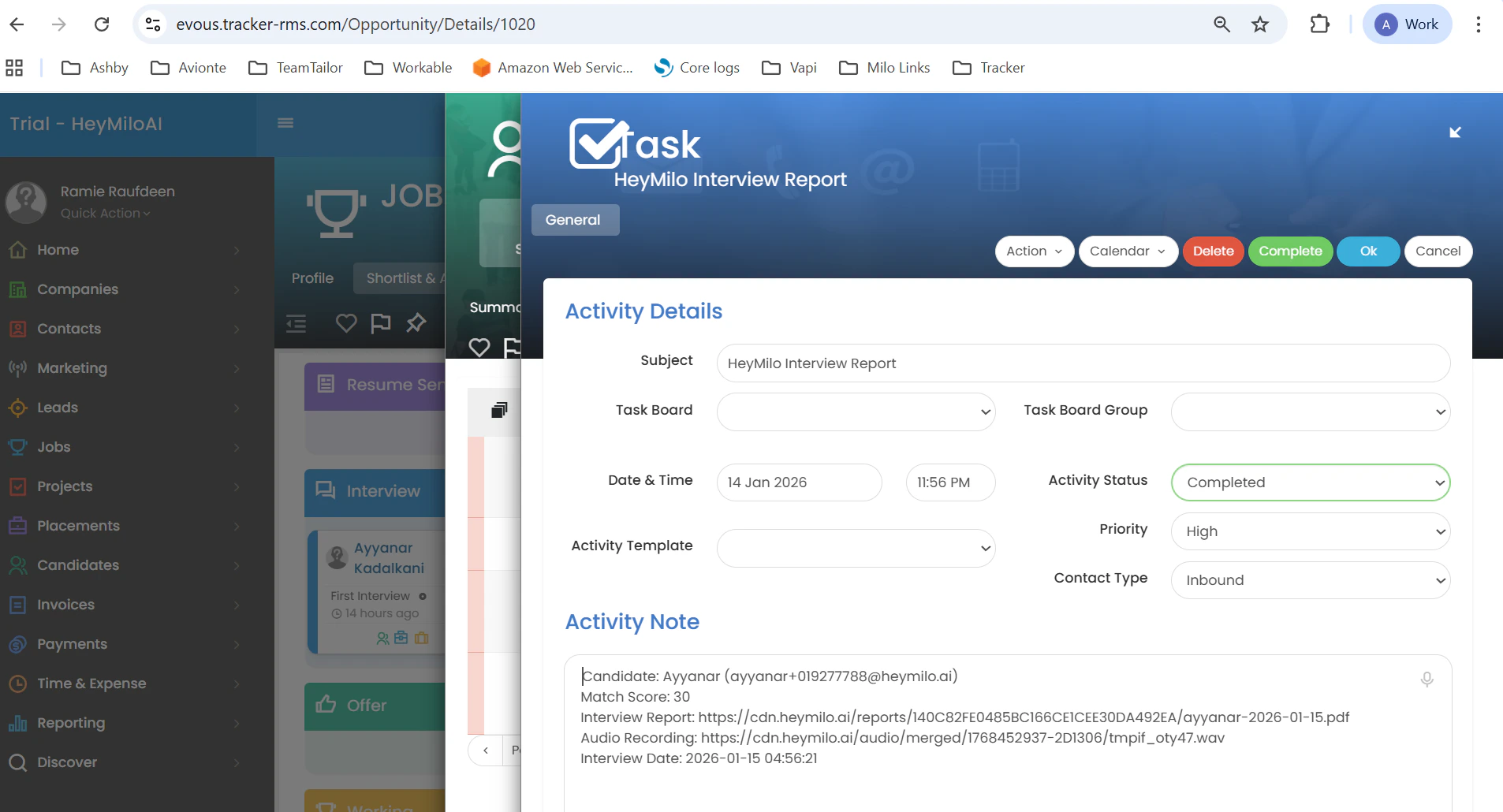
- Candidate match score (overall score)
- Interview PDF report with comprehensive summaries & evaluation details
- Audio/video links
- Timestamp
Reminder
- HeyMilo only screens candidates once they reach the selected stage
- Tracker’s internal stage structure is simplified in HeyMilo’s dropdown
- Multiple jobs can be mapped to multiple HeyMilo agents
- You can remap or remove job mappings at any time