
Documentation Index
Fetch the complete documentation index at: https://docs.heymilo.ai/llms.txt
Use this file to discover all available pages before exploring further.
Teamtailor
Integrating HeyMilo with Teamtailor enables powerful conversational AI candidate engagement and screening capabilities within your hiring workflow. HeyMilo lets you automatically engage talent via SMS/WhatsApp/Email, automate resume screenings, and invite candidates to complete AI voice interviews so you can make more hires in less time.
Agents Supported in Teamtailor
| SMS Agent | Resume Agent | Voice/Video Agent |
|---|---|---|
| ✅ | ✅ | ✅ |
How does it work? As soon as candidates apply, they get a text from Milo with your questions. They respond directly in the thread, just like a real conversation. Once they finish, Milo sends over the voice or video interview invite automatically. | How does it work? | How does it work? After integration and job posting mapping, when a candidate applies to your Teamtailor job posting, the candidate’s email address is pulled from the application form and the candidate is engaged through email to take the voice/video assessment. Once the candidate has completed it, the candidate’s detailed assessment report is attached to their profile in the Teamtailor portal. |
Follow These Easy Steps to Set Up the HeyMilo Integration With TeamTailor
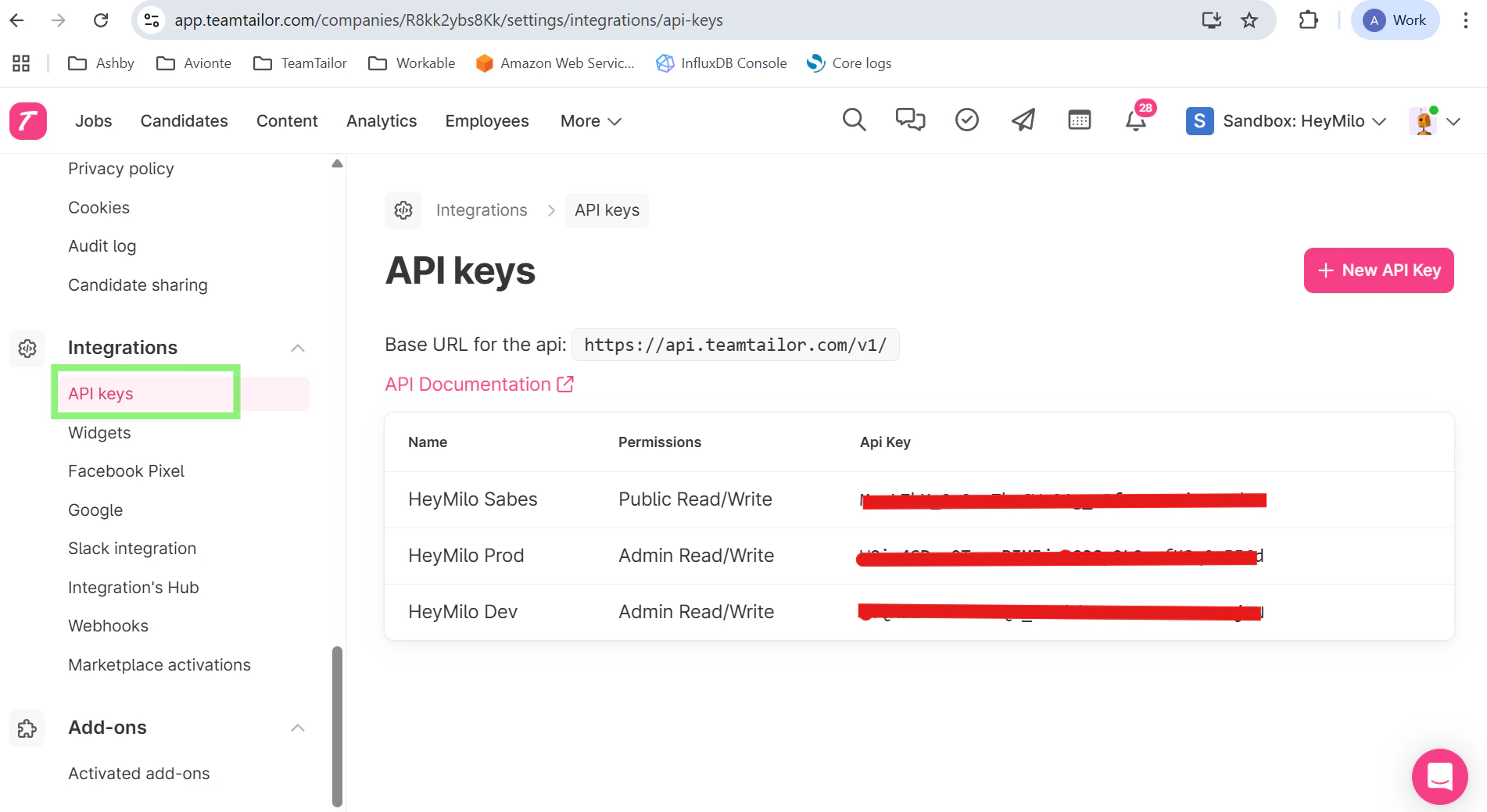
Watch this video, click through the interactive demo, and follow the steps below to learn how to connect HeyMilo in Teamtailor:Step 1 — Get your Teamtailor **API key** from your Teamtailor account
- Go to Integrations → API Keys → New API key
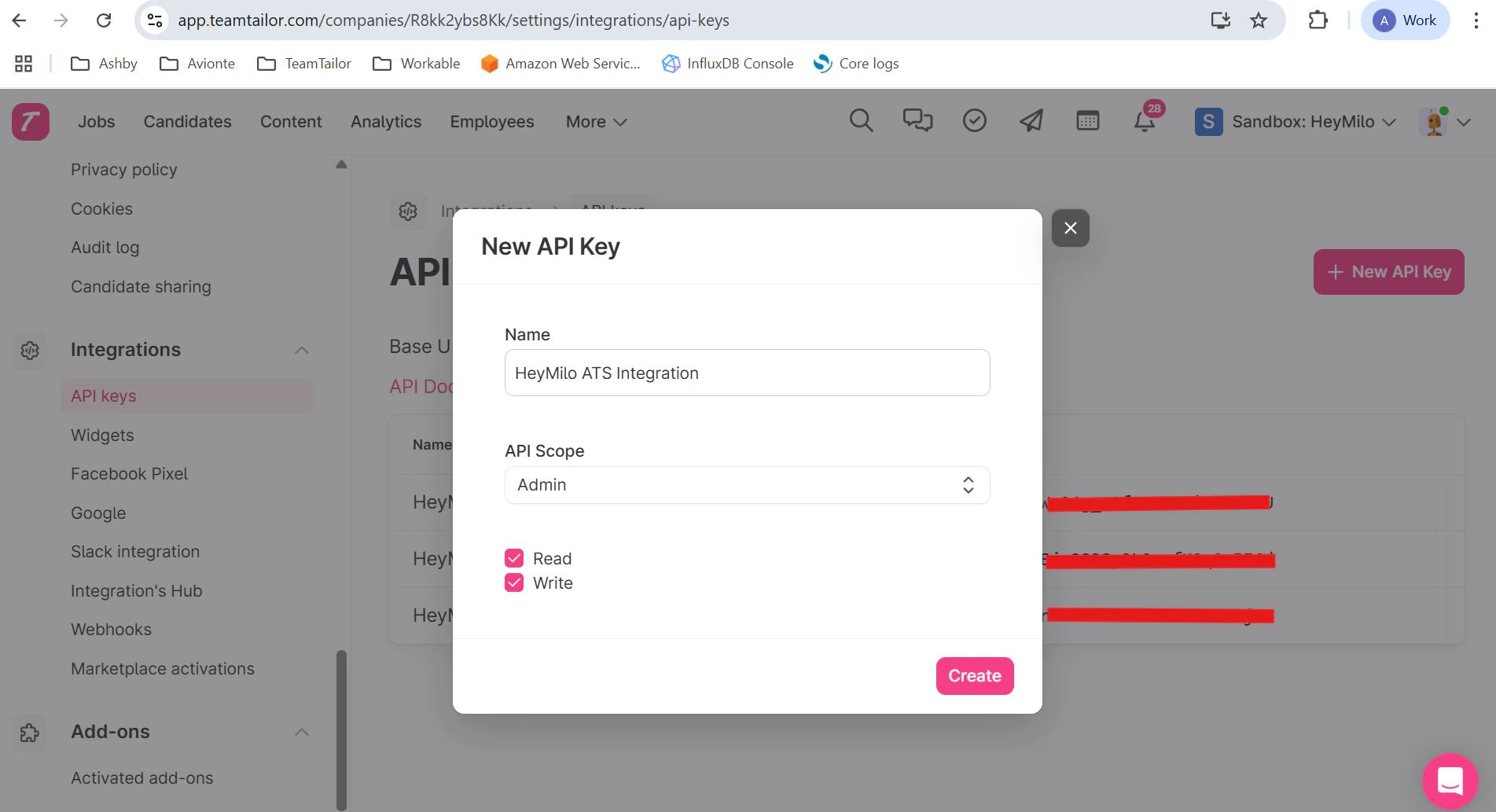
Step 2 — Name your API key, select API Scope as **Admin**, enable both **read** and **write** permissions.
- Copy the API Key generated
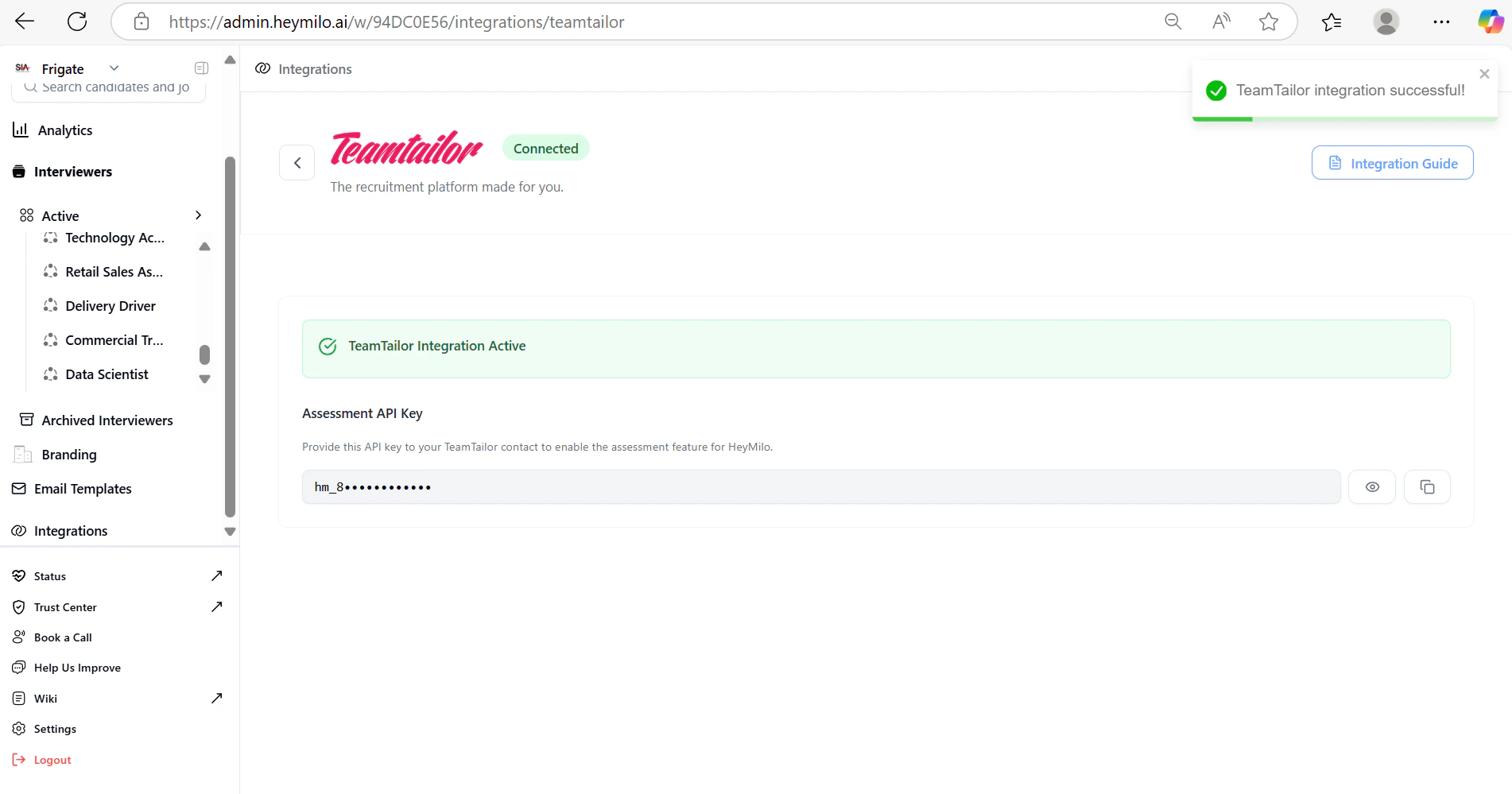
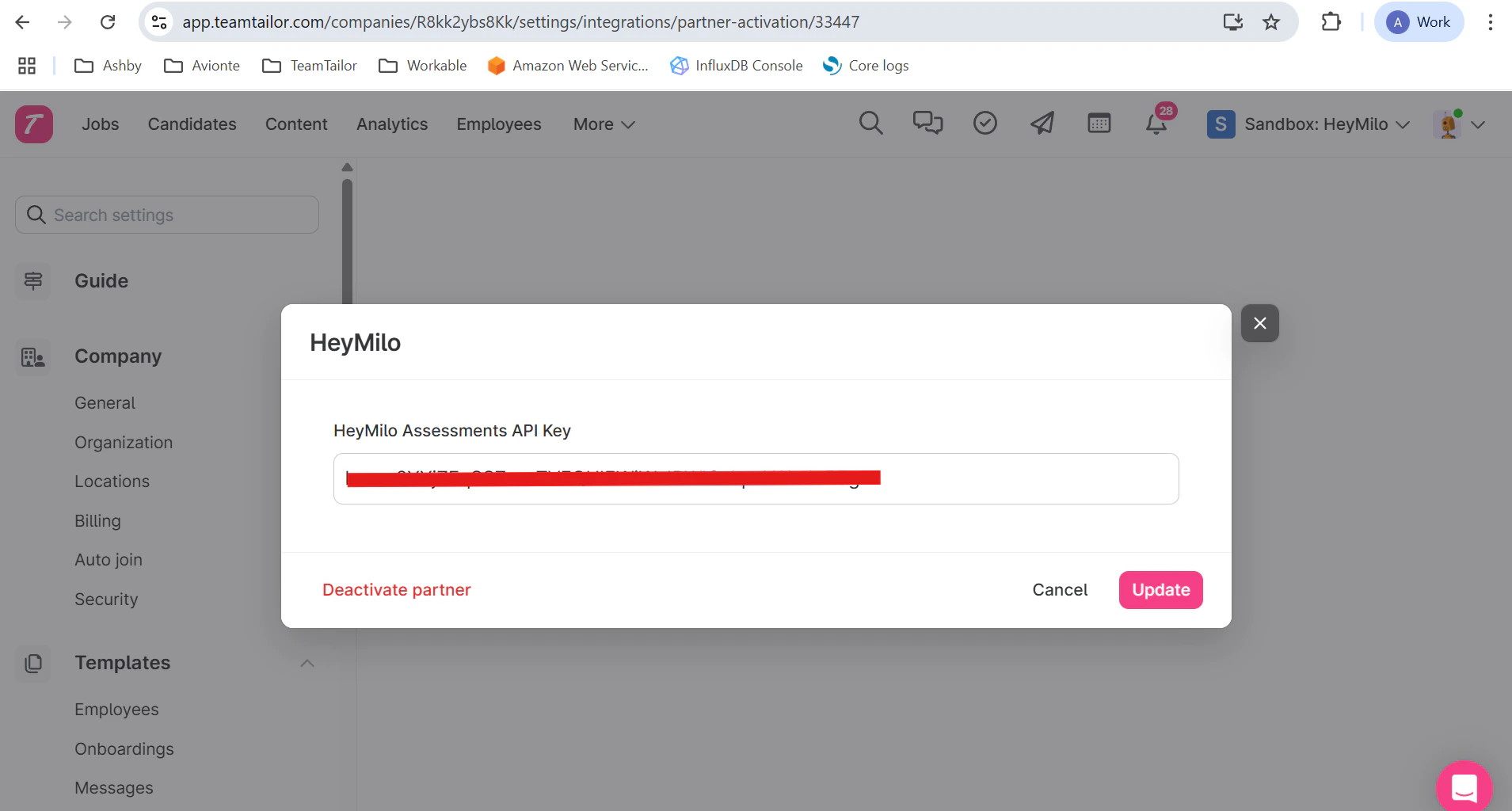
Step 3 — ** Log in** to your HeyMilo Admin Dashboard
- Navigate to Integrations, and select Teamtailor from the list.
Map HeyMilo Agents to Your Teamtailor Jobs
To automatically trigger the correct screening agent for a given job: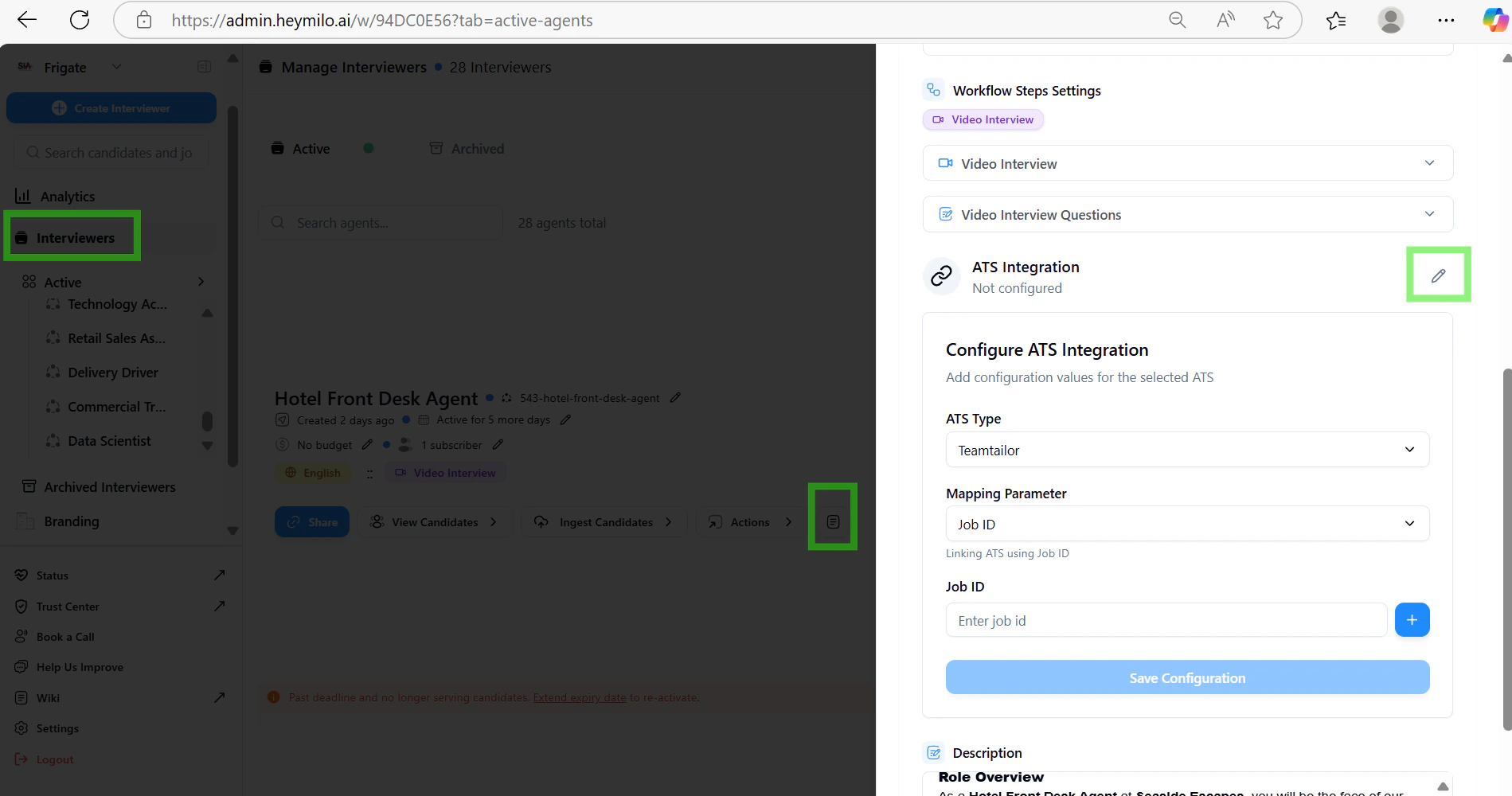
Set Up a Trigger in Teamtailor
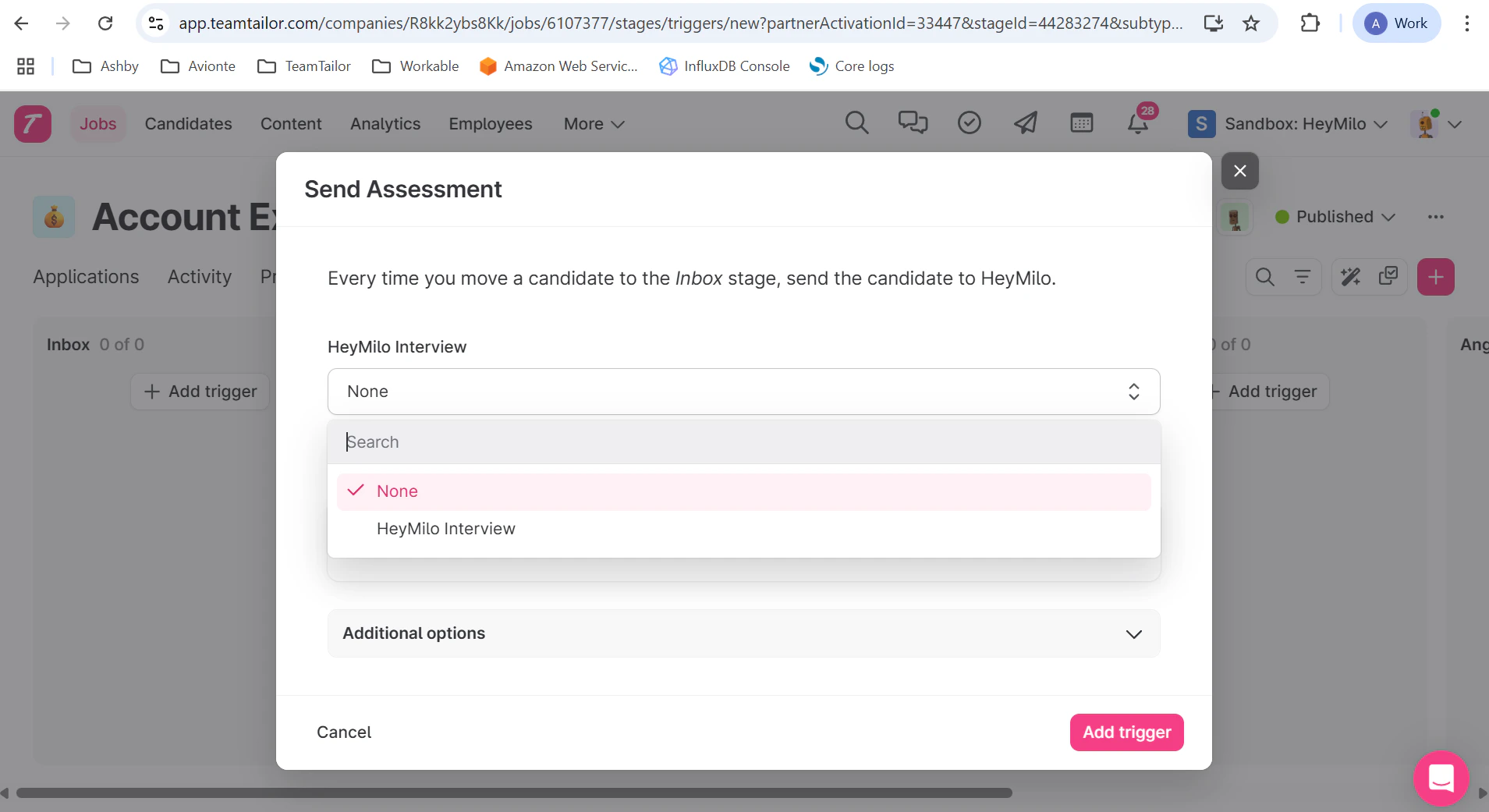
Now that your agent is mapped, you can create a trigger to launch the HeyMilo screening automatically.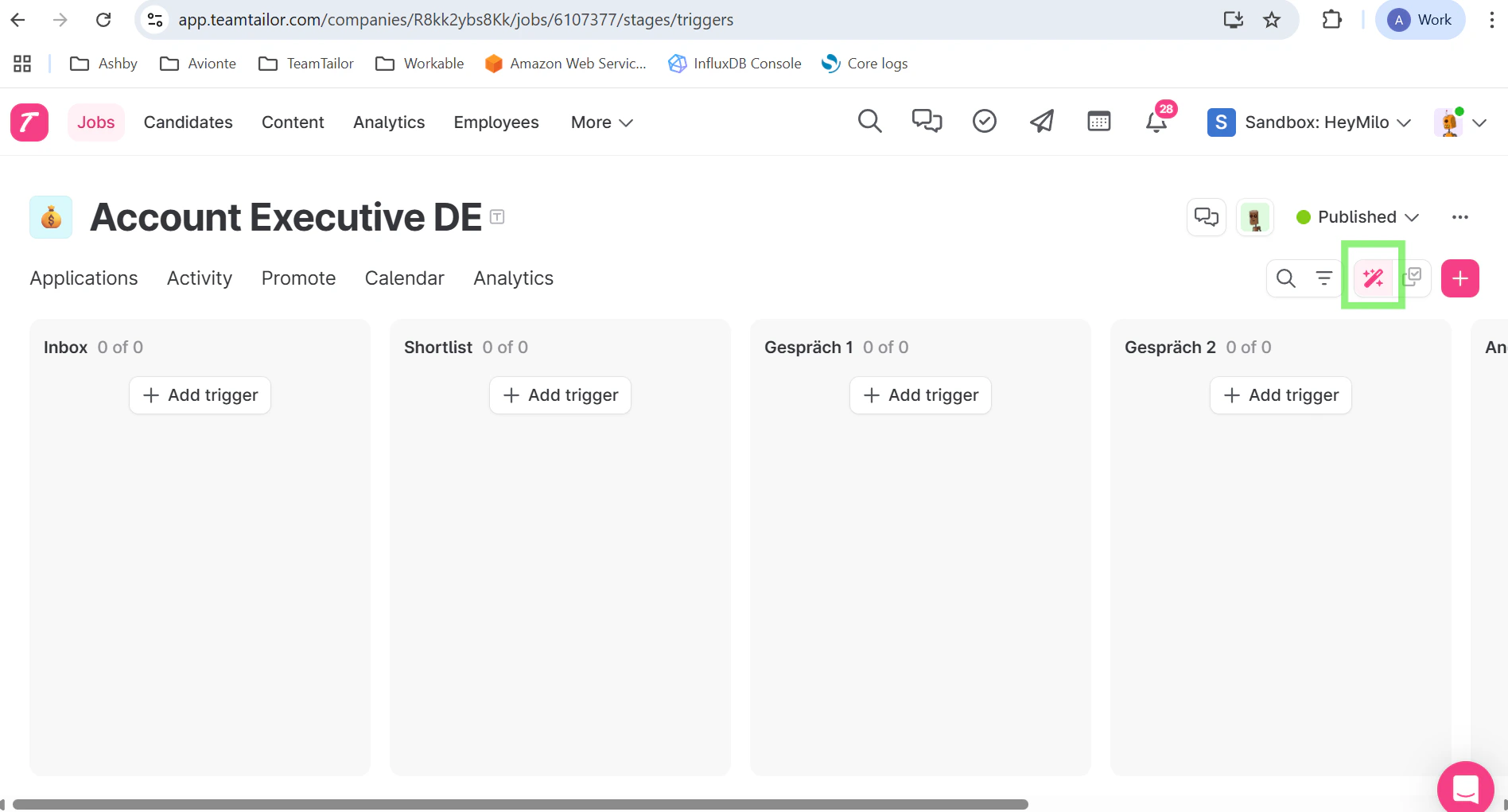
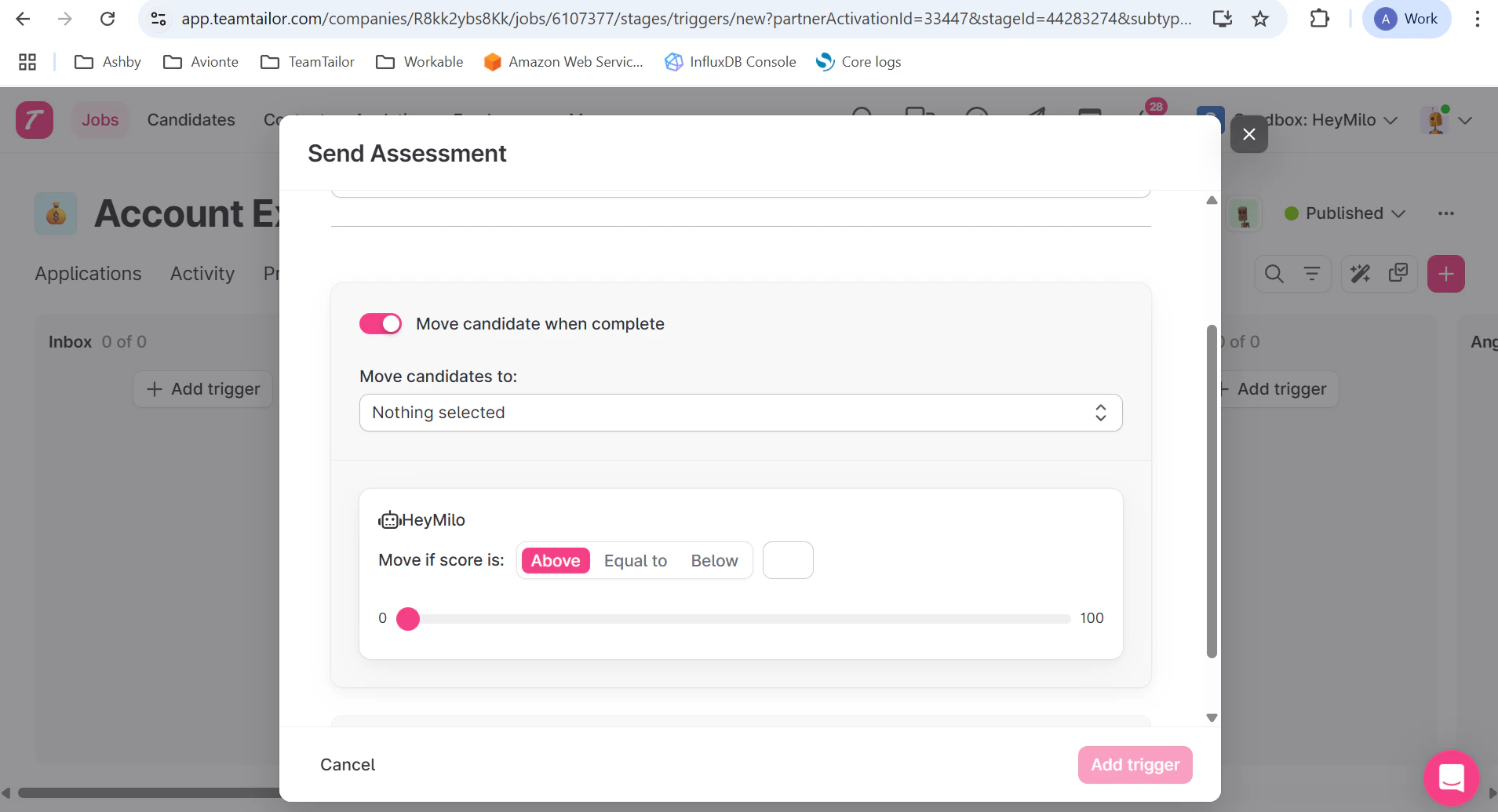
Step 5 — Additionally, you can toggle on the **Move candidate when complete**. Here based on the score, you can move the candidate to the new stage.
Review Candidate Results in Teamtailor
Once a candidate completes the HeyMilo screening, the results are pushed back to their profile:- And, if any score was set in the trigger, the candidate will be automatically moved to the mentioned stage.
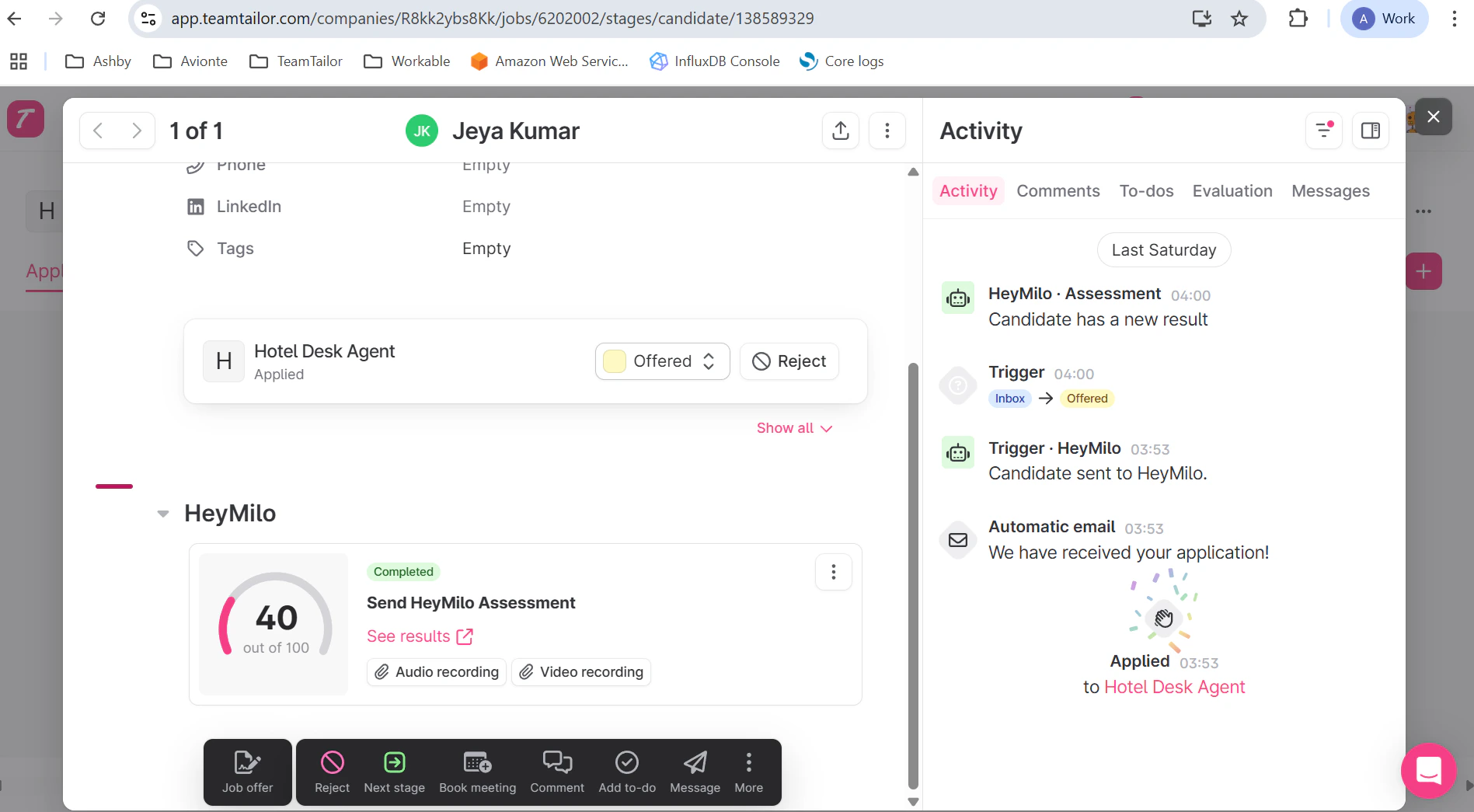
- ✅ AI-generated score and summary
- ✅ Full transcript
- ✅ Link to recordings
Details regarding the integration:
| Data Fields | Direction |
|---|---|
| When the trigger webhook is ignited, job details and candidate details are automatically pulled | From Teamtailor to HeyMilo |
| When the candidate completes the interview, candidate’s score, report url , audio and video urls are pushed. | From HeyMilo to Teamtailor |