
Documentation Index
Fetch the complete documentation index at: https://docs.heymilo.ai/llms.txt
Use this file to discover all available pages before exploring further.
Lever
Attract, assess, and hire the best people—without adding work to your team. HeyMilo’s AI-powered interviews plug directly into Lever so every applicant is screened instantly, schedules stay open, and your recruitment pipeline will never be blocked.
Agents Supported in Lever
| SMS Agent | Resume Agent | Voice/Video Agent |
|---|---|---|
| ✅ | ✅ | ✅ |
How does it work? As soon as candidates apply, they get a text from Milo with your questions. They respond directly in the thread, just like a real conversation. Once they finish, Milo sends over the voice or video interview invite automatically. | How does it work? | How does it work? After integration and job posting mapping, when a candidate applies to your Lever job posting, the candidate’s email address is pulled from the application form and the candidate is engaged through email to take the voice/video assessment. Once the candidate has completed it, the candidate’s detailed assessment report is attached to their profile in the Lever portal. |
Why HeyMilo + Lever
Setting Up the Integration
🛠 What You’ll Need to Get Started
Before connecting Lever with HeyMilo, you’ll need:- ✅ A HeyMilo workspace where you have administrator privileges - this lets you manage integrations and settings
- ✅ Administrator access to your company’s Lever account - required to enable the webhooks and post jobs.
- ✅ Webhooks enabled in your Lever account - required for real-time communication between Lever and HeyMilo
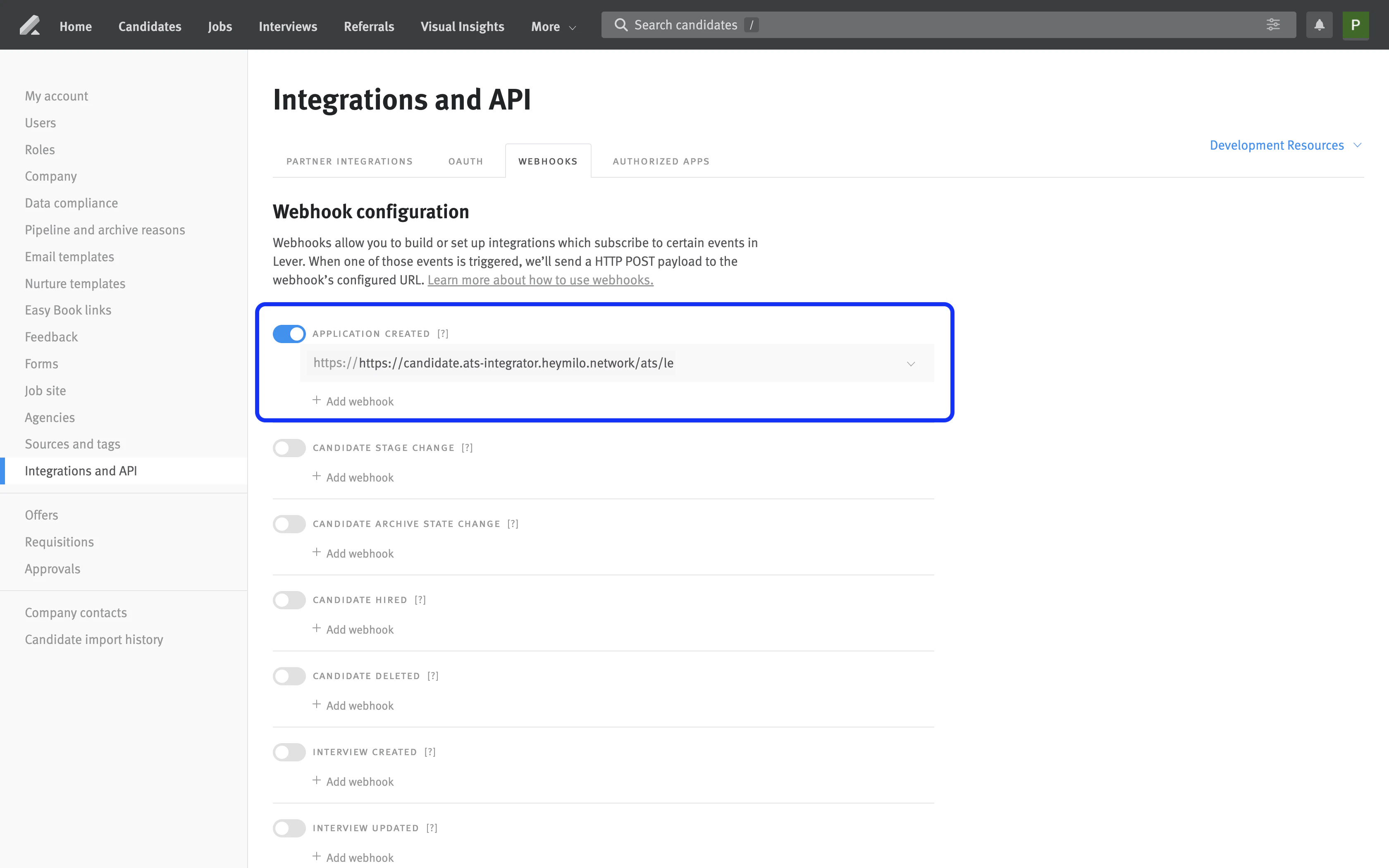
Enable Lever Webhooks
Enable webhooks to allow Lever to notify HeyMilo whenever an “Application Created” event occurs. This enables automatic processing of new candidate applications..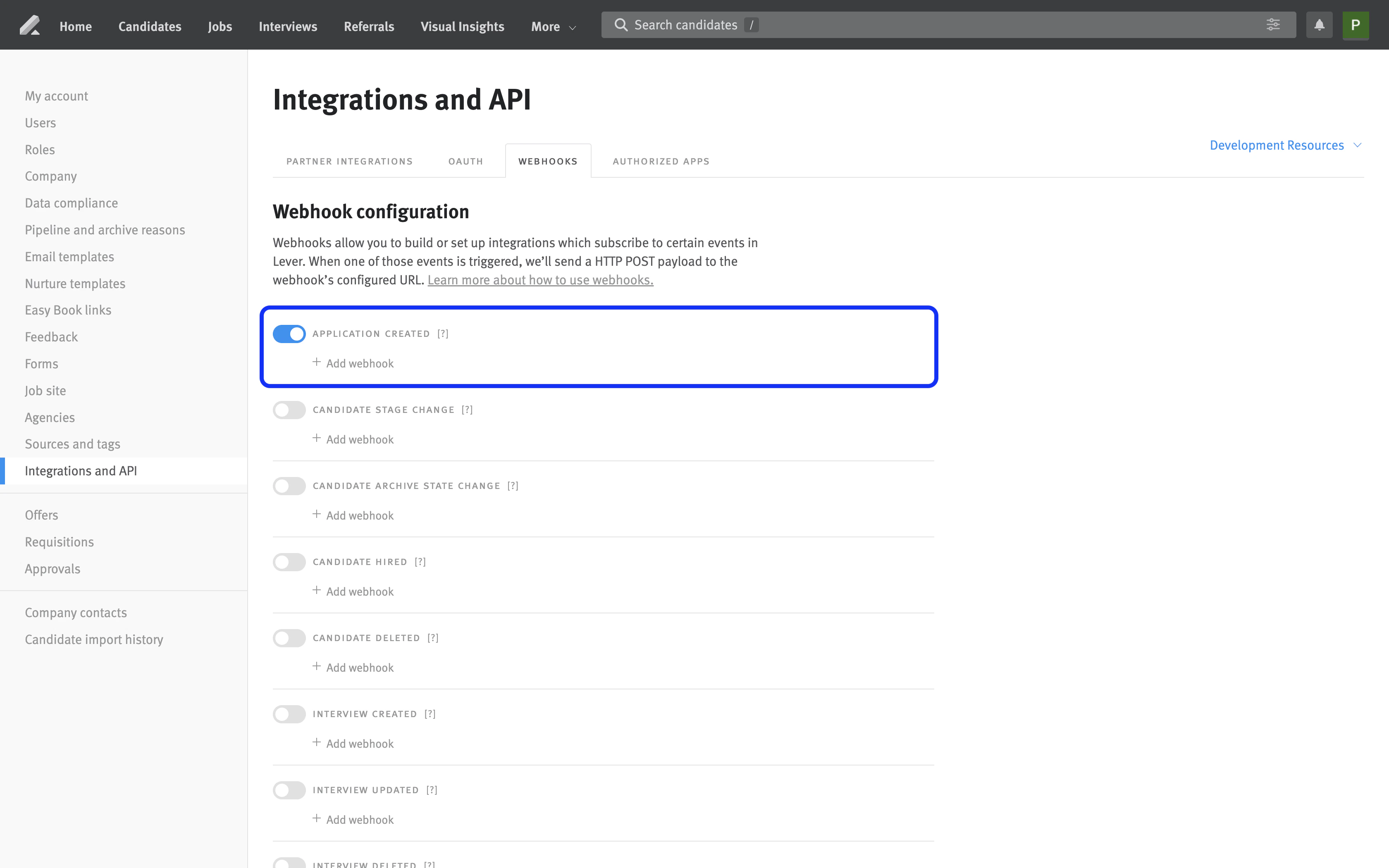
Integrate Lever With HeyMilo
Step 1
Step 2
Step 3 — Find the Lever integration card and click "**Add Integration**"
- This will create a expanded section with additional information and instructions about the integration.
.png?fit=max&auto=format&n=DbceVk--gnUGBW2Q&q=85&s=4ebe49638bb1d7e5a0c3ecfdb8c33c08)
Step 4 — In the dialog, select **Application Created** as the trigger. Select an interval you prefer HeyMilo to check Lever for new jobs.
.png?fit=max&auto=format&n=DbceVk--gnUGBW2Q&q=85&s=332810c336d5ca8ec7edf03b6323217d)
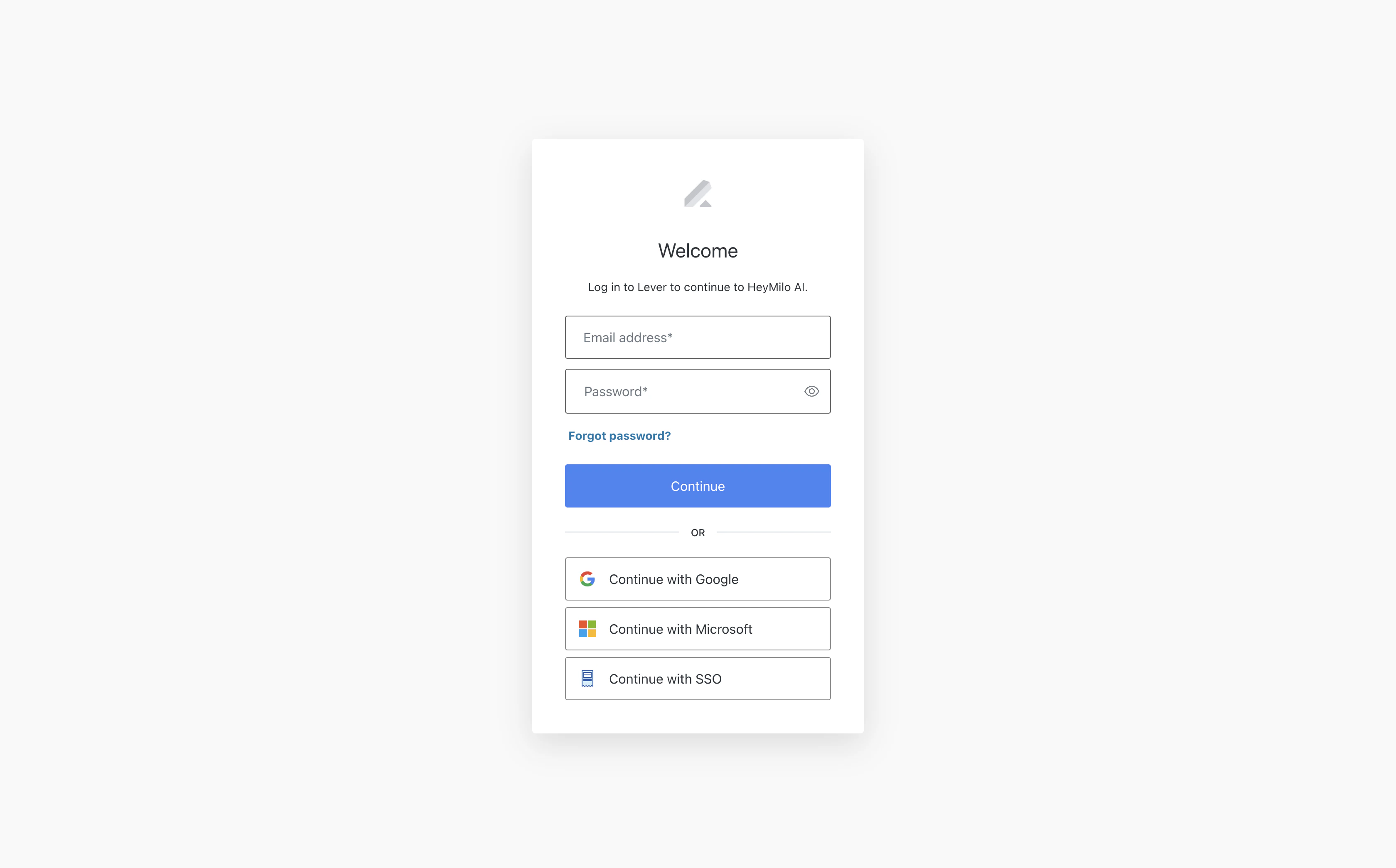
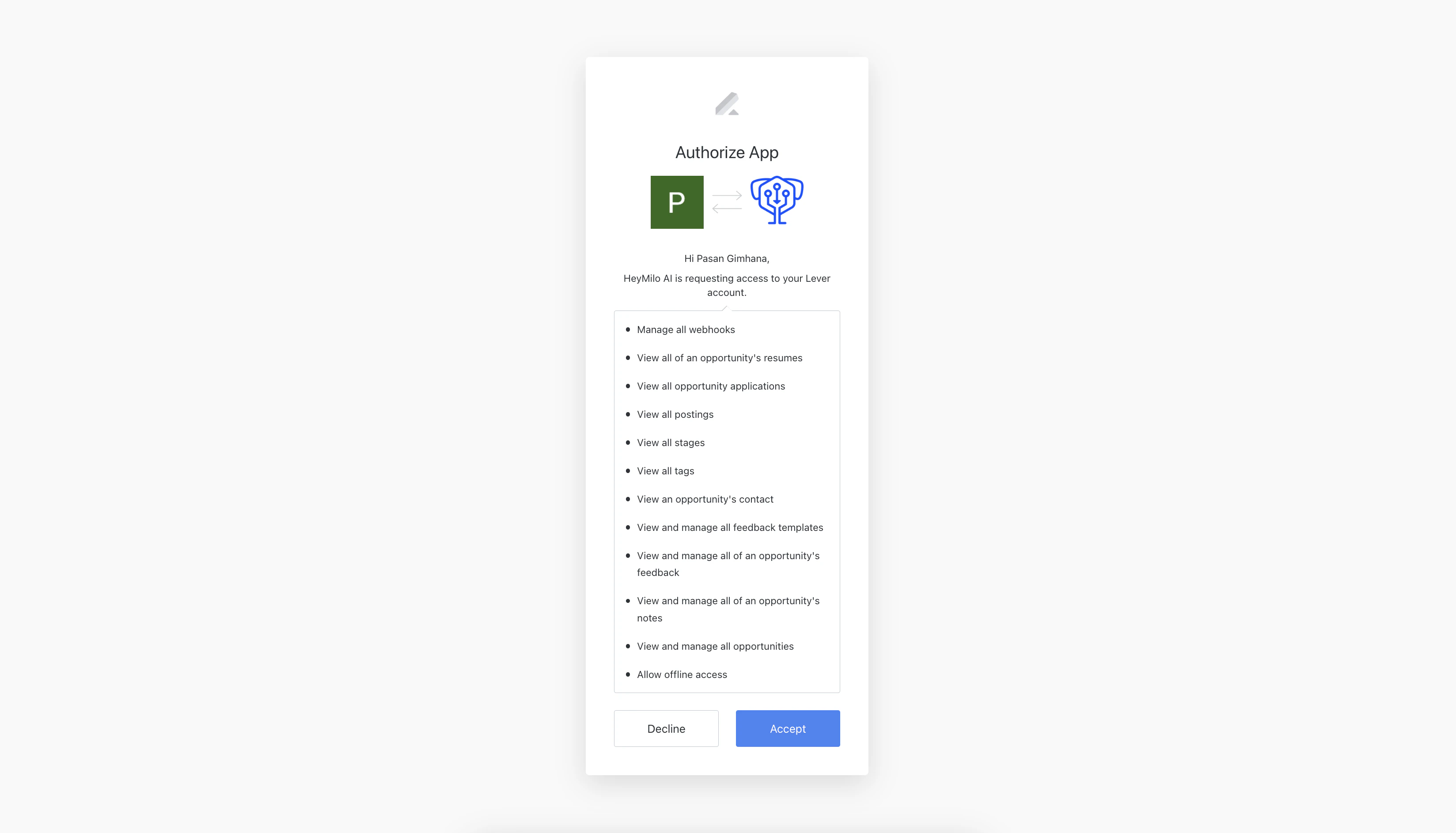
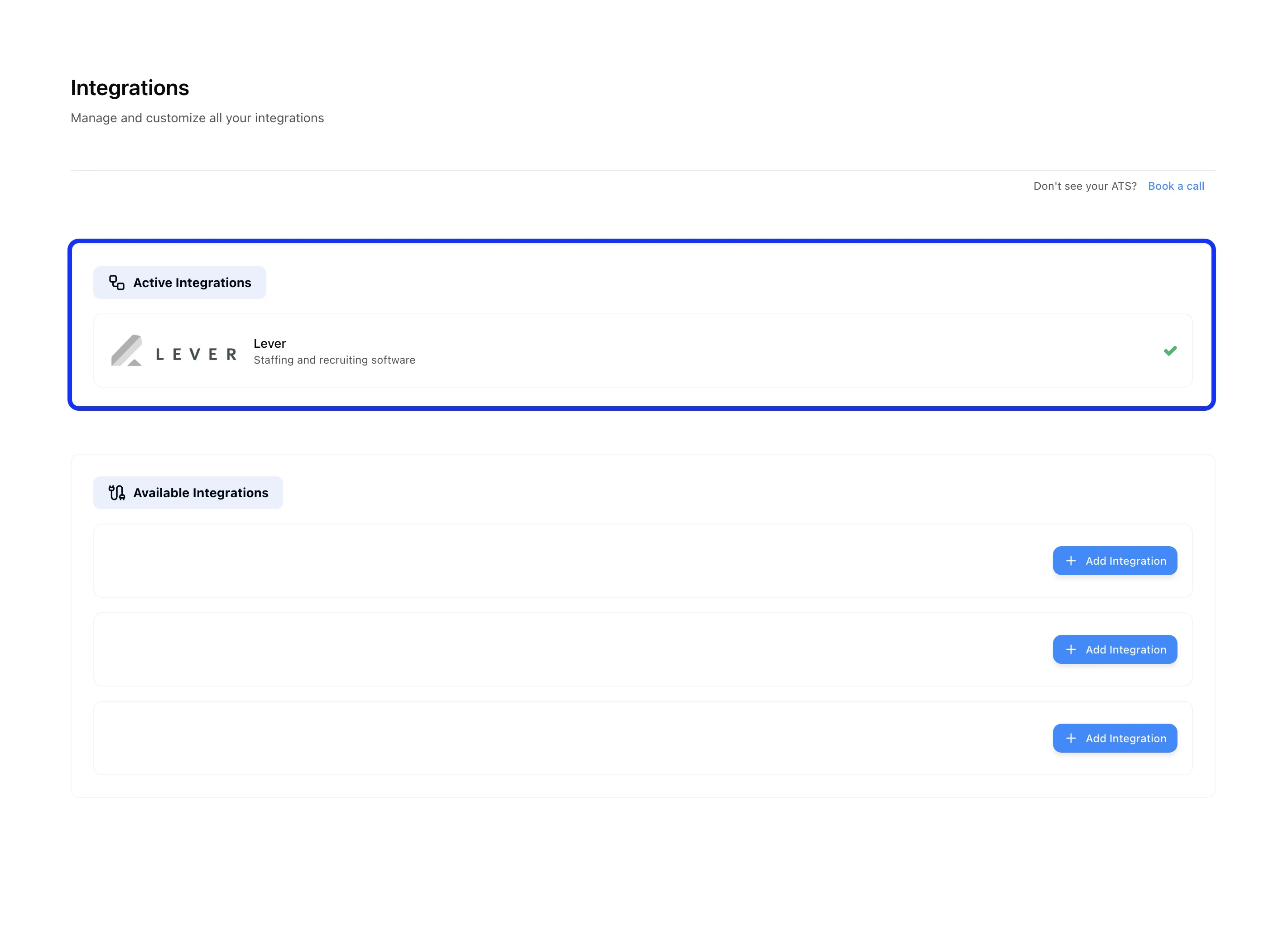
Step 7 — Upon successful connection, the page will automatically refresh and you'll see a green checkmark (✓) on the Lever integration card, confirming the setup is complete.
How the Integration Works
After setting up the integration, HeyMilo automatically synchronizes with your Lever account to automatically sync jobs and ingest candidates.Automatic Job Sync
Post a new role in Lever and, within minutes, HeyMilo automatically creates an AI Interview Agent with questions created based on the job description.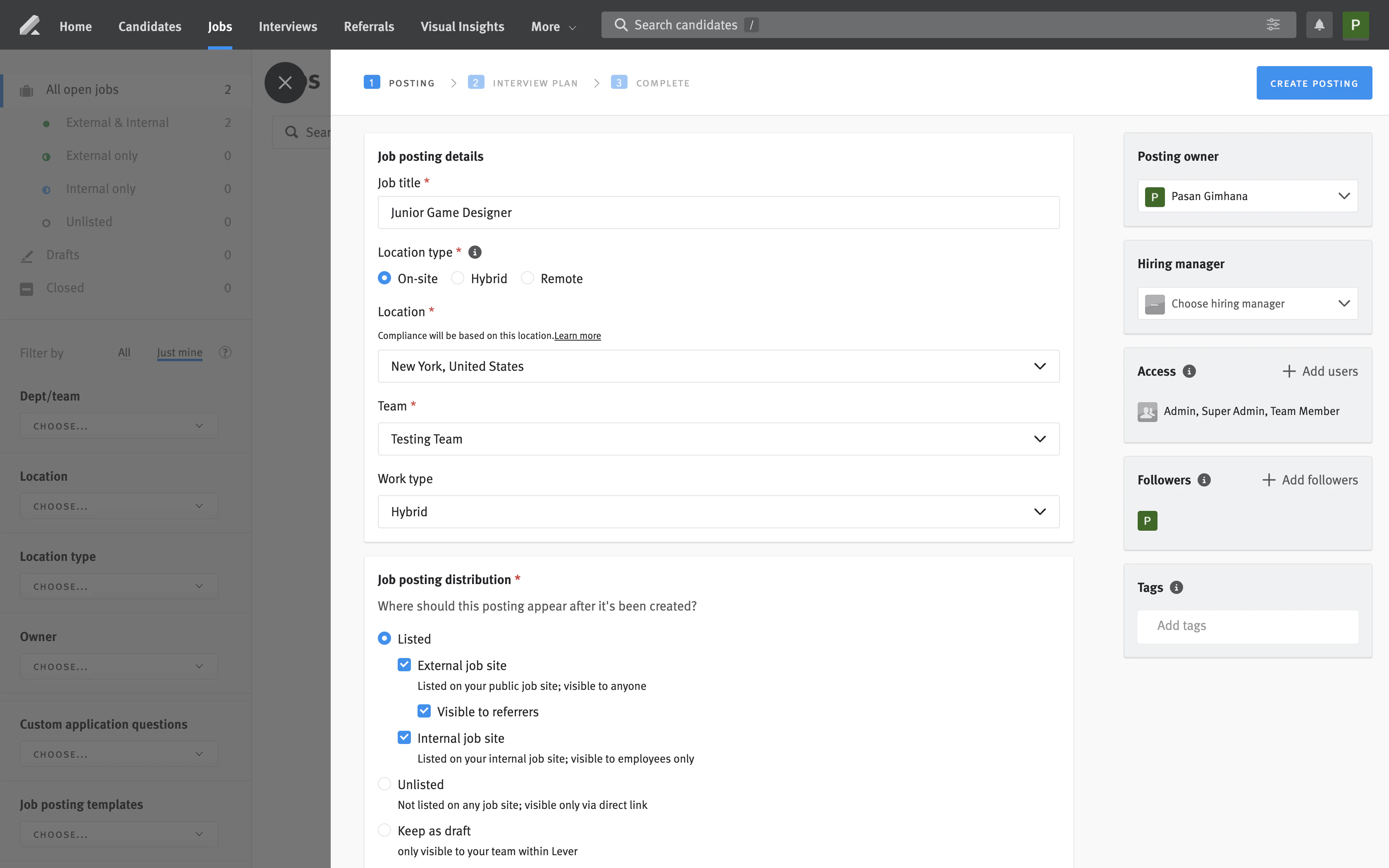
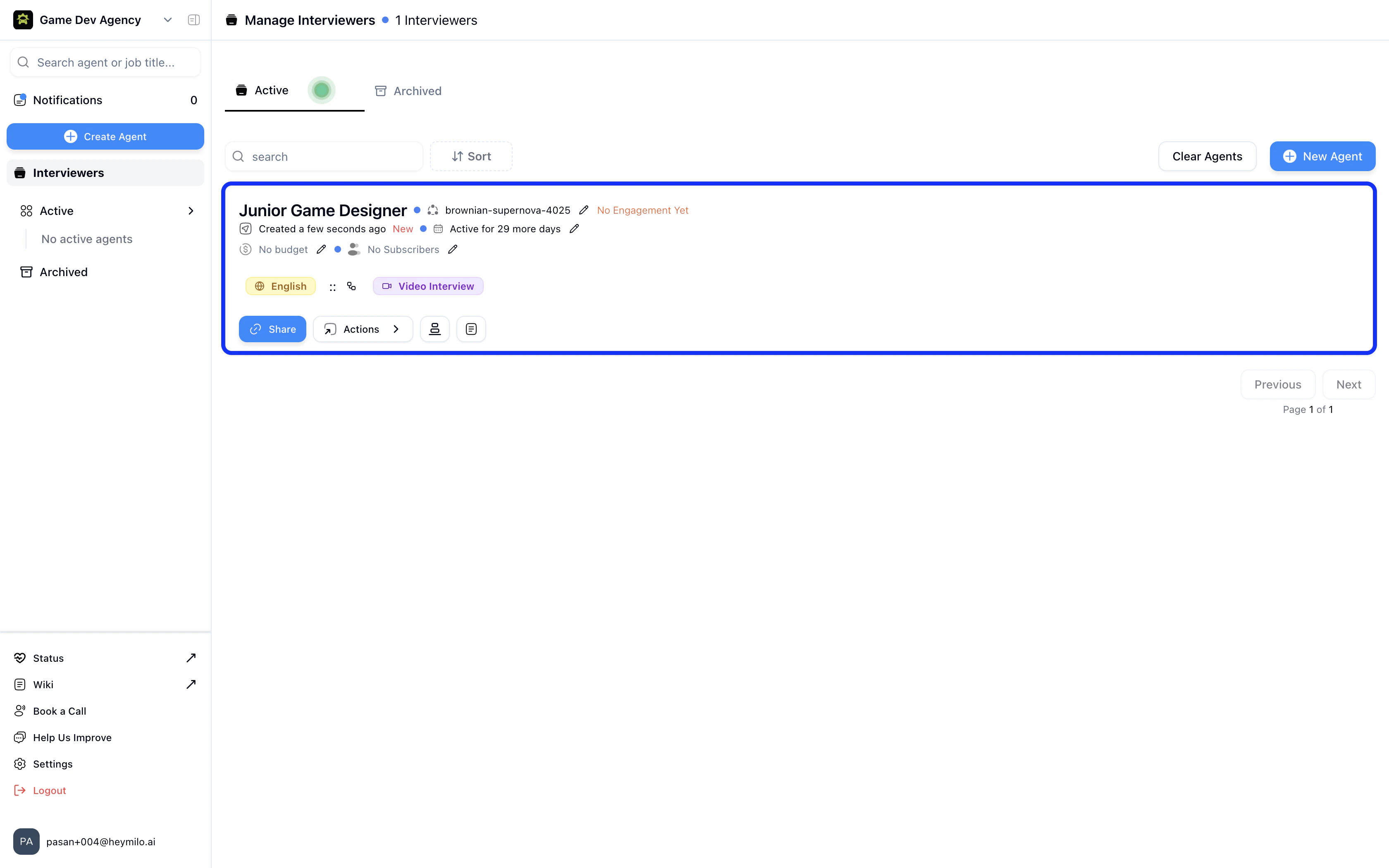
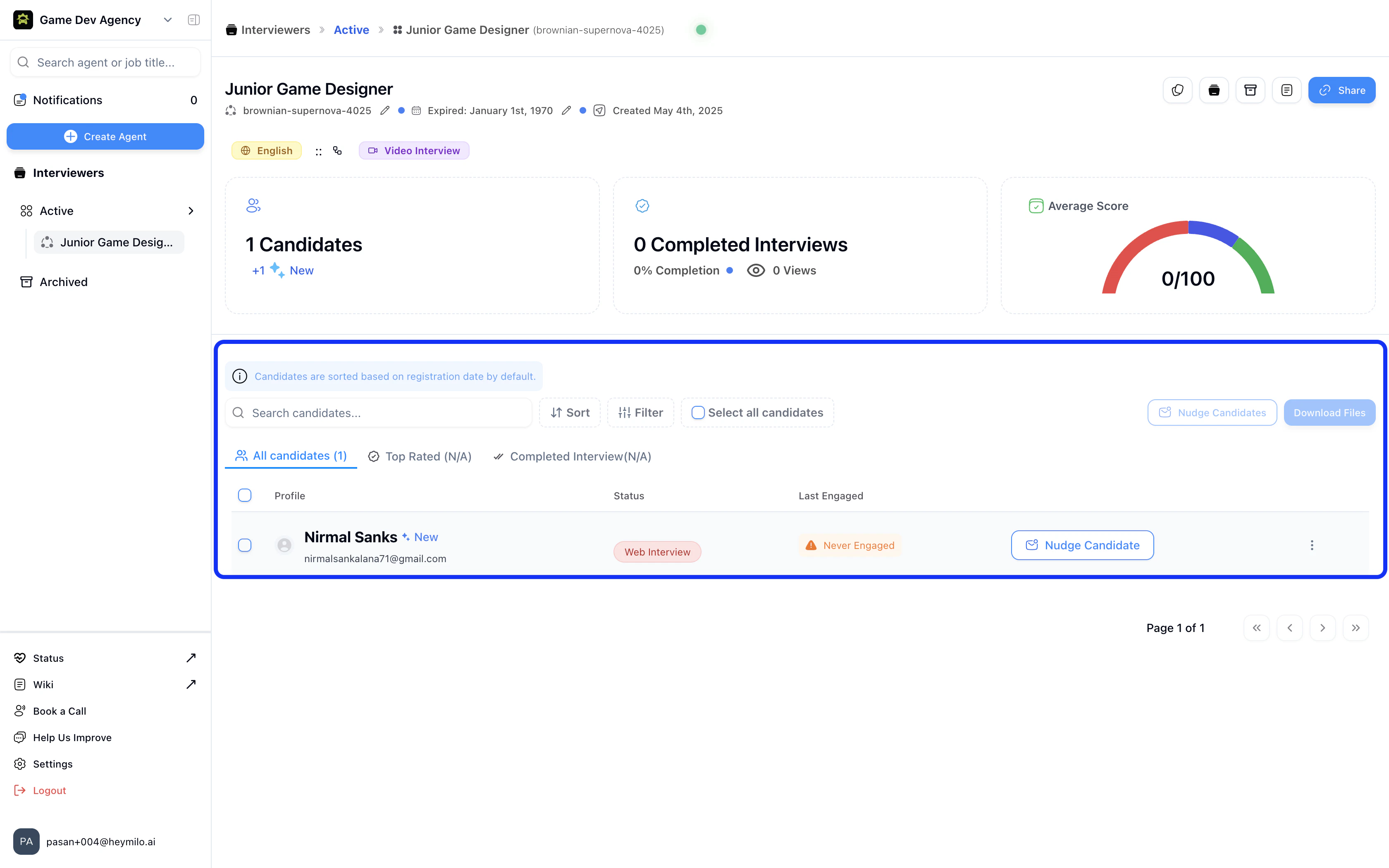
Instant Candidate Ingestion & Interview
Every applicant is automatically imported into HeyMilo and emailed a personalized interview invitation they can complete on their own schedule..png?fit=max&auto=format&n=EGn2J1_1jAyygLfi&q=85&s=0dcf556d746ca227ac8d7349cf88a0b7)
.png?fit=max&auto=format&n=DbceVk--gnUGBW2Q&q=85&s=56484af1317e0c5159eab177d6da829a)
Results & Feedback in Lever
When the interview is finished, HeyMilo generates a structured report—complete with transcripts, AI summaries, and scores—and adds it to the candidate’s Notes in Lever.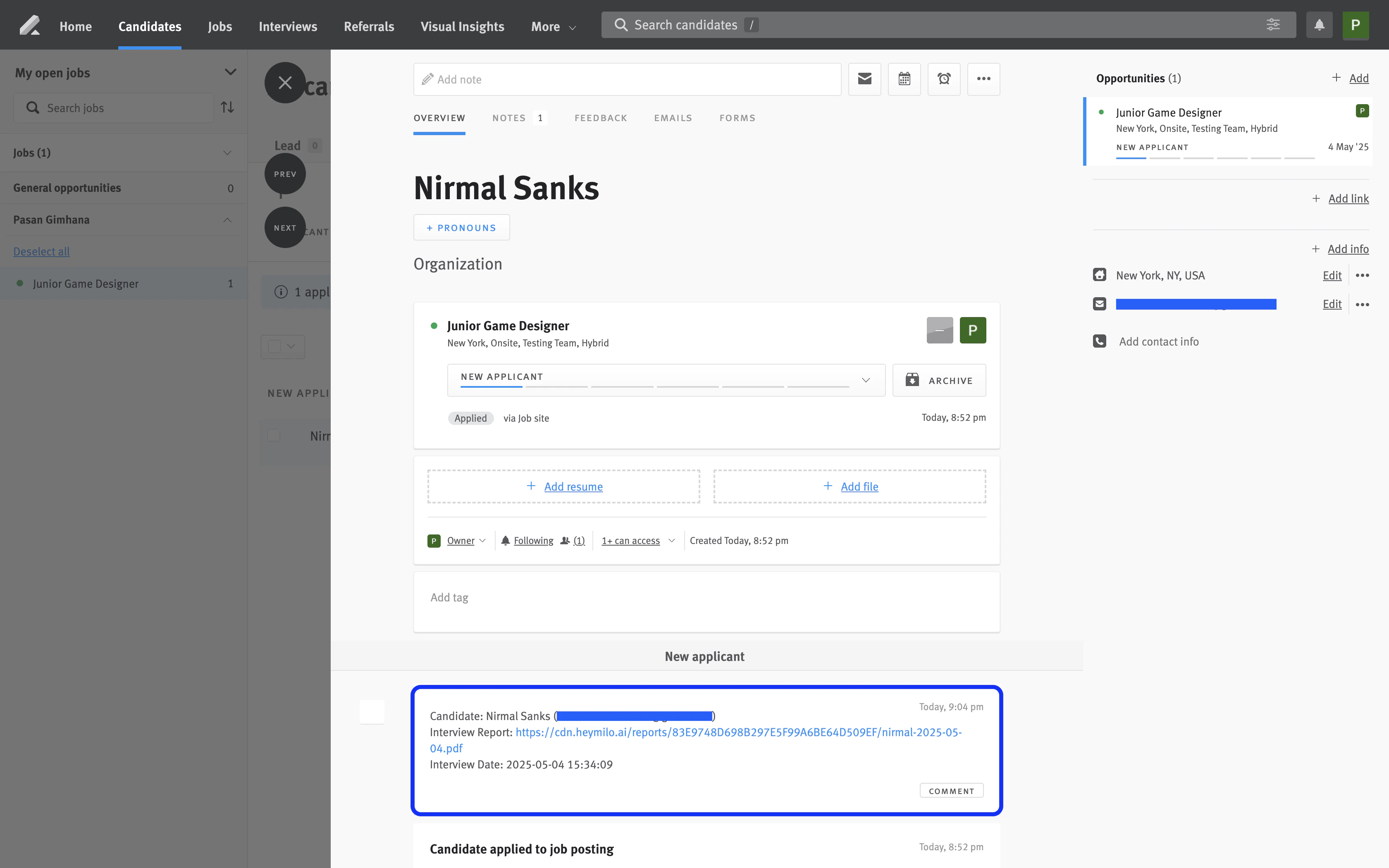
Next Steps
Start faster, smarter hiring today:- Turn on the integration.
- Share the interview reports with your team
- Watch your time-to-hire shrink