HeyMilo includes a built-in compliance dashboard for managing candidate data privacy, deletion requests, and governance activity across your workspace. Where to find it: Settings → Compliance

Dashboard

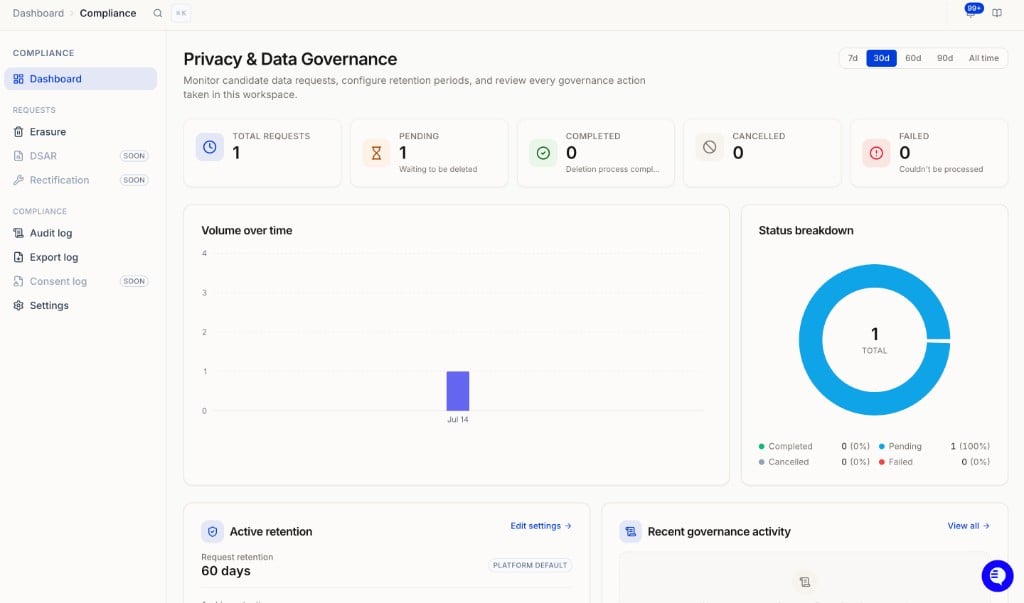
Compliance dashboard
The Compliance dashboard gives you an overview of all deletion activity in your workspace. You can filter by time period (7, 30, 60, 90 days, or all time) and see:
  • Total requests: all deletion requests submitted
  • Pending: waiting to be deleted
  • Completed: deletion fully processed
  • Cancelled: request was cancelled before processing
  • Failed: request could not be processed
You can also see volume over time, a status breakdown, your active retention settings, recent governance activity, and recent erasure requests.

Requests

Erasure

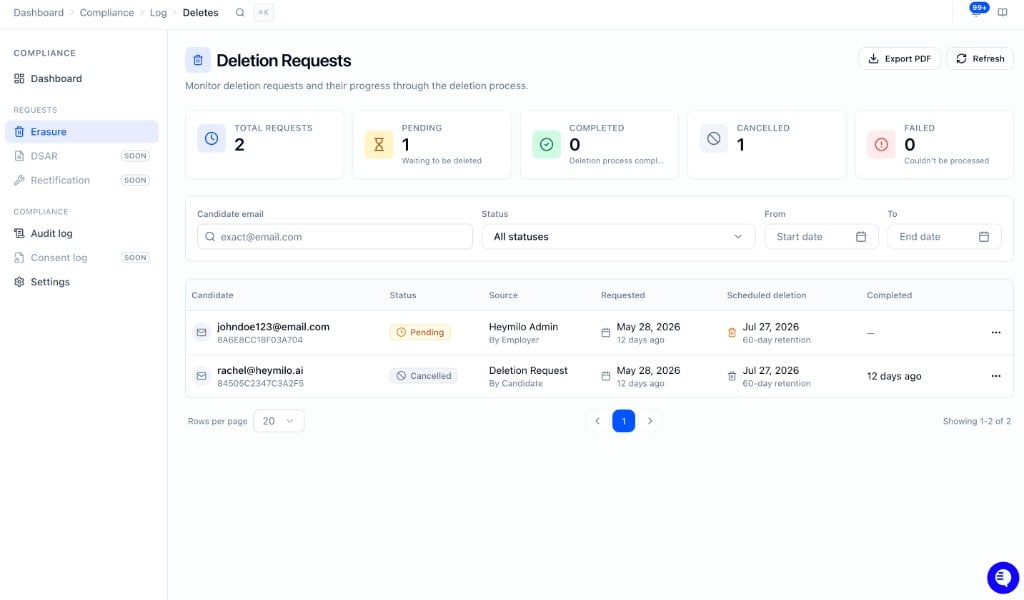
Erasure requests
Manage candidate data deletion requests. See Deleting Candidate Data in Compliance Hub for full details.

DSAR and Rectification

Coming soon.

Audit log

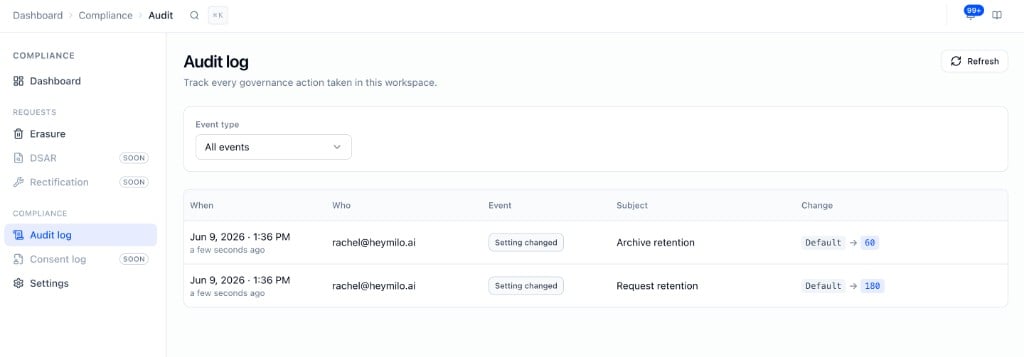
Compliance audit log
Tracks every governance action taken in the workspace, including retention changes and other compliance events.

Settings

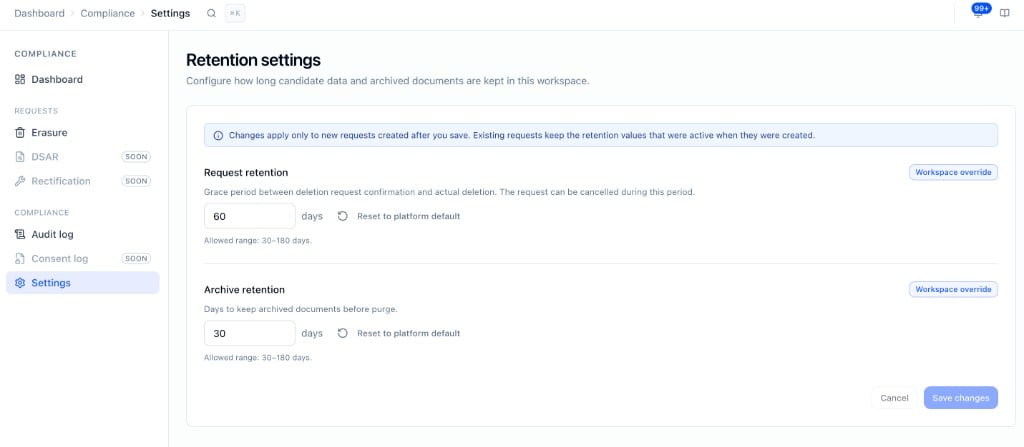
Compliance retention settings
Configure how long candidate data is retained in your workspace.
SettingDefaultRange
Request retention60 days30–180 days
Archive retention30 days30–180 days
Request retention is the grace period between a deletion request being confirmed and the actual deletion. The request can be cancelled during this window. Archive retention is how long archived documents are kept before purge. Changes apply to new requests only. Existing requests keep the retention values that were active when they were created.

Compliance certifications

HeyMilo holds SOC 2 Type I and SOC 2 Type II certifications. View our Trust Dashboard here. GDPR and HIPAA modes are available depending on your contract and legal requirements. For SOC 2 reports, security questionnaires, or vendor due diligence, contact your CSM or support@heymilo.ai.