
Documentation Index
Fetch the complete documentation index at: https://docs.heymilo.ai/llms.txt
Use this file to discover all available pages before exploring further.
Sally & data sources (Databricks)
Today: ATS-powered Sally sourcing with Databricks is Avionté only. HeyMilo workspace and external sources may still apply per your workspace setup.
What Sally does
Sally helps you move from “we need more qualified people in this req” to ranked candidate recommendations without manual tab-hopping.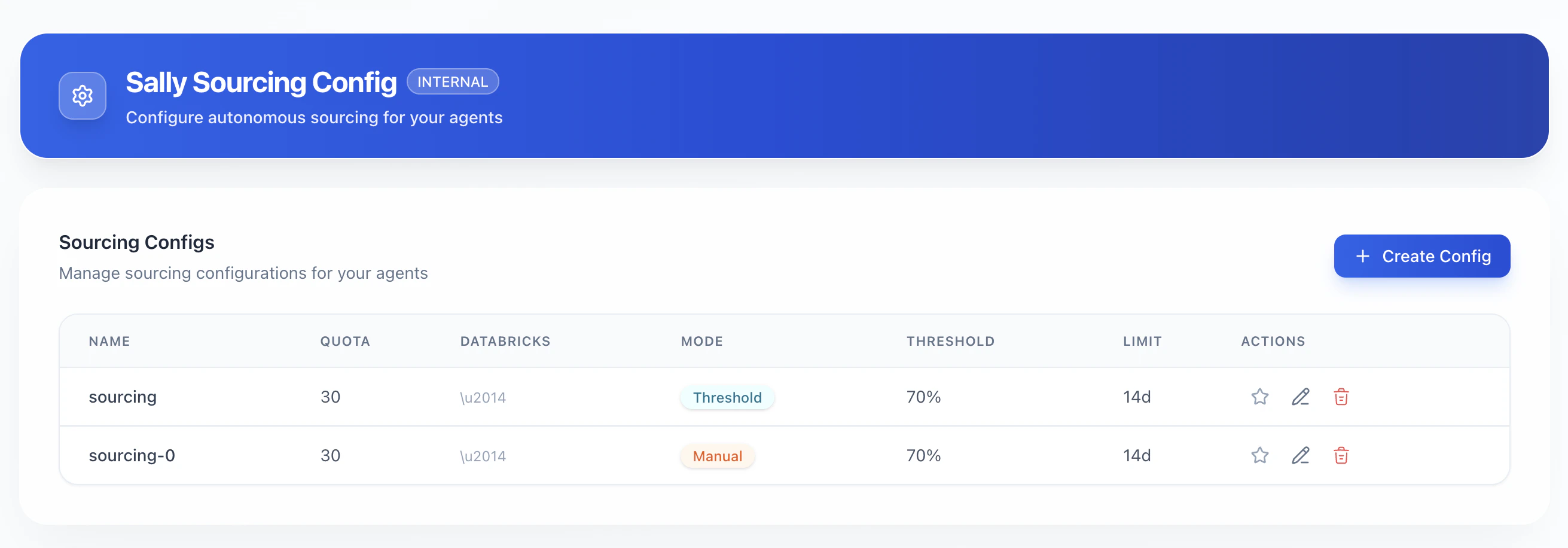
- Search across the Databricks you enable for that sourcing setup
- Compare candidates to the posting / agent you configure
- Score match quality against your rules
- Respect deal breakers (hard requirements that must pass)
- Operate in modes such as Automatic, Manual, or Threshold (exact labels depend on your UI), within your quota and time limit
What a Databricks is (Data sources)
A Databricks is a searchable dataset HeyMilo builds and keeps updated for Sally. It is a copy of relevant data from a source (HeyMilo, ATS, etc.), organized so Sally can search and rank candidates quickly and consistently. In practice for recruiters:- HeyMilo Databricks — Built from activity in your workspace (for example interview volume affects how long provisioning takes).
- ATS Databricks — Built from your connected ATS data (for example scope may depend on how many candidates are in scope for your integration). Availability of ATS sources depends on which ATS HeyMilo supports for your workspace.
- External Databricks — Optional external talent data from approved partner sources. When enabled, it may be available immediately or follow a separate enablement flow depending on product setup.
Before you create a sourcing config: enable Databricks
Sally needs at least one provisioned Databricks selected in your sourcing configuration. Typical flow:- Turn on / request sourcing from connected data where your product exposes it (for example enabling sourcing that syncs HeyMilo and ATS data into Databricks).
- Wait until each needed Databricks is ready (not stuck in provisioning).
- Continue to Create Config (or Create Sourcing Config) under Sourcing Engine (ATS).
Create a Sally sourcing config
Where: Source Candidates → Sourcing Engine (ATS) → Sourcing Configs → Create Config (or equivalent). Fields you will commonly see:| Concept | What it means for recruiters |
|---|---|
| Config name | A label your team recognizes (for example “Default sourcing — RN roles”). |
| Quota | Maximum number of candidates Sally will source for this config (a cap on volume). |
| Databricks | Which data sources Sally is allowed to search. Select one or more when ready. Do not select sources that are still provisioning. |
| Ingestion mode | How recommended candidates enter the pipeline: for example Automatic vs Manual vs Threshold (definitions appear in-product). |
| Threshold | A match bar Sally uses when that mode applies (for example only surface people above a certain match %). |
| Time limit (days) | How long this sourcing run / window stays active under the config. |
| Set as default | When checked, this config can be preselected for new postings that use Sally (if your workspace supports defaults). |
Important: You typically need at least one Databricks selected before you can configure deal breakers (the UI may block the Deal breakers step until a data source is chosen).
Use Sally on a posting
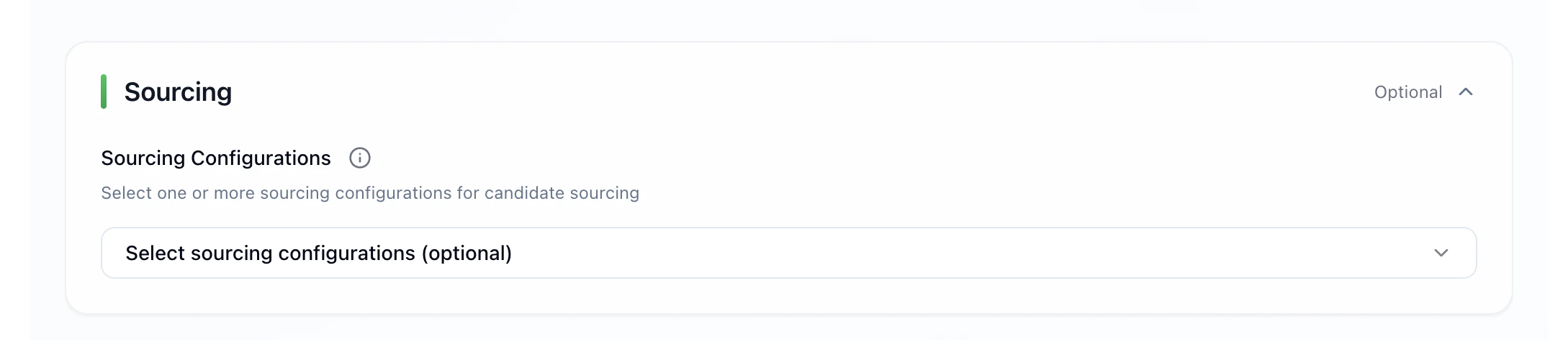
- Create or edit a posting (or the flow your workspace uses to attach sourcing to a role).
- Select a sourcing config you already created.
- Open the Sally view for that posting.
- Expect a short wait the first time results populate (for example one to two minutes in some cases).
- Review candidate recommendations, open profiles, and proceed with your normal workflow (invite, shortlist, etc.).
Quick troubleshooting
| Symptom | What to check |
|---|---|
| Cannot select a Databricks | It may still be provisioning. Wait until the UI shows ready (not yellow / blocked). |
| Deal breakers disabled | Select at least one Databricks first. |
| No candidates in Sally | Config not attached to posting, quota reached, time limit expired, or thresholds too strict. |
| “Create a databrick first” | Complete Databricks enablement / provisioning before Create Config. |
Related pages
- Sourcing (overview: Interviewed Candidates, Inbound via Phone, Sourcing Engine (ATS), Apply Email)
- Integrations (ATS connection prerequisites)
- Creating an interviewer / postings (where sourcing configs attach)