

What It Is
Instead of answering static questions, candidates are given a goal, context, and a deliverable — then scored on how they prompt and guide the AI to get there. Where to find it: Create Interviewer → Interview Stages → LLM Assessment (Beta)How It Works
When a candidate starts the assessment, they see: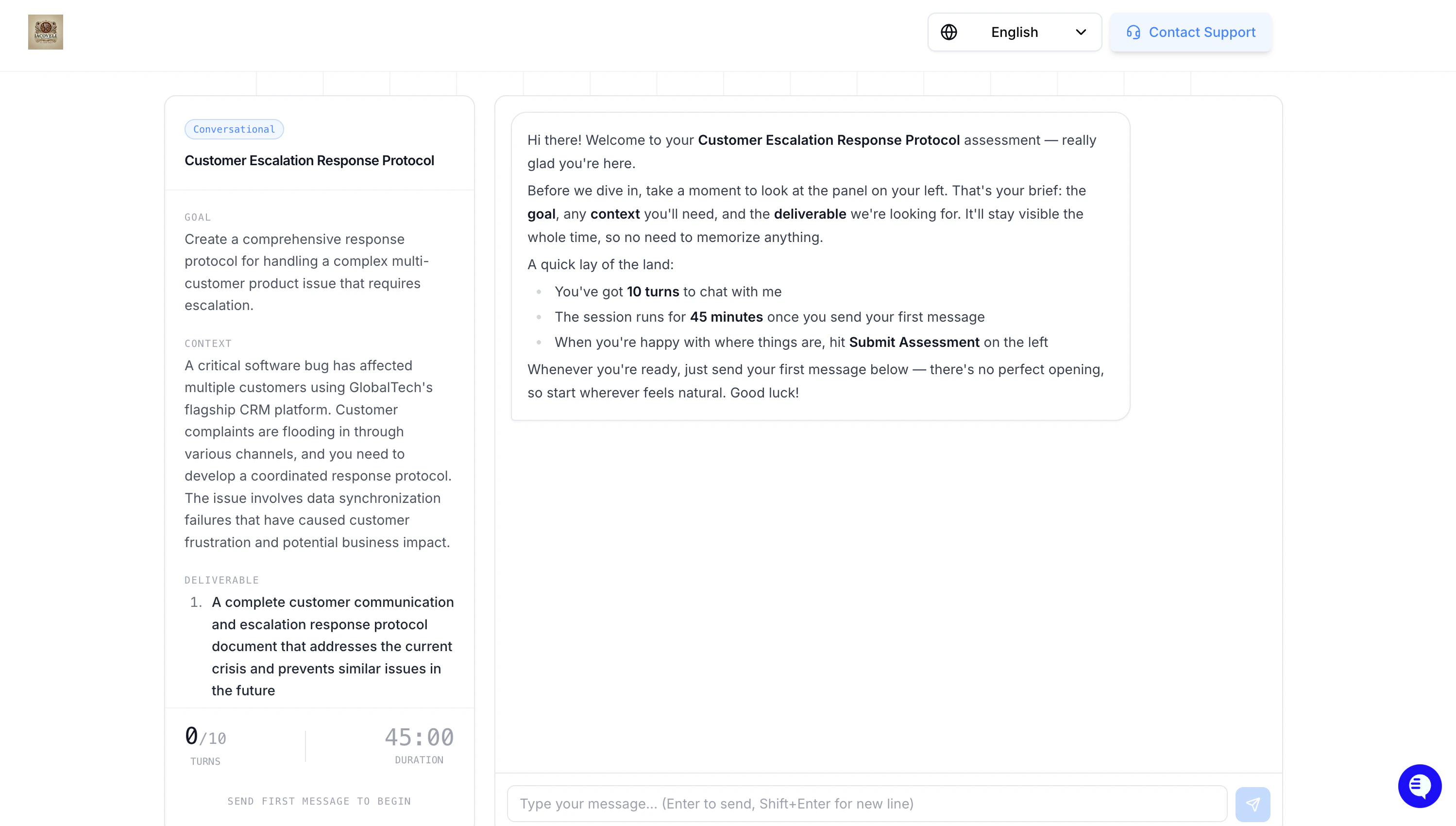
- A title describing the task
- A goal explaining what they need to accomplish
- A scenario with the context they are working within
- A deliverable — the final output they need to produce
Candidate Modes
| Mode | What the Candidate Does |
|---|---|
| Standard | Candidate works collaboratively with AI to complete a task, prompting, iterating, and producing a deliverable |
| Test AI Error Detection | A weaker AI is used that may produce mistakes. Candidate is scored on identifying and correcting them. Best for AI/ML, safety, and prompt-engineering roles |
Setting It Up
When adding an LLM Assessment stage, you’ll see the following setup options: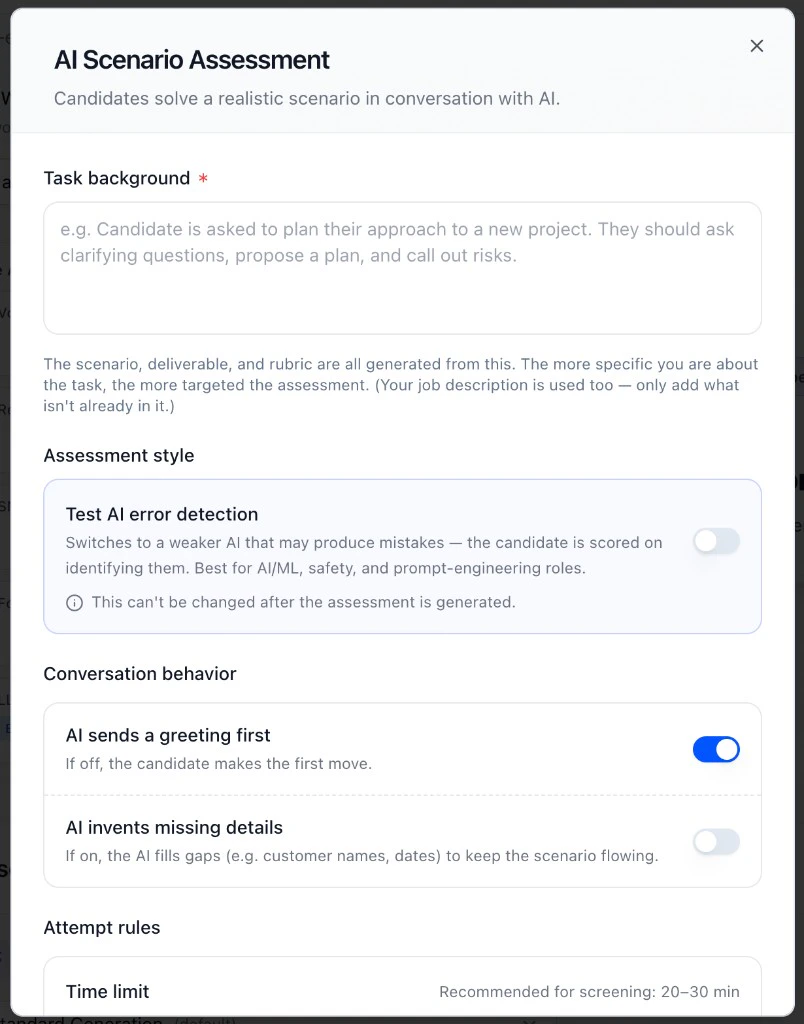
- Task background: describe the task the candidate will work through. The more specific you are, the more targeted the assessment. HeyMilo uses this (plus the job description) to generate the scenario, deliverable, and rubric.
- Assessment style: standard mode has the candidate work collaboratively with AI. Toggle on Test AI error detection to switch to a weaker AI that may make mistakes. The candidate is scored on identifying them. Best for AI/ML, safety, and prompt-engineering roles. Note: this can’t be changed after the scenario is generated.
- Conversation behavior:
- AI sends a greeting first: toggle off if you want the candidate to make the first move.
- AI invents missing details: when on, the AI fills in gaps like customer names or dates to keep the scenario flowing.
- Time limit: recommended 20 to 30 minutes for screening.
- Back-and-forth rounds: one round equals one candidate message plus one AI reply.
- Allow retake on timeout: if the candidate runs out of time before sending much, they can restart once.
Scoring
Each completed assessment produces: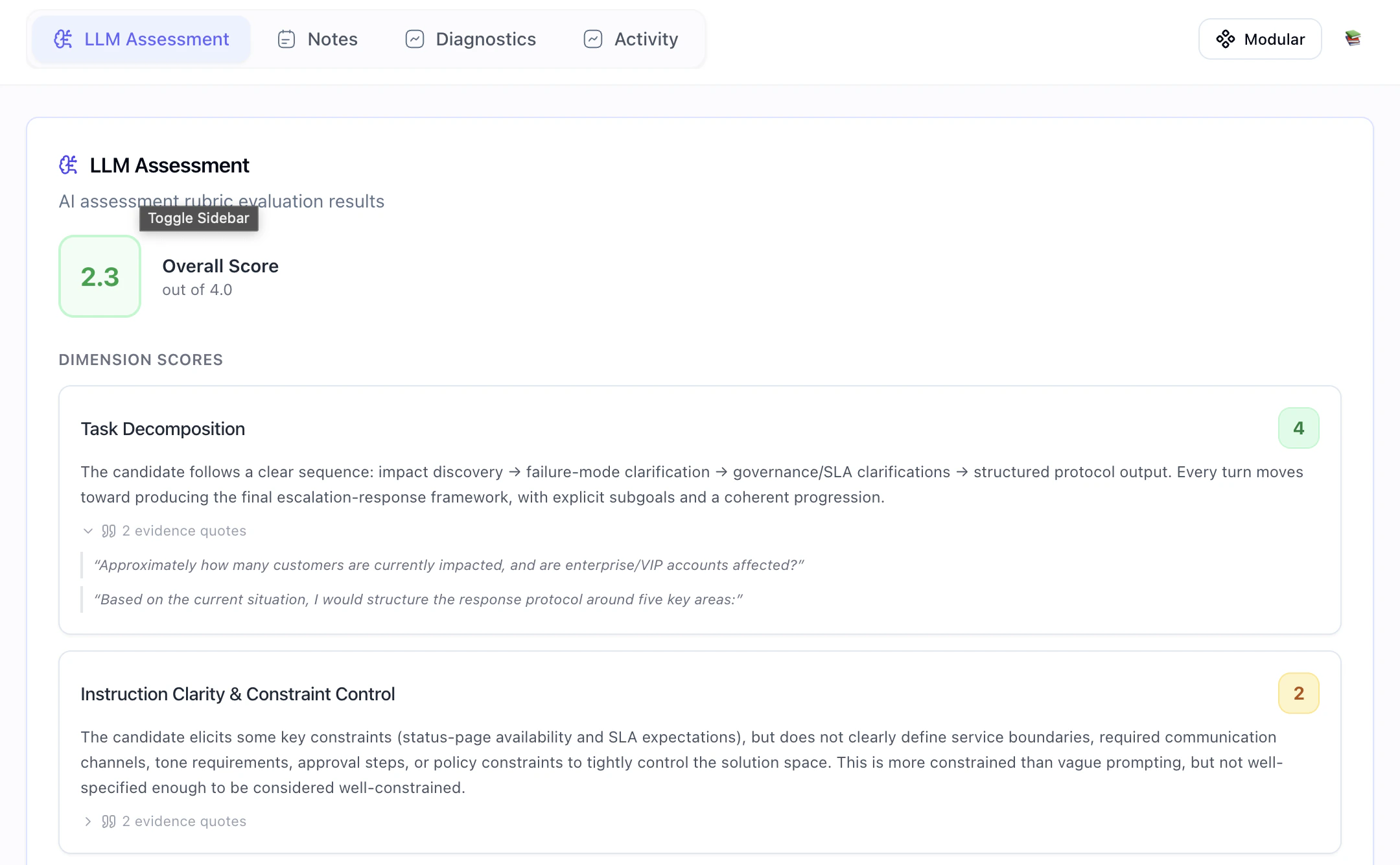
- An overall score out of 4.0
- Dimension scores across criteria like:
- Task Decomposition
- Instruction Clarity and Constraint Control
- Error Recovery and Iteration
- Difficulty
- Realism
- Safety
- An overall narrative summarizing how the candidate performed
- A full chat transcript with evidence quotes tied to each dimension
Best Use Cases
LLM Assessment works well for any role where candidates need to use AI to produce a real deliverable:- Data annotation and labeling
- Customer support and escalation protocols
- Content and copy production
- Code generation and technical problem-solving
- Research and analysis tasks