

What it does
When you create a new interviewer, instead of building each stage and question manually, the Composer Agent reads your job description and assembles the entire interview flow for you. That includes which screening stages to use, what questions to ask at each stage, how to score responses, and why each element was included.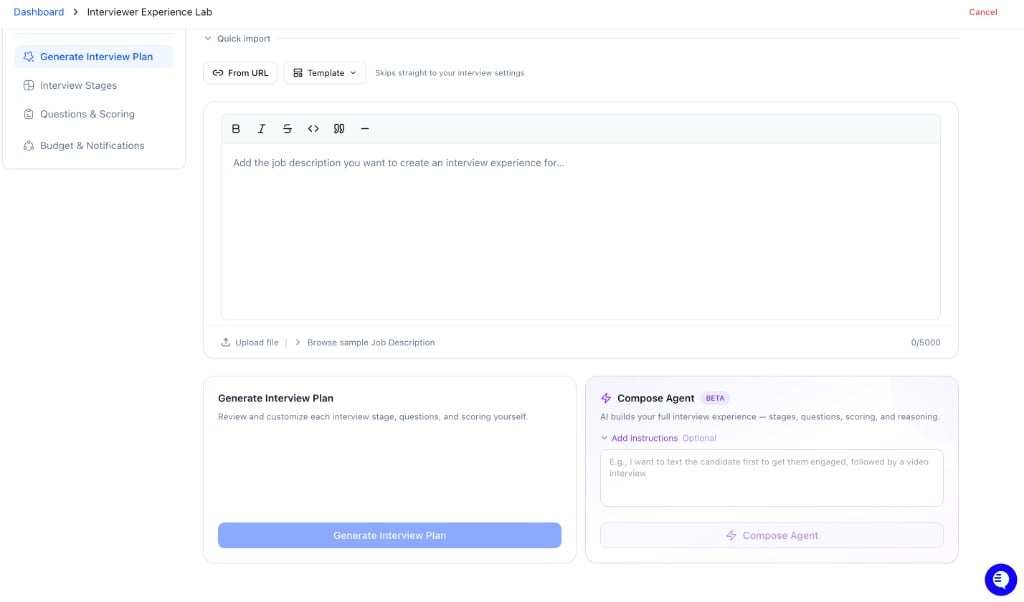
How it decides what to build
The Composer Agent uses your job description as its primary input. It looks at:- Role type and seniority: to determine which stages make sense and how many questions to include
- Required skills and qualifications: to generate relevant screening questions and eligibility criteria
- Job context: industry, responsibilities, and team signals to shape scoring rubrics and what a strong answer looks like for this specific role
How resume questions are generated
For resume screening stages, the Composer Agent generates two types of criteria:- Eligibility criteria: Pass/fail checks pulled directly from your job description — things like minimum years of experience, required certifications, or work authorization. These are used to auto-disqualify candidates who don’t meet hard requirements.
- Scoring criteria: Rubric-based items that evaluate resume quality on a 1–5 scale. For each criterion, the AI defines what a strong resume looks like (Score of 5) and what a weak one looks like (Score of 1) for that specific requirement.
The optional instructions field
This is where you shape how the Composer Agent builds the experience. If you leave it blank, it makes sensible defaults based on the job description. If you add instructions, it follows them.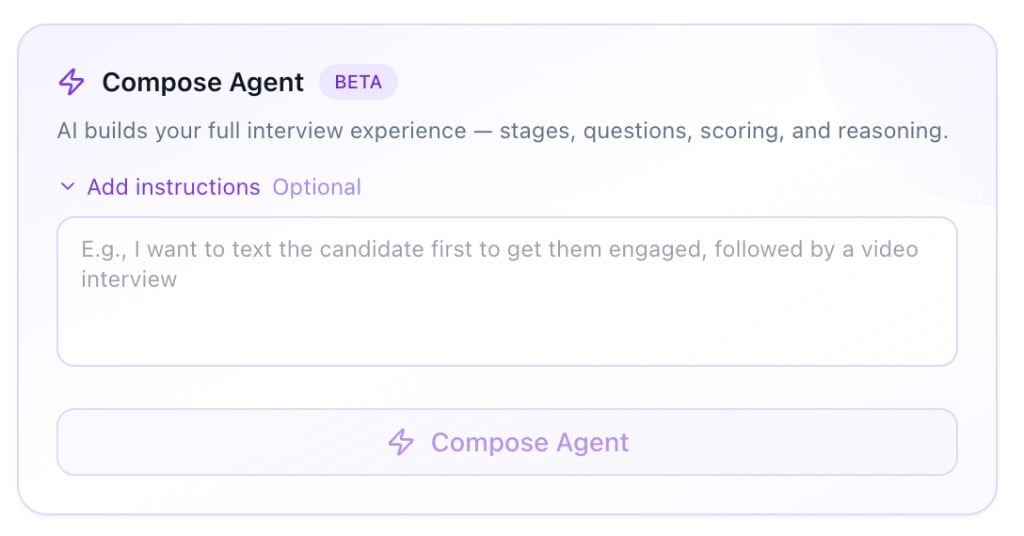
- “Start with an SMS screen to check availability, then move to a voice interview for behavioral questions”
- “This is a high-volume warehouse role — keep it short, focus on eligibility and shift availability”
- “Include a resume screen before the voice interview and weight communication skills heavily”
- “Candidate should complete a form first to confirm certifications, then a video interview”
What gets generated
Once you run the Composer Agent, you get:- Stages: the screening steps in order (e.g. Resume → SMS → Voice)
- Questions: written for each stage based on the role
- Scoring criteria: what a strong answer looks like vs. a weak one, per question
Using the AI insights
After the Composer Agent runs, review the scoring criteria carefully — this is where the AI’s logic lives. Use it to:- Validate the setup: If a question’s scoring criteria doesn’t match your hiring priorities, it’s a signal to edit or replace it
- Understand scoring logic: The Score of 5 / Score of 1 definitions tell you exactly what the AI will reward. Review these to make sure they reflect what a strong candidate looks like for your team
- Spot gaps: If a skill or requirement that matters to you isn’t reflected in the criteria, the JD likely didn’t surface it — add it manually
After it runs
Everything the Composer Agent generates is a starting point, not a final draft. You should:- Review each stage and question
- Edit or remove anything that doesn’t fit
- Add anything specific to your process or culture that the JD doesn’t capture
- Run a test interview before activating
Tips for better results
- Use a detailed job description. The more context the JD has, the more tailored the output.
- Be specific in your instructions. If you want a particular stage order or want to emphasize certain skills, say so explicitly.
- Iterate. If the first run isn’t quite right, adjust your instructions and regenerate. It takes less than a minute.