> ## Documentation Index
> Fetch the complete documentation index at: https://docs.heymilo.ai/llms.txt
> Use this file to discover all available pages before exploring further.
# Communication Policies
> Control how and when HeyMilo contacts candidates throughout the hiring process.
**Where to find it:** Sidebar → Communication Policies
## What it does
Communication Policies let you control how and when HeyMilo reaches out to candidates throughout the interview process. You can set nudge timing, business hours, lifecycle emails, and agent-specific overrides — then apply a policy to one or many interviewers.
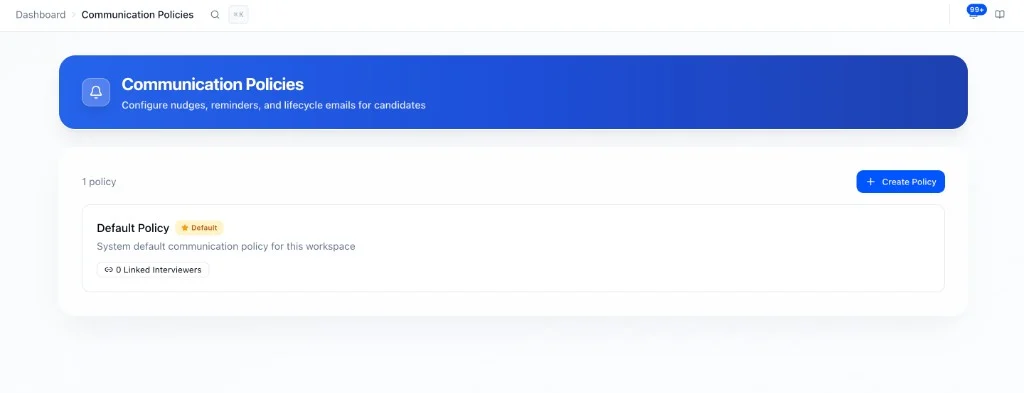 Every workspace starts with a **Default Policy**. You can edit it or create additional policies for different use cases (e.g. high-touch outreach, specific client workflows, or different time zones).
## Creating a policy
**Communication Policies → Create Policy**
Every workspace starts with a **Default Policy**. You can edit it or create additional policies for different use cases (e.g. high-touch outreach, specific client workflows, or different time zones).
## Creating a policy
**Communication Policies → Create Policy**
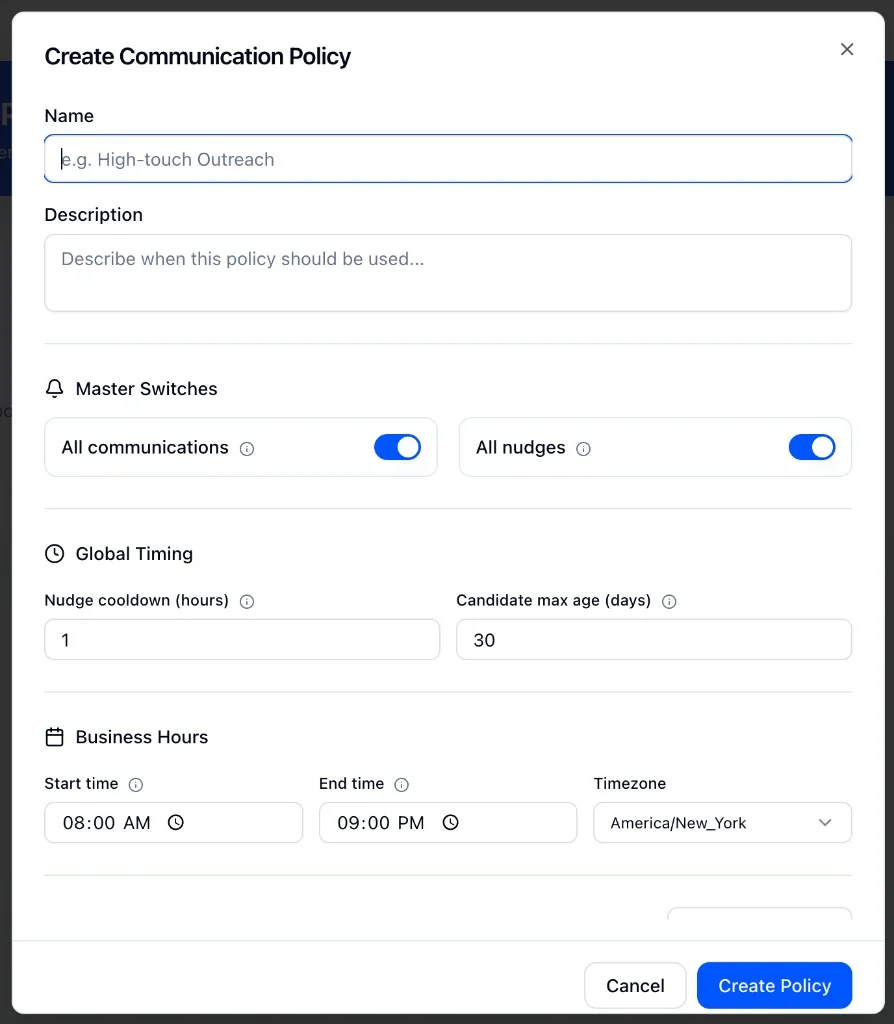 Give it a name and an optional description so your team knows when to use it.
## Policy settings
### Master switches
| **Toggle** | **What it controls** |
| ---------------------- | --------------------------------------------------------------------- |
| **All communications** | Turns all candidate-facing communications on or off for this policy |
| **All nudges** | Turns all nudge messages on or off without affecting lifecycle emails |
### Global timing
| **Setting** | **What it does** |
| ---------------------------- | ------------------------------------------------------------------------ |
| **Nudge cooldown (hours)** | Minimum time between nudges sent to the same candidate |
| **Candidate max age (days)** | Stops nudging candidates who have been in the pipeline longer than this |
| **Business hours** | Start time, end time, and timezone — nudges only send within this window |
### Nudge settings by agent type
By default, all agents use system nudge defaults. Use **Add Override** to customize nudge behavior for specific agent types:
* **Web Interview Reminders** (Sarah): nudges to complete the video/web interview
* **SMS Follow-ups** (Tyler): SMS nudges and conversational follow-ups
* **Resume Screening Reminders** (Roscoe): nudges to submit resume for screening
* **Form Reminders:** nudges to complete application forms
* **AI Scenario Assessment Reminders:** nudges to complete AI scenario assessments
Only the agent types you add here will have custom settings. All others continue using system defaults.
### Lifecycle emails
| **Setting** | **What it does** |
| ---------------------- | ----------------------------------------------------------------------------------------------------------------------------------------------------- |
| **Deadline reminders** | Sends reminder emails before an interview deadline. Set the window (how many days before the deadline to start and stop) and max number of reminders. |
| **Completion email** | Sent when a candidate completes their interview |
| **Retake email** | Sent when a candidate is allowed to retake |
| **Scheduling email** | Sent when scheduling is involved |
| **Report email** | Sends the interview report to the candidate |
Each can be toggled on or off independently.
## Applying a policy to an interviewer
Give it a name and an optional description so your team knows when to use it.
## Policy settings
### Master switches
| **Toggle** | **What it controls** |
| ---------------------- | --------------------------------------------------------------------- |
| **All communications** | Turns all candidate-facing communications on or off for this policy |
| **All nudges** | Turns all nudge messages on or off without affecting lifecycle emails |
### Global timing
| **Setting** | **What it does** |
| ---------------------------- | ------------------------------------------------------------------------ |
| **Nudge cooldown (hours)** | Minimum time between nudges sent to the same candidate |
| **Candidate max age (days)** | Stops nudging candidates who have been in the pipeline longer than this |
| **Business hours** | Start time, end time, and timezone — nudges only send within this window |
### Nudge settings by agent type
By default, all agents use system nudge defaults. Use **Add Override** to customize nudge behavior for specific agent types:
* **Web Interview Reminders** (Sarah): nudges to complete the video/web interview
* **SMS Follow-ups** (Tyler): SMS nudges and conversational follow-ups
* **Resume Screening Reminders** (Roscoe): nudges to submit resume for screening
* **Form Reminders:** nudges to complete application forms
* **AI Scenario Assessment Reminders:** nudges to complete AI scenario assessments
Only the agent types you add here will have custom settings. All others continue using system defaults.
### Lifecycle emails
| **Setting** | **What it does** |
| ---------------------- | ----------------------------------------------------------------------------------------------------------------------------------------------------- |
| **Deadline reminders** | Sends reminder emails before an interview deadline. Set the window (how many days before the deadline to start and stop) and max number of reminders. |
| **Completion email** | Sent when a candidate completes their interview |
| **Retake email** | Sent when a candidate is allowed to retake |
| **Scheduling email** | Sent when scheduling is involved |
| **Report email** | Sends the interview report to the candidate |
Each can be toggled on or off independently.
## Applying a policy to an interviewer
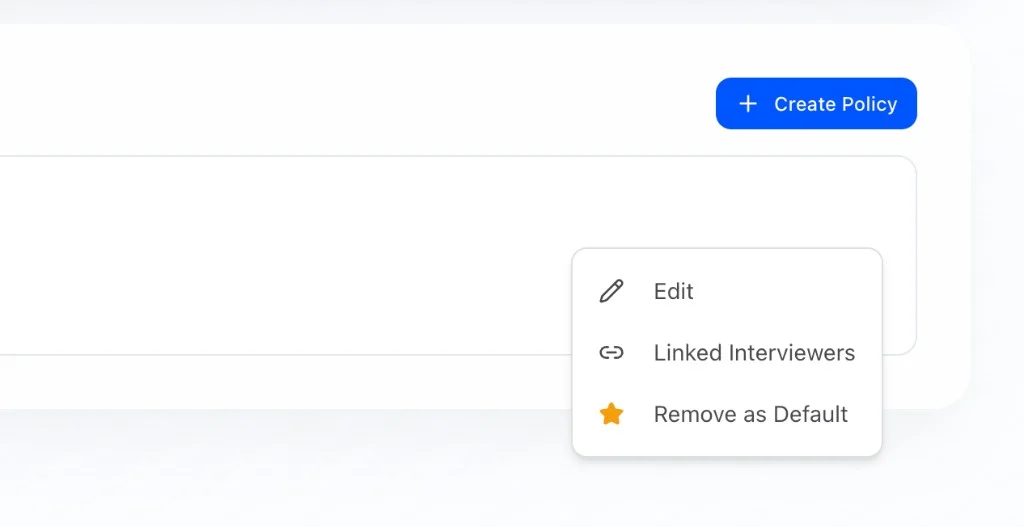 Once a policy is created, link it to one or more interviewers. Open the policy → **Linked Interviewers** to manage which interviewers use it.
## Default policy
Every workspace has one default policy. It applies to any interviewer that doesn't have a specific policy assigned. To change the default, open the policy menu and select **Remove as Default** or set a different policy as default.
Once a policy is created, link it to one or more interviewers. Open the policy → **Linked Interviewers** to manage which interviewers use it.
## Default policy
Every workspace has one default policy. It applies to any interviewer that doesn't have a specific policy assigned. To change the default, open the policy menu and select **Remove as Default** or set a different policy as default.