> ## Documentation Index
> Fetch the complete documentation index at: https://docs.heymilo.ai/llms.txt
> Use this file to discover all available pages before exploring further.
> Agent Library is HeyMilo’s model picker. For each part of an interviewer: live call, text screen, resume pass, or form—you choose which HeyMilo model runs that step.
# Agent Library
Newer **Frontier** versions are the strongest option; **Active** ones are still supported for production;
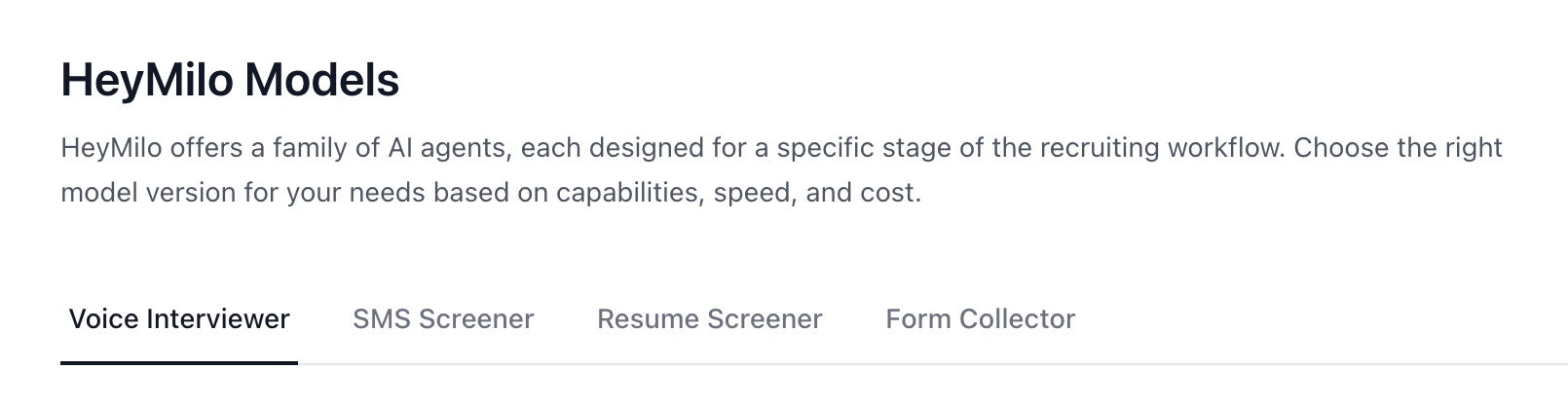 **Sidebar → Interviewers → Agent Library.**
### Two kinds of models
**Interactive** models talk *with* the candidate: voice/video or SMS/WhatsApp. They can follow up and adapt as the conversation goes.
**Non-interactive** models work on a **file or submission**: they score a resume or a completed form and hand you a result. No live back-and-forth.
Use the in-app labels and **Compare models** when two options look close—that view lines up reasoning, languages, cheat detection, SMS extras like nudges or call escalation, and latency.
### Voice interviewer
**Sidebar → Interviewers → Agent Library.**
### Two kinds of models
**Interactive** models talk *with* the candidate: voice/video or SMS/WhatsApp. They can follow up and adapt as the conversation goes.
**Non-interactive** models work on a **file or submission**: they score a resume or a completed form and hand you a result. No live back-and-forth.
Use the in-app labels and **Compare models** when two options look close—that view lines up reasoning, languages, cheat detection, SMS extras like nudges or call escalation, and latency.
### Voice interviewer
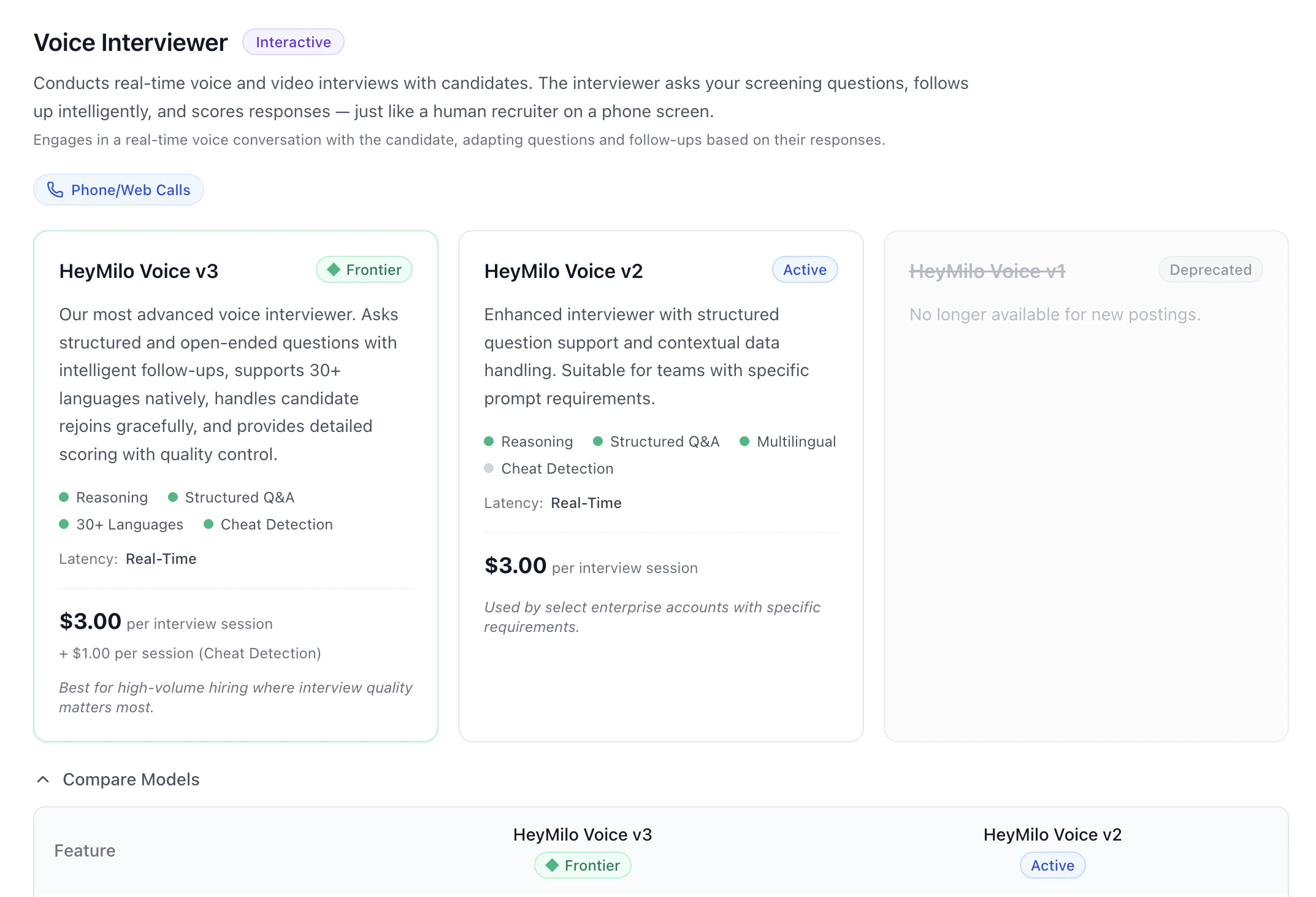 Live **phone or web** interviews: your script, intelligent follow-ups, scoring. **HeyMilo Voice v3** is the current **Frontier** line—broad language support, strong structure and follow-ups, rejoin-friendly, detailed scoring, and cheat detection where you turn it on. **Voice v2** stays **Active** for teams that stay on that generation.
### SMS screener
Live **phone or web** interviews: your script, intelligent follow-ups, scoring. **HeyMilo Voice v3** is the current **Frontier** line—broad language support, strong structure and follow-ups, rejoin-friendly, detailed scoring, and cheat detection where you turn it on. **Voice v2** stays **Active** for teams that stay on that generation.
### SMS screener
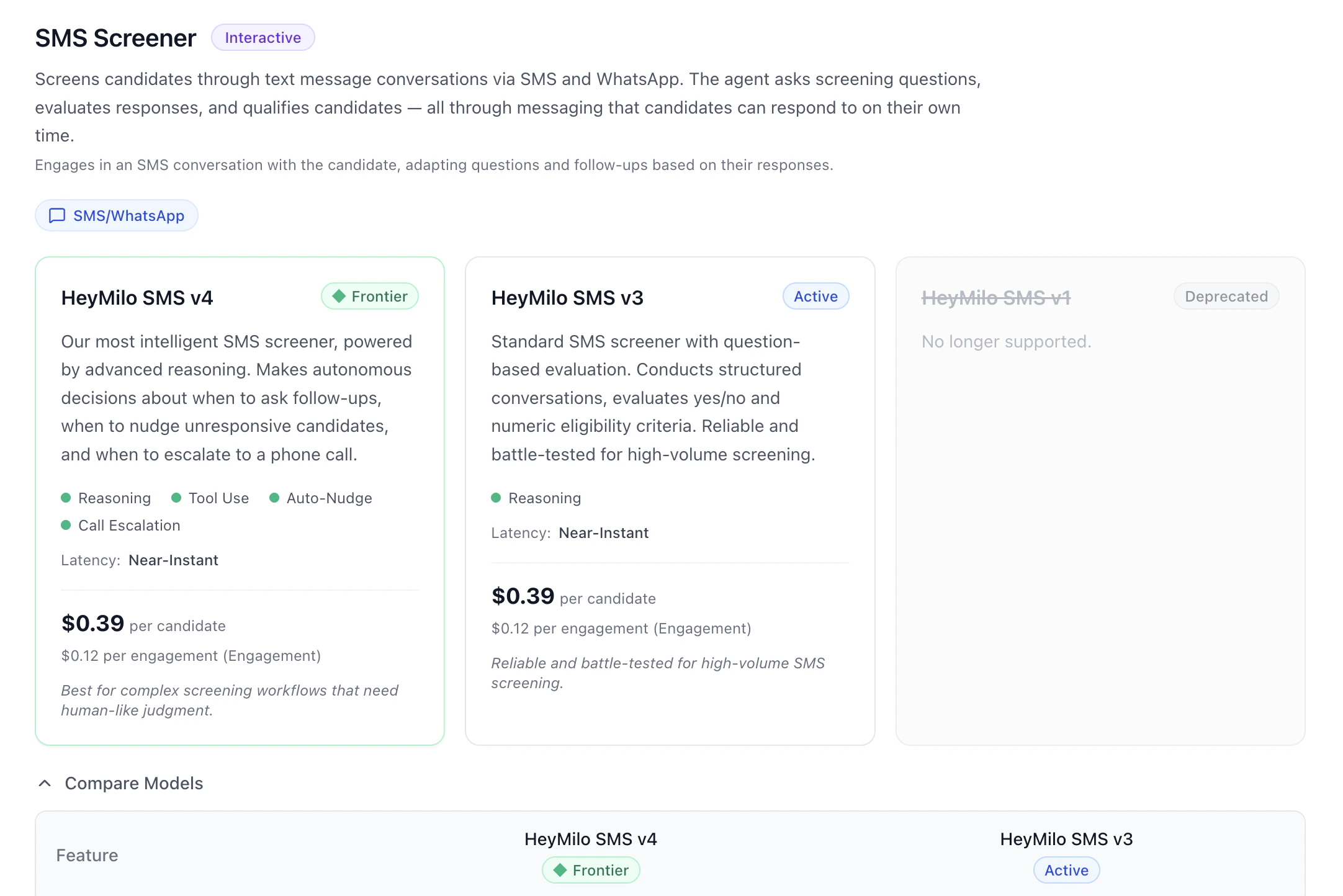 Text screening on **SMS or WhatsApp**. **HeyMilo SMS v4** is **Frontier**: more judgment, tools, auto-nudges, and call escalation when your setup uses them. Additionally, V4 supports multiple choice and free text. **SMS v3** is the **Active** workhorse for high-volume, structured eligibility screens.
### Resume screener
Text screening on **SMS or WhatsApp**. **HeyMilo SMS v4** is **Frontier**: more judgment, tools, auto-nudges, and call escalation when your setup uses them. Additionally, V4 supports multiple choice and free text. **SMS v3** is the **Active** workhorse for high-volume, structured eligibility screens.
### Resume screener
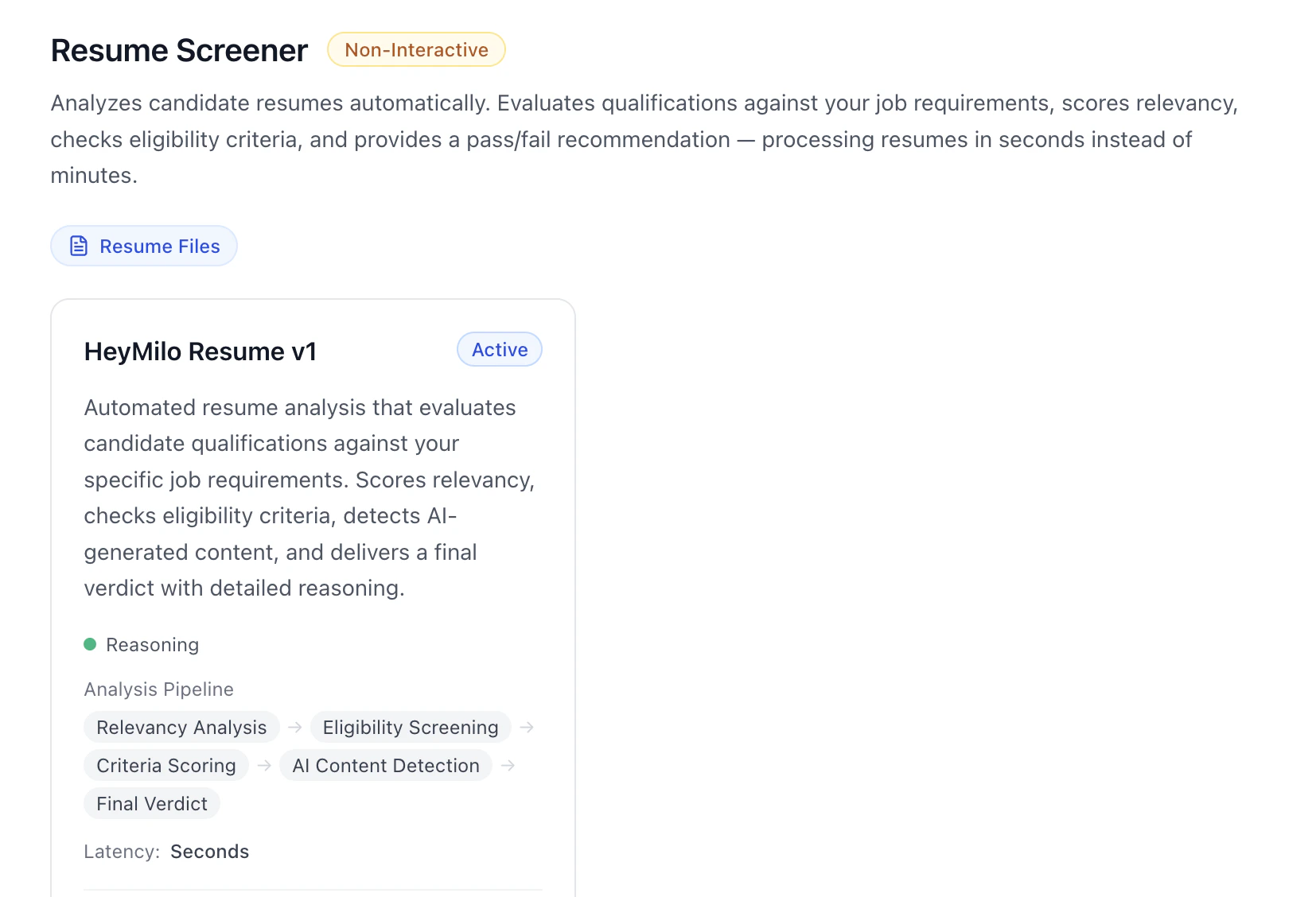 **Non-interactive.** Uploads or ingested resumes are scored against your role: fit, must-haves, criteria, signals for AI-generated content, and a clear verdict—**HeyMilo Resume v1** is the **Active** model here.
### Form collector
**Non-interactive.** Uploads or ingested resumes are scored against your role: fit, must-haves, criteria, signals for AI-generated content, and a clear verdict—**HeyMilo Resume v1** is the **Active** model here.
### Form collector
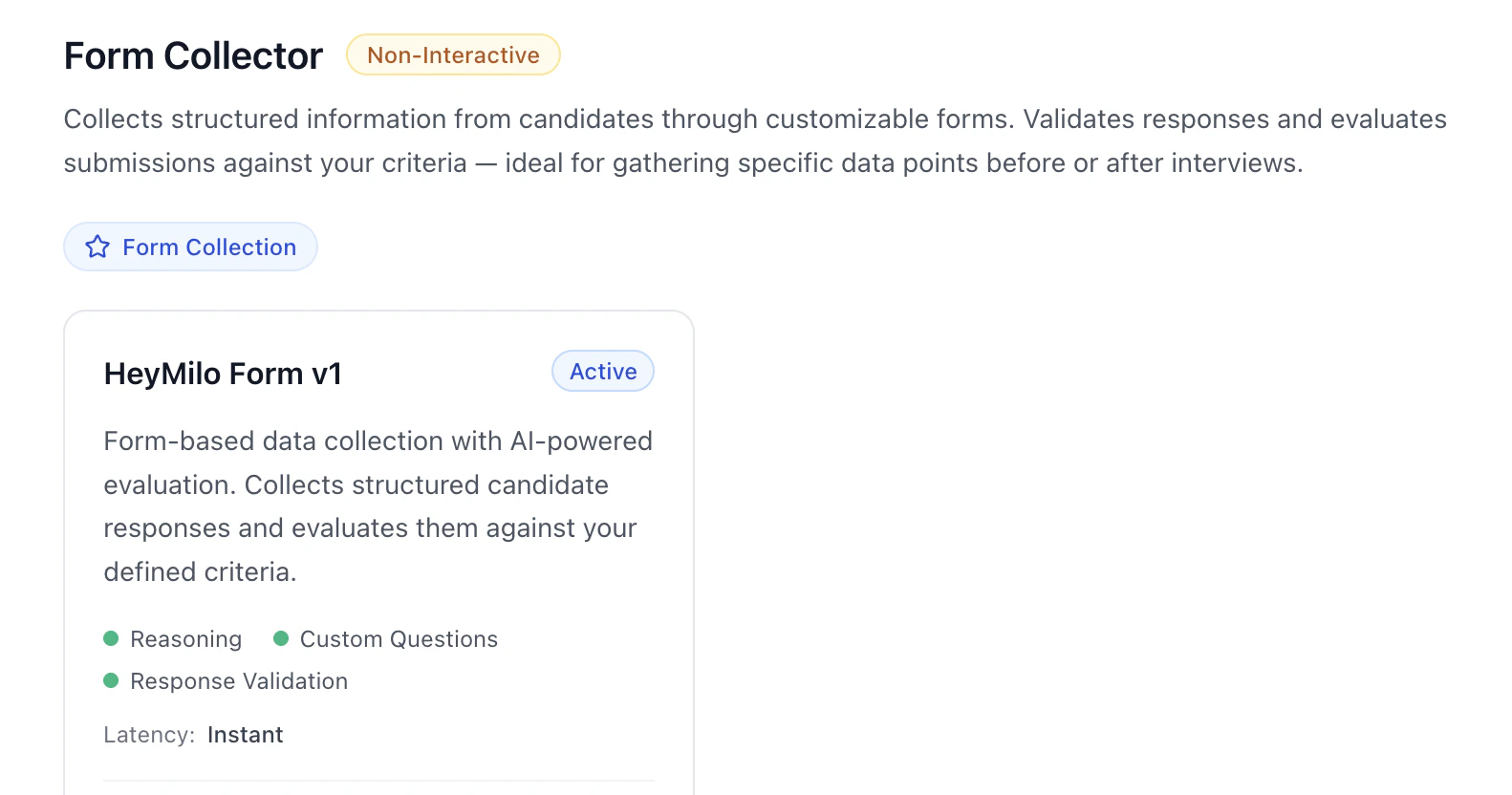 **Non-interactive.** Custom forms with validation and AI evaluation of answers—**HeyMilo Form v1** is **Active**.
### How this fits with Interview Templates
**Agent Library** = **which engine** powers each stage. **Interview Templates** = **saved whole interviewer setups** you reuse. Pick models when you care about version and capability; use templates when you want a full configuration copied forward.
### Practical flow
1. Match **stage type** to **family**—voice, SMS, resume, or form.
2. Default to **Frontier** unless your team has standardized on a specific **Active** build.
3. Open **Compare models** if you’re choosing between two versions.
4. Do question and rubric work in the **interviewer editor**—the library is for **choosing the model**, not writing questions.
### Next steps
* [Configuring Your AI Interviewer](../../getting-started/log-in/configuring-your-ai-interviewer)
* [Interview Templates](interview-templates)
* [Languages & Voices](languages-and-voices)
* [AI Settings](.)
**Non-interactive.** Custom forms with validation and AI evaluation of answers—**HeyMilo Form v1** is **Active**.
### How this fits with Interview Templates
**Agent Library** = **which engine** powers each stage. **Interview Templates** = **saved whole interviewer setups** you reuse. Pick models when you care about version and capability; use templates when you want a full configuration copied forward.
### Practical flow
1. Match **stage type** to **family**—voice, SMS, resume, or form.
2. Default to **Frontier** unless your team has standardized on a specific **Active** build.
3. Open **Compare models** if you’re choosing between two versions.
4. Do question and rubric work in the **interviewer editor**—the library is for **choosing the model**, not writing questions.
### Next steps
* [Configuring Your AI Interviewer](../../getting-started/log-in/configuring-your-ai-interviewer)
* [Interview Templates](interview-templates)
* [Languages & Voices](languages-and-voices)
* [AI Settings](.)