> ## Documentation Index
> Fetch the complete documentation index at: https://docs.heymilo.ai/llms.txt
> Use this file to discover all available pages before exploring further.
> HeyMilo notifications help you see what changed in your workspace without hunting through every interviewer. The experience is faster and easier to scan, and you can control what you see.
# Notifications
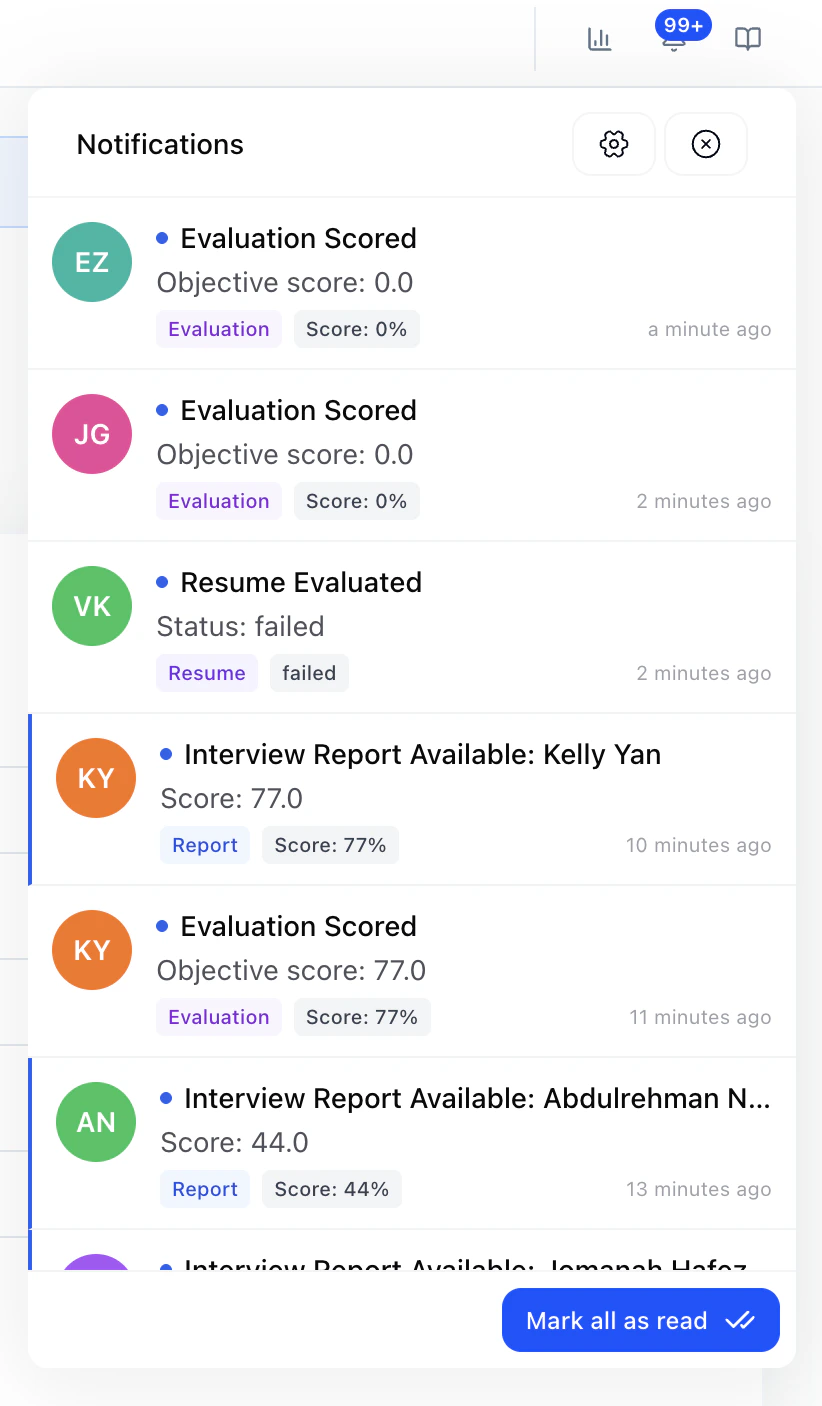
### In-app inbox (bell)
Open the **bell** in the top bar to see your notification inbox. When a notification includes a candidate, you can open it to **jump to the candidate** from there.
 ### Notification Settings
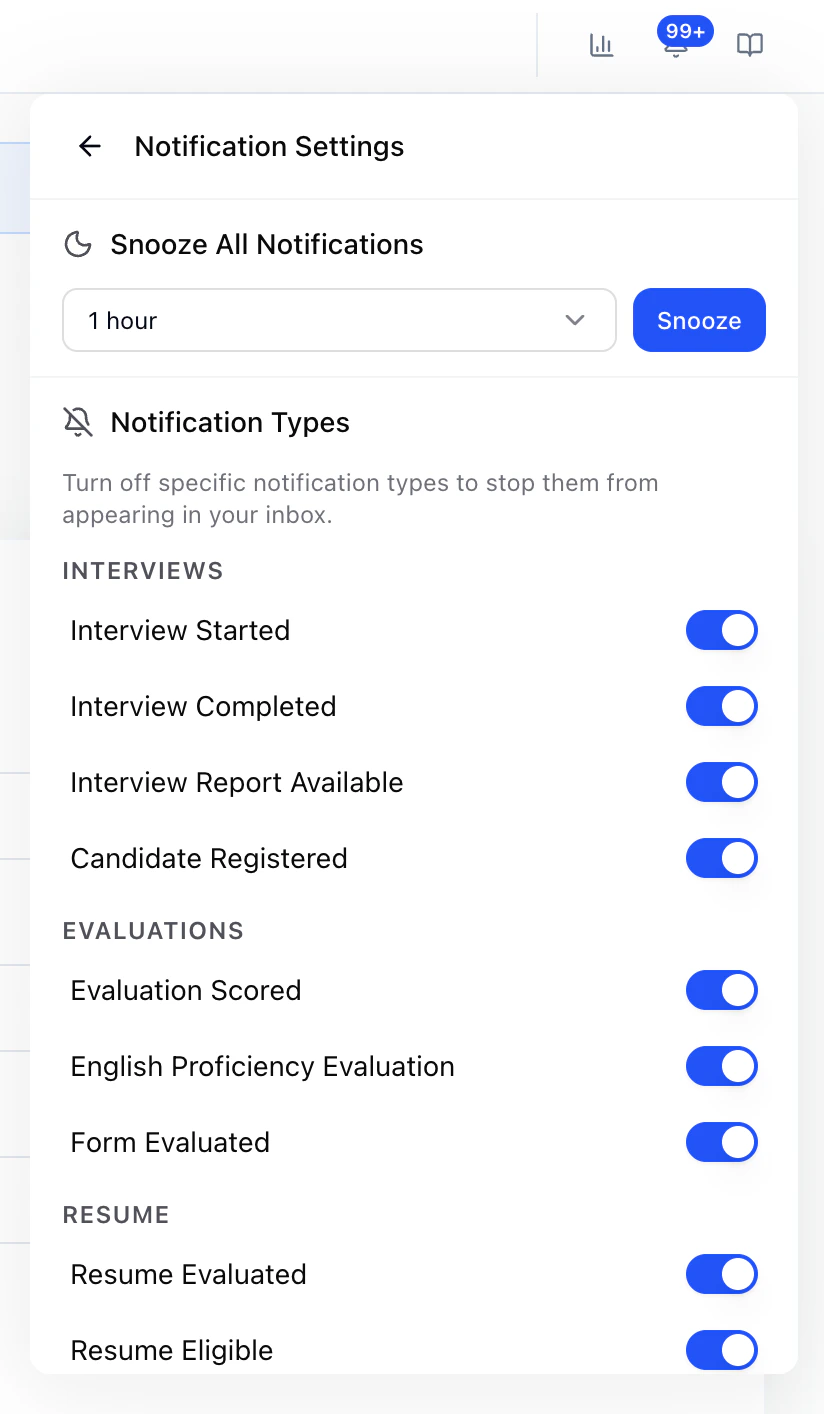 **Snooze**: Pause notifications for a duration you choose when you need focused time.
**Notification types**: Turn **specific types** off to stop them from appearing in your inbox. Types are grouped like this:
#### Interviews
* Interview Started
* Interview Completed
* Interview Report Available
* Candidate Registered
#### Evaluations
* Evaluation Scored
* English Proficiency Evaluation
* Form Evaluated
#### Resume
* Resume Evaluated
* Resume Eligible
* Resume Ineligible
#### Messaging
* SMS Received
* SMS Sent
* SMS Failed
**Tip:** If the inbox feels noisy, turn off types you do not need first. Use **Snooze** when you want a temporary pause across everything.
**Snooze**: Pause notifications for a duration you choose when you need focused time.
**Notification types**: Turn **specific types** off to stop them from appearing in your inbox. Types are grouped like this:
#### Interviews
* Interview Started
* Interview Completed
* Interview Report Available
* Candidate Registered
#### Evaluations
* Evaluation Scored
* English Proficiency Evaluation
* Form Evaluated
#### Resume
* Resume Evaluated
* Resume Eligible
* Resume Ineligible
#### Messaging
* SMS Received
* SMS Sent
* SMS Failed
**Tip:** If the inbox feels noisy, turn off types you do not need first. Use **Snooze** when you want a temporary pause across everything.