> ## Documentation Index
> Fetch the complete documentation index at: https://docs.heymilo.ai/llms.txt
> Use this file to discover all available pages before exploring further.
> Integrating HeyMilo with Teamtailor enables powerful conversational AI candidate engagement and screening capabilities within your hiring workflow.
# TeamTailor
HeyMilo lets you automatically engage talent via SMS/WhatsApp/Email, automate resume screenings, and invite candidates to complete AI voice interviews so you can make more hires in less time.
### Agents Supported in Teamtailor
| SMS Agent | Resume Agent | Voice/Video Agent |
| -------------------------------------------------------------------------------------------------------------------------------------------------------------------------------------------------------------------------------------------------------------------------------------- | ------------------------------------------------------------------------------------------------------------------------------------------------------------------------------------------------------------------------------------------------------------------------------------------------------------------------------------ | --------------------------------------------------------------------------------------------------------------------------------------------------------------------------------------------------------------------------------------------------------------------------------------------------------------------------------------------------------------------------------------------------------------------------------------------- |
| ✅ | ✅ | ✅ |
| How does it work?
As soon as candidates apply, they get a text from Milo with your questions. They respond directly in the thread, just like a real conversation. Once they finish, Milo sends over the voice or video interview invite automatically.
| How does it work?
Please be advised that the data is not automatically pulled from ATS. You can add resume screening to your agent workflow once the integration is live and your job is connected. Candidates will then be asked to upload their resume to get screened for fit before moving forward.
| How does it work?
After integration and job posting mapping, when a candidate applies to your Teamtailor job posting, the candidate's email address is pulled from the application form and the candidate is engaged through email to take the voice/video assessment. Once the candidate has completed it, the candidate's detailed assessment report is attached to their profile in the Teamtailor portal.
|
### Follow These Easy Steps to Set Up the HeyMilo Integration With TeamTailor
Watch this video, click through the interactive demo, and follow the steps below to learn how to connect HeyMilo in Teamtailor:
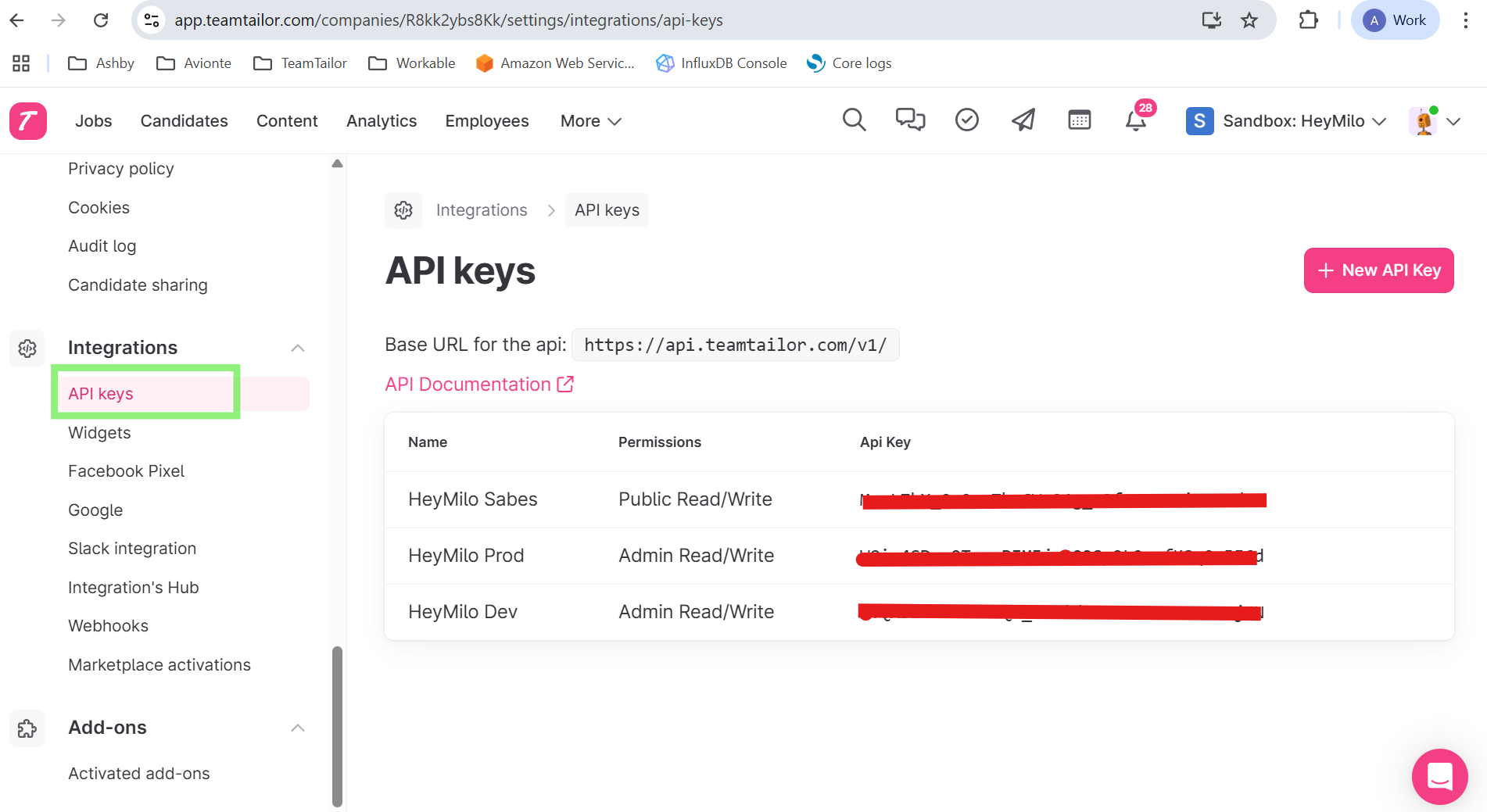
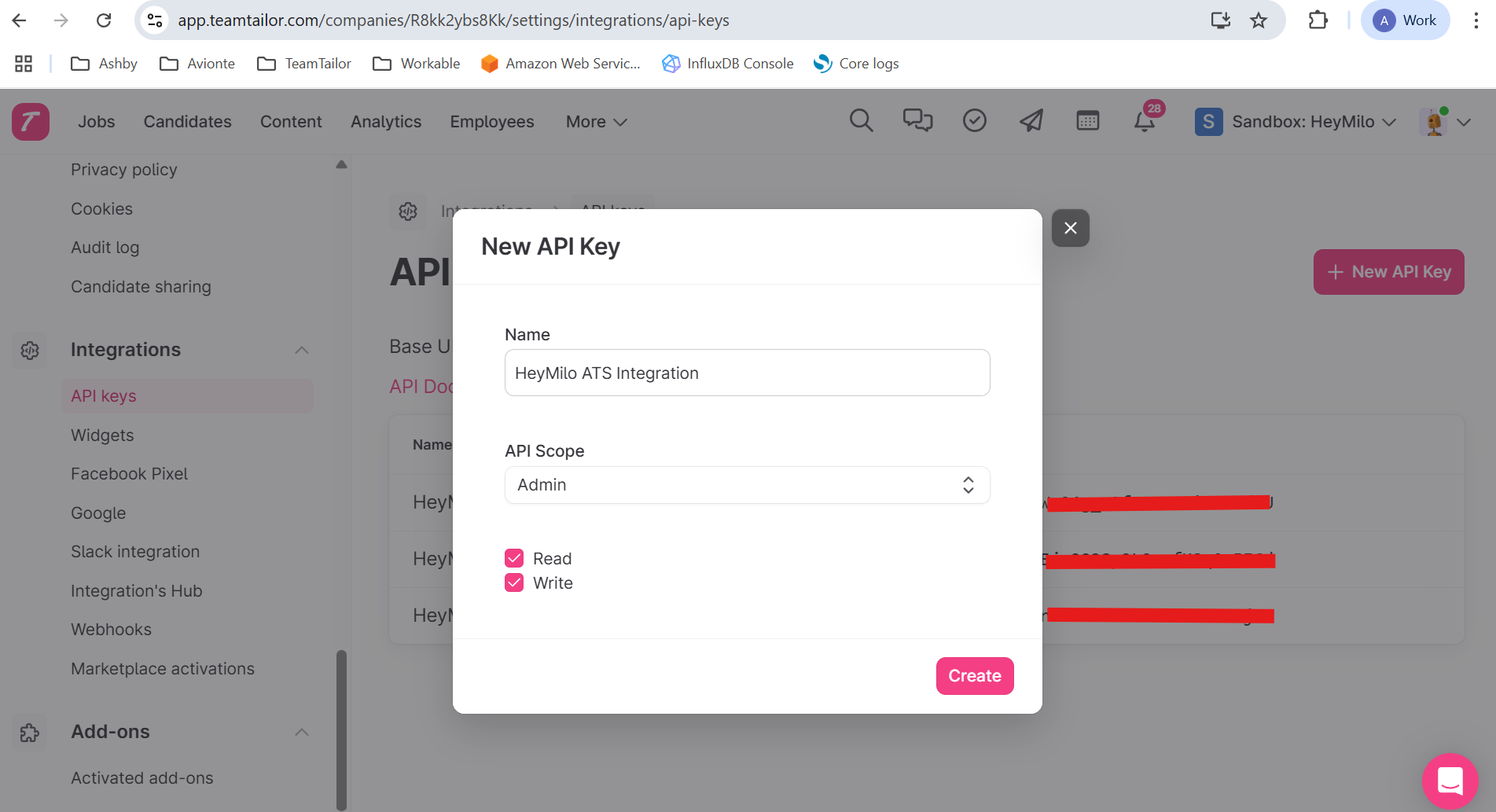
* Go to **Integrations** → **API Keys** → **New API key**
 * Copy the **API Key** generated
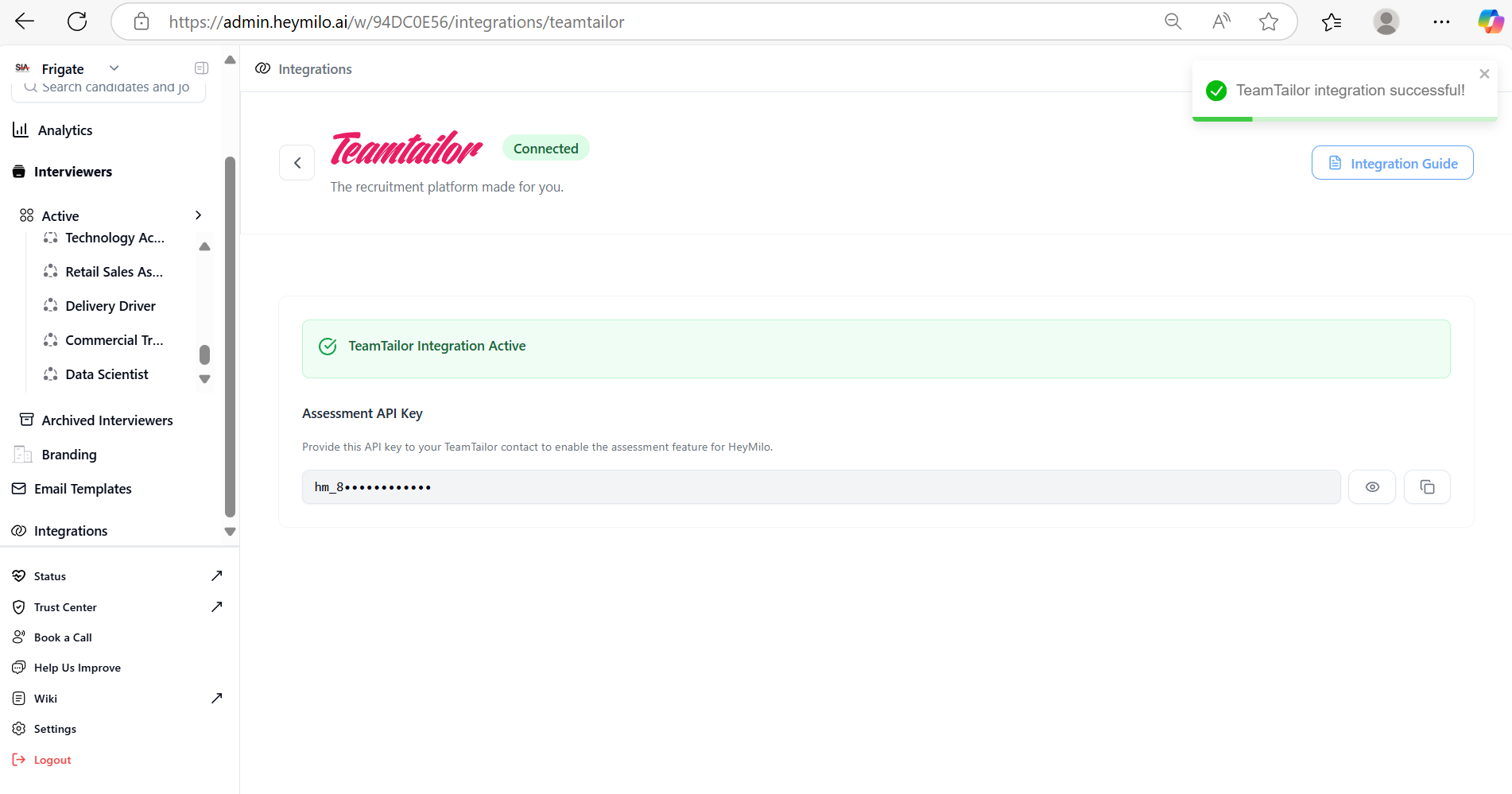
* Navigate to **Integrations**, and select **Teamtailor** from the list.
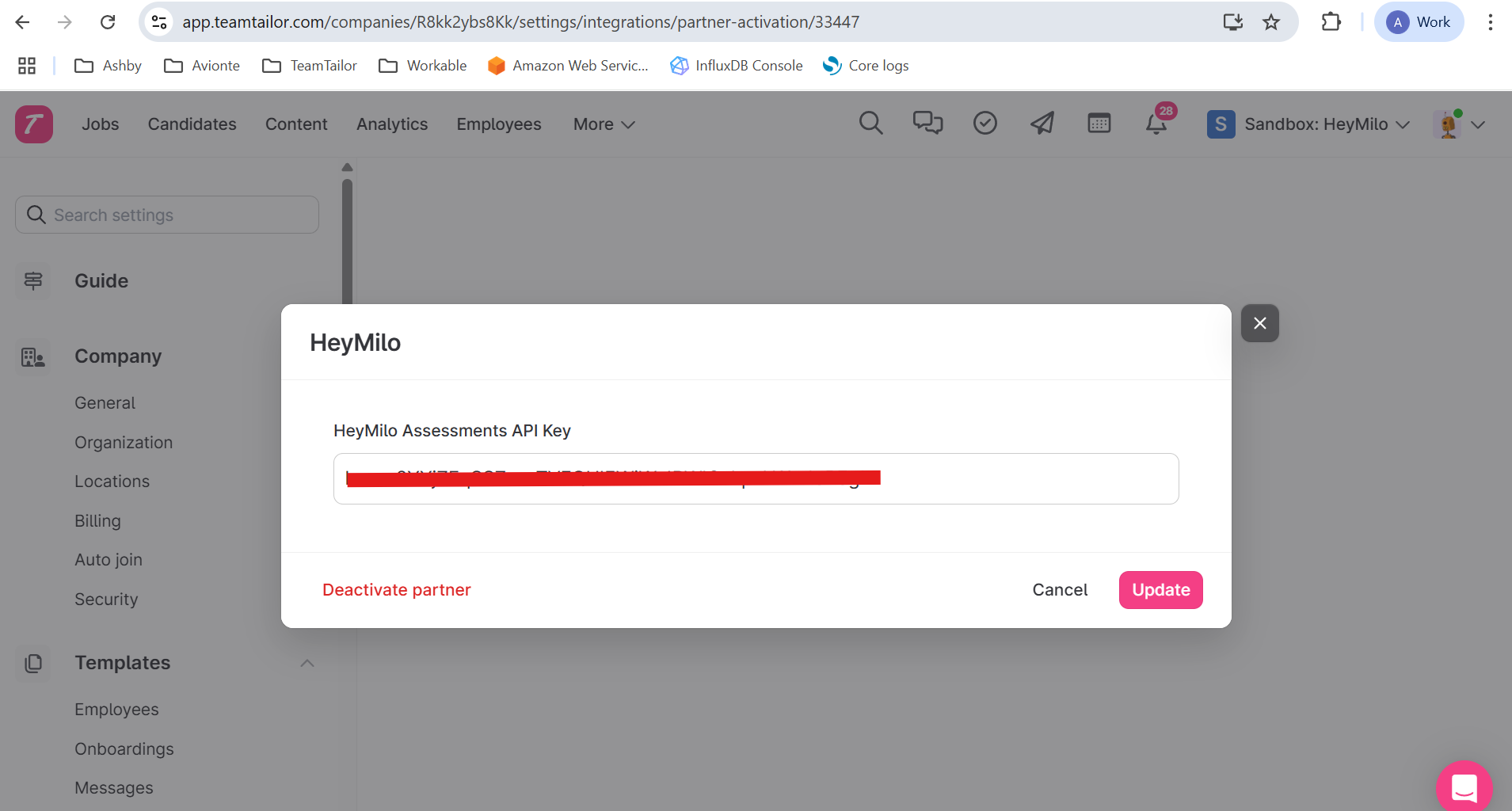
Paste your **API key** into the Teamtailor API Key field and click **Connect**
### Map HeyMilo Agents to Your Teamtailor Jobs
To automatically trigger the correct screening agent for a given job:
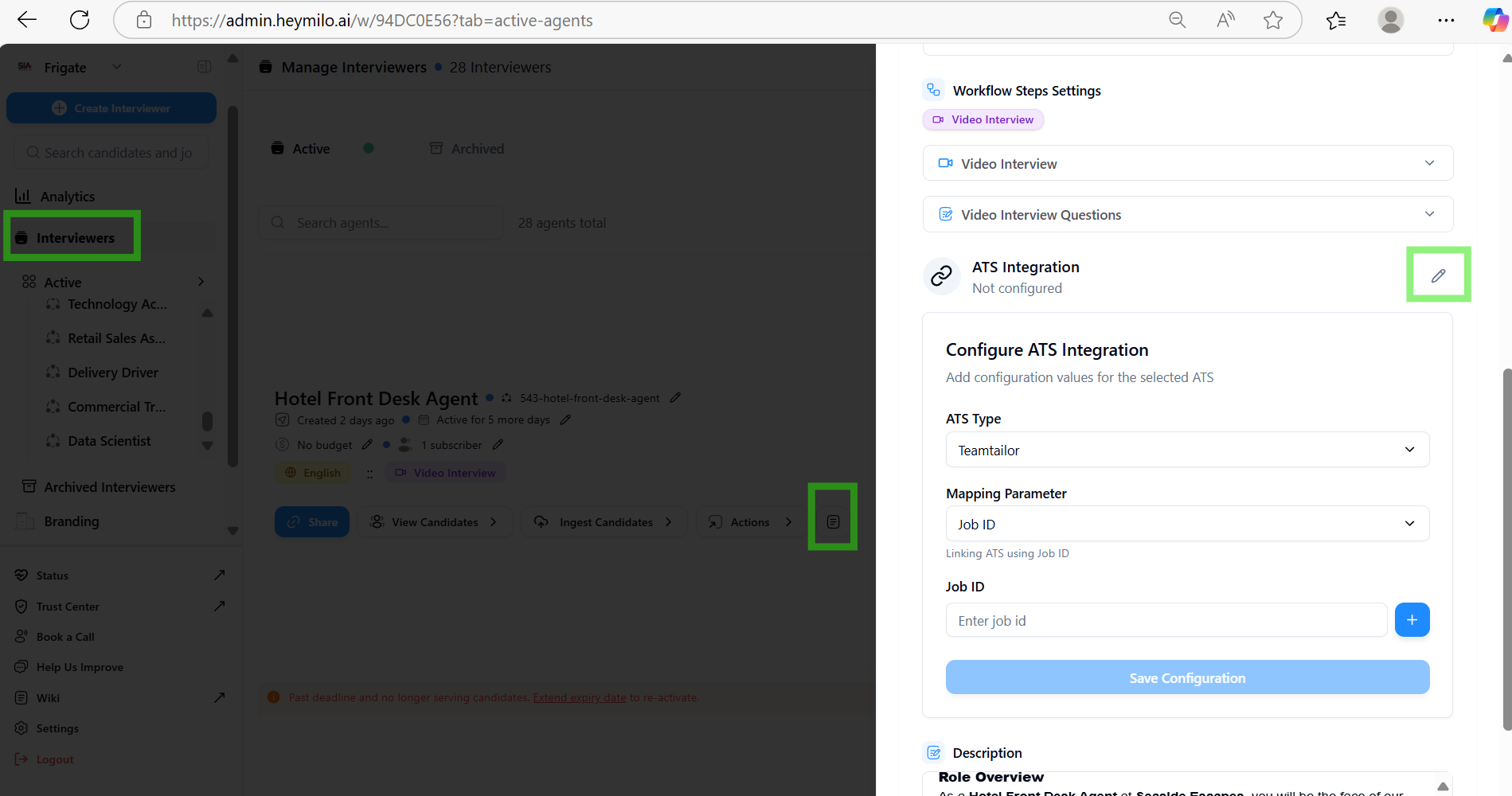
* Click **Add**, then **Save Configuration**. 🎉 You’re done!
### Set Up a Trigger in Teamtailor
Now that your agent is mapped, you can create a trigger to launch the HeyMilo screening automatically.
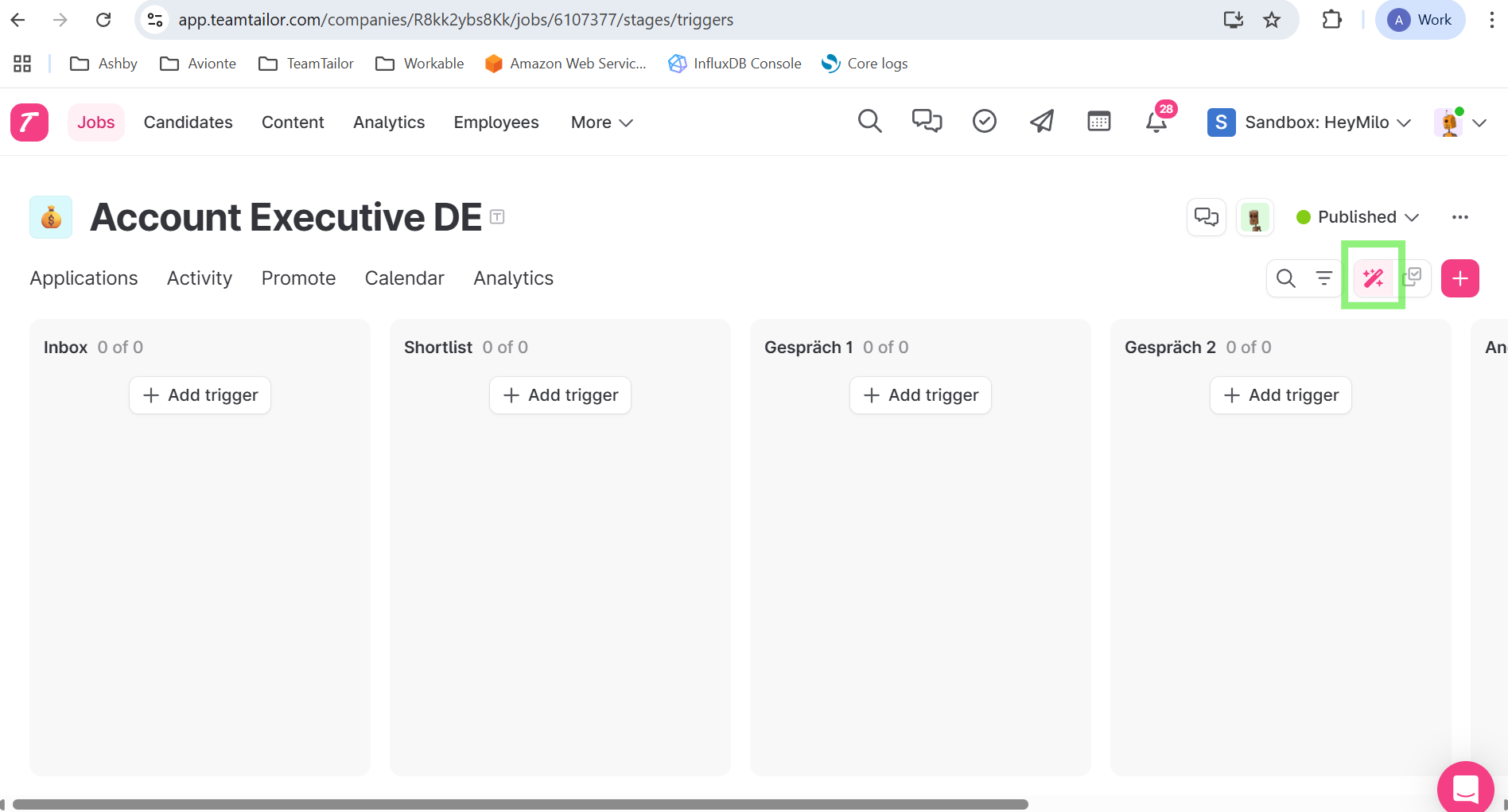
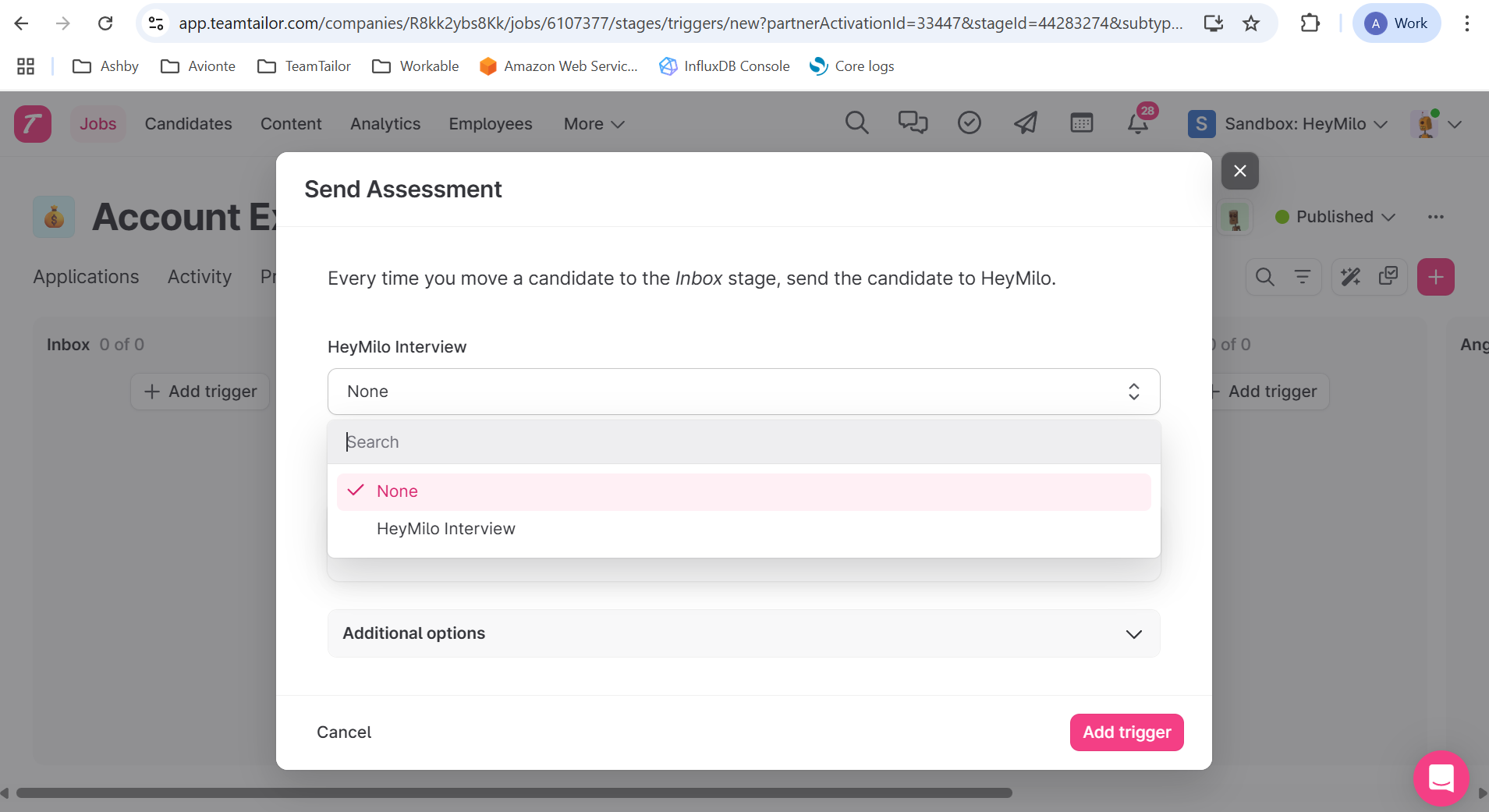
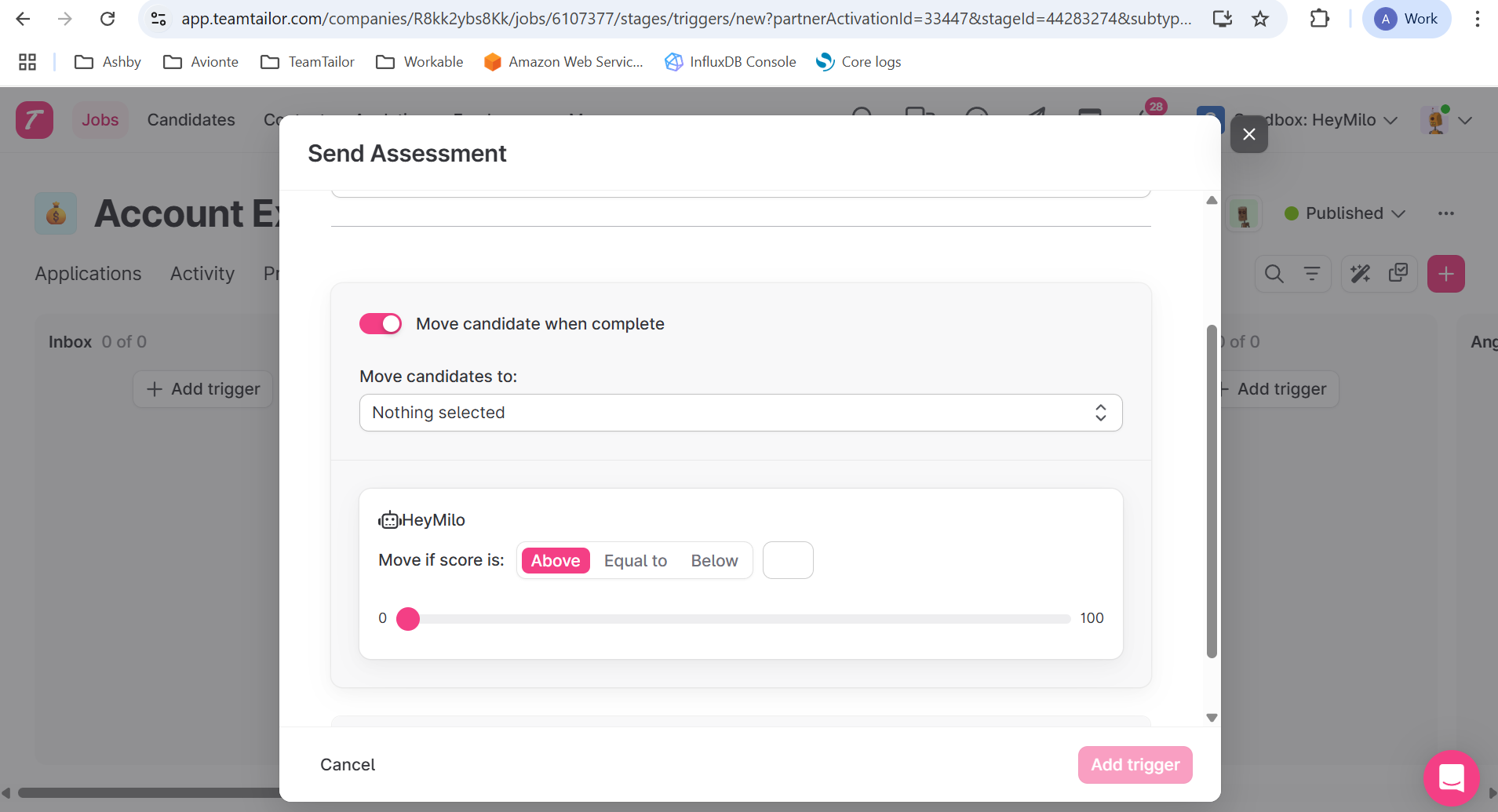
### Review Candidate Results in Teamtailor
Once a candidate completes the HeyMilo screening, the results are pushed back to their profile:
* And, if any score was set in the trigger, the candidate will be automatically moved to the mentioned stage.
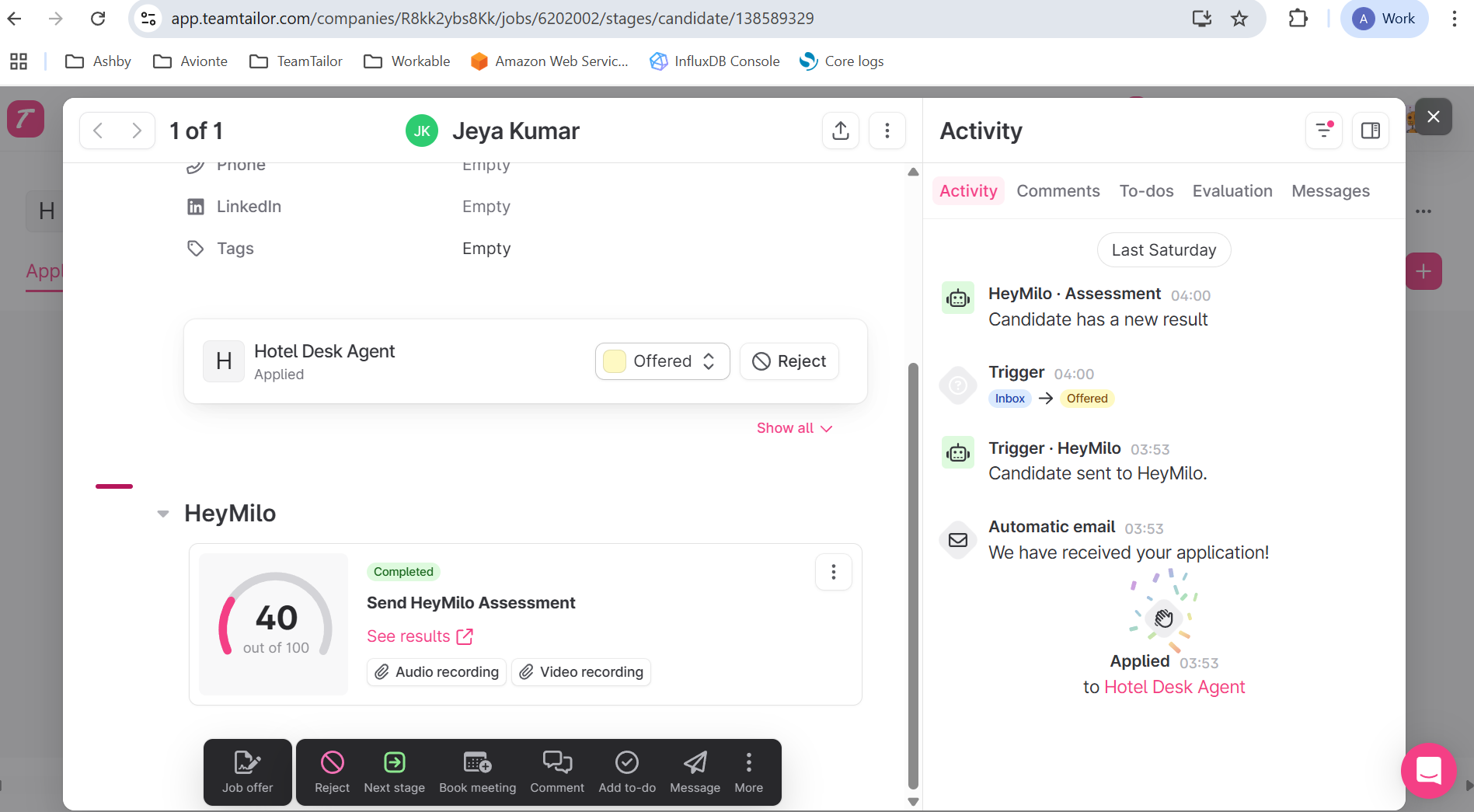
* ✅ AI-generated **score and summary**
* ✅ Full **transcript**
* ✅ Link to **recordings**
### **Details regarding the integration:**
| **Data Fields** | **Direction** |
| ------------------------------------------------------------------------------------------------------------ | -------------------------- |
| When the trigger webhook is ignited, job details and candidate details are automatically pulled | From Teamtailor to HeyMilo |
| When the candidate completes the interview, candidate’s score, report url , audio and video urls are pushed. | From HeyMilo to Teamtailor |
Hiring teams can quickly review evaluations, share internally, and make faster decisions without leaving Teamtailor.
### Additional resources
For additional information not covered here, reach out to [support@heymilo.ai](mailto:support@heymilo.ai).
* Copy the **API Key** generated

* Navigate to **Integrations**, and select **Teamtailor** from the list.
Paste your **API key** into the Teamtailor API Key field and click **Connect**


### Map HeyMilo Agents to Your Teamtailor Jobs
To automatically trigger the correct screening agent for a given job:

* Click **Add**, then **Save Configuration**. 🎉 You’re done!
### Set Up a Trigger in Teamtailor
Now that your agent is mapped, you can create a trigger to launch the HeyMilo screening automatically.



### Review Candidate Results in Teamtailor
Once a candidate completes the HeyMilo screening, the results are pushed back to their profile:
* And, if any score was set in the trigger, the candidate will be automatically moved to the mentioned stage.

* ✅ AI-generated **score and summary**
* ✅ Full **transcript**
* ✅ Link to **recordings**
### **Details regarding the integration:**
| **Data Fields** | **Direction** |
| ------------------------------------------------------------------------------------------------------------ | -------------------------- |
| When the trigger webhook is ignited, job details and candidate details are automatically pulled | From Teamtailor to HeyMilo |
| When the candidate completes the interview, candidate’s score, report url , audio and video urls are pushed. | From HeyMilo to Teamtailor |
Hiring teams can quickly review evaluations, share internally, and make faster decisions without leaving Teamtailor.
### Additional resources
For additional information not covered here, reach out to [support@heymilo.ai](mailto:support@heymilo.ai).