> ## Documentation Index
> Fetch the complete documentation index at: https://docs.heymilo.ai/llms.txt
> Use this file to discover all available pages before exploring further.

> HeyMilo’s AI-powered candidate engagement and screening integrates seamlessly with Salesforce to streamline your hiring process.

# Salesforce

Every applicant is automatically screened, helping recruiters move faster without compromising on quality.

### Agents Supported in Salesforce

| SMS Agent                                                                                                                                                                                                                                                                              | Resume Agent                                                                                                                                                                                                                                                                                                                         | Voice/Video Agent                                                                                                                                                                                                                                                                                                                                                                                                                             |
| -------------------------------------------------------------------------------------------------------------------------------------------------------------------------------------------------------------------------------------------------------------------------------------- | ------------------------------------------------------------------------------------------------------------------------------------------------------------------------------------------------------------------------------------------------------------------------------------------------------------------------------------ | --------------------------------------------------------------------------------------------------------------------------------------------------------------------------------------------------------------------------------------------------------------------------------------------------------------------------------------------------------------------------------------------------------------------------------------------- |
| ✅                                                                                                                                                                                                                                                                                      | ✅                                                                                                                                                                                                                                                                                                                                    | ✅                                                                                                                                                                                                                                                                                                                                                                                                                                             |
| <p><strong>How does it work?</strong></p>  <p>As soon as candidates apply, they get a text from Milo with your questions. They respond directly in the thread, just like a real conversation. Once they finish, Milo sends over the voice or video interview invite automatically.</p> | <p><strong>How does it work?</strong><br />Please be advised that the data is not automatically pulled from ATS. You can add resume screening to your agent workflow once the integration is live and your job is connected. Candidates will then be asked to upload their resume to get screened for fit before moving forward.</p> | <p><strong>How does it work?</strong></p>  <p>After integration and job posting mapping, when a candidate applies to your Salesforce job posting, the candidate's email address is pulled from the application form and the candidate is engaged through email to take the voice/video assessment. Once the candidate has completed it, the candidate's detailed assessment report is attached to their profile in the Salesforce portal.</p> |

<Note>
  💡**HeyMilo supports SMS screening across all ATS platforms—as long as a valid phone number (with country code) is provided.** Since most ATSs don’t collect phone numbers by default, be sure to make the mobile number a required field in your job post.

  Alternatively, you can enable both resume and SMS screening on your HeyMilo job, ensuring candidates are screened even if their phone number or resume isn’t accessible via your ATS.
</Note>

### Why Use HeyMilo + Salesforce?

<details>
  <summary><strong>⭐️ Seamless Candidate Sync</strong></summary>

  Automatically sync candidates from Salesforce into HeyMilo, eliminating manual effort.
</details>

<details>
  <summary><strong>⭐️ AI Insights Where You Work</strong></summary>

  Interview summaries, transcripts, and recordings are written directly to Salesforce, so recruiters and hiring managers can review feedback right inside the platform.
</details>

<details>
  <summary><strong>⭐️ Job-Specific Interview Agent Mapping</strong></summary>

  Map HeyMilo agents to specific Salesforce job postings to ensure accurate and personalized assessments.
</details>

### Setting Up the Integration

Watch this video and follow the steps below to learn how to connect HeyMilo in Target Recruit on Salesforce:

<video src="https://storage.googleapis.com/heymilo-pub-docs/videos/Salesforce.mp4" controls />

#### 🛠 What You’ll Need to Get Started

Before connecting Salesforce with HeyMilo, you'll need:

* ✅ Admin access to your HeyMilo workspace
* ✅ Salesforce credentials (client ID, client secret) and base URL

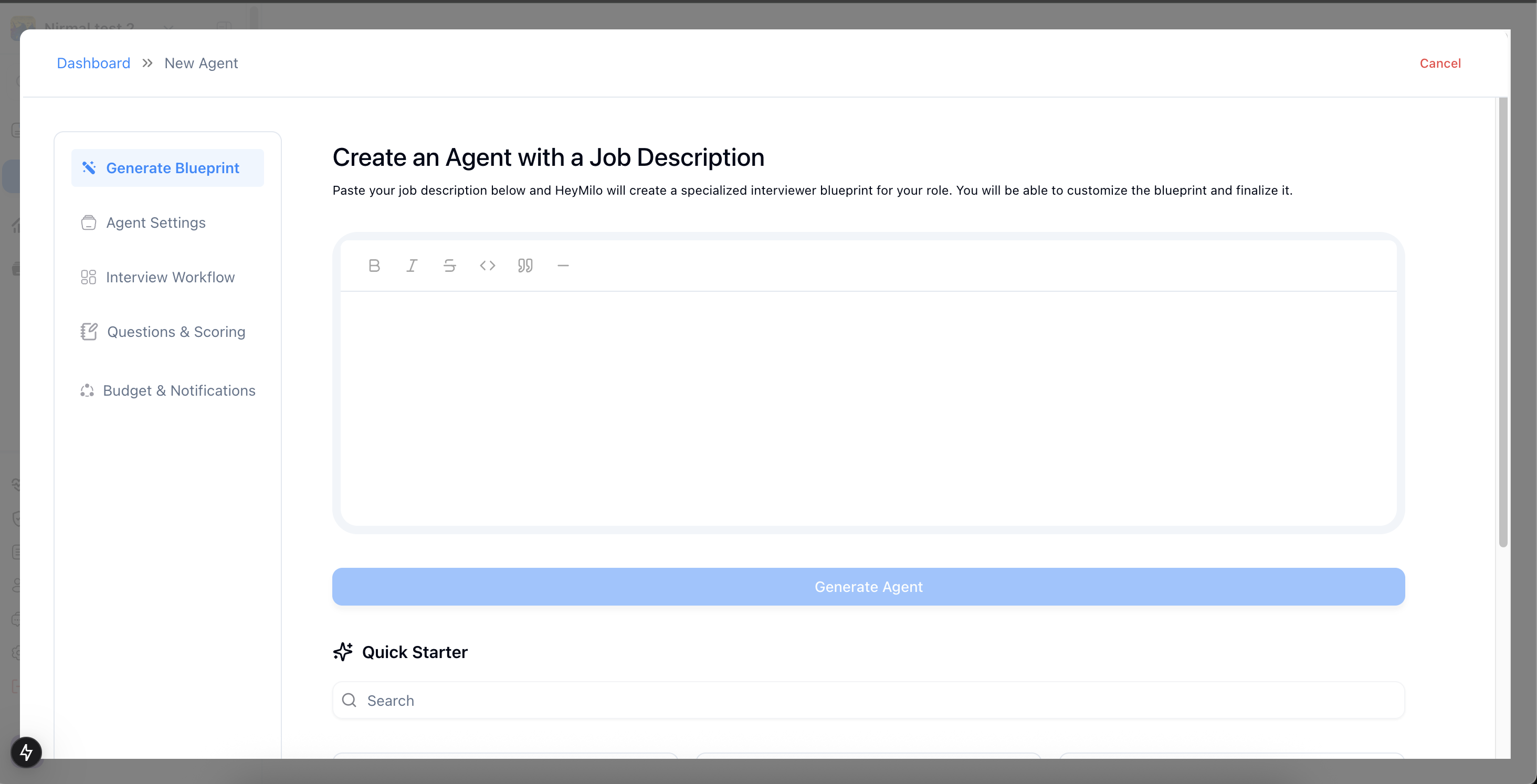
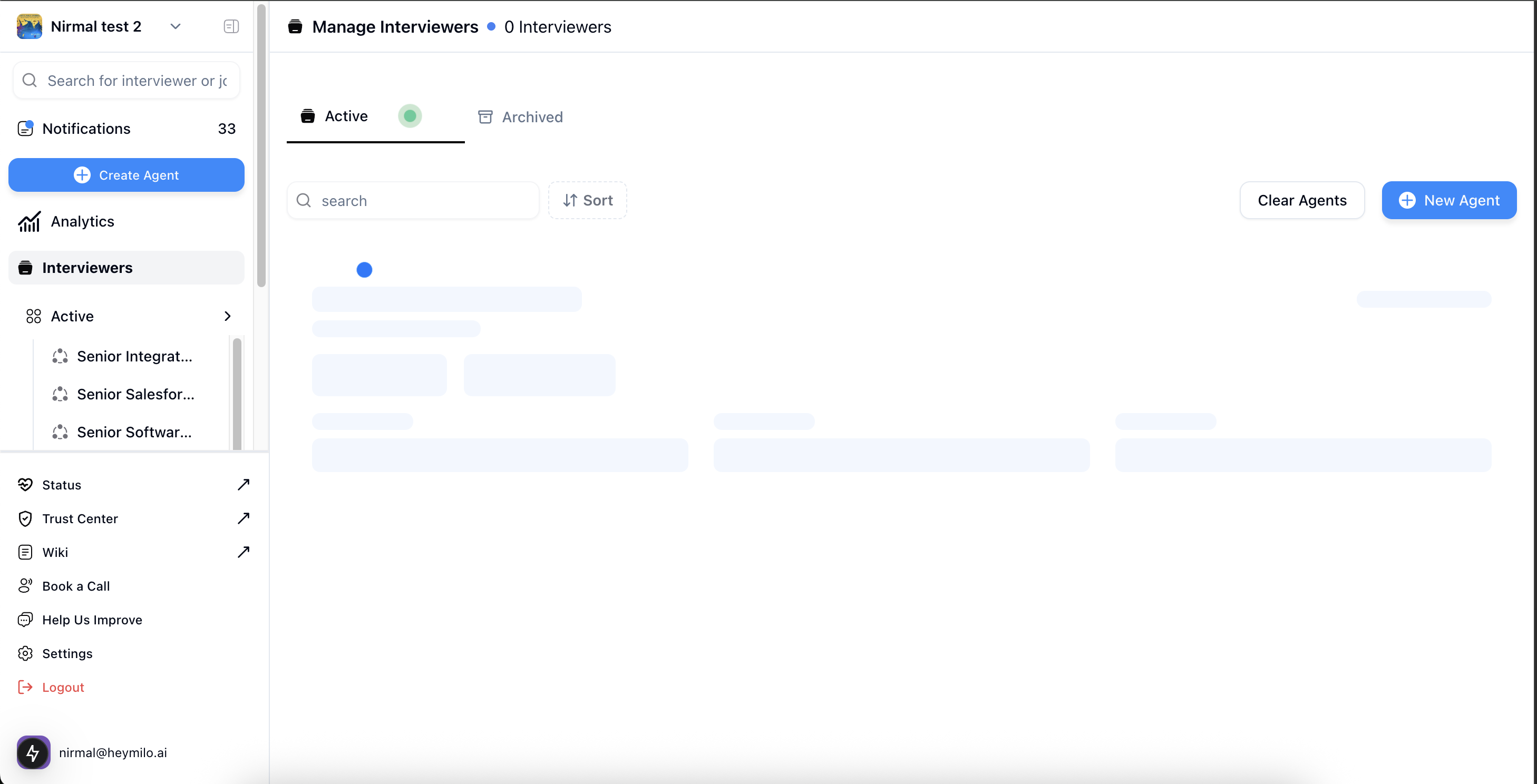
#### Create a Screening Agent
<Steps>
  <Step title="Log in to HeyMilo Admin (https://admin.heymilo.ai)" />

  <Step title="Click the Create Agent button to create a screening agent">
    <Frame>
      ![](https://110840537-files.gitbook.io/~/files/v0/b/gitbook-x-prod.appspot.com/o/spaces%2FbKCgmPgkC7X1VTl62ocK%2Fuploads%2Fgit-blob-68568223f2424f8bcc6cf553aea02d94a84f9ef3%2FScreenshot%202025-06-11%20at%2022.40.50.png?alt=media)
    </Frame>
  </Step>

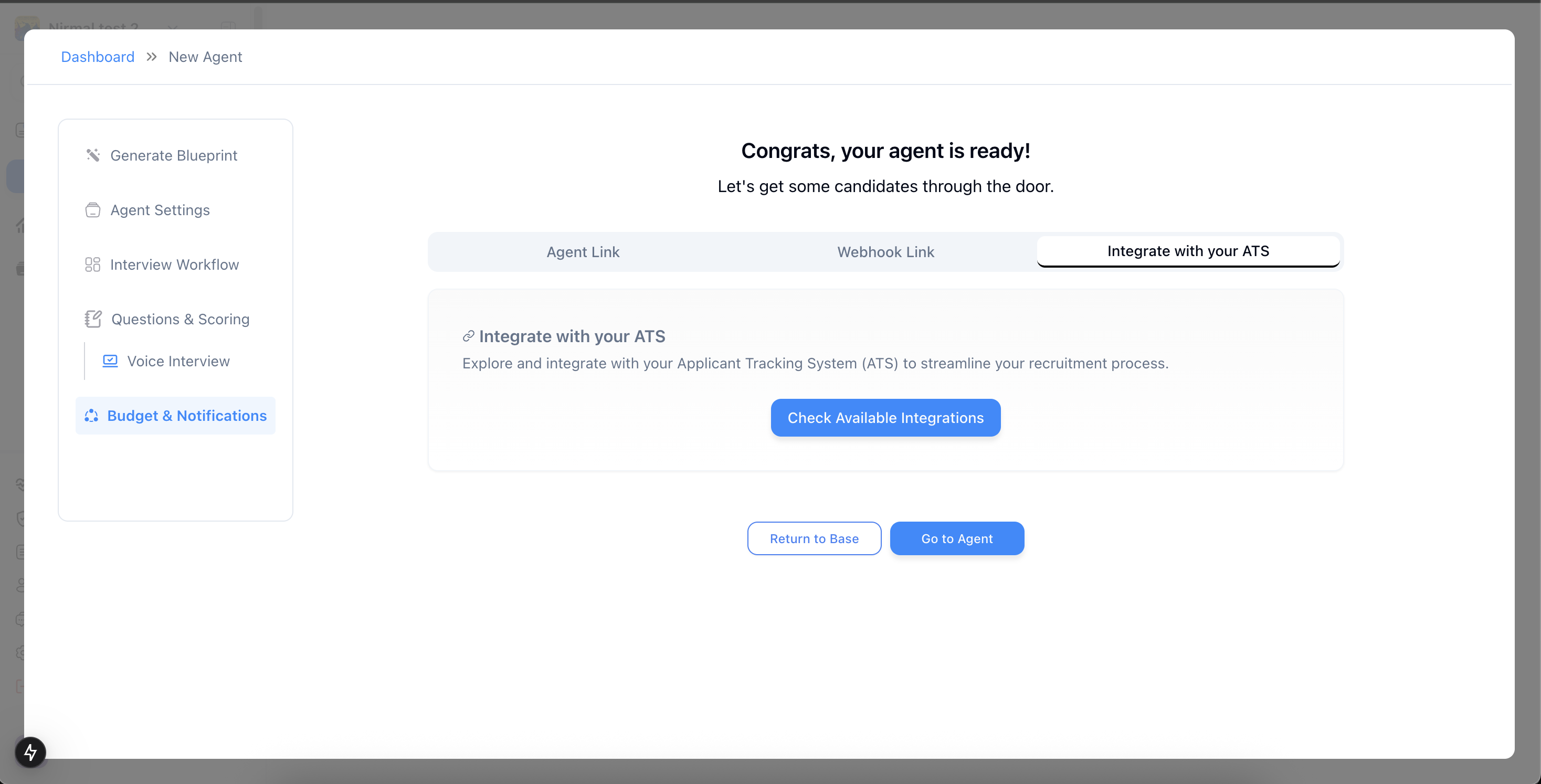
  <Step title="Fill in the necessary configurations and complete the setup flow">
    <Frame>
      ![](https://110840537-files.gitbook.io/~/files/v0/b/gitbook-x-prod.appspot.com/o/spaces%2FbKCgmPgkC7X1VTl62ocK%2Fuploads%2Fgit-blob-a16b3e7204bf6dbaf595a9e70d193f809f62763d%2FScreenshot%202025-06-11%20at%2022.42.58.png?alt=media)
    </Frame>
  </Step>
</Steps>

#### Connect HeyMilo to Salesforce

<Steps>
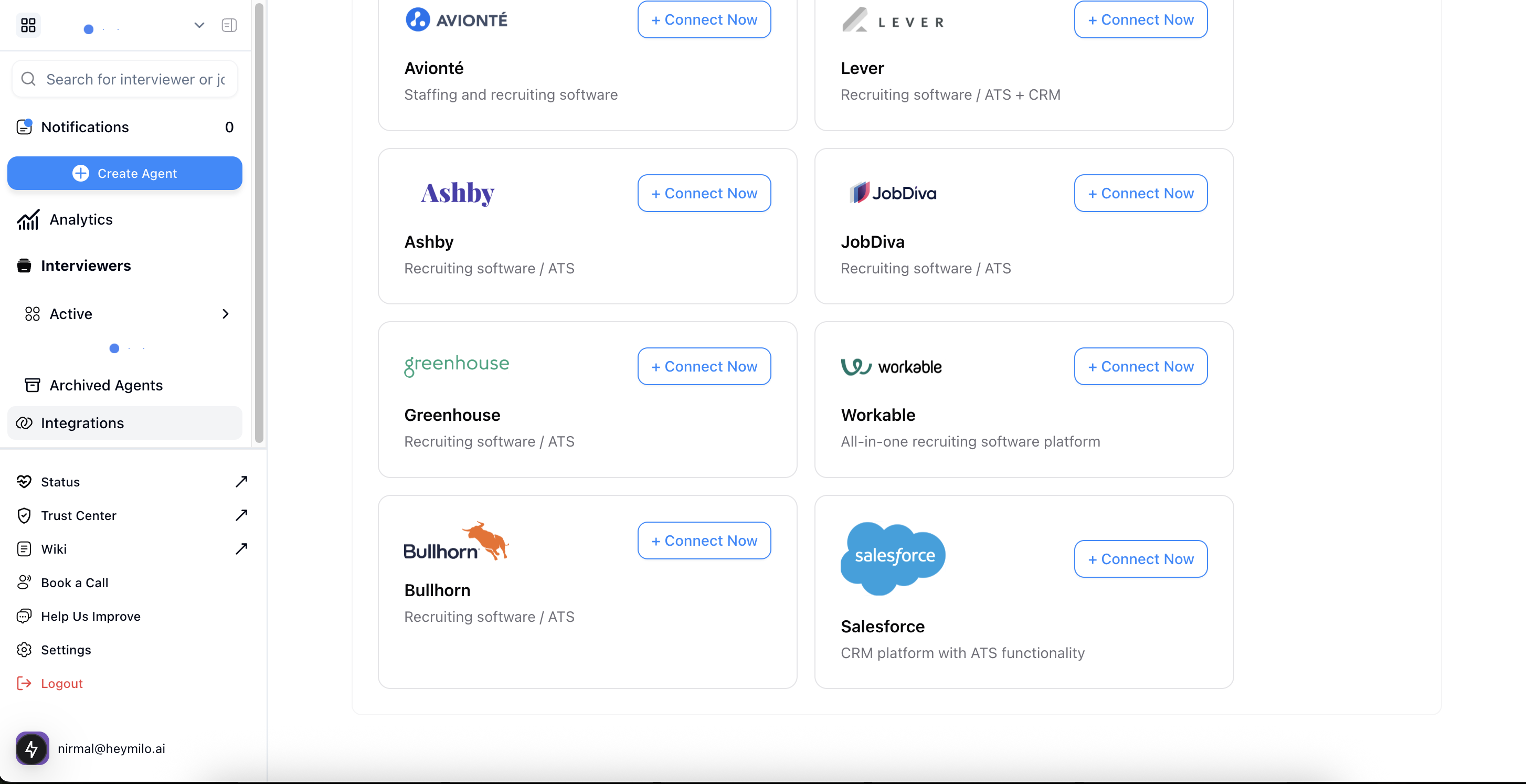
  <Step title="In the Integrate with your ATS tab, click Check Available Integrations">
    <Frame>
      ![](https://110840537-files.gitbook.io/~/files/v0/b/gitbook-x-prod.appspot.com/o/spaces%2FbKCgmPgkC7X1VTl62ocK%2Fuploads%2Fgit-blob-251b57fb69856b0f9714664e3eed06d3fd8bffe3%2FScreenshot%202025-06-11%20at%2023.00.22.png?alt=media)
    </Frame>
  </Step>

  <Step title="Under the Salesforce section, click Connect Now">
    <Frame>
      ![](https://110840537-files.gitbook.io/~/files/v0/b/gitbook-x-prod.appspot.com/o/spaces%2FbKCgmPgkC7X1VTl62ocK%2Fuploads%2Fgit-blob-f726c2b9d0c06fc6aaf7fffc79242c5aa4c70968%2FScreenshot%202025-06-11%20at%2022.31.21.png?alt=media)
    </Frame>
  </Step>

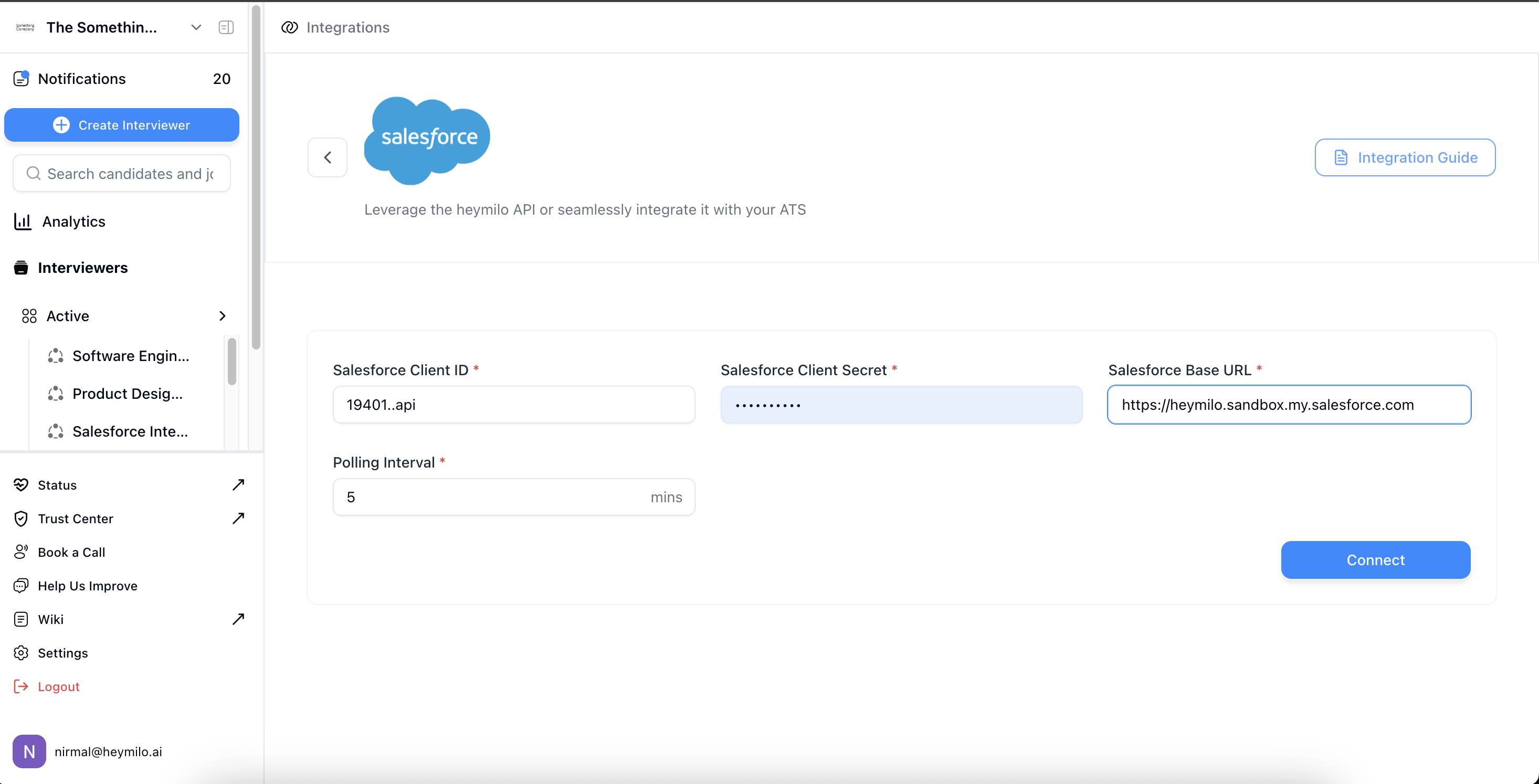
  <Step title="Enter Your Salesforce Credentials and Set a Polling Interval (1–1440 minutes)">
    The polling interval determines how often HeyMilo checks Salesforce for new candidates.

    * Enter a **lower value** (e.g., `5`) to fetch new applicants more frequently.
    * Use a **higher value** (e.g., `1440`) if real-time syncing is not critical.

    Make sure to enter the value in **minutes**.

    <Check>
      Example: A 10-minute polling interval means HeyMilo will check Salesforce every 10 minutes for updates.
    </Check>
  </Step>

  <Step title="Click Connect to finalize the integration">
    <Frame>
      ![](https://110840537-files.gitbook.io/~/files/v0/b/gitbook-x-prod.appspot.com/o/spaces%2FbKCgmPgkC7X1VTl62ocK%2Fuploads%2Fgit-blob-f4a0fcea6e3e0881a1aa483bf4bf3213ff53233d%2FScreenshot%202025-07-10%20at%2012.53.34.png?alt=media)
    </Frame>
  </Step>
</Steps>

#### Mapping HeyMilo Agents to Salesforce Jobs

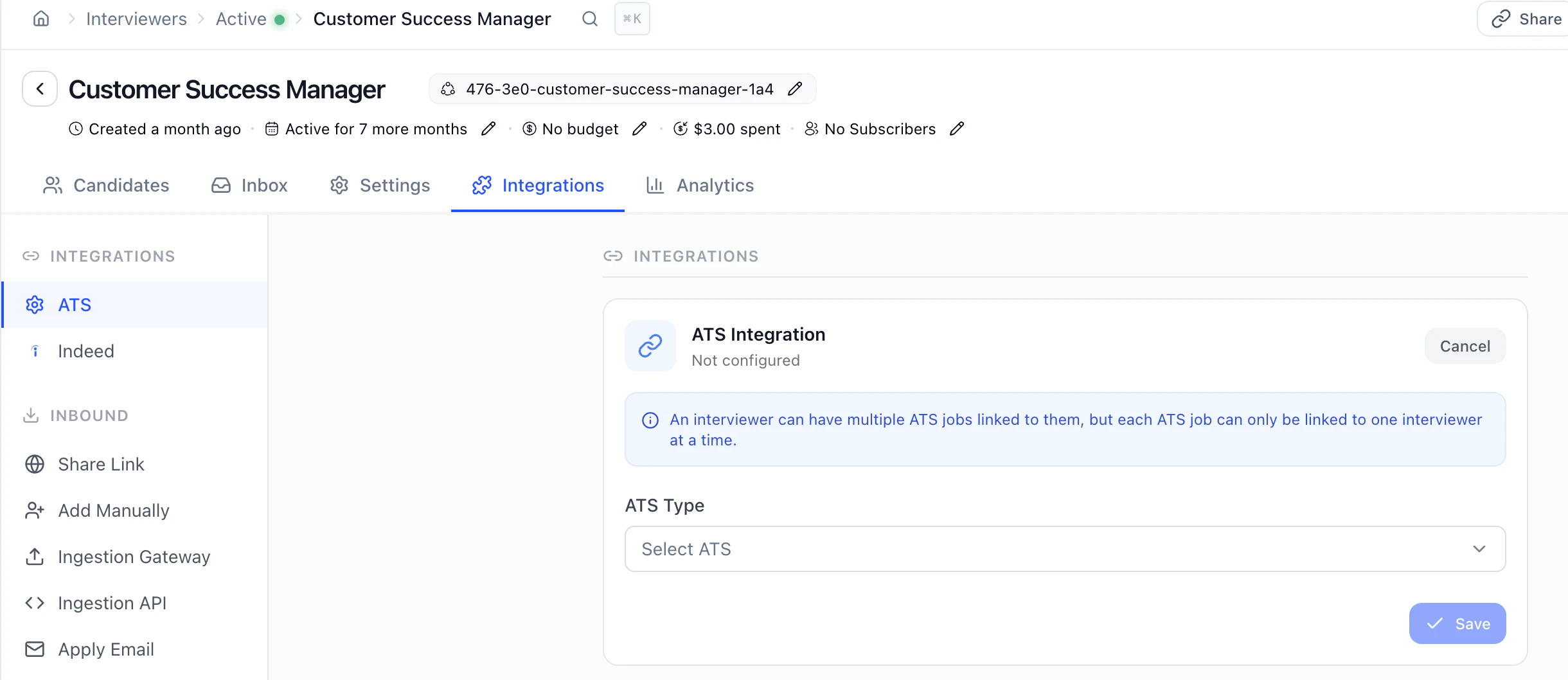
You can map Salesforce jobs with a HeyMilo agent using our agent-ats mapping feature
<Steps>
  <Step title="From the Actions dropdown on your active agent, select Integrations" />

  <Step title="Scroll to ATS Integration">
    <Frame>
      <img src="https://mintcdn.com/heymilo/zFaiaFBPnEiLfapY/images/Screenshot-2026-05-15-at-4.35.14-PM.png?fit=max&auto=format&n=zFaiaFBPnEiLfapY&q=85&s=2d5d80268d91dbebb2cab10dba547cb4" alt="Screenshot 2026 05 15 At 4 35 14 PM" width="2440" height="1058" data-path="images/Screenshot-2026-05-15-at-4.35.14-PM.png" />
    </Frame>
  </Step>

  <Step title="Select Salesforce as your ATS Type, select Job Posting ID as a Mapping Parameter, and paste your Salesforce Job ID from the Salesforce portal here">
    <Frame />

    <Frame>
      ![](https://110840537-files.gitbook.io/~/files/v0/b/gitbook-x-prod.appspot.com/o/spaces%2FbKCgmPgkC7X1VTl62ocK%2Fuploads%2Fgit-blob-fc516b07d8fb0110e75aac02c91f8191fb0758cf%2FScreenshot%202025-07-10%20at%2012.59.59.png?alt=media)
    </Frame>
  </Step>

  <Step title="Next, click Add and save the configuration. Once Mapping is added, you will get a success toast!" />
</Steps>

#### Automatic Candidate Sync

Candidates added to the mapped Salesforce job(s) will be ingested into HeyMilo at the configured polling interval.

<Frame>
  ![](https://110840537-files.gitbook.io/~/files/v0/b/gitbook-x-prod.appspot.com/o/spaces%2FbKCgmPgkC7X1VTl62ocK%2Fuploads%2Fgit-blob-963a011f26dea77d15734685ecc1077b4c7ebbb7%2FScreenshot%202025-06-11%20at%2023.43.05%20\(2\).png?alt=media)
</Frame>

Each candidate will receive an interview invitation email automatically.

<Frame>
  ![](https://110840537-files.gitbook.io/~/files/v0/b/gitbook-x-prod.appspot.com/o/spaces%2FbKCgmPgkC7X1VTl62ocK%2Fuploads%2Fgit-blob-b841cdf02e5bc209c631942725f9ef714abebbf6%2FScreenshot%202025-06-11%20at%2023.34.02%20\(1\).png?alt=media)
</Frame>

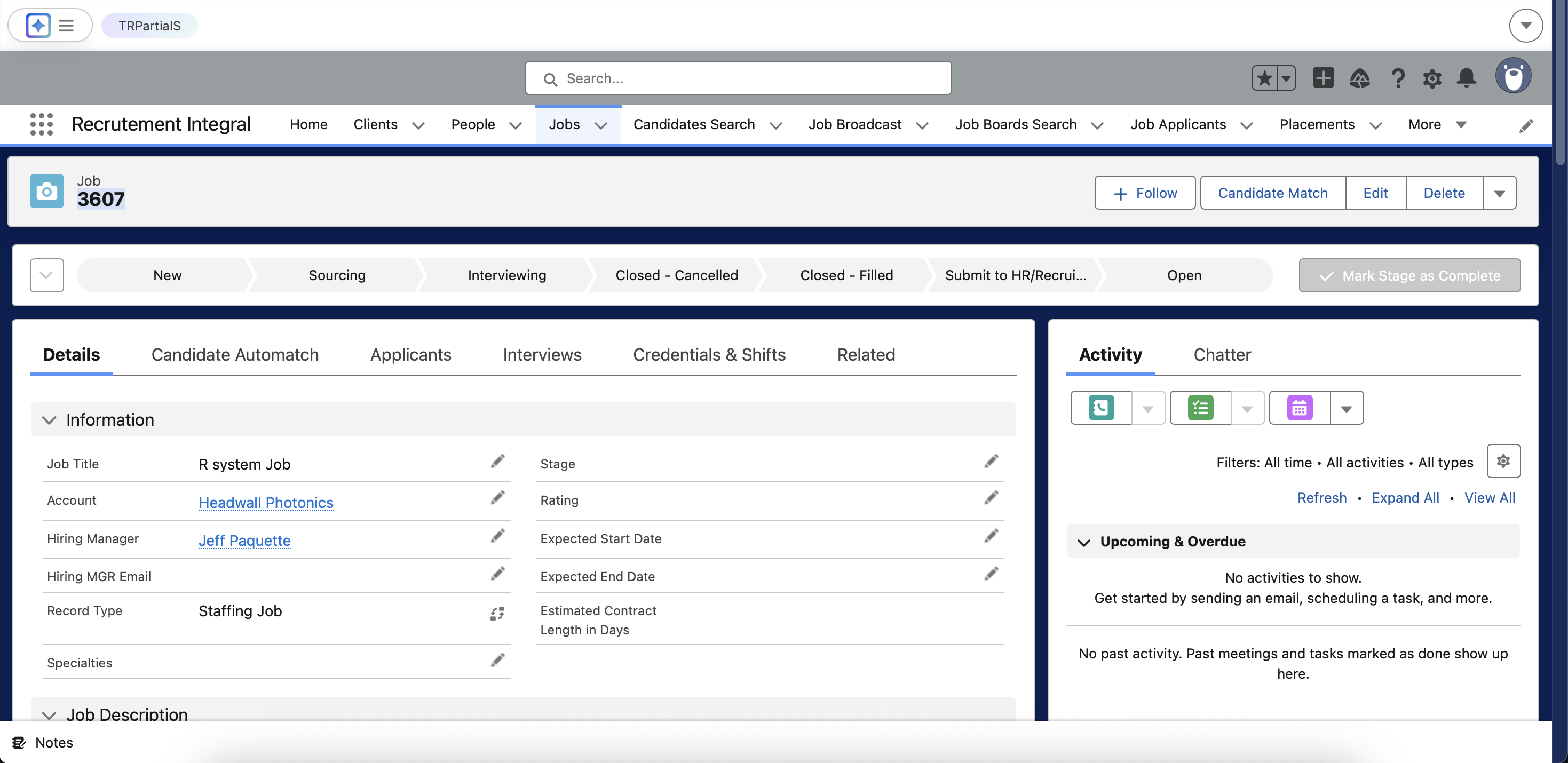
#### Results & Feedback in Salesforce

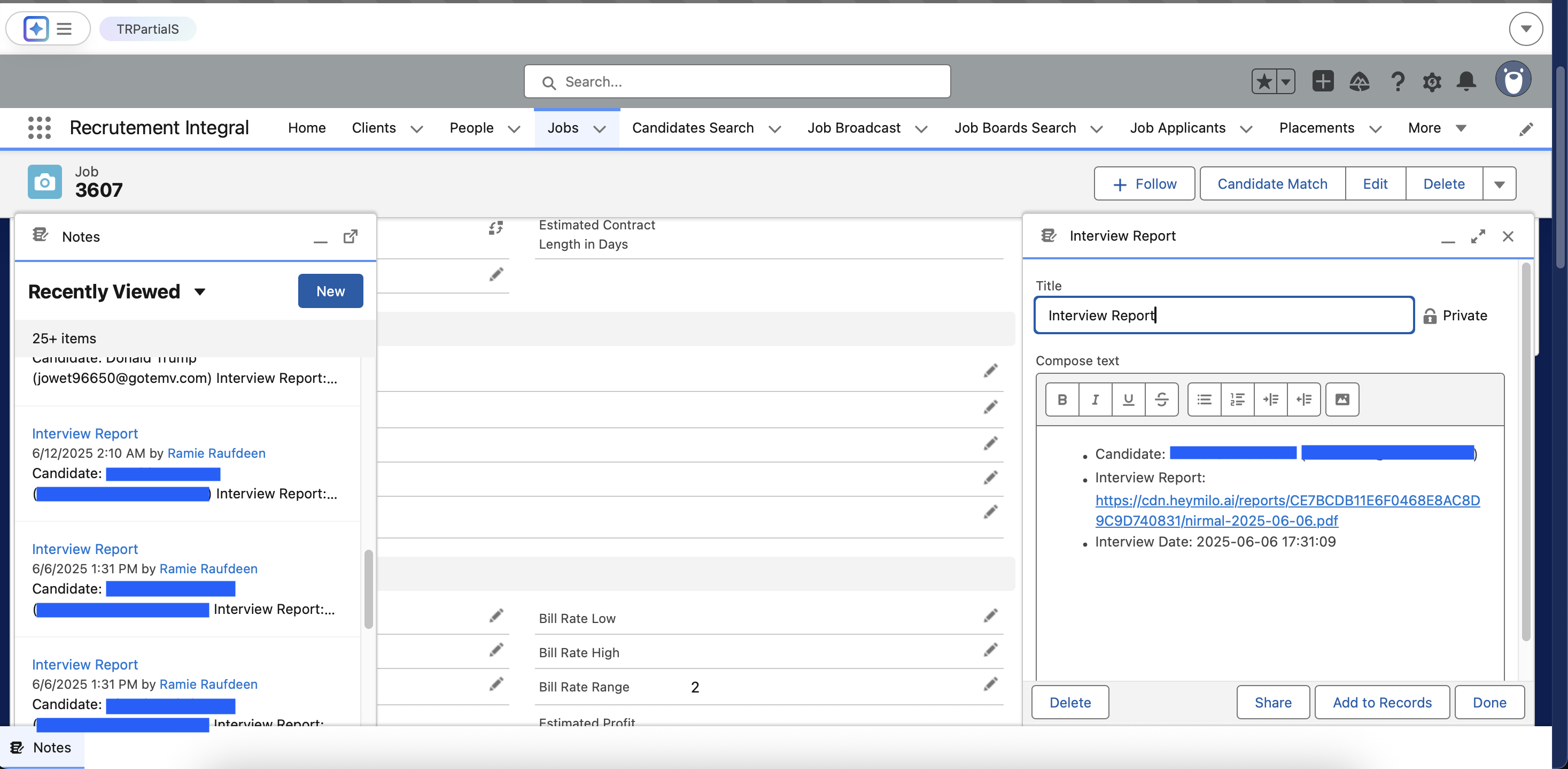
When the interview is finished, HeyMilo generates a structured report—complete with transcripts, AI summaries, and scores—and adds it to the candidate’s **Notes** in Salesforce.
<Frame>
  ![](https://110840537-files.gitbook.io/~/files/v0/b/gitbook-x-prod.appspot.com/o/spaces%2FbKCgmPgkC7X1VTl62ocK%2Fuploads%2Fgit-blob-f49d2d5f32dddb56dd925dff22f060b694bbfd4a%2FScreenshot%202025-07-10%20at%2013.03.25.png?alt=media)
</Frame>

### Additional resources

For additional information not covered here, reach out to [support@heymilo.ai](mailto:support@heymilo.ai).