> ## Documentation Index
> Fetch the complete documentation index at: https://docs.heymilo.ai/llms.txt
> Use this file to discover all available pages before exploring further.
> Integrating HeyMilo with Carerix enables powerful end-to-end, conversational AI candidate engagement and screening capabilities within your hiring workflow.
# Carerix
### Credentials Needed
| Credential | Where to get it (Carerix) | Where it goes in HeyMilo |
| --------------- | -------------------------------------------------------------------------------------------------------------------------------------- | ---------------------------------------- |
| **System Name** | Your Carerix account identifier, usually provided by your Carerix admin or shown in your integration settings | Integrations → Carerix → **System Name** |
| **API Token** | Generate in Carerix under API or integration settings. Treat this like a password and share only with admins setting up the connection | Integrations → Carerix → **API Token** |
**Base URL (optional):** Only needed if Carerix gives you a custom endpoint. Leave blank to use the default: `https://api.carerix.com`
### Setup
#### Connect Carerix
In HeyMilo, go to the **Sidebar → Integrations → Carerix**.
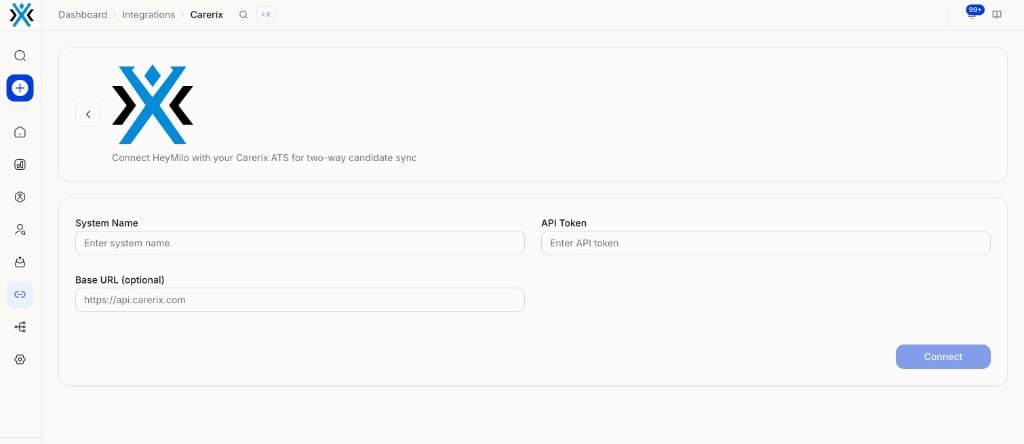 Enter your **System Name** and **API Token**.
Add a **Base URL** only if Carerix support provided a custom one.
Save and confirm the connection is active.
#### Configure Writeback
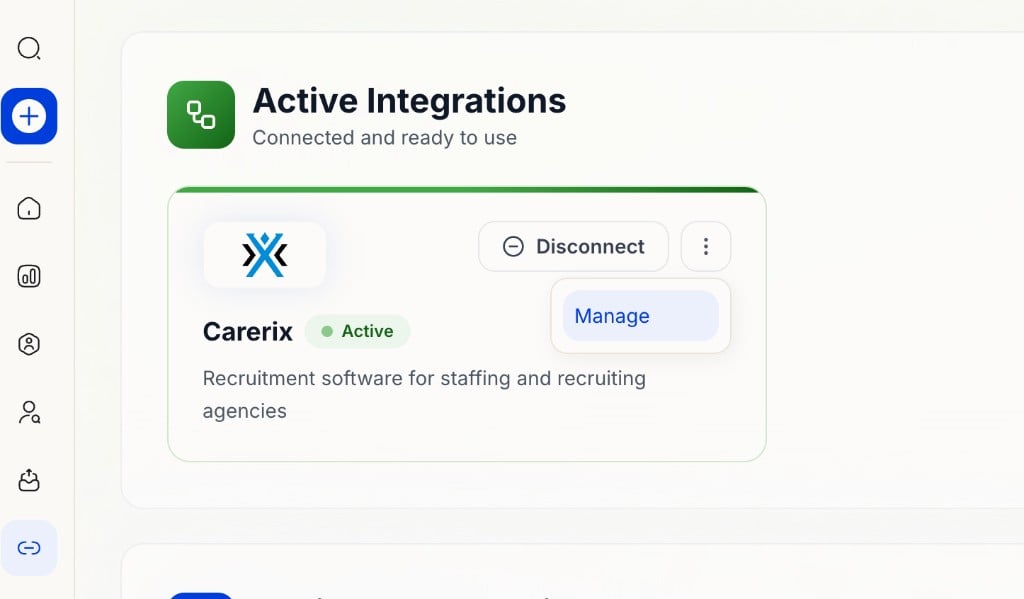
Under Integrations, open the writeback settings for Carerix and click **Manage**.
Enter your **System Name** and **API Token**.
Add a **Base URL** only if Carerix support provided a custom one.
Save and confirm the connection is active.
#### Configure Writeback
Under Integrations, open the writeback settings for Carerix and click **Manage**.
 Choose what HeyMilo sends back after a candidate completes an interview (scores, summary, report, etc.).
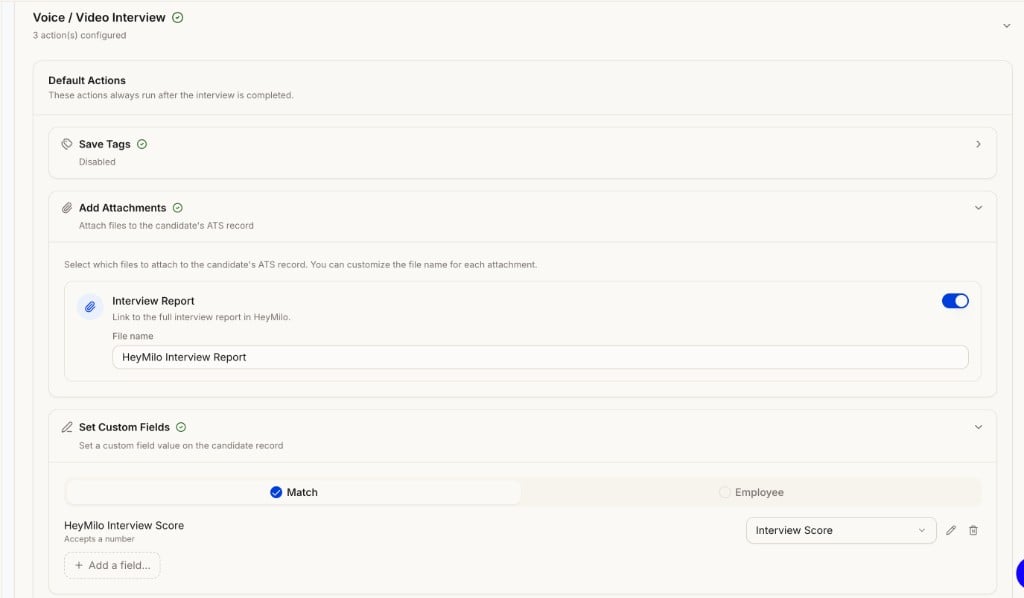 Save before going live.
#### Create and Connect a Job
Save before going live.
#### Create and Connect a Job
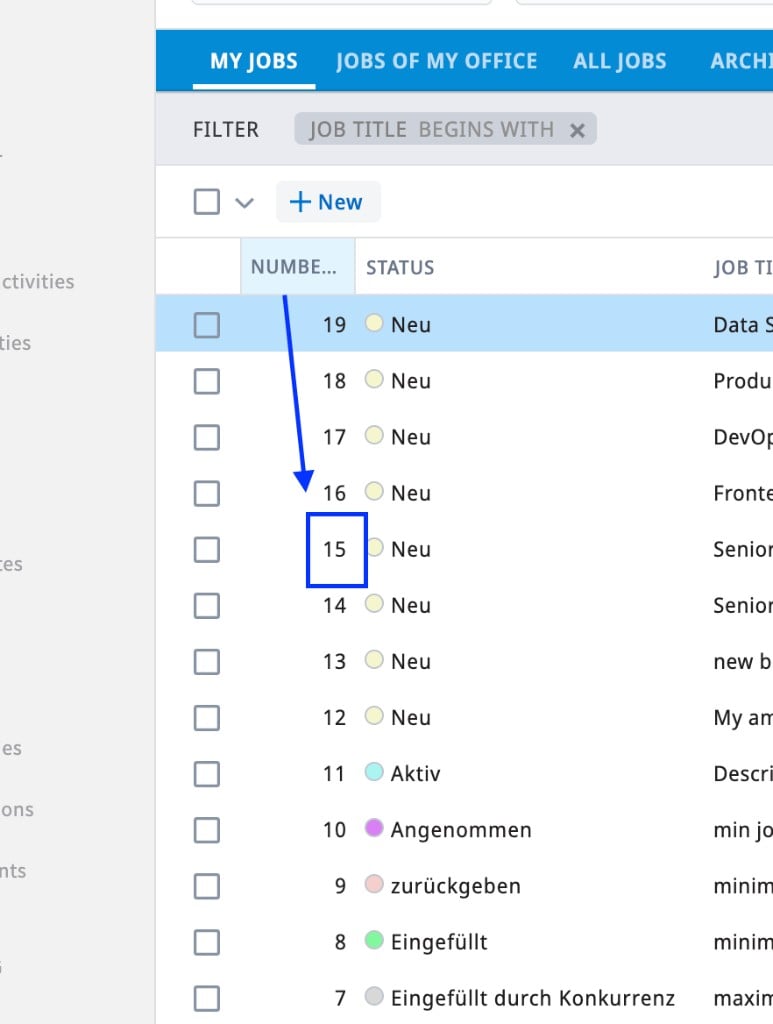 In HeyMilo, go to your agent settings and connect that Carerix job to the interview agent using the job ID.
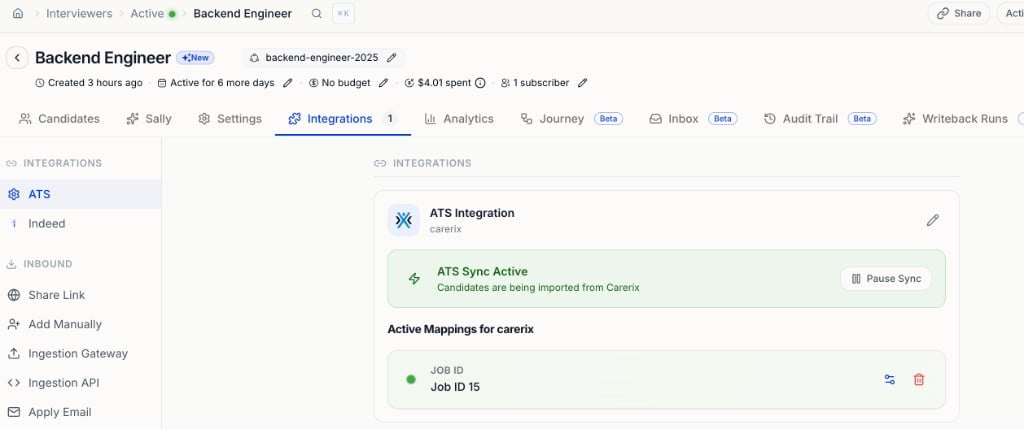 Confirm the job link is active before sending candidates.
### How It Works
#### Sending candidates to HeyMilo
* Add candidates in Carerix, or let them apply to the connected job
* The candidate receives the HeyMilo interview invite and completes screening there
#### After the interview
* HeyMilo processes the interview and writes results back to Carerix (if writeback is enabled)
* Recruiters review scores and reports inside Carerix on the candidate record
### Viewing Results in Carerix
Click on a candidate.
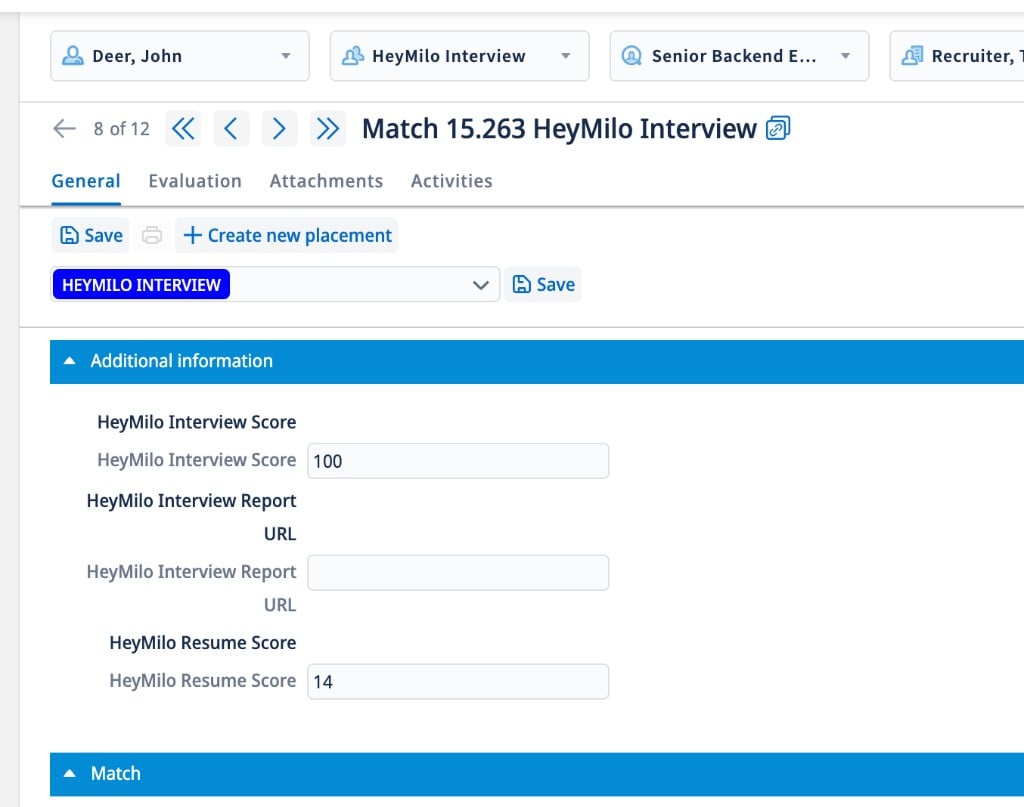
Under **General → Additional Information**, view overall assessment scores.
Confirm the job link is active before sending candidates.
### How It Works
#### Sending candidates to HeyMilo
* Add candidates in Carerix, or let them apply to the connected job
* The candidate receives the HeyMilo interview invite and completes screening there
#### After the interview
* HeyMilo processes the interview and writes results back to Carerix (if writeback is enabled)
* Recruiters review scores and reports inside Carerix on the candidate record
### Viewing Results in Carerix
Click on a candidate.
Under **General → Additional Information**, view overall assessment scores.
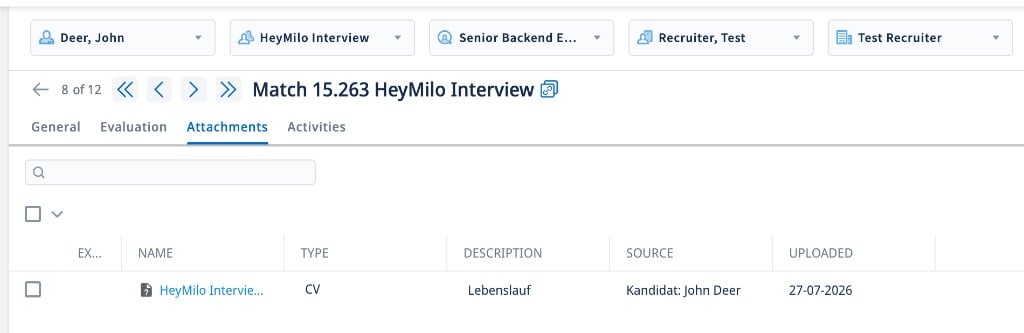
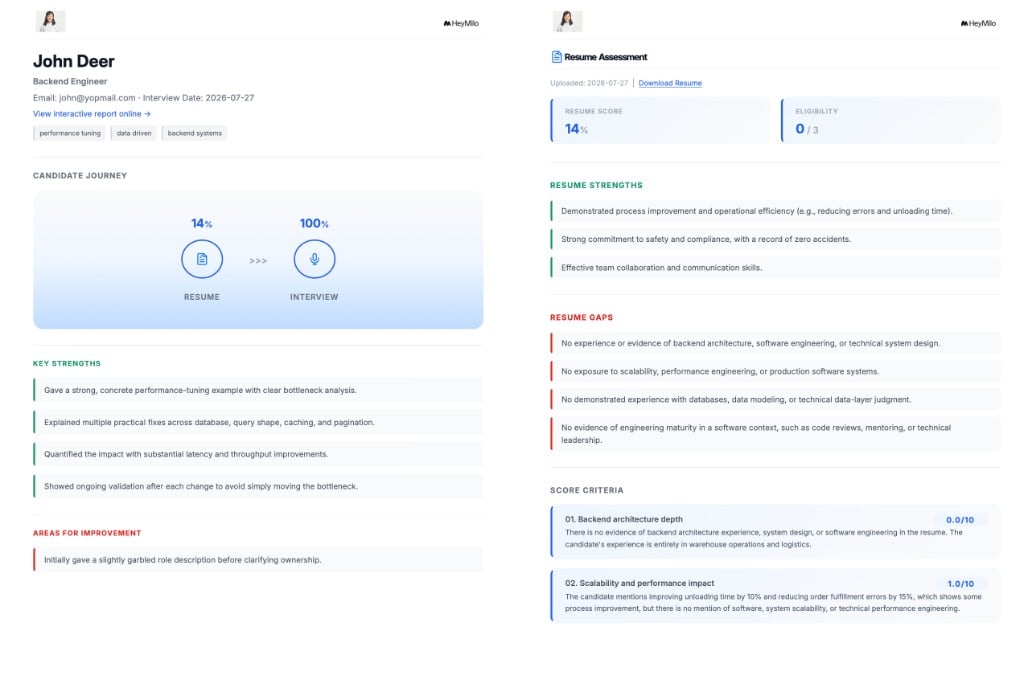
 Go to **Attachments** to download the detailed candidate report.
 ### Additional Resources
For anything not covered here, reach out at [**support@heymilo.ai**](mailto:support@heymilo.ai).
### Additional Resources
For anything not covered here, reach out at [**support@heymilo.ai**](mailto:support@heymilo.ai).